
On this page
Start here
Quick answer
Do not run a Sharp microwave if the door does not close and latch normally. Unplug it, remove only a visible obstruction or food residue from the accessible door and frame with a soft damp cloth, and inspect the door, hinges, hooks or latches, seals and sealing surfaces without forcing or adjusting them. Sharp's official safety material says not to defeat the interlocks and not to use a damaged oven; the opened Sharp child-lock guidance is model-dependent, so use the exact manual only if the display indicates a child-resistant lock. A bent door, loose or broken latch/hinge, damaged seal, door that springs back open, or any need to press hard requires qualified service and no cooking test.
Before you begin
Safety first
- Keep the microwave unplugged. Do not force or tape the door closed, alter the latch, defeat an interlock, remove the cabinet, perform leakage or live tests, or run the oven to see whether it heats.
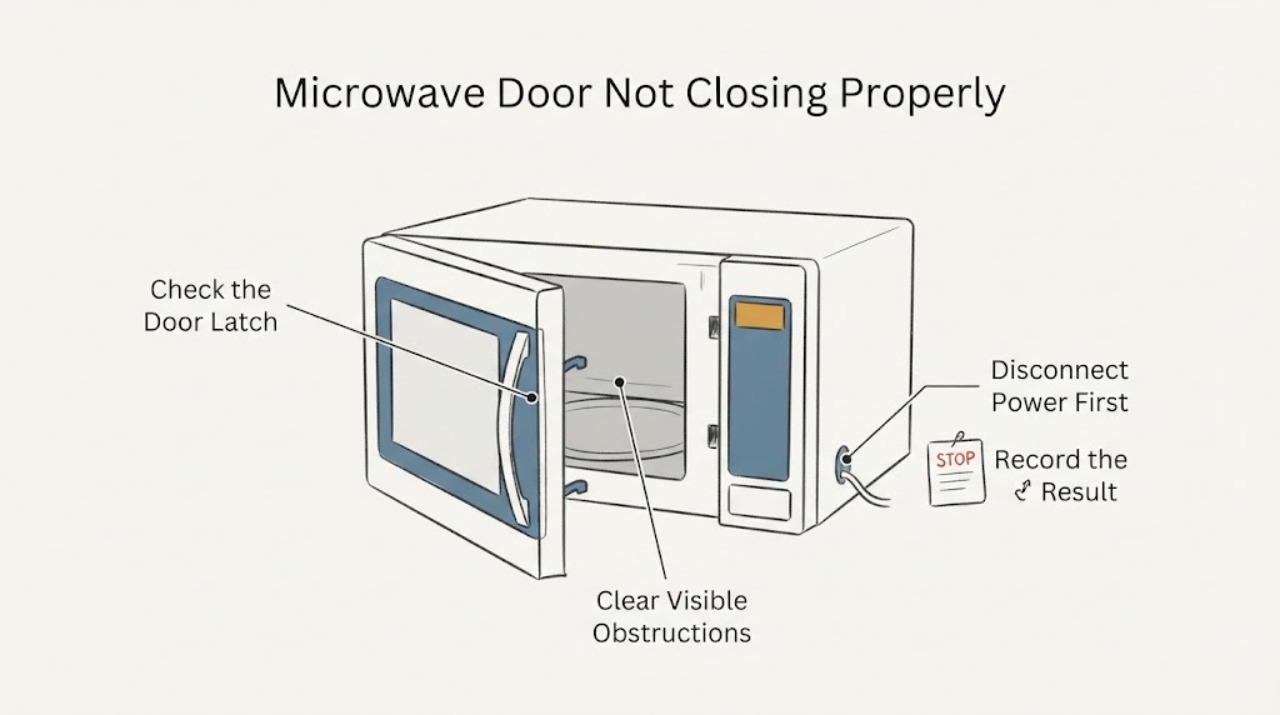
Work through in order
Diagnostic checks
Use only checks that match the exact appliance or system and its official guide.
-
Check 1
Stop cooking, unplug the microwave, and keep the door in its normal position. Do not press hard on it, hold it shut, tape it closed, or attempt to run the oven while the latch or seal is not normal.
Expected result: The door is simply not responding to an indicated lock state, or it will not sit flush/latch, springs back open, or has visible damage.
Next step: For a physical closure defect or visible damage, leave the unit unplugged and arrange qualified service. For a possible lock state, continue only with exact model identification and the manufacturer's matching instructions.
Why this matters
Why: A lock state may require a model-specific unlock instruction; a physical closure defect can involve the door or microwave safety interlocks. Neither condition is safe to overcome by force or a cooking test.
-
Check 2
With power disconnected, inspect the accessible door edge, frame and sealing surfaces for food residue, packaging, a utensil, or another visible obstruction. Remove only loose residue with a soft damp cloth, then rinse/dry the surface as the exact manual allows; do not use keys, abrasive tools, or objects between the door and frame.
Expected result: A removable surface residue is present and the door then closes without force, or the door still does not close normally.
Next step: If the door remains abnormal after the gentle external clean, stop and use service. Do not scrape, pry, bend or shim the seal, frame or latch.
Why this matters
Why: Sharp's manual says residue on sealing surfaces can interfere with proper closure and warns against objects between the door and front frame. Cleaning a surface does not prove that the latch or interlock is sound.
-
Check 3
Look at the visible door, hinges, hooks/latches, seal and sealing surfaces without removing panels or hardware. Compare the closed door with the frame from the front; do not push it into alignment or adjust screws.
Expected result: The door is bent, a hinge or hook/latch is loose or broken, the seal is cut/deformed, the door sits unevenly, or no damage is visible.
Next step: For any damage or uneven closure, keep the microwave unplugged and request competent service. If nothing visible is wrong but closure remains unreliable, do not test it; provide the exact model and symptom to service.
Why this matters
Why: Sharp's opened manual specifically identifies bent doors, broken or loosened hinges/hooks, and damaged seals or sealing surfaces as conditions requiring the oven not to be operated. No visible damage does not rule out an internal interlock issue.
-
Check 4
Read the display and identify the full model number from the rating label or documentation without opening the cabinet. If the display shows a lock/door state after a cycle, compare that model with Sharp's child-resistant-lock support and the exact owner's manual; do not try a sequence copied from another model.
Expected result: The model is one of Sharp's listed child-lock groups and the display indicates a lock, or the model is unknown/not listed and the door is physically abnormal.
Next step: Use only the exact model's documented unlock operation when the model and display match. If the door still will not open/close correctly, or the unit is not a matching lock model, keep it unplugged and arrange service.
Why this matters
Why: Sharp says the child-resistant lock applies to specified model groups and that the unlock control varies by model. An unknown model cannot be given a reliable lock sequence, and a physical fit problem is not a lock-setting problem.
-
Check 5
Give the technician the full model, door style, exact display text, whether the problem began after a cycle or impact, whether the door sits flush, and any visible damage to the door, hinges, hooks/latches or seals. Do not remove the outer cover or attempt a microwave leakage/interlock test at home.
Expected result: The door cannot close or latch normally, the door must be forced, a lock message persists outside the documented model procedure, or any damage is visible.
Next step: Keep the microwave unplugged and out of use until qualified service confirms the door and interlock assembly are safe. Do not make a heating or leakage test yourself.
Why this matters
Why: Sharp's safety material places damaged-door and interlock repair beyond ordinary operation and directs adjustment or repair to competent service personnel.
Use your observations
Decision map
Find the observation that best matches what you see, then follow the next safe action.
-
PATH 01Next step
What you see
Only loose residue or a removable obstruction is visible, and the door closes flush without force after a gentle external clean.
Do this next
Use the exact manual's cleaning guidance and stop if the door becomes uneven, springs open, or fails to latch normally.
Why this path and its safety boundary
Why it matters: The accessible closure surface may have been obstructed, but the safety interlock has not been independently proven.
-
PATH 02Next step
What you see
The display indicates a child-resistant lock after a cycle and the exact model appears in Sharp's supported model list.
Do this next
Follow only that model's documented unlock action; never force the door or use a sequence from another Sharp microwave.
Why this path and its safety boundary
Why it matters: The door may be in a model-specific lock state rather than mechanically misaligned.
-
PATH 03Next step
What you see
The door is bent or uneven, a hinge or hook/latch is loose or broken, a seal is damaged, or the door will not sit flush.
Do this next
Leave the microwave unplugged and arrange competent service; do not adjust the latch, bypass an interlock, or test heating.
Why this path and its safety boundary
Why it matters: Sharp's safety guidance treats these as damaged-oven conditions and says the microwave should not be operated.
-
PATH 04Next step
What you see
No visible obstruction or damage is found, but the door still does not close or latch reliably, or the model/lock state cannot be identified.
Do this next
Keep the unit out of use, obtain the exact model information, and contact qualified service without opening the cabinet.
Why this path and its safety boundary
Why it matters: An external inspection cannot establish that the interlock and microwave shielding are safe.
Helpful context
Understand the symptom
Separate a lock state from a mechanical closure problem
A door that is temporarily locked after a cooking cycle is different from a door that will not sit flush or latch. Sharp's child-resistant-lock support says the feature and unlock control vary by model and lists applicable model groups; it does not justify forcing the door or applying a sequence to an unidentified model.
Treat the door and interlock as a safety assembly
Sharp's opened manual safety section says the oven should close properly and should not be used when the door, hinges, hooks or seals are damaged. It also says not to defeat or tamper with safety interlocks. An external wipe of accessible residue is a cleaning check, not permission to bend, realign or replace a latch.
Escalate without a microwave test
If the door still will not close normally after the visible check, leave the microwave unplugged and give service the exact model, door style, display message, and visible damage. Do not run a cup-of-water test, hold the door shut, bridge a switch, remove the cover, or adjust the latch.
When checks do not resolve it
Need a professional?
Use qualified Sharp or appliance service when the door will not close/latch normally, any door/hinge/latch/seal damage is visible, a lock state persists outside the exact model procedure, or the next step would involve adjustment, cover removal or interlock testing. Keep the microwave unplugged until cleared.
Safety scope: Keep the microwave unplugged. Do not force or tape the door closed, alter the latch, defeat an interlock, remove the cabinet, perform leakage or live tests, or run the oven to see whether it heats.
Have this ready
- Provide the full model, door style, display text, whether the issue followed a cooking cycle or impact, and photos/description of visible door, hinge, latch and seal damage without operating the oven.
Common questions
FAQ
Can I press harder on a Sharp microwave door so it latches?
No. Do not force, tape or hold a door closed. Sharp's safety guidance requires proper closure and prohibits tampering with safety interlocks; a door that needs force should remain unplugged for service.
Could this be Sharp's child-resistant door lock?
Possibly only if the exact model supports that feature and the display indicates it. Sharp says the unlock control varies by model and lists model groups, so do not use a universal button sequence or treat a physically bent or misaligned door as a lock setting.
Can I run a cup of water to see whether the microwave still works?
No. Do not operate the oven while the door does not close or latch normally. Keep it unplugged and have the door, seal and interlock checked by qualified service.
Read the exact guide
Official sources
- Sharp SMC1655BS Microwave Oven Operation ManualSharp USA · Opened Sharp's official SMC1655BS manual. The assigned task has no model, so this manual is not used to claim a model-specific latch layout; it supports the manufacturer safety boundary that the door must close properly, damaged doors/hinges/hooks/seals must not be operated, residue should be cleaned without defeating interlocks, and repair belongs to competent service.
- UL923 Child-Resistant Door Lock InformationSharp USA · Opened Sharp USA's official support page. It states the U.S. countertop child-resistant-lock scope, that the unlock control varies by model, and lists supported model groups and lock-state behavior; it is used only for a conditional lock branch, not as a universal physical-door repair procedure.
Community feedback
Share a repair observation
Share a plain-text repair observation. Accepted observations are published automatically; this page may take a moment to update.