
On this page
Start here
Quick answer
When a Siemens coffee maker is not working, identify the exact symptom first: no display, no drink, only water, a blocked brewing unit, no milk froth, a leak, or an error message. Find the machine's complete E-Nr. and use its Siemens manual or Online Assistant because reset timing and cleaning steps differ by model. For an EQ900 that no longer responds, Siemens documents disconnecting the mains plug for 60 seconds and reconnecting it once; do not assume that sequence applies to another range. Check the water tank, filter, bean container, brewing unit, drip tray, and milk system only as the model allows, and use approved cleaning or descaling products. If the display remains dead, a household fuse trips, the cord or plug is damaged, water enters the appliance, a fault returns after the documented reset, or internal repair would be required, stop using it and contact Siemens Service.
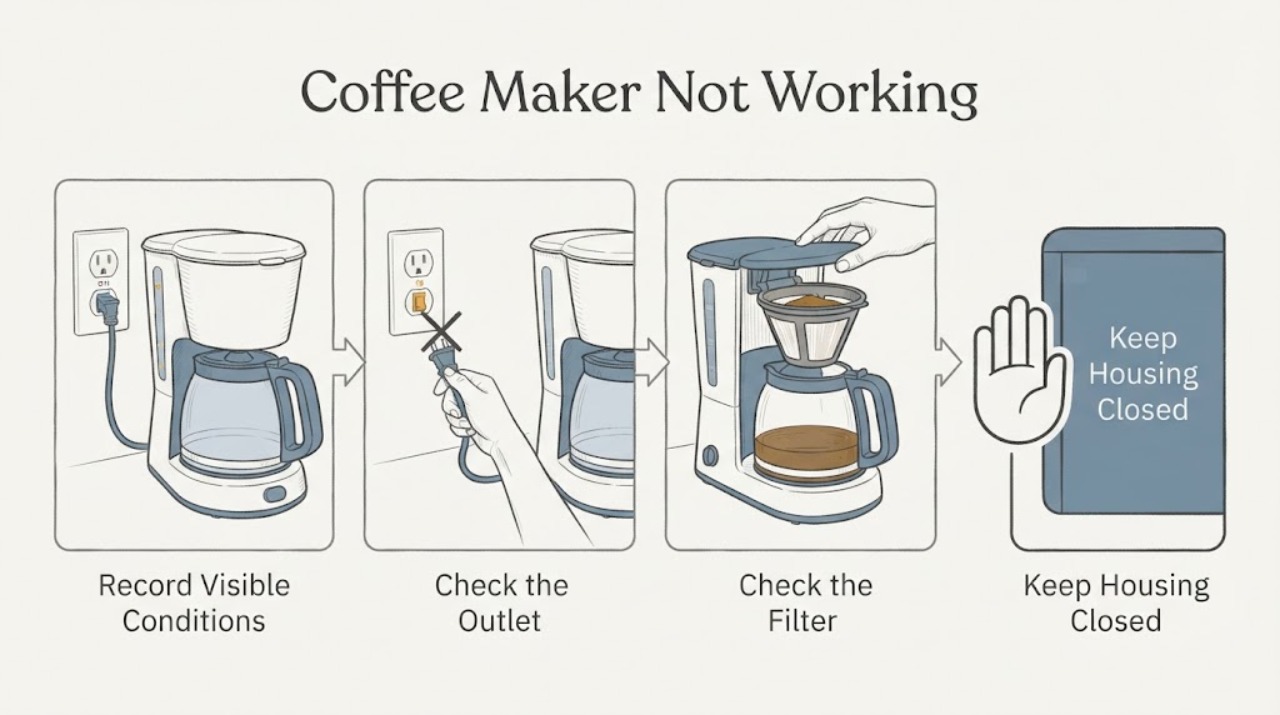
Work through in order
Diagnostic checks
Use only checks that match the exact appliance or system and its official guide.
-
Check 1
Record the complete Siemens E-Nr. and the exact symptom before changing settings. Note whether the display or illumination is absent, whether the machine responds to controls, whether water or coffee is dispensed, whether milk froth fails, and any message, flashing light, leak, noise, or fuse trip.
Expected result: The machine has no power or response, shows a message, dispenses only water or no drink, stops at the brewing or milk stage, or has a leak or electrical symptom.
Next step: Use the E-Nr. in Siemens' Online Assistant or manual search. Keep a photo or transcription of any message for service, and use only the matching instructions for the next check.
Why this matters
Why: The symptom category determines the applicable Siemens troubleshooting branch. An E-Nr. and exact message prevent a solution for one EQ range from being applied to another.
-
Check 2
Check the external power connection and control state. Confirm the plug is seated in a sound outlet, the display or illumination responds, and no household fuse or breaker has tripped. If the exact model manual authorizes a restart, perform it once; for the Siemens EQ900 only, the official table specifies disconnecting the mains plug for 60 seconds before reconnecting it.
Expected result: The display stays dark, a fuse or breaker trips again, the machine returns after the model-specific restart, or the machine has power but remains unresponsive.
Next step: Leave the machine disconnected if the fuse trips again, the cord or plug is damaged, or there is a burning smell. Otherwise continue with the model-specific water, bean, and brewing checks; do not remove the housing.
Why this matters
Why: A failed supply or repeated fuse trip indicates an electrical problem. A one-time recovery after the documented restart supports a control fault or temporary state, while a persistent no-response condition requires service rather than repeated resets.
-
Check 3
With the machine in its normal safe state, inspect the water tank, water filter, bean container, and their visible seating. Confirm the tank contains fresh water, the filter is installed as the exact manual shows, beans can fall into the grinder, and no container or lid is visibly mis-seated.
Expected result: The machine says to fill or insert a tank, filter, or bean container; only water is dispensed; beans are oily or not feeding; or these parts are full and correctly seated.
Next step: Refill or reseat only the named removable part and follow the model's filter-rinsing or air-removal procedure. Do not force a tank, pour carbonated liquid into it, or substitute a filter based on appearance.
Why this matters
Why: Siemens links no drink or water-only output to conditions such as an undetected bean supply, air or incorrect seating at the water filter, or a blocked water tank. Full and correctly seated supplies make a brewing path, scale, or control issue more likely.
-
Check 4
If coffee is absent, slow, or the display names the brewing unit, use the exact Siemens manual to inspect the accessible brewing unit, shaft, cover, and locking position after the machine has reached the model-approved state. Check that the drip tray and grounds container are inserted as shown, and never force a jammed brewing unit or reach into moving mechanisms.
Expected result: The brewing unit or coffee shaft is visibly soiled or blocked, the unit or cover is not locked, the drip tray was removed too soon, or the accessible path is clean and correctly seated.
Next step: Clean and reseat removable parts exactly as the manual directs, then run the model-approved rinse or drink cycle once. If the unit remains jammed or the symptom returns with a clear path, stop and contact Siemens Service.
Why this matters
Why: Siemens identifies a blocked coffee shaft, dirty or stiff brewing unit, incorrect brewing-unit seating, and premature drip-tray removal as separate causes of no coffee, incomplete drinks, or a jammed unit.
-
Check 5
If the coffee function works but milk or milk froth does not, inspect the milk tube, outlet, container connection, and removable milk system for correct order, visible residue, and immersion in the milk. Clean the milk system only with the procedure and dishwasher guidance for the exact model.
Expected result: The tube is not immersed, the milk container or system is assembled in the wrong order, residue is visible, or the milk path is clean, immersed, and correctly assembled.
Next step: Add enough suitable milk, correct the tube or assembly, and clean the removable system as specified. If no milk or froth returns, do not open the machine; preserve the message and request service.
Why this matters
Why: Siemens lists a soiled milk system, an incorrectly assembled system, and a tube that is not immersed as distinct reasons for no milk or froth. A clean and correctly assembled path shifts attention to a valve, heater, sensor, or service fault.
-
Check 6
Review the maintenance message and recent cleaning history. If the machine requests cleaning or descaling, run the exact model's guided programme with Siemens-approved tablets or cleaners. For the Siemens EQ900 guidance, do not use vinegar or citric acid as a substitute because Siemens warns that these can damage gaskets.
Expected result: A cleaning or descaling message is present, flow improves after the approved programme, the machine is overdue for maintenance, or the programme cannot complete or the no-function symptom remains.
Next step: Finish only the model-approved programme and allow the machine to complete its rinse. If it cannot complete, leaks, remains unresponsive, or the alert returns, stop using it and contact Siemens Service.
Why this matters
Why: Limescale, grease, or a soiled brewing path can reduce flow and stop drink preparation, but an incomplete programme or persistent fault is not proof that more chemical cleaning will fix the machine.
Use your observations
Decision map
Find the observation that best matches what you see, then follow the next safe action.
-
PATH 01Next step
What you see
The display and illumination are absent, a fuse or breaker trips again, the cord or plug is damaged, or the machine smells burnt.
Do this next
Leave the coffee maker disconnected and arrange Siemens or qualified appliance service. Do not open the housing or repeatedly reset the household protection.
Why this path and its safety boundary
Why it matters: The result points to an electrical or safety fault rather than a water, bean, or brewing adjustment.
-
PATH 02Next step
What you see
The machine has power and the display identifies a tank, filter, bean, brewing-unit, or drip-tray condition, with the matching removable part visibly empty, blocked, or mis-seated.
Do this next
Refill, clean, or reseat only the named part according to the exact E-Nr. manual, then run one model-approved cycle. If the message returns, stop forcing the part and request service.
Why this path and its safety boundary
Why it matters: The physical finding matches a documented supply or seating cause and is more likely than an internal control failure.
-
PATH 03Next step
What you see
Coffee is delivered but milk or froth fails, and the tube, milk level, or removable milk-system assembly is visibly wrong or dirty.
Do this next
Correct the tube or assembly and clean the milk system using the model procedure. If coffee and milk both fail, or the milk path is already clear, arrange service for further diagnosis.
Why this path and its safety boundary
Why it matters: The observation supports a milk-path assembly or cleaning problem rather than a total machine failure.
-
PATH 04Next step
What you see
The E-Nr. message is not covered by the general example, the model cannot be identified, an approved cleaning or reset does not complete, or the machine remains nonfunctional after the accessible checks.
Do this next
Keep the machine off if it leaks, overheats, smells burnt, or trips power. Give Siemens Service the E-Nr., exact message, timing, and checks already completed; do not dismantle internal parts.
Why this path and its safety boundary
Why it matters: The available symptom-level guidance is insufficient to identify the control, sensor, pump, heater, or brewing fault safely.
Helpful context
Understand the symptom
Not working can mean a power fault, a control state, an empty or mis-seated tank or bean container, a blocked brewing path, a dirty milk system, or a service error. Siemens groups these symptoms separately in its coffee-machine support, so the useful observation is what the display shows and which part of the drink cycle stops. Do not use a generic reset or descaling recipe until the machine range is identified.
Locate the complete E-Nr. on the type plate and enter it into the Siemens Online Assistant or manual search. The EQ900 examples below are useful for symptom recognition, but an EQ900, EQ700, EQ.6, EQ.3, and other Siemens ranges can have different buttons, messages, and service procedures.
Only after diagnosis
Potential parts
- water filter
Consider a replacement only if the exact Siemens display or manual identifies an old, damaged, or unusable filter after correct rinsing and seating. No coffee by itself does not prove the filter is defective.
Confirm the complete E-Nr. and Siemens fit information before ordering; water filters vary by machine range. - brewing unit
Consider this category only after Siemens documentation or service diagnosis confirms a damaged or unserviceable brewing unit following the approved cleaning and seating checks.
Brewing units are model-specific and safety-relevant. Do not force, modify, or substitute one based on visual similarity.
When checks do not resolve it
Need a professional?
Contact Siemens Service when the display stays dead, a domestic fuse trips, the appliance leaks, the cord or plug is damaged, a fault or cleaning message returns, the brewing unit remains jammed, the machine remains nonfunctional after its exact model procedure, or internal repair would be required. Disconnect it and stop use for burning odor, smoke, water entering the housing, or other immediate electrical or safety concerns. Do not open the housing or attempt high-voltage repair.
Common questions
FAQ
What should I check first when a Siemens coffee maker will not work?
Record the exact symptom and complete E-Nr., then check the external power connection and whether the display responds. Next follow the exact model's branch for its water tank, filter, beans, brewing unit, drip tray, or milk system; do not assume a reset sequence from another EQ range.
Can I unplug and restart any Siemens coffee machine that is not responding?
Use the restart instruction for the exact E-Nr. only. Siemens documents a 60-second mains restart for an EQ900 that no longer responds, but another Siemens range may specify a different procedure or require service; a returning fault is not fixed by repeated resets.
Can I use vinegar to descale my Siemens coffee machine?
Follow the exact model manual. Siemens' EQ900 guidance says to use suitable descaling tablets and warns against vinegar or citric acid because they can damage the machine's gaskets; do not substitute a home remedy when the approved programme or product is specified.
Read the exact guide
Official sources
- Coffee machines troubleshootingSiemens Home Appliances · Siemens coffee machines supported through the Siemens Appliance Online Assistant; exact E-Nr. is required.
- Siemens coffee machines with Home Connect: troubleshooting and maintenanceSiemens Home Appliances · Siemens coffee machines with Home Connect support category; available problems and solutions depend on model and region.
- How to troubleshoot your Siemens EQ.700 coffee machineSiemens Home Appliances · Siemens EQ coffee machine troubleshooting overview; individual solutions depend on the machine range.
- How to solve problems with your Siemens EQ900 coffee machineSiemens Home Appliances · Siemens EQ900 models covered by the page; restart timing and component procedures are model-specific.
- How to troubleshoot your Siemens EQ900 coffee machineSiemens Home Appliances · Siemens EQ900 fully automatic coffee machine support page; service routes and controls are model-specific.
Community feedback
Share a repair observation
Share a plain-text repair observation. Accepted observations are published automatically; this page may take a moment to update.