
On this page
Start here
Quick answer
For a Siemens coffee maker that is leaking, identify the exact model and display message first because Siemens troubleshooting steps differ across EQ families. Use only the model manual’s accessible cleaning, water, brewing-unit, or restart step. Do not force the mechanism or open the appliance; persistent faults, leaks, or repeated messages belong with Siemens service.
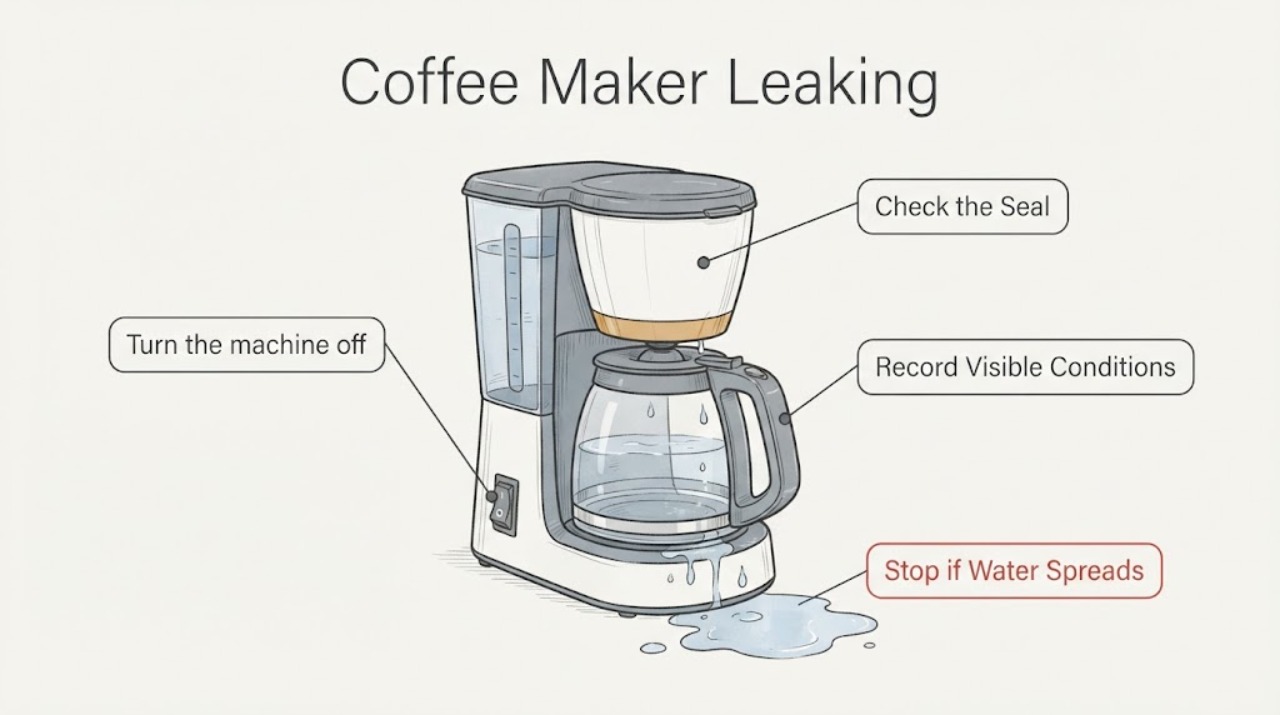
Work through in order
Diagnostic checks
Use only checks that match the exact appliance or system and its official guide.
-
Check 1
Turn the machine off and locate where water first appears: drip tray, water tank, milk system, spout, inner floor, or underneath the cabinet.
Expected result: The leak is confined to a removable container, appears inside the machine, or reaches the counter/floor.
Next step: Keep it off for an internal or external leak and document the location for Siemens service.
Why this matters
Why: Location distinguishes an accessible seating issue from an internal leak that should not be tested repeatedly.
-
Check 2
With power off, remove and reseat only the water tank, drip tray, and milk container described in the model manual; inspect seals and fittings for visible damage.
Expected result: A container is mis-seated or damaged, or all accessible pieces are intact.
Next step: Correct a clean seating issue once. Do not glue seals or open the cabinet.
Why this matters
Why: Siemens display guidance links incorrect tank seating and drip-tray handling to water symptoms, but damaged or intact components with continuing leakage need service.
-
Check 3
Check whether the leak happens during dispensing, rinsing, milk preparation, or while idle, and record any display message.
Expected result: The leak occurs in one operating phase or while idle, with or without an error.
Next step: Stop using the machine and provide the complete observation to Siemens service.
Why this matters
Why: The phase and message narrow the service diagnosis without proving a pump, valve, hose, or seal failure.
-
Check 4
Inspect for water near electrical parts, smoke, burning odor, hot surfaces, or a damaged cord.
Expected result: A safety symptom is present, or the machine is dry and safe.
Next step: Isolate power only from a safe dry position and arrange qualified service.
Why this matters
Why: Water and electricity create a stop-use condition.
Use your observations
Decision map
Find the observation that best matches what you see, then follow the next safe action.
-
PATH 01Next step
What you see
The machine is powered and shows a clear model-specific fill, brewing-unit, cleaning, or descaling message.
Do this next
Complete that documented check once and observe whether the message clears.
Why this path and its safety boundary
Why it matters: The display points to an owner-accessible care or seating check, subject to the exact manual.
-
PATH 02Next step
What you see
The machine remains unresponsive, leaks internally, jams, or repeats the same message after the manual step.
Do this next
Keep it off and arrange Siemens service with the model and display record.
Why this path and its safety boundary
Why it matters: The problem exceeds a routine accessible check and the code alone does not identify a safe replacement part.
-
PATH 03Next step
What you see
There is smoke, burning odor, water near electrical parts, a damaged cord, or abnormal heat.
Do this next
Isolate power only if safe and obtain qualified service before use.
Why this path and its safety boundary
Why it matters: This is a safety fault, not a cleaning or adjustment task.
Helpful context
Understand the symptom
Use the exact Siemens model path
Siemens’ official coffee troubleshooting pages organize messages and solutions by model family. Record the display and model before choosing a step.
Care checks have a limit
Water, beans, brewing-unit seating, and descaling are user-level checks when the manual permits them. Persistent faults and leaks need service.
When checks do not resolve it
Need a professional?
Contact Siemens service when the machine remains unresponsive, a message returns after the exact manual step, noise or leakage persists, or the brewing mechanism cannot be seated without force. Provide the model, display message, operating phase, and care or restart result. Do not open the cabinet or select a pump, heater, grinder, valve, or board from the symptom alone.
Common questions
FAQ
What should I check first when my Siemens coffee maker is leaking?
For a Siemens coffee maker that is leaking, identify the exact model and display message first because Siemens troubleshooting steps differ across EQ families. Use only the model manual’s accessible cleaning, water, brewing-unit, or restart step. Do not force the mechanism or open the appliance; persistent faults, leaks, or repeated messages belong with Siemens service.
Can I replace an internal part based on this symptom alone?
No. The official guidance supports model-specific user checks and service escalation, but the symptom does not establish a compatible internal part. Record the model, exact display or operating pattern, and the result of the permitted checks for service.
When should I stop using the appliance?
Contact Siemens service when the machine remains unresponsive, a message returns after the exact manual step, noise or leakage persists, or the brewing mechanism cannot be seated without force. Provide the model, display message, operating phase, and care or restart result. Do not open the cabinet or select a pump, heater, grinder, valve, or board from the symptom alone.
Read the exact guide
Official sources
- Siemens EQ700 coffee machine display messages explainedSiemens Home Appliances · Siemens coffee-machine display messages, water tank, brewing unit, descaling, and controlled restart guidance
- How to solve problems with your Siemens coffee machineSiemens Home Appliances · Siemens coffee-machine troubleshooting categories, manuals, and service routing
Community feedback
Share a repair observation
Share a plain-text repair observation. Accepted observations are published automatically; this page may take a moment to update.