
On this page
Start here
Quick answer
First identify the Siemens EQ family and the exact symptom: a tank that will not seat, a “Fill water tank” message with a full tank, or a machine that starts but does not draw water. With the machine switched off, fill the tank with fresh still tap water, clean the tank and accessible float, and reseat the tank firmly. If a water filter is fitted, follow the exact model instructions to rinse or prime it until air is gone and press it fully into the tank connection. Run only the documented cleaning or descaling programme with Siemens-approved tablets; do not use vinegar or citric acid. If the machine still will not fill, leaks, shows a recurring water-system fault, or has a damaged cord, stop and contact Siemens Home Appliances Service.
Before you begin
Safety first
- Stop troubleshooting for a leak into the housing, damaged cord or plug, repeated water-system fault, an appliance that cannot be safely switched off, or any need to open the housing, pump, valve, or electrical section. Do not immerse the machine, use a steam cleaner, or use vinegar or citric acid for descaling.
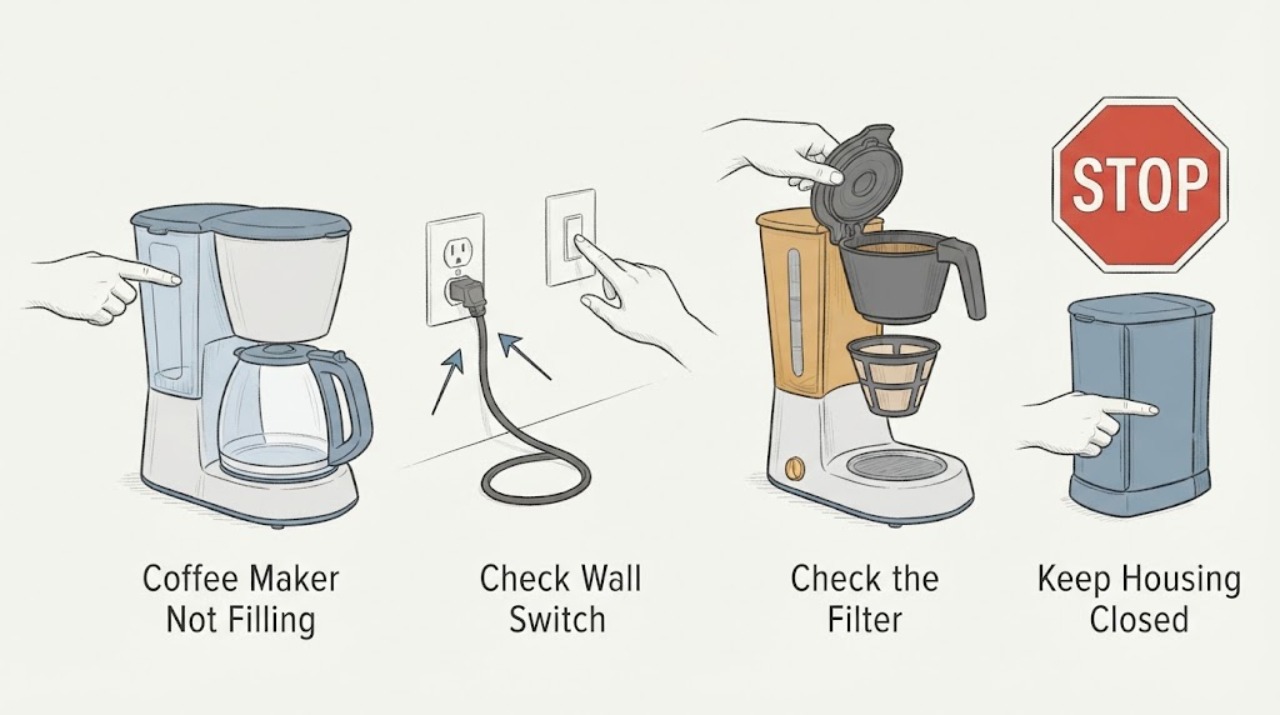
Work through in order
Diagnostic checks
Use only checks that match the exact appliance or system and its official guide.
-
Check 1
Read the exact Siemens model or E-Nr and classify the symptom before changing anything: tank will not seat, “Fill water tank” appears while full, water starts and slows to a trickle, or the machine dispenses no water at all.
Expected result: The display message and EQ family are known, or the model label is missing and the symptom cannot be matched to a Siemens guide.
Next step: Continue only with the user-removable checks that match the observed symptom, and locate the exact Siemens manual before using any model-specific reset or replacing a part.
Why this matters
Why: Siemens publishes separate guidance for EQ families, and a model-specific manual controls the correct filter, cleaning, and restart instructions. A missing model makes exact error meanings uncertain but does not prevent the safe tank, water, and accessible-filter checks below.
-
Check 2
Switch the coffee maker off, remove the water tank, and inspect the tank seating area and the accessible float. Clean the tank thoroughly, fill it with fresh still tap water, and push it straight back into the machine until it is fully seated; do not use carbonated water or force the tank.
Expected result: The float moves freely, the tank is correctly seated, and the “Fill water tank” message clears, or the message remains despite a clean, full, correctly seated tank.
Next step: If the message remains, follow the filter check for the exact model. If the tank or float is cracked, stuck after cleaning, or cannot seat without force, stop and request service.
Why this matters
Why: A cleared message supports a tank-position, float, or water-quality problem. A persistent message makes incorrect seating, a blocked float, filter air, an old filter, or limescale more likely than an empty tank.
-
Check 3
If the Siemens machine has a water filter, remove and prime it exactly as the model guide describes: rinse a new filter as instructed, immerse it with the opening facing upward until air bubbles stop, then reinstall it and press it firmly straight down into the tank connection. Check the model guide before replacing an old filter.
Expected result: Air bubbles stop and water intake returns after the filter is correctly primed and seated, or the filter remains loose, visibly damaged, old, or unable to stay in position.
Next step: Run one normal water or drink cycle only after the filter is correctly installed. Use the exact model's approved replacement if needed; do not substitute a filter by appearance or bypass the filter connection.
Why this matters
Why: Siemens identifies air in the filter, an unrinsed new filter, an old filter, and incorrect mounting as causes of a water-fill message or no drink dispensing. If the filter cannot stay seated, the machine may not be able to draw water reliably.
-
Check 4
If the tank and filter are correct but water is still absent or restricted, run the Siemens model's documented cleaning or descaling programme with the approved tablets. Follow the on-screen sequence and do not use vinegar, citric acid, a steam cleaner, or an improvised internal flush.
Expected result: The programme completes and normal water flow returns, or it stops, repeatedly requests maintenance, or leaves the machine unable to fill.
Next step: If the programme cannot complete or filling still fails, unplug the machine if safe and contact Siemens Service with the model, display message, filter status, and programme result.
Why this matters
Why: Restored flow supports limescale, a dry pipe system, or contamination in the documented maintenance path. A failed or recurring programme points to a fault beyond a user-level tank or filter correction.
Use your observations
Decision map
Find the observation that best matches what you see, then follow the next safe action.
-
PATH 01Next step
What you see
The display says “Fill water tank” even though the tank contains fresh still water, and the message clears after the tank is cleaned, the float is freed, and the tank is reseated.
Do this next
Run one normal drink or rinse cycle. If the same message returns, inspect the filter according to the exact model guide and save the message for service.
Why this path and its safety boundary
Why it matters: The immediate problem was consistent with tank seating, float detection, or water quality rather than an empty supply.
-
PATH 02Next step
What you see
The tank is full and seated, but the machine dispenses no water or only a trickle; the filter shows air, was not rinsed, is old, or does not remain firmly in its connection.
Do this next
Prime, reseat, or replace the filter only as specified for the exact model, then make one retry. Escalate if the filter will not stay in position or flow remains restricted.
Why this path and its safety boundary
Why it matters: The water filter or air in the water path is more likely than a simple low-water condition, although the exact internal restriction depends on the model.
-
PATH 03Next step
What you see
The tank and filter are correct, but the machine repeatedly requests Calc'nClean or descaling, the cleaning programme cannot finish, or water remains unavailable after the documented programme.
Do this next
Use only the Siemens maintenance programme and approved tablets once as directed. If the fault persists, contact Siemens Service with the programme result instead of opening the housing or pump path.
Why this path and its safety boundary
Why it matters: Limescale, a dry pipe system, or an internal water-system fault remains possible; repeating random rinses will not identify which internal component is failing.
-
PATH 04Next step
What you see
Water is leaking into the housing, the cord or plug is damaged, the machine cannot be safely switched off, or a recurring water-system fault appears after the accessible checks.
Do this next
Stop using the coffee maker, disconnect it only if safe, keep it dry, and arrange Siemens Home Appliances Service. Do not immerse the appliance, use a steam cleaner, open the housing, or bypass a sensor.
Why this path and its safety boundary
Why it matters: The issue has crossed from user maintenance into an electrical, leak, pump, valve, or internal water-system fault that should not be diagnosed by opening the appliance.
Helpful context
Understand the symptom
Identify the filling symptom and Siemens EQ family
Siemens sells several EQ bean-to-cup coffee-machine families, and the exact display wording and reset procedure can differ. Read the E-Nr or model label and separate a tank that cannot be inserted from a “Fill water tank” message, a machine that dispenses only a small amount, or no water intake at all. This distinction matters because tank seating and float checks are different from filter air or limescale checks.
The tank and filter are the first user-accessible water path
Siemens display-message guidance says a full tank may still be reported as empty when the tank is wrongly inserted, the float is stuck, the water is carbonated, or the filter has not been rinsed, contains air, or is old. Remove and clean only the user-removable tank and filter parts described for the model, use fresh still water, and reseat them without forcing the connection.
Use the documented maintenance programme
When the tank and filter are correct but water remains restricted, Siemens identifies limescale or a dry pipe system as possible causes. Use the machine's documented cleaning or descaling programme and approved tablets. Siemens specifically warns against home remedies such as vinegar or citric acid because they can damage gaskets; do not dismantle the pump or internal water system.
Only after diagnosis
Potential parts
- model-specific Siemens water filter
Consider this only when the exact model guide identifies a replaceable filter and the existing filter is old, damaged, or cannot be primed or seated correctly.
Match the exact Siemens E-Nr and the approved filter instructions; do not assume filters from another EQ family fit.
When checks do not resolve it
Need a professional?
Contact Siemens Home Appliances Service when tank, float, filter, and one model-documented maintenance programme do not restore filling, when a filter will not stay seated, when the programme cannot complete, or when the machine leaks or shows a recurring fault.
Safety scope: Stop troubleshooting for a leak into the housing, damaged cord or plug, repeated water-system fault, an appliance that cannot be safely switched off, or any need to open the housing, pump, valve, or electrical section. Do not immerse the machine, use a steam cleaner, or use vinegar or citric acid for descaling.
Have this ready
- Provide the exact E-Nr or model, display wording, whether the tank is detected as full, filter age and seating result, whether water is absent or only restricted, and the result of the documented cleaning or descaling programme.
Common questions
FAQ
Why does my Siemens coffee maker say to fill the water tank when it is full?
Siemens lists incorrect tank seating, a stuck float, carbonated water, filter air or incorrect filter preparation, an old filter, and limescale as possible causes. Clean the tank, use fresh still water, reseat it, and follow the exact model's filter instructions.
How do I prime a Siemens coffee-machine water filter?
For models whose instructions use this procedure, immerse the filter with its opening facing upward until air bubbles stop, then reinstall it and press it firmly straight down into the tank connection. Follow the exact E-Nr manual because filter design and steps can vary.
Can I use vinegar to make my Siemens coffee maker fill again?
No. Siemens warns that vinegar and citric acid can be too aggressive and damage the machine's gaskets. Use the documented cleaning or descaling programme and suitable Siemens-approved tablets for the exact model.
When should I stop trying to fix a Siemens coffee maker that will not fill?
Stop for a leak, damaged cord or plug, a recurring water-system fault, an incomplete maintenance programme, or any need to open the housing. Disconnect power only if safe and contact Siemens Service with the model and the observed display message.
Read the exact guide
Official sources
- Understanding your EQ.3/EQ300 coffee machine display messagesSiemens Home · Siemens EQ.3/EQ300 water-tank detection, filter, dry pipe, and water-system display guidance
- How to troubleshoot your Siemens EQ700 coffee machineSiemens Home · Siemens EQ coffee-machine family scope, display-message troubleshooting, problem solutions, and service routing
- Siemens coffee machines with Home Connect supportSiemens Home · Siemens coffee-machine support categories for water-tank replacement, malfunction, leaks, no power, and approved cleaning products
- Siemens EQ700 coffee machine display messages explainedSiemens Home · Siemens EQ700 water-tank, water-filter, limescale, water-system error, and maintenance guidance
Community feedback
Share a repair observation
Share a plain-text repair observation. Accepted observations are published automatically; this page may take a moment to update.