
On this page
Start here
Quick answer
The Viking VDWU524SS is documented as a 5 Series dishwasher with an LCD control panel. If some lights or program-selection controls respond but the display and Start control remain dark or unresponsive, do not assume the panel, board or door switch is defective from the symptom alone. First record which indicators respond, then isolate power at the dishwasher's accessible breaker before inspecting only the external supply area. Viking's installation guide requires a dedicated, properly grounded circuit, prohibits extension cords or portable outlet devices, and says not to operate a damaged or malfunctioning appliance. If the supply is sound and the display/start control remains unavailable, leave the dishwasher off and arrange Viking-qualified service; do not open the door panel or perform live tests.
Before you begin
Safety first
- Do not open the door/control panel or toe kick, perform live electrical tests, use an extension cord/portable outlet, repeatedly reset a tripping breaker, or order a UI/control/door-switch part from the symptom alone. Do not operate a damaged or malfunctioning dishwasher.
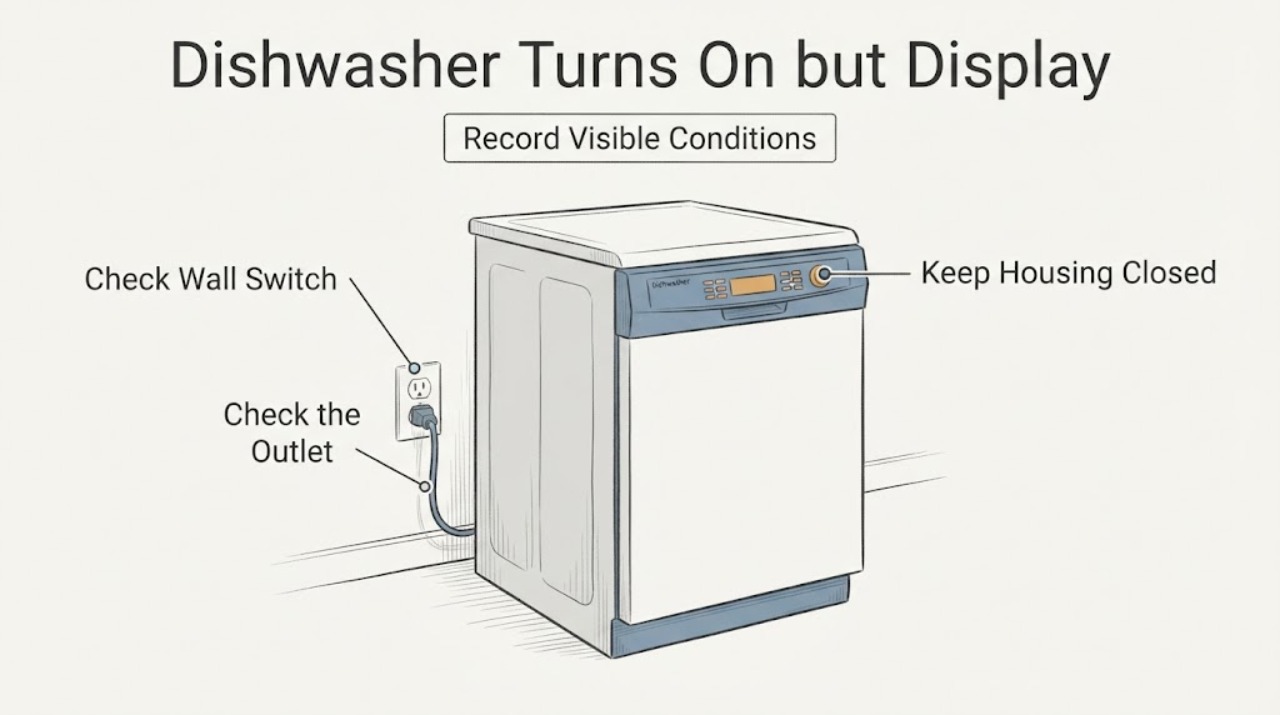
Work through in order
Diagnostic checks
Use only checks that match the exact appliance or system and its official guide.
-
Check 1
With the dishwasher idle, record which indicator lights, program selections and display segments respond and whether the Start control is dark, lit or unresponsive. Do not repeatedly cycle controls or start a wash to reproduce the symptom.
Expected result: Only the program-selection side responds, the LCD remains dark, or all controls are unresponsive.
Next step: Keep the pattern for service and continue only with safe external checks; do not transfer another Viking model's button sequence.
Why this matters
Why: The VDWU524SS has an LCD control panel, but a partial response does not identify the panel, control, door-sensing or supply cause.
-
Check 2
Switch off the dishwasher's accessible breaker before looking at the external outlet/plug, cord entry and nearby cabinet area. Look only for a tripped breaker, scorching, moisture or visible damage; do not remove covers or test energized wiring.
Expected result: The breaker trips again, the external supply shows damage/moisture, or the supply appears normal.
Next step: Leave power off and use a qualified electrician or Viking service for a damaged supply or recurring trip; do not reset repeatedly.
Why this matters
Why: A recurring trip or visible supply damage is an electrical/service issue. A normal external appearance does not clear the built-in dishwasher's internal supply or controls.
-
Check 3
Confirm from outside that the dishwasher has not been connected through an extension cord or portable outlet device and that no recent installation, cabinet move or plumbing/electrical work disturbed the appliance. Do not pull the unit out.
Expected result: An unapproved connection or recent installation change is present, or the installation appears unchanged.
Next step: Keep the appliance off and have the installation corrected or inspected by a qualified installer/electrician; otherwise proceed to service with the symptom record.
Why this matters
Why: Viking requires a dedicated, properly grounded supply and prohibits extension cords/portable outlet devices; installation disturbance can require qualified inspection but does not prove the display fault's component.
-
Check 4
Before any service call, inspect only the accessible floor, toe-kick edge and nearby cabinet for standing water, leaks, burning odor, damaged insulation or heat marks. Do not remove the toe kick or door panel.
Expected result: Water, odor, heat marks or other damage is visible, or the area is dry and undamaged.
Next step: Keep power off, close the water supply only if safely accessible, and arrange qualified service for any leak/damage; otherwise provide the no-display pattern to Viking service.
Why this matters
Why: Visible water or damage adds a property/electrical risk and makes operation inappropriate. A dry exterior does not establish that the control assembly is safe.
-
Check 5
Contact Viking-qualified service with the exact model/serial, panel-response pattern, breaker history, recent installation changes and external water/damage observations. Keep the dishwasher off if the Start/display remains unavailable.
Expected result: The supply is safe but the LCD/Start control remains dark or unresponsive, or any safety symptom is present.
Next step: Leave the dishwasher disconnected and arrange qualified diagnosis. Do not open the control area, perform live measurements or order a display/control part from the symptom alone.
Why this matters
Why: The opened official sources support model identity and safe installation boundaries but cannot distinguish a UI, control, door-sensing or internal power fault.
Use your observations
Decision map
Find the observation that best matches what you see, then follow the next safe action.
-
PATH 01Next step
What you see
Program-selection lights respond but the LCD time/display area and Start control remain dark or unresponsive.
Do this next
Stop repeated input, record the exact model/serial and arrange Viking-qualified service rather than replacing a guessed panel or board.
Why this path and its safety boundary
Why it matters: This matches the reported partial-panel symptom, but the official evidence does not identify the failed internal section.
-
PATH 02Next step
What you see
The breaker trips, the external supply is scorched/wet, or the dishwasher is connected through an extension cord or portable outlet device.
Do this next
Keep power off and use a qualified electrician/installer; do not repeatedly reset the breaker or continue operating the dishwasher.
Why this path and its safety boundary
Why it matters: The electrical installation is unsafe or outside Viking's stated connection requirements.
-
PATH 03Next step
What you see
Water, burning odor, heat marks, damaged insulation or other physical damage is visible around the dishwasher.
Do this next
Keep power off, isolate water only if safely accessible, and arrange qualified service; do not remove panels to investigate.
Why this path and its safety boundary
Why it matters: The appliance may present an electrical or property hazard and should not be operated while damaged or malfunctioning.
-
PATH 04Next step
What you see
The supply and visible area appear normal, but the LCD and Start control remain unavailable.
Do this next
Leave the dishwasher off and provide the exact symptom record to Viking-qualified service; do not run live tests or borrow another model's reset sequence.
Why this path and its safety boundary
Why it matters: An internal control/UI/door-sensing or power issue remains possible, and the opened sources do not support distinguishing one remotely.
Helpful context
Understand the symptom
Confirm what is and is not illuminated
The supplied report describes a partial control response: the dishwasher powers on, program-selection lights respond, but the right side of the panel does not light and the Start control does not react. Viking identifies the VDWU524SS as having an LCD control panel. Record the exact responsive and non-responsive indicators, without pressing controls repeatedly or treating a dark display as proof of a failed board.
Check the supply only from the safe external boundary
If the panel is dark or behaves inconsistently, stop the dishwasher and use the accessible household breaker to isolate power before looking at the external plug, cord or nearby cabinet area. Viking's installation guide requires a properly grounded, dishwasher-dedicated circuit and says not to use an extension cord or portable outlet device. Do not remove the terminal cover or reach behind the built-in unit to test wiring.
Do not mistake a partial panel symptom for a user setting
A selection light responding while the display and Start control remain unavailable is not the same as a normal program-selection instruction. The opened official material confirms the panel type and installation safety but does not publish a user-facing reset sequence that would explain this exact partial-display symptom. Use the complete model label when obtaining the linked use-and-care material or service; do not borrow a reset or button hold from another Viking model.
Keep water and electrical risks separate
Do not run the dishwasher while the control response is abnormal if there is a leak, wet wiring area, damaged cord, burning smell, tripped breaker or visible damage. Viking's guide requires the appliance to be enclosed and connected by qualified personnel, and says not to operate it when damaged or malfunctioning. Leave the water and power connections undisturbed and arrange service rather than pulling the appliance out to inspect its harness.
Give service the exact symptom pattern
Provide the technician with VDWU524SS, the serial label, which side of the panel responds, whether the LCD is completely dark or merely missing time information, whether the dishwasher fills or runs, any breaker history, and whether the door was recently adjusted or the appliance moved. The official sources do not identify whether a UI, control, door-sensing or power circuit is responsible, so do not order a part from the light pattern alone.
When checks do not resolve it
Need a professional?
Safety scope: Do not open the door/control panel or toe kick, perform live electrical tests, use an extension cord/portable outlet, repeatedly reset a tripping breaker, or order a UI/control/door-switch part from the symptom alone. Do not operate a damaged or malfunctioning dishwasher.
Have this ready
- Provide the complete model and serial label, which display segments/lights respond, Start-button behavior, breaker history, recent installation/move, external water/damage findings and whether the unit ever fills or runs.
Common questions
FAQ
Does a dark Start button prove the Viking control panel is bad?
No. The VDWU524SS has an LCD control panel, but the opened official sources do not map a partial display/Start symptom to a specific UI, board, door-sensing or power component. Record the pattern and arrange qualified service.
Can I reset the dishwasher by repeatedly turning the breaker off and on?
Do not repeatedly reset a breaker, especially if it trips again or the dishwasher shows moisture, scorching or other damage. Viking requires a dedicated grounded supply and qualified installation/repair; leave power off and have the condition assessed.
Can I open the control panel to check the display wiring?
No. The official installation guide says installation and repair should be performed by qualified personnel and says not to operate a damaged or malfunctioning appliance. Keep the panel closed and arrange Viking-qualified service.
What information should I give the service technician?
Give the exact VDWU524SS model and serial, which lights respond, whether the LCD is fully or partly dark, what the Start control does, breaker history, any recent installation change, and any visible water, scorching or odor.
Read the exact guide
Official sources
- Viking Dishwashers Installation GuideViking Range, LLC · The opened official installation guide lists VDWU524SS in the covered 5 Series models and supports qualified installation/repair, dedicated grounded power, no extension/portable outlet, and no operation when damaged or malfunctioning.
- 24"W. Dishwasher w/Installed Professional Stainless Steel PanelViking Range, LLC · The opened Viking product page identifies VDWU524SS as a 5 Series 24-inch dishwasher and states that its LCD control panel shows cycle/option selection and remaining wash time.
Community feedback
Share a repair observation
Share a plain-text repair observation. Accepted observations are published automatically; this page may take a moment to update.