
On this page
Start here
Quick answer
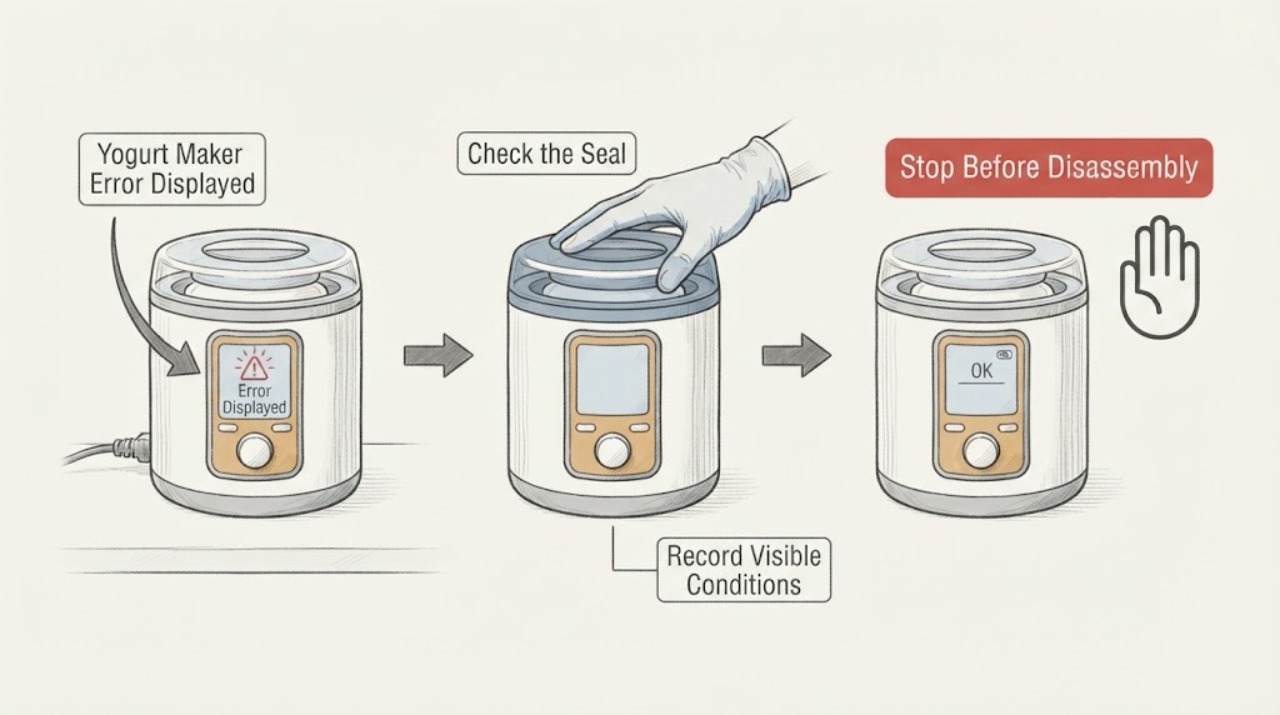
A yogurt maker error display is model-specific, so record the exact code or indicator before resetting. Check the power connection, lid or vessel seating, temperature probe area, and whether the error appears during heating, incubation, or cooling using the exact manual. Perform only one documented reset; discard a batch if temperature control was lost, and stop for a hot cord, smoke, liquid in the base, or repeated error.
Work through in order
Diagnostic checks
Use only checks that match the exact appliance or system and its official guide.
-
Check 1
Record the exact error text/code, flashing pattern, program stage, batch state, and whether the display still responds.
Expected result: The error is repeatable at startup, during heating/incubation, or after a power interruption.
Next step: Use the exact manual for the recorded model and code.
Why this matters
Why: Timing and exact code map to different model-specific causes; a generic yogurt reset is not reliable.
-
Check 2
Unplug and cool the maker, then inspect the removable yogurt vessel, lid, gasket, and temperature-sensing area for incorrect seating or residue.
Expected result: A vessel/lid is mis-seated, sensor area is dirty, or all parts are correctly seated.
Next step: Clean/dry only approved removable parts and reseat them without forcing.
Why this matters
Why: Misalignment or residue can prevent a program from starting or reading temperature correctly.
-
Check 3
Confirm the outlet and cord are sound, then reconnect once and select the exact yogurt program documented for the model.
Expected result: Display returns, a different code appears, or the same error returns.
Next step: Do not repeatedly cycle power or substitute another program to bypass the error.
Why this matters
Why: A power/control transient may clear once; recurrence is an unresolved model-specific fault.
-
Check 4
If an error occurred during incubation, check whether the unit maintained the required program and whether the yogurt remained safely handled.
Expected result: Temperature/time control was interrupted or the program completed normally.
Next step: Follow food-safety guidance and discard a questionable batch rather than tasting it.
Why this matters
Why: A failed incubation cycle may not be safe or usable even if the display later clears.
-
Check 5
Record model number, code, stage, vessel state, reset result, heat/odor, and any liquid at the base.
Expected result: The code persists or any safety symptom is present.
Next step: Disconnect power if safe and arrange manufacturer or qualified service.
Why this matters
Why: Persistent code or liquid/heat near electronics requires service.
Use your observations
Decision map
Find the observation that best matches what you see, then follow the next safe action.
-
PATH 01Next step
What you see
Code clears after one cool, documented reset and the program completes normally.
Do this next
Monitor the next batch and keep the record.
Why this path and its safety boundary
Why it matters: A transient state may have cleared.
-
PATH 02Next step
What you see
The same code returns at startup or during incubation.
Do this next
Keep it out of service and use the exact manual/service path.
Why this path and its safety boundary
Why it matters: A model-specific sensor, control, vessel, or temperature fault remains.
-
PATH 03Next step
What you see
Vessel/lid seating or residue is visibly wrong and correction clears the code.
Do this next
Clean/dry and reseat only approved parts.
Why this path and its safety boundary
Why it matters: A removable assembly issue caused the error.
-
PATH 04Next step
What you see
Hot cord, smoke, liquid in base, burning odor, or uncontrolled heating occurs.
Do this next
Disconnect power if safe and stop using the maker.
Why this path and its safety boundary
Why it matters: Immediate electrical/thermal safety boundary.
Helpful context
Understand the symptom
A yogurt maker error display is model-specific, so record the exact code or indicator before resetting. Check the power connection, lid or vessel seating, temperature probe area, and whether the error appears during heating, incubation, or cooling using the exact manual. Perform only one documented reset; discard a batch if temperature control was lost, and stop for a hot cord, smoke, liquid in the base, or repeated error.
Identify the symptom before choosing a repair
When checks do not resolve it
Need a professional?
Stop for smoke, burning odor, hot/damaged cord, liquid in the electrical base, uncontrolled heat, or repeated errors.
Common questions
FAQ
What is the safest first check?
Start with the symptom-specific external check in this guide, keep power or fuel isolated when directed, and use the exact model manual for any control or part decision.
When should I stop troubleshooting?
Stop for smoke, burning odor, hot or damaged electrical parts, leaks near electricity, repeated breaker trips, or any condition requiring opening a sealed or energized assembly.
Should I replace a part based on the symptom alone?
No. Confirm the model and diagnostic result first; a symptom can come from several causes.
Read the exact guide
Official sources
- Frequently Asked Questions – Instant PotInstant Pot · multi-cooker display errors, power, control panel, and safe operation
- Multi-Cooker Product ManualsInstant Pot · yogurt-function model manual availability
Community feedback
Share a repair observation
Share a plain-text repair observation. Accepted observations are published automatically; this page may take a moment to update.