
On this page
Start here
Quick answer
For a Zanussi ZDT12011FA that stops before the cycle finishes with beeps and flashing lights, record the exact number of beeps and flashes, whether water remains, and the stage at which it stopped before trying to reset it. The ZDT12011FA manual maps one repeated beep/flash to no water entering, two to no draining, and three to the anti-flood device; a different count or pattern is not verified by that table. From the accessible controls, confirm the door closes, cancel a delay or previous programme using the exact manual procedure, and inspect only the visible filters and spray arms with the appliance off. Do not pull the integrated dishwasher out, remove panels, or probe a pressure switch, pump, heater, or wiring. If the tap must be closed, water is leaking, the same alarm returns, or the code is not in the manual, keep the appliance off and arrange an authorised service visit with the full model and PNC.
Work through in order
Diagnostic checks
Use only checks that match the exact appliance or system and its official guide.
-
Check 1
Before pressing reset, count the repeated beeps and flashes, note which indicator is flashing, record whether the tub is empty or has standing water, and note whether the stop occurred during fill, wash, drain, or near the end. Photograph the panel if the pattern is hard to describe.
Expected result: The pattern is one, two, or three repeated beeps/flashes; it is four or another unlisted pattern; the machine is full of water; or it stopped after washing and pumping seemed complete.
Next step: Keep the exact pattern and PNC with the service notes. Follow only the matching external branch below; for an unlisted pattern, do not improvise a code meaning or open the integrated appliance.
Stop if: Do not keep restarting the machine to make the pattern repeat, and do not call a four-beep pattern a confirmed pressure-sensor code.
Why this matters
Why: The ZDT12011FA manual maps one to a fill fault, two to a drain fault, and three to anti-flood activation. An unlisted count cannot be assigned a component meaning from this manual, and a clean-looking load does not prove the final drain or water-level check passed.
-
Check 2
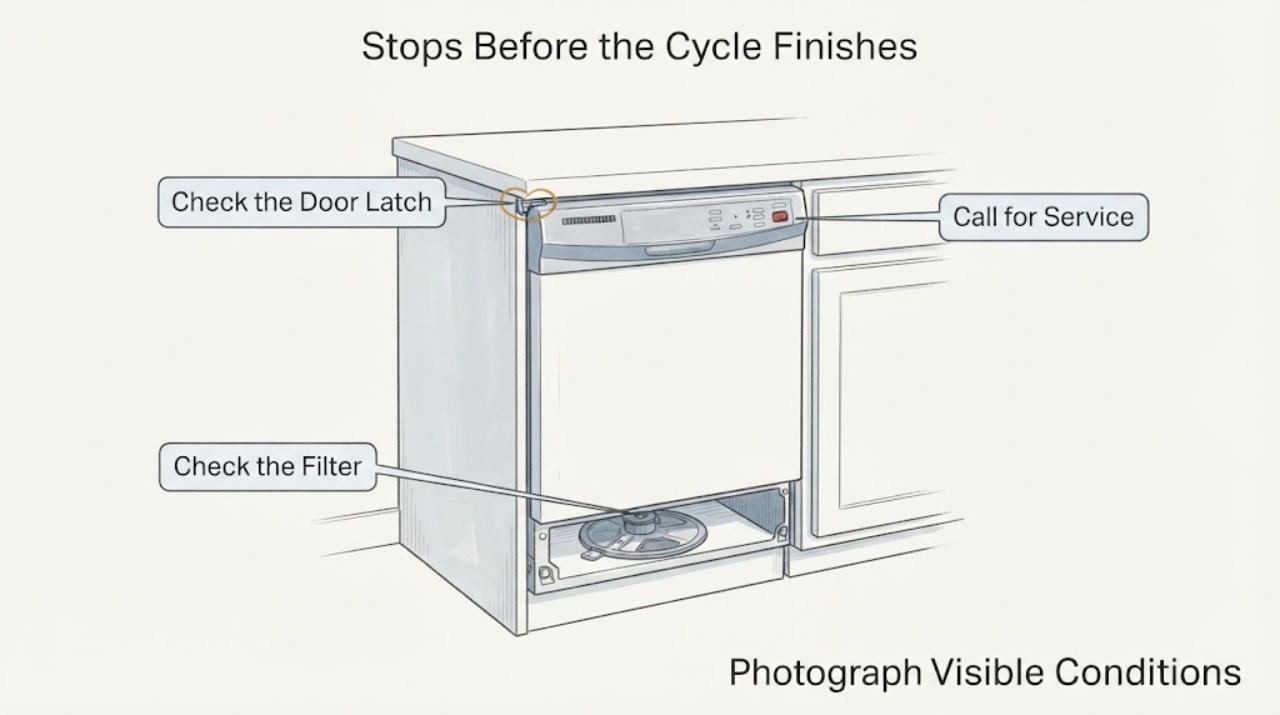
With the dishwasher stopped and safe to touch, close the door firmly until the latch clicks and check from the outside that no dish, rack, seal, or furniture front prevents closure. Check the accessible control panel for a delay or previous programme, then use only the ZDT12011FA manual's reset function if you need to cancel it.
Expected result: The latch does not click, the door springs open, a rack or dish interferes, a delay/old programme is active, or the door and programme state are normal.
Next step: Reposition only a visible load obstruction or clear the documented programme state, then run at most one normal observation cycle. If the latch, hinge, seal, or controls remain abnormal, arrange service without removing the dishwasher.
Stop if: Do not bypass the door latch, hold the door shut during operation, or copy a reset sequence from another Zanussi interface.
Why this matters
Why: Zanussi states that the programme starts only after the door is detected closed, and the exact manual uses a reset state before selecting a programme. A door or control-state issue can stop a cycle without proving a pump, heater, or sensor failure.
-
Check 3
With the appliance switched off, inspect the visible filters, sump area, and spray arms from inside the tub. Remove only loose food debris and reinstall the filters as the manual shows; confirm the spray arms are not blocked and can move freely without forcing them.
Expected result: A filter is clogged or incorrectly seated, a spray arm is obstructed by a dish or residue, the sump contains standing water, or the visible wash path is clear.
Next step: Correct only the visible obstruction, close the door, and observe one normal programme. If water remains, the alarm returns, or cleaning would require removing a cover or reaching deep into the sump, stop and book service.
Stop if: Do not use a sharp tool, dismantle the pump area, remove internal covers, or run the machine with a filter missing.
Why this matters
Why: Zanussi's pre-start guidance links clean, correctly installed filters and freely moving spray arms with normal operation. A blocked visible path can contribute to poor circulation or a stop, but a clear path does not identify an internal pump, pressure, heater, or control fault.
-
Check 4
From outside the cabinet, inspect only the readily accessible sink-side tap, hose, and drain connection; do not pull the dishwasher forward. Look for a closed tap, a visible kink, a blocked sink connection, or water on the floor, and close the tap if there is an active leak and the valve is safely reachable.
Expected result: The tap is closed, a hose or drain connection is visibly kinked or blocked, water is leaking, the anti-flood pattern is present, or the accessible plumbing appears normal.
Next step: Correct only an accessible tap position or visible external obstruction. For a leak or anti-flood indication, leave the tap closed and arrange authorised service; use a plumber for a household plumbing fault. Do not expose the appliance-side connection by removing the unit.
Stop if: Do not loosen a hose, disconnect a drain, move the integrated dishwasher, or continue running it with a leak or water near electrics.
Why this matters
Why: The exact manual associates no-fill alarms with the tap, pressure, inlet filter, and inlet hose, no-drain alarms with the drain, and three beeps/flashes with anti-flood activation. Water in the base can require service even when the outside connection looks normal.
-
Check 5
If the controls, door, visible filters, and accessible plumbing are normal, record the full ZDT12011FA model and PNC from the rating plate or paperwork and give the technician the stop stage, beep/flash count, water level, and whether the unit is trapped by cabinetry.
Expected result: The same pattern returns after one safe reset/observation, the count is not in the manual, the machine cannot be accessed without removal, or the cycle completes normally once.
Next step: If the fault repeats or access would require pulling the unit, stop troubleshooting and arrange an authorised visit. Keep the appliance off when it leaks, leaves water, smells hot, or repeatedly alarms.
Stop if: Do not remove the cabinet fixings, top or side panels, pressure hose, pump, heater, or control wiring yourself.
Why this matters
Why: A repeat or unlisted pattern is service evidence, while an integrated installation limits the owner to external checks. A single successful cycle does not prove a latent leak, water-level, heating, or control problem is gone.
Use your observations
Decision map
Find the observation that best matches what you see, then follow the next safe action.
-
PATH 01Next step
What you see
The end indicator and acoustic signal repeat once, and the tub appears not to have filled; the tap and visible external hose are accessible and normal.
Do this next
Check only the accessible tap, household flow, visible kink, and inlet-filter guidance. If those are normal or the alarm returns, leave the integrated unit in place and arrange service.
Why this path and its safety boundary
Why it matters: The ZDT12011FA manual identifies this as a no-water-inlet alarm, so the next decision is water entry—not a heater or drain-pump diagnosis.
-
PATH 02Next step
What you see
The end indicator and acoustic signal repeat twice, with water left in the tub or a stop during the drain phase.
Do this next
Inspect the visible filter and sink-side drain connection without moving the dishwasher. If the water remains or the drain path is behind the cabinet, stop and book authorised service.
Why this path and its safety boundary
Why it matters: This matches the manual's no-drain branch. A sink connection, drain hose, filter, or internal drain path may be involved; the code does not identify the pump itself.
-
PATH 03Next step
What you see
The end indicator and acoustic signal repeat three times, the pump runs continuously, or there is water on the floor/base area.
Do this next
Close the accessible water tap, keep the dishwasher off, and arrange authorised service. Do not pull out the integrated appliance to dry or inspect its base.
Why this path and its safety boundary
Why it matters: The manual identifies three signals as anti-flood activation, and Zanussi's i30 guidance treats water in the base as a possible internal leak. This is a water-damage stop, not a reason to keep resetting.
-
PATH 04Next step
What you see
The machine stops after washing or near the expected end, the load is clean, and the signal is four times or otherwise not listed in the ZDT12011FA manual.
Do this next
Record the exact pattern and PNC and arrange service without removing the unit. Do not perform a pressure-switch, sensor, pump, or control-board inspection yourself.
Why this path and its safety boundary
Why it matters: A clean load does not distinguish a final water-level, drain, or control confirmation problem, and the unlisted count cannot be assigned a pressure-sensor or other component meaning from the opened official table. A matching community report is symptom evidence only.
-
PATH 05Next step
What you see
The door does not latch, a delay or prior programme remains active, or the indicator clears after the manual's accessible reset and one normal observation cycle.
Do this next
Use the documented control state and correct only visible loading interference. If the same stop returns, or the latch/hinge/seal is damaged, book service rather than holding or bypassing the door.
Why this path and its safety boundary
Why it matters: A door-interlock or programme-state condition is more likely than an internal part failure when the machine returns to normal without cabinet access.
-
PATH 06Next step
What you see
All external checks are normal but the built-in dishwasher cannot be safely accessed without pulling it from the unit.
Do this next
Stop at the accessible checks, leave the appliance off if it is repeating the alarm, and provide Zanussi with ZDT12011FA, the PNC, the indicator pattern, stop stage, and water level. Do not remove the machine yourself.
Why this path and its safety boundary
Why it matters: The installation itself sets the user boundary. Internal drain, water-level, heater, motor, or control diagnosis requires an authorised technician with the appliance's fixing and plumbing arrangement in view.
Helpful context
Understand the symptom
Why the count matters
On this model, “beeping and flashing” is not a complete code. The manual's alarm table identifies one repeated beep and end-indicator flash as a fill problem, two as a drain problem, and three as the anti-flood device. A four-beep report from a community case is useful evidence that the symptom exists on this model, but it is not a manufacturer-defined fourth code in the opened manual. Do not translate an unlisted pattern into a pressure-switch, pump, or control-board diagnosis.
The integrated-installation limit
The checks below are deliberately limited to the door, controls, visible tub components, and plumbing that can be reached without moving the dishwasher. An integrated appliance that cannot be safely accessed is not a reason to pull it from the cabinet. Give the technician the model, PNC, indicator pattern, stop stage, and whether water remains so the service visit can be planned around the installation.
When checks do not resolve it
Need a professional?
Use authorised Zanussi service when the same beep/flash pattern returns after the accessible checks, the count is not defined by the ZDT12011FA manual, the appliance leaks or activates anti-flood protection, the door or controls remain abnormal, or any diagnosis would require pulling the integrated dishwasher out.
Common questions
FAQ
What do the beeps and flashing light mean on a Zanussi ZDT12011FA?
Count the repeated signals first. The exact ZDT12011FA manual maps one to no water entering, two to no draining, and three to the anti-flood device. It does not define every possible count, so an unlisted pattern should be recorded and sent to service rather than translated into a specific failed part.
Can I reset the dishwasher without removing it from the cabinet?
Yes, use only the normal front or door-top controls and the ZDT12011FA manual's reset function. A reset is an observation step, not a repair. If the alarm returns, do not pull out the integrated unit; provide the technician the PNC, pattern, stop stage, and water level.
The dishes are clean when it stops. Can I keep using it?
Not if the same beep/flash pattern repeats, water remains, the anti-flood indicator is involved, or there is any leak. A clean load does not prove the final drain, water-level, or safety check completed. Keep the tap closed for a leak or anti-flood condition and arrange service.
Read the exact guide
Official sources
- Manual de instrucciones — Lavavajillas — ZDT12011FAZanussi / Electrolux Group · The opened manufacturer-hosted PDF names ZDT12011FA and gives the model's control, reset, safety, cleaning, alarm, water, drain, anti-flood, and service guidance. Use the complete PNC if a regional edition differs.
- Zanussi Dishwasher 4 beeps - ZDT12011FAReddit r/appliancerepair · Symptom identity only. The post has no verified resolution and does not establish the meaning of an unlisted four-beep pattern or authorize cabinet removal.
- Model ZDT12011FA - Spares & Accessories - ZanussiZanussi · Official Zanussi UK model page. It confirms the ZDT12011FA model and says the PNC/product number is needed for exact compatible documentation or parts; listed PNC variants include the 91153910xxx family.
- Program not starting and cycle indicator light flashing on dishwasherZanussi · Official Zanussi support guidance applies to built-in and freestanding dishwashers. It supports door closure, delay/reset, visible filters and spray-arm checks, but warns that button layouts vary and the exact manual controls the sequence.
- Dishwasher displays error code i30Zanussi · Official Zanussi support guidance for integrated and freestanding dishwashers. It describes anti-flood/leak symptoms, closing the water tap, limited visible checks, and authorised service; it does not redefine the ZDT12011FA's one/two/three pattern table.
Community feedback
Share a repair observation
Share a plain-text repair observation. Accepted observations are published automatically; this page may take a moment to update.