
On this page
Start here
Quick answer
First check whether the LFID2426TF4A is truly stuck or is simply still in its documented drying portion. Frigidaire's guide says the DRYING light comes on during drying and the CLEAN light comes on at the end; cycle time can be extended by cool incoming water, a large load, soil sensing, or selected options. Air Dry also leaves the heater off and can leave some dishes wet without meaning the cycle failed. If the DRYING indication never advances, the controls do not respond, water remains in the tub, the door will not latch, or the dishwasher has a leak, burning smell, smoke, or repeated breaker trip, stop using it and arrange qualified service. Do not diagnose or replace a heater, thermostat, pump, or control board from a drying delay alone.
Before you begin
Safety first
- Do not open the electrical enclosure, touch the heating element, bypass the door latch, perform live measurements, remove the pump, or move a built-in dishwasher near water or wiring. Isolate power before any permitted user maintenance and stop for a leak, smoke, burning odor, flooding, or repeated tripping.
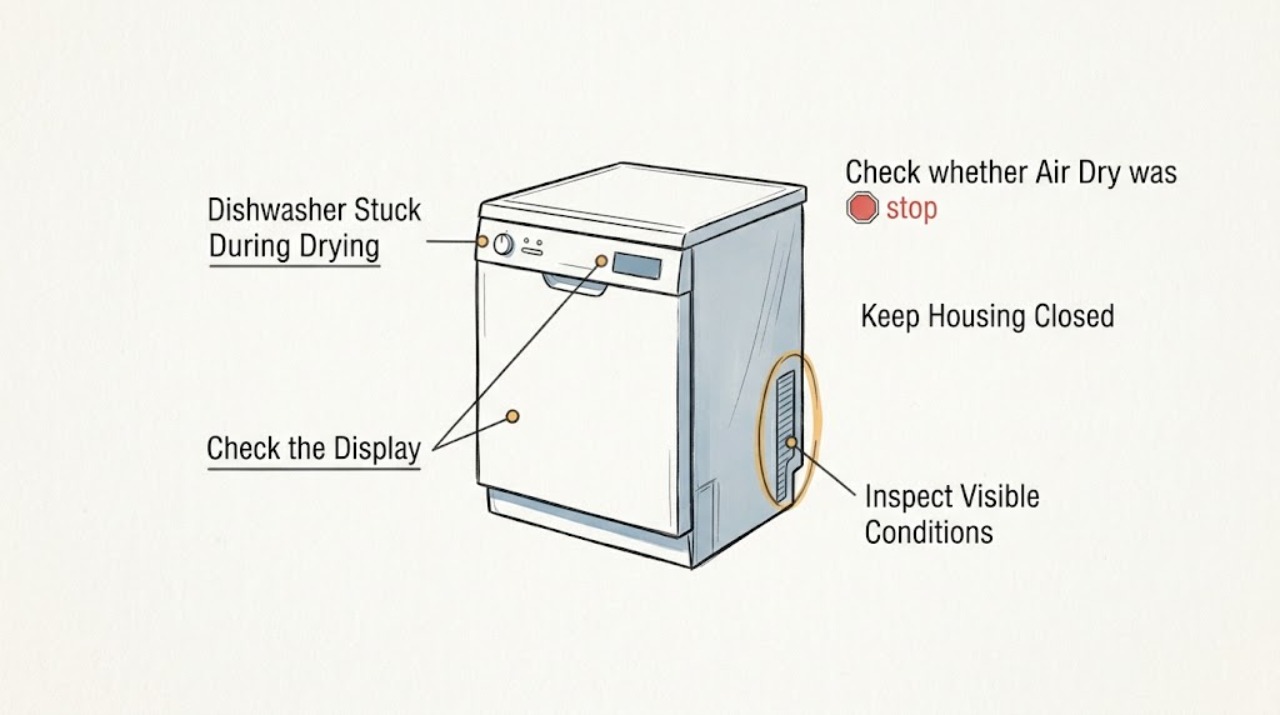
Work through in order
Diagnostic checks
Use only checks that match the exact appliance or system and its official guide.
-
Check 1
With the dishwasher closed and viewed from the controls, note whether DRYING is lit, whether CLEAN has appeared, whether the display or selected-cycle lights are changing, and how long the appliance has remained in that state; confirm the rating-plate model is LFID2426TF4A before using this model-family guidance.
Expected result: DRYING means the machine is in its drying portion, while CLEAN indicates the cycle has ended and remains lit until the door is opened. A dark panel, no progress, or a display that never reaches the end state is different from a normal drying indication.
Next step: Record a photo of the panel, selected cycle, options, and elapsed time. Continue only if there is no leak, smoke, burning odor, repeated trip, or other hazard; otherwise stop and arrange service.
Why this matters
Why: The indicator state separates an expected drying phase from a cycle that is actually not completing. If the rating plate has a different suffix or the lights do not match this guide, do not apply a cross-model button sequence.
-
Check 2
Compare the observed run time with the selected cycle and options, noting whether Hi-Temp Wash, Sanitize, or heated drying is selected, whether the incoming water was cool, and whether the load is unusually large; do not interrupt a safe cycle solely because it exceeds an estimate.
Expected result: The guide says cycle times are approximate and may be lengthened to reach key temperatures; incoming water temperature, load size, soil sensing, and selected options can extend the run.
Next step: Record the option combination and whether the cycle eventually reaches CLEAN. Do not bypass a temperature control or open the heater area to speed the cycle.
Why this matters
Why: A long drying-stage wait that eventually advances with normal operation can be a temperature or soil-sensing delay rather than a failed part. An unchanged state with no progress beyond a reasonable observation period or a repeated failure needs service.
-
Check 3
Check whether Air Dry was selected and inspect the dishes only after the cycle has safely ended; compare wetness with the cycle-end indication rather than using damp plastic or concave items as proof that the cycle is stuck.
Expected result: With Air Dry, the heater is deactivated during drying and the guide says dishware is more likely not to dry completely. A CLEAN indication with damp items means the cycle finished; DRYING that never clears is a separate symptom.
Next step: For a completed cycle, use the guide's rinse-aid and drying-option guidance if applicable. If the machine never reaches its end indication, keep the appliance off and arrange service rather than changing parts.
Why this matters
Why: Damp dishes can reflect the selected drying method, rinse-aid condition, or item shape and do not by themselves identify a heater or control failure.
-
Check 4
If the door was opened during the run, close it firmly and use the documented START/CANCEL resume action within the manual's time window only when there is no leak or other hazard; do not hold the door closed or bypass the latch.
Expected result: The guide says that after the door is opened while running, START/CANCEL must be pressed and the door shut promptly, within 10 minutes, for the selected cycle and option to continue. A door that will not latch or a control that stays unresponsive is not a normal pause.
Next step: If the cycle resumes, observe whether it reaches CLEAN. If it does not resume, stop repeated button presses and arrange qualified service; never defeat the latch.
Why this matters
Why: A door interruption can make the drying stage appear frozen without proving an internal failure. Failure to resume after the exact documented action points to a latch, control, power, or other service issue.
-
Check 5
After the cycle has ended or the appliance is safely stopped, look for water remaining in the bottom of the tub and check only the accessible drain conditions described in the guide: a kinked drain hose, a disposer connection whose knockout plug was not removed, or a glass trap/filter that is not maintained or seated correctly.
Expected result: Frigidaire says water left in the tub bottom after a completed cycle is not normal and may indicate poor draining. The guide separately points to the disposer, knockout plug, drain-hose routing, paused/incomplete cycle, and glass trap as drain checks.
Next step: Isolate power before any permitted filter or glass-trap maintenance, keep hands away from standing water near electrical parts, and stop if the machine leaks or the check requires moving the built-in appliance. Arrange service if water remains or the cycle stops again.
Why this matters
Why: Standing water can explain an incomplete end state or poor cleaning, but it does not identify a drain pump or control board. A clear accessible path with recurring water needs service diagnosis.
Use your observations
Decision map
Find the observation that best matches what you see, then follow the next safe action.
-
PATH 01Next step
What you see
CLEAN is lit and the dishwasher is no longer running, even though the door has not been opened.
Do this next
Open the door only when the contents have cooled enough to handle safely. Do not treat the persistent CLEAN light as a stuck drying cycle.
Why this path and its safety boundary
Why it matters: The cycle has reached its documented end state; the CLEAN light is designed to remain on until the door is opened.
-
PATH 02Next step
What you see
DRYING remains lit while the dishwasher is powered, latched, and otherwise operating, but the run eventually advances after a longer-than-expected wait and no hazard appears.
Do this next
Record the cycle and options, allow one safe run to complete, and compare future behavior. Request service if the indication never advances or the same delay repeats with abnormal operation.
Why this path and its safety boundary
Why it matters: Cool incoming water, a large load, soil sensing, or selected heating options can extend a cycle; a longer cycle is not automatically a failed dryer.
-
PATH 03Next step
What you see
The cycle reaches CLEAN but dishes are damp, especially when Air Dry is selected or the load contains plastic or concave items.
Do this next
Treat this as a drying-result issue rather than an unfinished-cycle diagnosis. Use rinse aid and a model-appropriate heated option if available, following the guide; escalate if the cycle itself does not end.
Why this path and its safety boundary
Why it matters: Frigidaire states that Air Dry turns off the heater during drying and can leave dishes not completely dry; item shape can also retain water.
-
PATH 04Next step
What you see
DRYING never advances, the door will not latch or resume, the panel is dark or unresponsive, or the same interruption returns after the exact documented resume action.
Do this next
Stop using the dishwasher and arrange qualified appliance service. Do not bypass the latch, open electrical covers, perform live tests, or replace a heater or board based on symptoms alone.
Why this path and its safety boundary
Why it matters: The behavior is not explained by a normal drying method or a single door pause; latch, power, control, heating, or another fault requires professional diagnosis.
-
PATH 05Next step
What you see
The tub contains standing water at the apparent end, the cycle repeatedly stops before draining, or the dishwasher leaks.
Do this next
Stop the appliance, keep water away from electrical parts, isolate power before any permitted accessible maintenance, and arrange service if the water or leak persists. Do not remove the pump or run repeated cycles.
Why this path and its safety boundary
Why it matters: The guide treats water remaining after completion as abnormal and directs attention to accessible drain-path conditions; a leak or repeated stop can require service.
Helpful context
Understand the symptom
A dishwasher that appears to sit in drying is not automatically failed. In the LFID2426TF-family guide, the DRYING light is expected during the drying portion, while the CLEAN light comes on at the end and remains on until the door is opened. The same guide says energy-efficient cycles may run longer when water is cool, the load is large, soil sensing calls for more time, or heating options are selected. Check the actual indicator and progress before cancelling the cycle.
Do not confuse damp dishes with an unfinished cycle. Air Dry disables the heater during drying and increases the chance that dishware will not be completely dry; rinse aid and an appropriate heated option can improve drying when those settings are available for this model. An unchanged drying indication with no eventual completion, standing water, or an electrical or water hazard is a different service decision.
When checks do not resolve it
Need a professional?
Arrange qualified Frigidaire appliance service when LFID2426TF4A remains in DRYING without reaching CLEAN, does not resume after the documented door procedure, has a dark or unresponsive panel, retains water, or repeats the interruption. Stop immediately for a leak, smoke, burning odor, damaged cord, water near electrical parts, or a repeated breaker trip.
Safety scope: Do not open the electrical enclosure, touch the heating element, bypass the door latch, perform live measurements, remove the pump, or move a built-in dishwasher near water or wiring. Isolate power before any permitted user maintenance and stop for a leak, smoke, burning odor, flooding, or repeated tripping.
Have this ready
- Provide the full LFID2426TF4A model and serial details, a panel photo, selected cycle and options, whether Air Dry or heated drying was selected, elapsed time, whether CLEAN appeared, door-opening or power-outage timing, water remaining, and any cleaning or drying result.
Common questions
FAQ
Does a DRYING light that stays on mean the Frigidaire dishwasher is broken?
Not by itself. The LFID2426TF-family guide says DRYING appears during the drying portion, while CLEAN appears when the cycle ends. Longer cycles can result from cool water, load size, soil sensing, or selected options. The concern is when the indication never advances, the controls do not respond, or another fault appears.
Why are the dishes wet even though the cycle finished?
Air Dry disables the heater during drying and can leave dishware incompletely dry; plastic and concave items can also retain water. Rinse aid and a model-appropriate heated option can improve results, but damp dishes after CLEAN is not the same as a cycle that never finishes.
What if water is still in the bottom when the cycle appears complete?
Frigidaire's guide says water left in the tub bottom after completion is not normal and may indicate poor draining. Stop repeated cycles and check only the accessible drain conditions described in the guide; arrange service if water remains, the unit leaks, or the check would require moving the built-in appliance.
Read the exact guide
Official sources
- Product Support: Frigidaire 24'' Built-In Dishwasher Stainless Steel-LFID2426TFFrigidaire · Official Frigidaire Canada support page for the LFID2426TF family; it links the English guide used here and lists support topics for loading, message codes, delay start, and drying/cleaning.
- use & care DishwasherFrigidaire · English Frigidaire A10121301 Use & Care guide linked from the official LFID2426TF product-support page; confirm the full LFID2426TF4A rating-plate suffix before applying model-specific controls.
- How can I ensure the best drying results?Frigidaire · General Frigidaire dishwasher guidance; used only for the distinction between damp dishes and an unfinished cycle, not to infer a specific LFID2426TF4A part or setting that the model guide does not list.
Community feedback
Share a repair observation
Share a plain-text repair observation. Accepted observations are published automatically; this page may take a moment to update.