
On this page
Start here
Quick answer
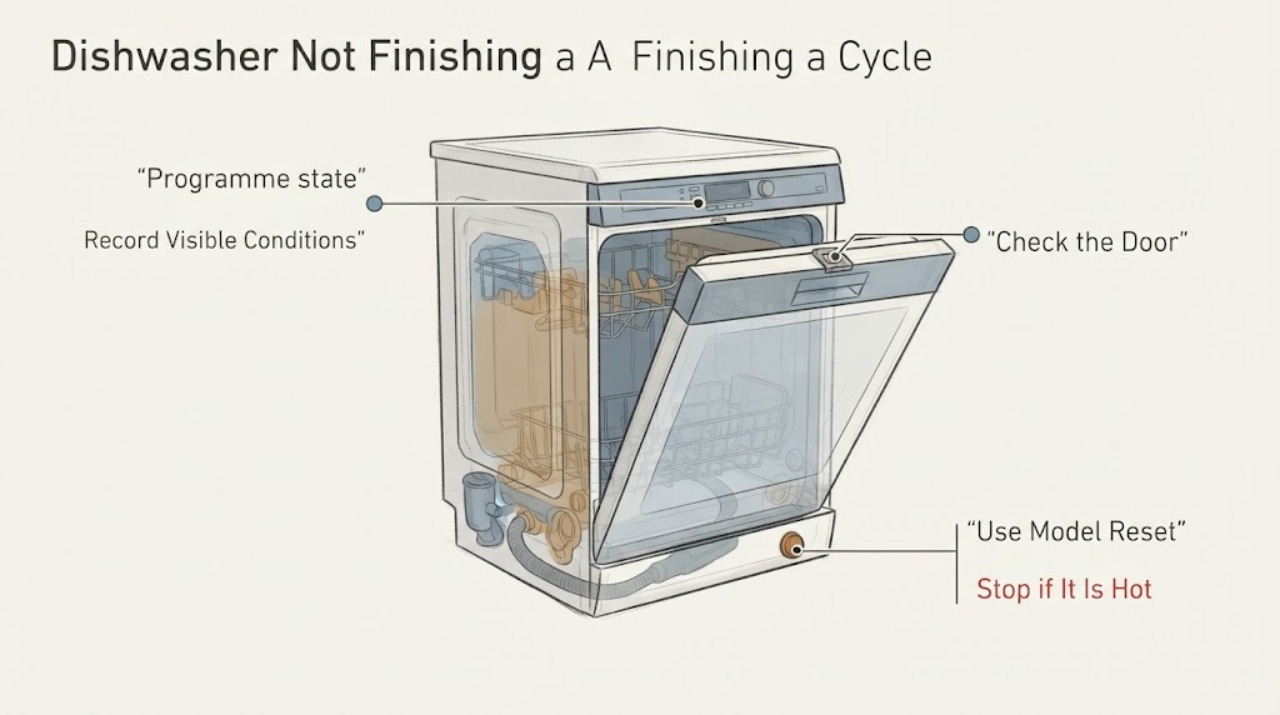
First note where the programme stops, whether water remains, whether the display shows a code or flashing indicator, and whether the door is fully closed. Electrolux says an active previous programme or Delay Start can prevent a new selection, and a model-specific RESET/CANCEL action can abort the cycle and drain it; the button layout and timing vary by model. If the dishwasher stops with water, check only the accessible filter, sump and drain-hose conditions described for the appliance, and if it displays a code use the exact Electrolux code guidance rather than guessing a pump, heater or sensor. A recurring incomplete cycle, leak, repeated code, damaged hose or abnormal electrical condition requires authorised service; do not open the cabinet or repeatedly run a leaking appliance.
Work through in order
Diagnostic checks
Use only checks that match the exact appliance or system and its official guide.
-
Check 1
Before cancelling power or selecting another programme, record the programme name, where it stopped, remaining time, flashing indicators or beep count, full error code if shown, water in the tub, and whether the door closes normally. Photograph the display and rating label if available.
Expected result: The cycle stops at a repeatable stage, shows a code or indicator pattern, leaves water, or simply remains on a previous programme without a code.
Next step: Use the matching branch below and do not transfer a code meaning from another Electrolux appliance or model.
Why this matters
Why: Electrolux treats incomplete cycles as a symptom that may involve water intake, drainage, heating, leak protection or temporary interruption; the observation is needed to choose the correct model-specific guidance.
-
Check 2
Close the dishwasher door normally and confirm that the selected programme was actually chosen before closing it. If the controls show an active previous programme or Delay Start, use the exact model manual to identify the RESET/CANCEL control; do not force the door or guess a button combination.
Expected result: The door does not make the normal closed indication, or a previous programme/Delay Start is visibly active; alternatively the door and programme state match the manual.
Next step: Remove only a visible obstruction and use the model-documented cancellation/reset. If the door will not latch or the programme remains locked after the correct control, stop and request service.
Why this matters
Why: Electrolux says the programme starts only when the door is detected fully closed, and a previous programme or Delay Start can prevent a new selection.
-
Check 3
If there is no leak, smoke, burning smell or electrical damage, follow the exact manual or Electrolux interface branch for cancelling the active programme. The official examples include holding RESET/CANCEL, holding ON/OFF on some built-in controls, or a different combination on some freestanding controls; the page warns that layouts vary.
Expected result: The appliance returns to programme-selection mode and can drain, or the active programme remains stuck/returns immediately.
Next step: Select one normal programme only after the appliance is in selection mode. If it remains stuck or fails again, stop repeated resets and arrange authorised service.
Why this matters
Why: A successful cancellation clears a programme state; it does not prove that a pump, heater, sensor or control is healthy. A returning incomplete cycle needs the model-specific diagnostic path.
-
Check 4
With the appliance safe and the water tap accessible, check that the supply is available and the visible inlet hose is not kinked, twisted or damaged. If the hose is damaged, switch off power and water as safely possible and do not continue running the dishwasher.
Expected result: The tap or household supply is interrupted, the inlet hose is kinked/damaged, or no visible inlet problem is found.
Next step: Restore only an obvious external supply condition that is safe to correct and then follow the exact manual. For a damaged hose, leak or recurring failure, leave the appliance isolated and request service.
Why this matters
Why: Electrolux associates inlet problems with incomplete operation and directs users to stop and obtain engineering help for a damaged hose. A clear hose does not prove the inlet valve or sensor is good.
-
Check 5
After stopping the appliance and following the exact manual, inspect the user-accessible filter/sump area and visible drain hose for food debris, kinks, twists or an installation condition that prevents draining. Do not reach into standing water without safe isolation, remove internal covers, or probe a pump.
Expected result: The filter/sump or visible drain path is blocked or kinked, water remains after the stop, or the accessible path is clear.
Next step: Clean or realign only the user-accessible condition described by the exact manual. If water remains, the drain path is damaged, or the cycle still stops, isolate the appliance as needed and use authorised service.
Why this matters
Why: Electrolux documents blocked filters, drainage restrictions and incorrect drain routing as possible causes of incomplete cycles; the observation does not establish a failed drain pump.
-
Check 6
If a full error code, repeated beep count or flashing warning appears, write it down exactly and consult the matching Electrolux support page or exact model manual. Do not substitute a code from a different Electrolux family, and do not keep running the appliance if water is leaking or electrical damage is visible.
Expected result: The code maps to a documented external branch such as inlet or drainage, or it repeats/does not match the available model documentation; a leak or other hazard may also be present.
Next step: Perform only the documented external check for the exact model. For a recurring code, incomplete cycle, leak, smoke, burning odor or damaged cord, stop use and arrange authorised service.
Why this matters
Why: Electrolux groups some codes by inlet, drainage, leak, water level, circulation and heating, but says error codes do not always indicate a component failure. A repeat code or leak moves the issue beyond generic user checks.
Use your observations
Decision map
Find the observation that best matches what you see, then follow the next safe action.
-
PATH 01Next step
What you see
The display shows a previous programme or Delay Start and the door latches normally.
Do this next
Use the exact manual or the model-appropriate RESET/CANCEL control once; if selection mode does not return, request service.
Why this path and its safety boundary
Why it matters: Electrolux says an active previous setting can prevent a new programme from being selected.
-
PATH 02Next step
What you see
The door does not close or latch fully, or the cycle stops when closure is disturbed.
Do this next
Remove only visible loading obstructions and close the door normally. Do not force or adjust the latch; use service if it will not engage.
Why this path and its safety boundary
Why it matters: The dishwasher will only start when it detects a fully closed door; a visible obstruction or door fault can interrupt the programme.
-
PATH 03Next step
What you see
Water remains in the tub or the displayed code/indicator points to a drainage condition.
Do this next
Perform the manual-approved filter and visible drain-hose checks with power safely isolated. If water remains or the code returns, stop use and arrange service.
Why this path and its safety boundary
Why it matters: Electrolux identifies drainage restrictions, blocked filters and drain-hose conditions as possible causes; this does not prove a failed pump.
-
PATH 04Next step
What you see
The code or indicator points to water intake, or the inlet supply/hose is visibly restricted or damaged.
Do this next
Check only the accessible tap and hose conditions; isolate a damaged or leaking hose and request authorised service.
Why this path and its safety boundary
Why it matters: Electrolux associates inlet codes with insufficient incoming water and says a damaged inlet hose requires isolation and engineer inspection.
-
PATH 05Next step
What you see
The same incomplete-cycle symptom or code returns after the model-specific external checks, or there is a leak, smoke, burning smell or electrical damage.
Do this next
Stop repeated runs, isolate water or power only when safe, and arrange an authorised technician visit.
Why this path and its safety boundary
Why it matters: Electrolux treats repeated codes, inability to complete programmes and leaks as signs that professional diagnosis may be needed.
Helpful context
Understand the symptom
Record the exact stopping point
Before resetting, note the selected programme, approximate stage, remaining display time, flashing lights or beeps, any full error code, whether the tub contains water, and whether the door opens and closes normally. Electrolux lists incomplete cycles among symptoms that can arise from water intake, drainage, heating, leak protection or temporary interruption conditions; the symptom alone does not identify a component.
Separate an active programme from a fault
If the dishwasher will not let you select another programme, Electrolux says a previous programme or Delay Start may still be active. Its general cancellation examples differ by built-in and freestanding controls, and the page warns that interfaces vary. Use the exact model manual before holding any button combination.
Check the visible water path
With the appliance safely stopped, inspect the visible water supply and drain conditions allowed by the exact manual. Electrolux identifies low or interrupted inlet supply, a kinked or damaged inlet hose, clogged filters, an incorrectly routed drain hose and a recently moved installation as possible external conditions. A damaged hose should be isolated and inspected by an engineer; do not remove panels or diagnose a pump from the symptom.
Use the code and service boundary
If a code, repeated beep count or flashing pattern is present, write down the complete display and use the exact Electrolux support article or manual for that model. Electrolux groups some codes by water inlet, drainage, leak, water-level, circulation and heating symptoms, but its guidance says codes do not always mean a component has failed. Persistent incomplete cycles or leaks belong with authorised service.
When checks do not resolve it
Need a professional?
Use authorised service when the dishwasher still cannot complete a programme after the exact manual-approved external checks, a code repeats, the door will not latch, water remains, a hose is damaged, or any leak/electrical hazard is present. Do not choose a pump, heater, sensor or control part from this symptom alone.
Common questions
FAQ
Why does an Electrolux dishwasher stop before the cycle ends?
The stopping point can relate to an active programme or Delay Start, water inlet, drainage, leak protection, heating, or another model-specific condition. Record the full display and use the matching manual before naming a component.
How do I cancel a dishwasher cycle that is stuck?
Electrolux gives different examples for built-in and freestanding controls, including model-dependent RESET/CANCEL or ON/OFF actions. Use the exact manual; the interface examples are not universal.
Should I keep running the dishwasher if water is leaking?
No. Stop use, isolate water and power only when safe, and arrange authorised service. A leak or recurring incomplete cycle is outside generic troubleshooting.
Read the exact guide
Official sources
- Dishwasher displays error code i10, i11, AL5, C1, beeps once, or the warning light flashes onceElectrolux · Official Electrolux external water-inlet and drain-path checks, including supply, hose condition, accessible filters and installation conditions; exact model manual remains controlling.
- Program not starting and cycle indicator light flashing on dishwasherElectrolux · Official Electrolux support guidance for dishwasher programme start conditions, door closure, delay start, user-level reset, basic filter/spray-arm checks and service escalation.
- Dishwasher is stuck mid-cycle and won't allow me to select a different programmeElectrolux · Official Electrolux support article for cancelling an active cycle; it explicitly marks the button examples as general and model-dependent.
- Electrolux Dishwasher Displays an Error Code – Causes and SolutionsElectrolux · Official Electrolux summary for dishwasher diagnostic symptom families; it states that codes do not always prove component failure and gives service boundaries.
- Dishwasher does not / will not start but the power is onElectrolux · Official Electrolux guidance for a powered dishwasher that remains on a programme, including door closure, Delay Start, reset examples, Demo mode and manual-specific scope.
Community feedback
Share a repair observation
Share a plain-text repair observation. Accepted observations are published automatically; this page may take a moment to update.