
On this page
Start here
Quick answer
If a Zanussi dishwasher has power but will not start, select a valid program, close the door until it clicks, clear Delay Start or the previous cycle, and check whether DEMO mode is active. If the start problem returns after those checks or a code appears, use the exact manual or service.
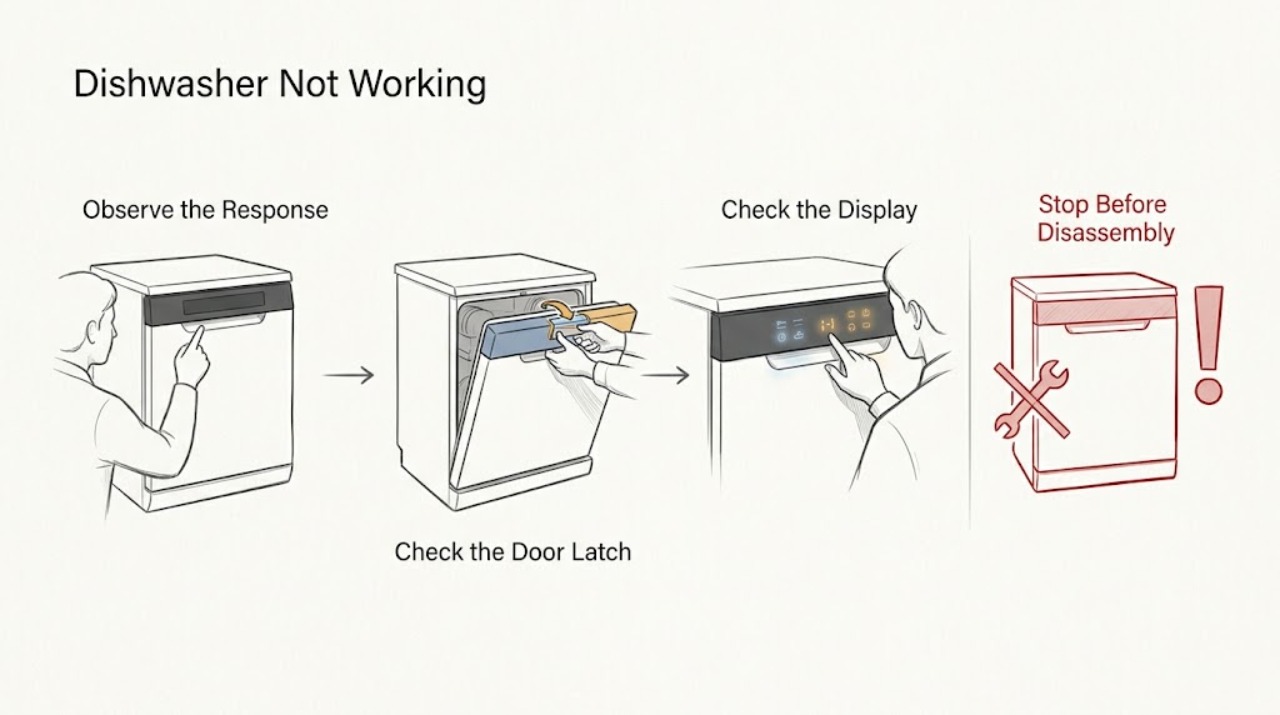
Work through in order
Diagnostic checks
Use only checks that match the exact appliance or system and its official guide.
-
Check 1
Select a normal wash program and press Start as the model panel shows; close the door firmly until the latch clicks.
Expected result: The program remains selected and the dishwasher starts, or the display returns to idle.
Next step: Try one other valid program only once and keep the model manual available.
Why this matters
Why: A missing program or unlatched door can prevent the start command; a confirmed latch with no start points elsewhere.
-
Check 2
Check the display for Delay Start or a previously selected cycle and cancel or reset it using the model instructions.
Expected result: A delay or old cycle clears and the dishwasher starts, or the condition remains.
Next step: Do not repeat key combinations that are not confirmed for the model.
Why this matters
Why: A pending delay or incomplete cycle can make a powered dishwasher appear unresponsive; persistence after reset needs more diagnosis.
-
Check 3
Check whether DEMO mode is shown or the controls respond without filling; exit DEMO only with the model-specific procedure.
Expected result: DEMO mode is active, or the dishwasher shows a normal operating state.
Next step: Run one short supervised test after the correct mode is restored.
Why this matters
Why: DEMO mode can inhibit a real wash; a normal state with no start keeps door, control, or supply diagnosis open.
-
Check 4
Record the model, display symbols, door-latch result, delay or DEMO state, and any code before contacting Zanussi.
Expected result: The dishwasher starts normally, or the start failure repeats.
Next step: Arrange service rather than replacing a pump or board from the symptom alone.
Why this matters
Why: Recovery supports a program or control-state cause; recurrence needs model-specific service.
Use your observations
Decision map
Find the observation that best matches what you see, then follow the next safe action.
-
PATH 01Next step
What you see
The door does not click or the program will not remain selected.
Do this next
Check for an obstruction at the door edge and arrange service if the latch or controls still fail.
Why this path and its safety boundary
Why it matters: The start interlock or control state is more likely than a drain component.
-
PATH 02Next step
What you see
The door clicks, Delay Start and DEMO mode are clear, but a valid program still will not start.
Do this next
Provide the recorded display and model to Zanussi service.
Why this path and its safety boundary
Why it matters: A control, latch sensor, or other model-specific fault is more likely.
-
PATH 03Next step
What you see
The dishwasher starts after clearing the delay, old cycle, or DEMO mode.
Do this next
Keep the model procedure and monitor the next normal cycle.
Why this path and its safety boundary
Why it matters: The operating state was the leading cause.
Helpful context
Understand the symptom
Zanussi’s start guidance applies to a dishwasher whose power is on. The door latch, selected program, delay state, previous cycle, and DEMO mode can prevent a start command from being accepted.
Do not infer a failed pump or control board from a silent start attempt. First record the display, selected program, door click, and any code.
Only after diagnosis
Potential parts
- model-specific door latch or control component
Consider a part only after the start interlock or control diagnosis identifies it.
A no-start symptom does not establish latch or board fit.
When checks do not resolve it
Need a professional?
Contact Zanussi service when the door latches, program, delay, and DEMO checks are correct but the dishwasher still will not start or displays a recurring code.
Common questions
FAQ
Why does a powered Zanussi dishwasher not start?
Zanussi lists program selection, a fully closed door, Delay Start or a previous cycle, and DEMO mode among the checks for a dishwasher that has power but will not start.
Should I reset a Zanussi dishwasher with a generic button combination?
Use the exact model manual. Zanussi’s support guidance notes that reset and DEMO procedures vary by control panel.
Read the exact guide
Official sources
- Dishwasher does not / will not start but the power is onZanussi · Opened manufacturer or official support guidance; exact model details vary.
Community feedback
Share a repair observation
Share a plain-text repair observation. Accepted observations are published automatically; this page may take a moment to update.