
On this page
Start here
Quick answer
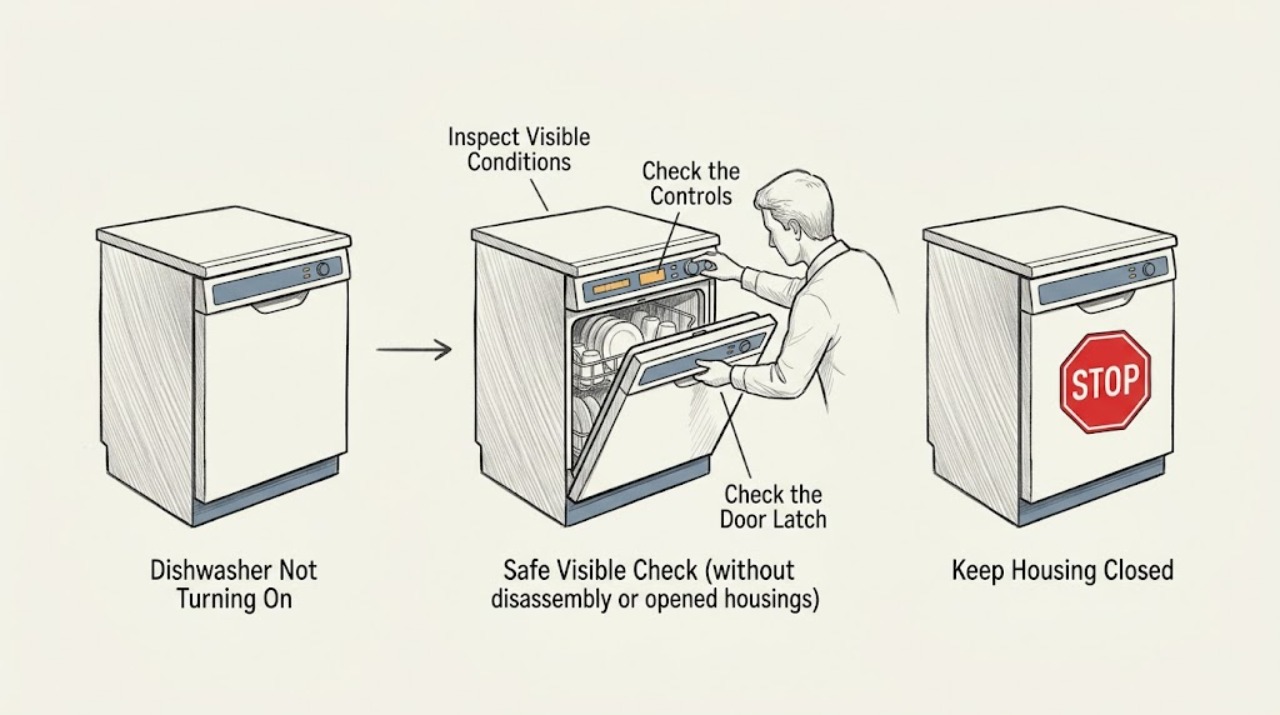
First separate a dishwasher with no lights from one whose panel responds but will not start. Amana recommends checking the accessible power supply and household breaker or fuse, confirming that the door fully latches and the lower rack is not obstructing it, and checking Control Lock, Sleep or Standby Mode, and Delay Wash. If the door and controls are ready, verify that the under-sink water shutoff is open. After recording any light pattern, use the exact model manual's cancel or reset procedure; Amana's published guidance describes disconnecting power for about 30 seconds to one minute. Do not open hard-wired terminals, bypass the door interlock, remove panels, or test internal parts. If power is absent after a safe external check, a breaker trips again, the door will not latch, water leaks, an error returns, or the dishwasher remains unresponsive after the model-approved reset, leave it off and arrange qualified service.
Before you begin
Safety first
- Do not bypass the door latch, open electrical covers, loosen hard-wired terminals, probe wiring, or replace an internal part based only on a no-start symptom.
Work through in order
Diagnostic checks
Use only checks that match the exact appliance or system and its official guide.
-
Check 1
Press a control once and observe the dishwasher before moving it. Record whether the panel is completely dark, whether a lock symbol or Control Lock light is present, whether a Delay Wash countdown appears, and whether Start or Resume flashes.
Expected result: The panel is dark; buttons are disabled or a lock indicator is lit; the machine wakes after opening or closing the door; a delay is counting down; or the controls respond but no cycle begins.
Next step: If the lock, sleep state, or delay is visible, use the exact Owner's Manual procedure to clear or wake it, then continue with the power and door checks. Preserve any unrecognized flashing pattern for service.
Why this matters
Why: A dark panel makes an interrupted supply more likely. Control Lock, Sleep or Standby Mode, and Delay Wash can make a working control panel appear not to start, while a flashing Start or Resume indicator can mean the cycle is waiting for the door to close.
-
Check 2
Check only the accessible power path: if the model has a cord, confirm its plug is seated and any wall switch is on; look for a tripped household breaker or blown fuse. Do not loosen terminals or wire nuts on a hard-wired installation.
Expected result: An obvious switched-outlet, plug, breaker, or fuse condition is found; power is stable but the panel remains dark; or the breaker trips again when power is restored.
Next step: Restore an obvious accessible switch or single tripped-breaker condition only when the area is dry and there is no smoke, burning odor, or damaged wiring. If the breaker trips again, a fuse fails again, or hard-wired connections need inspection, leave the dishwasher off and arrange qualified electrical or appliance service.
Why this matters
Why: An interrupted household supply can explain a dark panel, but a recurring trip or uncertain hard-wired connection can indicate an electrical fault and is not evidence of a failed dishwasher control.
-
Check 3
Inspect the door edge and racks, remove only a visible dish or rack obstruction, and close the door firmly until the latch engages. Do not force a misaligned door or defeat the latch switch.
Expected result: The door clicks shut and Start or Resume works; a dish or lower rack installed backward was holding it out; the latch will not engage; or Start or Resume still flashes with the door closed.
Next step: Correct only the accessible obstruction, close the door, and follow the model's start or resume procedure. If the latch will not engage or the indicator continues to flash, stop rather than bypassing the interlock and arrange service.
Why this matters
Why: Amana says a door that is not fully latched prevents a dishwasher from starting or resuming, and a lower rack installed backward can prevent the latch from engaging. A latch or alignment that still will not close is a service issue.
-
Check 4
Verify the dishwasher's accessible water supply at the under-sink shutoff and confirm that water is available at the sink. Leave the supply hose and plumbing connections intact if the arrangement is unfamiliar.
Expected result: The dishwasher shutoff is closed; sink water is unavailable; the valve is open and water is available; or the dishwasher still will not begin after the door is latched.
Next step: Reopen an obviously closed accessible shutoff and retry the exact model start procedure once. If the valve or hose leaks, water is unavailable, or the dishwasher still will not fill or start, stop and arrange qualified service.
Why this matters
Why: Amana identifies an open water supply and hot-water valve as prerequisites for filling and operation. An open valve does not prove that an internal inlet valve or control circuit is working.
-
Check 5
After documenting the symptom and only when the floor, plug, and surrounding area are dry and safe, use the exact Amana manual's cancel or reset procedure once. Depending on the model, this may mean cancelling and draining, then disconnecting power at an accessible plug or the breaker for about 30 seconds to one minute.
Expected result: The panel returns to a ready state and starts normally; the same no-start symptom returns; the breaker trips; an error or flashing indicator returns; or the appliance remains completely dark.
Next step: If the dishwasher returns to normal, monitor one ordinary cycle without repeating resets. If it stays dead, the code or indicator returns, the breaker trips, or the next check would require panels, live testing, or internal access, leave it off and arrange qualified service.
Why this matters
Why: A successful reset supports a temporary control or interrupted-cycle state, but it does not establish that an internal part is healthy. A repeated symptom or safety event points beyond the user-level reset.
Use your observations
Decision map
Find the observation that best matches what you see, then follow the next safe action.
-
PATH 01Next step
What you see
The panel is dark, and a single accessible breaker, switch, or plug condition restores power without another trip.
Do this next
Run one normal cycle while watching for another loss of power. Stop and arrange service if the breaker trips again or the panel goes dark again.
Why this path and its safety boundary
Why it matters: An interrupted household supply is more likely than a confirmed dishwasher component failure.
-
PATH 02Next step
What you see
The panel responds, and Control Lock, Sleep or Standby Mode, Delay Wash, an unlatched door, or an interrupted Start or Resume state is present.
Do this next
Clear the state using the Owner's Manual, latch the door, and start or resume the cycle. Escalate if the lock cannot be cleared or the indicator remains.
Why this path and its safety boundary
Why it matters: A control state or door condition is more likely than a failed internal part and can usually be addressed by the model's user controls.
-
PATH 03Next step
What you see
The door latches and power is stable, but water is unavailable or the dishwasher will not begin filling even though the shutoff is open.
Do this next
Restore only an obviously closed accessible shutoff. If water is unavailable, a connection leaks, or the machine still will not fill or start, leave it off and arrange qualified service.
Why this path and its safety boundary
Why it matters: The external supply condition is a plausible contributor when the valve is closed or water is unavailable; an open valve with continued failure leaves an inlet, control, or other internal cause unresolved.
-
PATH 04Next step
What you see
Power, controls, door, water supply, and the one model-approved reset are normal, but the dishwasher remains dead, will not start, or repeats the same indicator or error.
Do this next
Stop troubleshooting, preserve the exact light or error pattern, and arrange qualified Amana appliance service with the model number and completed checks.
Why this path and its safety boundary
Why it matters: The remaining causes cannot be assigned safely to one part from external checks. Repeated resets or bypassing the door interlock would add risk without proving a repair.
Helpful context
Understand the symptom
No power is different from no start
A completely dark panel points first toward the supply path, while a lit panel that ignores Start may be locked, asleep, delayed, unable to confirm the door latch, or waiting for water. Amana's guidance treats these as different checks. Note whether any lights, lock symbols, countdowns, or flashing Start/Resume indicators appear before changing settings or disconnecting power.
Use only accessible checks
You can inspect a reachable plug, breaker or fuse, door and racks, the under-sink shutoff, and the controls without dismantling the appliance. A hard-wired dishwasher should not be opened at its terminals, and a latch should never be bypassed. If there is water near electrical parts, smoke, a burning odor, damaged wiring, or a repeated breaker trip, stop before attempting a reset.
A reset clears a state; it does not identify a failed part
Amana describes disconnecting power as a control reset, but its public pages use intervals ranging from about 30 seconds to one minute. Use the exact Owner's Manual for the model when available, restore power once, and observe whether the dishwasher returns to a normal ready state. A recurring failure after that step needs service rather than repeated resets or a guessed control-board replacement.
When checks do not resolve it
Need a professional?
The panel stays dark after a safe accessible supply check, or the household breaker trips again., The door cannot latch, water leaks or remains unavailable, or the dishwasher will not fill or start after the door and supply checks., The same light pattern or error returns after the published model-specific reset or the appliance needs panel removal or electrical testing.
Safety scope: Do not bypass the door latch, open electrical covers, loosen hard-wired terminals, probe wiring, or replace an internal part based only on a no-start symptom.
Have this ready
- The complete Amana model number and whether the unit is cord-connected or hard-wired.
- Whether the panel is dark, locked, delayed, flashing, or showing an exact code, and whether the issue began after an outage or installation.
- The results of the power, door, water-supply, and reset checks.
Common questions
FAQ
Why is my Amana dishwasher not turning on when the panel is dark?
Check the accessible plug or switched outlet and look for a single tripped household breaker or blown fuse. If power is restored but the breaker trips again, wiring is damaged, or a hard-wired connection needs inspection, leave the dishwasher off and arrange qualified service. A dark panel is not enough evidence to identify a failed control board.
Why will my Amana dishwasher not start even though the lights are on?
Check Control Lock, Sleep or Standby Mode, Delay Wash, the door latch, and the under-sink water shutoff. Amana says a lock can disable buttons, a delayed cycle waits, an unlatched door prevents starting, and the dishwasher needs an available water supply to fill. Follow the exact model manual if the indicator remains.
Can a lower rack stop an Amana dishwasher from turning on?
Yes. Amana's guidance says a lower rack installed backward, or another dish obstructing the door, can prevent the door from fully latching. Remove only the visible obstruction and close the door firmly; do not bypass a latch that will not engage.
How do I reset an Amana dishwasher that will not start?
Use the Owner's Manual first because Amana's published pages specify different intervals. The user-level guidance describes cancelling if needed and disconnecting power for about 30 seconds to one minute, then restoring power and trying the normal start procedure. Do not reset repeatedly when a breaker trips, water is near electrical parts, or the same failure returns.
When should I stop troubleshooting an Amana dishwasher that will not turn on?
Stop for smoke, burning odor, damaged wiring, repeated breaker trips, a leak, a door that will not latch, a returning code or flashing indicator, or a failure that remains after the model-specific external checks and one reset. Give qualified service the model number and the exact panel behavior instead of opening panels or guessing at a part.
Read the exact guide
Official sources
- Not Starting or Operating - DishwasherAmana Product Help · Direct Amana troubleshooting for door latching, water supply, control states, and reset behavior; exact controls vary by model.
- Dishwasher Not Starting or Not OperatingAmana Product Help · Direct Amana guidance for no-start and no-operation symptoms; controls and access vary by model.
- Owner's ManualAmana · Official Amana manual for a specific dishwasher family; the user's complete model manual takes precedence for button names and layout.
- Why Your Dishwasher Isn't WorkingAmana · Amana consumer guidance for power, water, controls, reset, and service escalation; the model manual controls exact button sequences.
Community feedback
Share a repair observation
Share a plain-text repair observation. Accepted observations are published automatically; this page may take a moment to update.