
On this page
Start here
Quick answer
If an Asko dishwasher appears not to turn on, open the door before pressing the main power switch, because the switch may only respond with the door open on some models. If the display or indicators return, select a program and hold Start/Stop until the machine shows that the program has started, then close the door fully so the latch can engage. If the panel stays dark, check the plug and the household breaker or other protective device from a dry, ordinary-access position without opening the appliance. A panel that remains dead after those checks, a door that will not latch, or a dishwasher that hums and keeps draining or shows signs of a leak needs qualified appliance service; shut off the water and disconnect power when the manual directs it.
Before you begin
Safety first
- This article covers ordinary-access controls, visible door conditions, and external supply observations only. Do not bypass a door lock, open the appliance, test live terminals, pull or tip the dishwasher, or keep resetting a protective device.
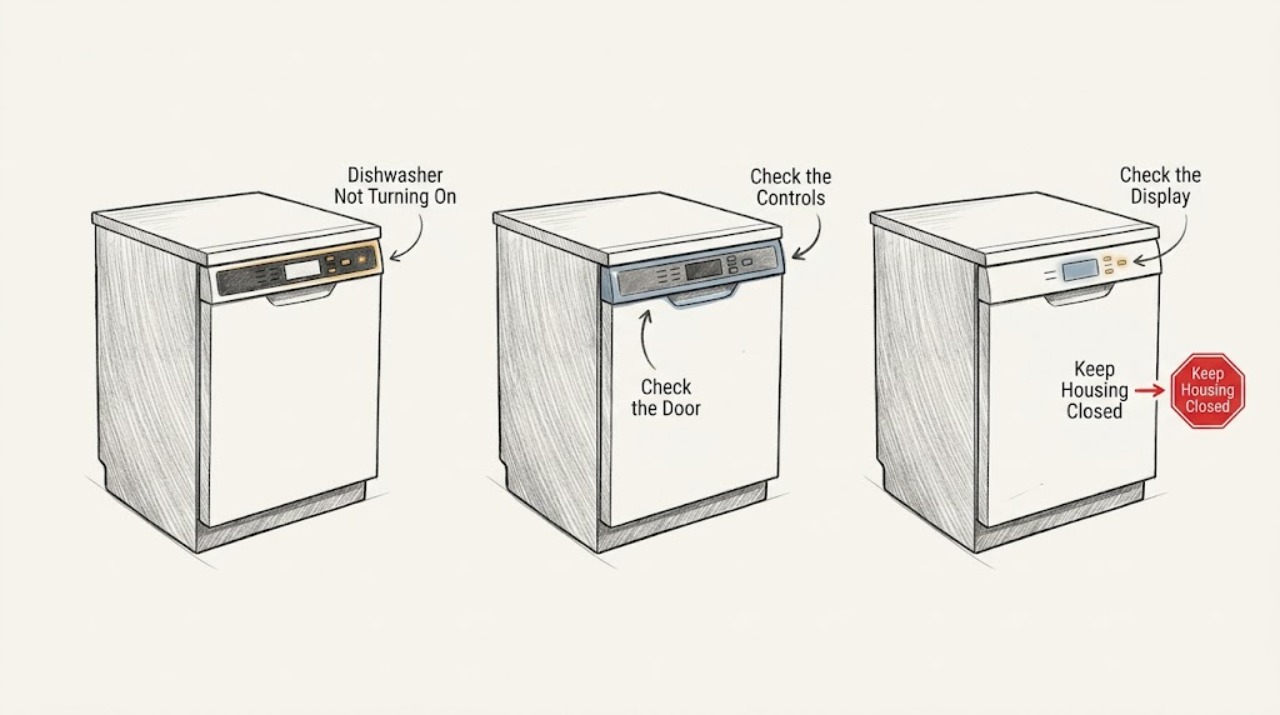
Work through in order
Diagnostic checks
Use only checks that match the exact appliance or system and its official guide.
-
Check 1
With the dishwasher stopped and the floor dry, open the door and press the main power switch once using the normal control. Do not remove a panel or reach behind the door.
Expected result: Record whether the display or indicator lights come on, remain completely dark, flash briefly, or show a message; also note whether the switch only responds after the door is opened.
Next step: If the panel responds, continue to the start-and-latch check. If it stays dark, perform only the external supply check next and use qualified service if that does not restore a response.
Stop if: Stop if there is a burning odor, smoke, heat, sparking, visible water near electrical equipment, or a damaged cord or outlet; keep the appliance off and seek qualified electrical or appliance help.
Why this matters
Why: The ASKO DI6101W/2 and DI6101B/2 operating instructions say to open the door before pressing the main power switch. A response with the door open points toward a start-sequence or door-state issue rather than a completely dead supply. A panel that remains dark keeps the plug, breaker, supply, control, and internal electrical path in view.
-
Check 2
If the panel responds, select a normal program, then press and hold Start/Stop until the display confirms that the program has started. Close the door gently and allow the latch to engage; do not slam or hold the door shut.
Expected result: Note whether the start confirmation appears, whether the door closes and clicks into the lock, whether the display asks for the door to be closed, or whether the panel returns to its prior state without starting.
Next step: Remove only a plainly visible rack or dish obstruction, then make one careful start attempt using the exact model instructions. If the latch still will not engage or the start command is not accepted, arrange service rather than forcing the door or bypassing the interlock.
Stop if: Do not defeat, wedge, bypass, or electrically test the door lock. Stop for a bent hinge, damaged latch, uneven door, cracked panel, or a door that requires force to close.
Why this matters
Why: A missing start confirmation can mean the button was not held long enough or the wrong model-specific sequence was used. A display that waits for the door, or a latch that does not click, keeps the door interlock or an obstruction in view. ASKO's instructions also state that an open or improperly closed door prevents starting.
-
Check 3
If the display is present but buttons do not react, wait briefly after opening the door, check the visible control surface for residue, and clean it only with a dry or slightly damp cloth. Check the exact model manual for the child-lock or button-lock release sequence; do not guess at a key combination.
Expected result: Record whether the buttons respond after the wait or gentle cleaning, whether a lock symbol or other indicator is shown, or whether only one button remains unresponsive.
Next step: Use the exact model instructions to clear a confirmed button lock once. If the controls remain unresponsive, record the model and any indicator pattern for a technician; do not spray cleaner into the panel or open the control area.
Stop if: Do not use liquid directly on the controls, sharp tools, force, or an improvised reset sequence. Stop if liquid has entered the panel or the panel is cracked, loose, hot, or discolored.
Why this matters
Why: The opened ASKO manual lists pressing too soon after opening the door, an activated child lock, and dirty buttons as possible causes of unresponsive controls. If the display works but one control remains dead after the model-authorized checks, a control-interface fault is more likely than a household power interruption.
-
Check 4
If the panel stays dark with the door open, from a dry normal-access position verify that the dishwasher plug is fully seated if it is accessible and check the labeled household breaker or protective device once. Do not remove the dishwasher, open an electrical box, or touch a wet connection.
Expected result: Record whether the plug was loose, the breaker or protective device had tripped, the device resets and stays on, or the dishwasher remains dark while other nearby loads have power.
Next step: Correct only an obvious loose plug and make one power-button check with the door open. If the appliance remains dark, or the protective device trips again, leave it off and arrange qualified electrical or appliance diagnosis.
Stop if: Do not repeatedly reset a breaker, use an extension cord as a workaround, probe the outlet, or test live appliance terminals. Stop immediately for smoke, sparks, heat, buzzing, burning odor, damaged insulation, or water near the outlet.
Why this matters
Why: ASKO's troubleshooting table lists a plug that is not connected and a tripped fuse or circuit breaker as possible reasons the dishwasher does not start. A breaker that will not stay on, trips again, or is accompanied by heat, odor, or noise is an electrical fault—not a dishwasher reset to repeat.
-
Check 5
Listen and look from a safe position without pulling the appliance: determine whether the dishwasher is completely silent, shows a normal start attempt, or makes a continuous drainage-pump hum; check only for visible water around the accessible front or under-sink area.
Expected result: Record continuous humming, a water or leak indication, standing water in the tub, visible wetness, an error message, or no sound and no visible water.
Next step: For continuous draining or any leak indication, turn off the water supply, unplug the dishwasher when safely accessible, and call service. For a silent, dark unit after the external checks, provide the technician with the model and the observations instead of opening the machine.
Stop if: Do not run another cycle, remove the toe kick, reach into the pump, tip or pull out the dishwasher, or reconnect power to test an active leak or continuous-drain condition.
Why this matters
Why: The ASKO manual says a drainage-pump sound that does not stop when the main power switch is turned off can indicate that overflow protection has activated. Visible water, an error, or persistent draining moves the problem out of ordinary button troubleshooting. Silence with a verified supply and a dark panel leaves an internal power or control fault more likely.
Use your observations
Decision map
Find the observation that best matches what you see, then follow the next safe action.
-
PATH 01Safety boundary
What you see
The panel remains dark with the door open, and the plug and household protective device are apparently normal.
Do this next
Leave the dishwasher off and arrange qualified appliance or electrical diagnosis. Give the technician the exact model, whether any indicator ever flashed, and the result of the external supply check.
Why this path and its safety boundary
Why it matters: The symptom is not explained by a normal closed-door start sequence. An internal power, wiring, control, or user-interface fault becomes more likely, but the exact failed part cannot be identified from an external check.
Safety stop: Do not remove panels or perform live voltage tests. Escalate promptly for heat, odor, smoke, sparks, a damaged cord, or water near electrical parts.
-
PATH 02Safety boundary
What you see
The panel lights, but the machine does not start after the model-appropriate Start/Stop command, or the display asks for the door to be closed.
Do this next
Check the exact model's start sequence, clear a confirmed button lock as instructed, remove only a visible door obstruction, and verify one gentle latch engagement. Use appliance service if the lock will not click or the start request is repeatedly rejected.
Why this path and its safety boundary
Why it matters: The appliance has some control power, so the likely decision path shifts to the start command, child lock, door obstruction, or door-lock sensing rather than a completely dead supply.
Safety stop: Do not hold the door shut, bypass the lock, or force a misaligned door.
-
PATH 03Safety boundary
What you see
The dishwasher hums continuously, keeps draining after the power control is used, shows an overflow or leak-related indication, or has visible water.
Do this next
Turn off the water supply, disconnect power when safely accessible, and call qualified appliance service. If water has reached electrical equipment, keep clear and use qualified electrical help as needed.
Why this path and its safety boundary
Why it matters: This pattern is consistent with the overflow-protection path described in the ASKO manual and is not a safe candidate for repeated resets or normal-cycle testing.
Safety stop: Do not reconnect power, run another cycle, tip the appliance, or reach into concealed drainage or base areas.
-
PATH 04Safety boundary
What you see
The panel returns after an obvious supply correction or model-authorized control step, the door latches normally, and one supervised start completes without unusual noise or water.
Do this next
Record what changed and monitor the next normal use. Arrange service if the symptom returns, a protective device trips again, the panel becomes intermittent, or the door-start behavior changes.
Why this path and its safety boundary
Why it matters: A temporary supply, timing, button-lock, or start-sequence condition was plausible, but one recovery does not prove the control or electrical path is healthy.
Safety stop: Do not continue operating if the recovery is accompanied by heat, odor, leak, abnormal draining, or repeated breaker trips.
Helpful context
Understand the symptom
First separate a dead panel from a start command that is not being accepted
“Not turning on” can describe two different symptoms: no light or display at all, or a panel that lights but never begins a cycle. ASKO's DI6101W/2 and DI6101B/2 operating instructions place the main power switch behind an open-door condition, then require program selection and a Start/Stop command before the door is closed. Use the exact model manual for your panel layout and timing; do not assume that a control sequence from another ASKO model applies to yours.
A closed door can prevent both power-button response and cycle start
The door is part of the start path. If a rack or dish prevents the door from closing, or the lock does not click into place, the machine may not accept a start request. The same manual also lists a child lock and dirty buttons as reasons controls may not react. Check only visible, ordinary-access conditions and stop if the latch is damaged or the door needs force.
Treat continuous draining or a leak as a stop condition
A dishwasher that hums continuously and keeps draining is not simply waiting for another button press. The opened ASKO manual associates that pattern with overflow protection and directs the user to turn off the water, unplug the machine, and call service. Do not keep resetting the breaker, run repeated cycles, or pull the dishwasher out to reach concealed parts.
Only after diagnosis
Potential parts
- dishwasher door-lock or latch assembly
Consider this category only if the exact model's door does not latch or the lock signal remains abnormal after visible rack and door-obstruction checks, and a technician confirms the latch is defective.
Confirm the full model number and manufacturer fit information before ordering; similar-looking Asko latches are not proof of compatibility. - dishwasher user-interface or power-switch assembly
Consider this category only after the plug and household protective device are verified, the panel remains dark or a control is intermittently unresponsive, and qualified diagnosis identifies the interface or switch as the failed component.
Confirm the full model, control-panel revision, connector arrangement, and manufacturer fit information; do not replace a control based on a symptom alone.
When checks do not resolve it
Need a professional?
Arrange qualified appliance service when the control panel stays dark after the plug and household protective device are checked, the door will not latch, Start/Stop is repeatedly rejected, the child lock cannot be cleared from the exact model instructions, or the symptom returns after a temporary recovery. Turn off the water and disconnect power when safely accessible for continuous drainage, visible leaking, or an overflow-protection pattern. Use qualified electrical help for a breaker that will not stay on, repeated trips, heat, sparks, smoke, buzzing, burning odor, or damaged wiring.
Safety scope: This article covers ordinary-access controls, visible door conditions, and external supply observations only. Do not bypass a door lock, open the appliance, test live terminals, pull or tip the dishwasher, or keep resetting a protective device.
Common questions
FAQ
Why does my Asko dishwasher seem completely dead when I press the power button?
Open the door before pressing the main power switch; the opened ASKO DI6101W/2 and DI6101B/2 instructions specify that the switch is used with the door open. If the panel remains dark, check the accessible plug and household protective device once. Do not open the appliance or repeatedly reset a breaker.
The display is on, but why will my Asko dishwasher not start?
Use the exact model's start sequence: select a program, hold Start/Stop until the display confirms the program has started, and close the door so the latch can click. A child lock, a visible rack or dish obstruction, a door that does not latch, or a start button held too briefly can prevent the cycle from beginning.
What does it mean if the Asko dishwasher keeps humming and draining?
Continuous drainage, especially when it continues after the power control is used or appears with water, can indicate the overflow-protection path described in the ASKO manual. Turn off the water supply, disconnect power when safely accessible, and call service instead of running more cycles or resetting the appliance repeatedly.
Can I bypass the Asko dishwasher door lock to make it start?
No. The door lock is part of the start and safety path. Remove only a plainly visible obstruction and confirm the model-specific latch operation; do not wedge the door, hold it shut, bypass the lock, or test its wiring.
When should I stop troubleshooting an Asko dishwasher that will not turn on?
Stop and arrange service if the panel stays dark after the external supply check, the latch will not engage, the problem returns, a breaker trips again, or there is continuous draining, visible water, heat, smoke, sparking, or burning odor. Electrical symptoms and wet electrical equipment require qualified help.
Read the exact guide
Official sources
- OPERATING INSTRUCTIONSASKO · Official ASKO operating instructions for the identified DI6101W/2 and DI6101B/2 models; button layout, timing, and lock-release details can differ on other ASKO dishwashers, so the exact model manual controls.
Community feedback
Share a repair observation
Share a plain-text repair observation. Accepted observations are published automatically; this page may take a moment to update.