
On this page
Start here
Quick answer
First determine whether an Amana washing machine has no power or has power but will not start. If the display or status lights are dark, confirm the cord is in a grounded three-prong outlet without an extension cord and check the household breaker, GFCI, or fuse from normal access; repeated trips need an electrician. If the controls light, make sure the cycle selector is aligned, the door or lid is fully closed and locked as applicable, Control Lock is off, Delay Start is not active, and Start or Push to Start is held for up to 3 seconds when the model requires it. Clean and dry the controls, touch one intended control, and follow the exact model manual for any code or reset. If the machine stays dark at a working supply, the door or lid will not latch, a code or no-start returns after one documented reset, or there is a burning odor, smoke, water near power, or damaged cord, stop using it and arrange qualified service.
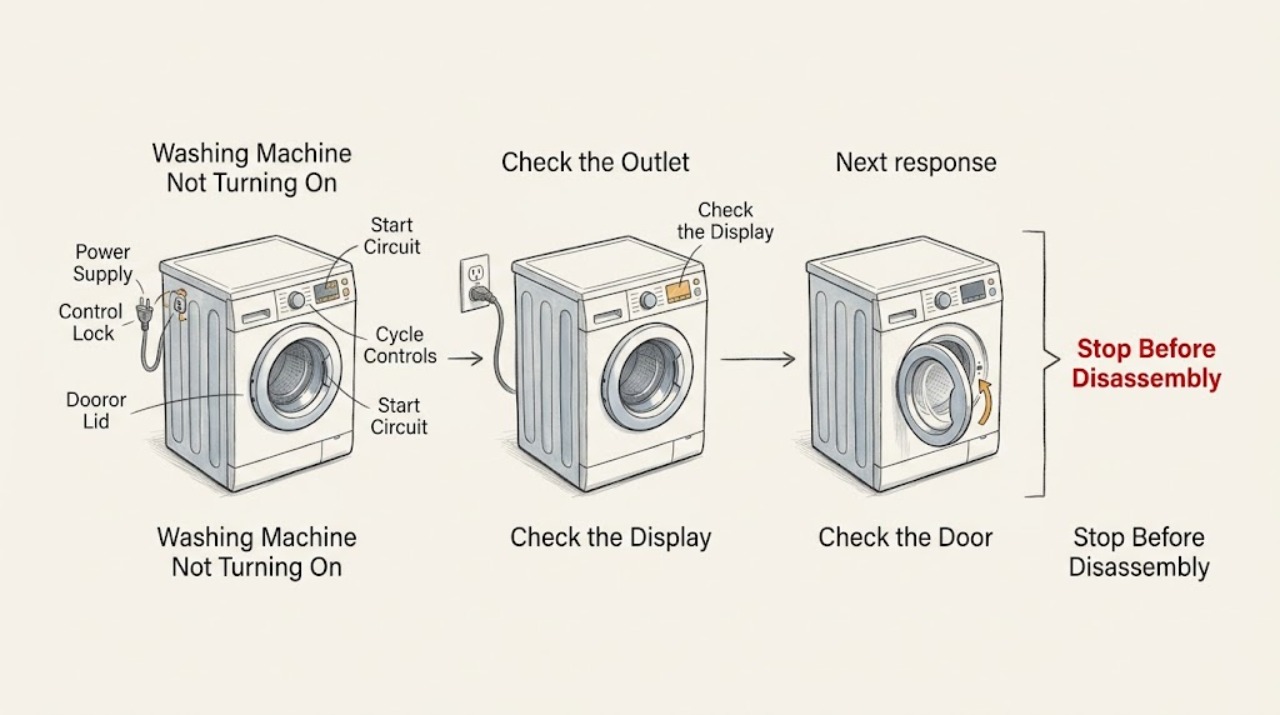
Work through in order
Diagnostic checks
Use only checks that match the exact appliance or system and its official guide.
-
Check 1
With the floor and outlet area dry, check whether any console light or display appears; if it is dark, confirm the cord is firmly in a grounded three-prong outlet with no extension cord and check the normal household breaker, GFCI, or fuse access point without opening the washer.
Expected result: The console is dark, the outlet or GFCI is dead, a breaker or fuse has operated, the supply is normal but the washer remains dark, or the console lights.
Next step: Restore a tripped protection device only once if safe and stop if it trips again. If supply is present but the washer stays dark, leave it off and arrange qualified service; otherwise continue to the control-lock and start checks.
Why this matters
Why: A dead outlet or operated household protection device is a supply issue. A working supply with a dark washer points beyond a cycle setting, while a lit console moves the diagnosis to a no-start condition.
-
Check 2
If the console lights, check for a Control Lock or similar lock indicator and use only the labeled model control to unlock it; on an electronic touchpad, touch the text or intended key rather than a nearby indicator light, and keep the panel clean and dry.
Expected result: The lock indicator is on and clears, the controls respond only to the labeled text, the panel has residue or moisture, or the controls remain unresponsive after cleaning and the documented unlock action.
Next step: Use the exact model manual for the lock key and hold time, then continue once to cycle and door or lid checks. Do not bypass the lock or open the console if the controls remain unresponsive.
Why this matters
Why: Control Lock prevents touch commands, while incorrect touch location or a wet control can make a powered washer appear dead. A clean, unlocked panel that still ignores input leaves a control or supply fault possible.
-
Check 3
Align the selector with a valid cycle, close the lid or door firmly without forcing it, and press and hold Start or Push to Start for up to 3 seconds when the exact model requires that action; do not reach into the tub or drum.
Expected result: The cycle begins, the door or lid does not latch, the selector points to an unassigned position, Start is not accepted, or an Err, dr, countdown, or similar status appears.
Next step: Reposition the selector and restart only as the manual directs; open and close the door if the model's documented dr state calls for it. If the lock will not engage or a code persists, stop and arrange service.
Why this matters
Why: Amana identifies cycle-selection alignment, door or lid closure, and a held Start action as reasons a machine may not begin. A displayed status may be a model-specific instruction rather than proof of a failed motor or board.
-
Check 4
Check the display and visible supply valves for Delay Start, a water-supply requirement, or an anti-flood device; if the model is front-load, confirm both documented water valves are open and the inlet hoses are connected without disconnecting pressurized hoses.
Expected result: Delay Start is active, a water valve is closed, an inlet hose is visibly restricted, an anti-flood device is fitted, or the visible water setup is normal but the washer still does not start.
Next step: Cancel Delay Start and correct only a clearly visible valve or hose-routing issue as the exact manual allows, then try one simple cycle. If the device or supply is normal but no start returns, arrange service rather than dismantling the inlet system.
Why this matters
Why: Delay Start intentionally postpones operation, while Amana notes that water supply and some anti-flood devices can affect washer performance. Normal visible supply does not rule out an internal inlet or control problem.
-
Check 5
Record the display, lock state, cycle, door or lid behavior, supply result, and any sound or odor, then perform no more than one power cycle described by the exact model manual; the Amana front-load guidance specifies disconnecting power for 5 minutes for its applicable models.
Expected result: The washer returns to normal and starts, remains dark or unresponsive, repeats the same code or no-start state, trips power, or shows smoke, burning odor, water near power, or a damaged cord.
Next step: If the symptom returns, stop using the washer and provide the recorded observations and model details to qualified service. Do not open the cabinet, bypass the door or lid lock, or replace an internal part based only on the symptom.
Why this matters
Why: A successful reset may clear a temporary control state but does not prove an internal fault is repaired. A repeat failure or safety symptom is service evidence and should not be chased with repeated resets.
Use your observations
Decision map
Find the observation that best matches what you see, then follow the next safe action.
-
PATH 01Safety boundary
What you see
Are all console lights and displays dark?
Do this next
Check the grounded outlet and normal breaker, GFCI, or fuse access point. Stop for a repeated trip; arrange service if the supply is good but the washer remains dark.
Why this path and its safety boundary
Safety stop: Continue with Control Lock, cycle, door or lid, Delay Start, and Start checks.
-
PATH 02Safety boundary
What you see
Is Control Lock or a similar lock indicator active, or do touch controls ignore input?
Do this next
Use the labeled control and exact model manual to unlock it; clean and dry the panel and do not bypass the lock.
Why this path and its safety boundary
Safety stop: Continue to cycle selection, door or lid closure, and Start timing.
-
PATH 03Safety boundary
What you see
Is the door or lid not latching, the cycle selector unassigned, or Start not held as the model requires?
Do this next
Close the door or lid without forcing it, align a valid cycle, and hold Start or Push to Start for the documented interval; request service if the lock will not engage.
Why this path and its safety boundary
Safety stop: Continue to Delay Start, water, and one-reset checks.
-
PATH 04Safety boundary
What you see
Is Delay Start active or is a visible water valve or inlet condition preventing the selected cycle from proceeding?
Do this next
Cancel the delay or correct only a visible valve or hose-routing issue as the model manual allows, then try one simple cycle.
Why this path and its safety boundary
Safety stop: Do not dismantle the inlet system; continue to the final reset and service boundary.
-
PATH 05Safety boundary
What you see
Does the same no-power or no-start condition, code, electrical trip, odor, or visible damage return after one documented reset?
Do this next
Stop using the washer and arrange qualified appliance or electrical service with the recorded model and observations.
Why this path and its safety boundary
Safety stop: A normal cycle supports a temporary control or supply interruption; monitor and reassess if the symptom returns.
Helpful context
Understand the symptom
No power is not the same as no start
A dark console directs attention to the outlet, breaker, GFCI, fuse, cord, or installation. A lit console means the washer may be waiting for a correctly selected cycle, a closed door or lid, a held Start action, or the end of a lock or delay setting. Identify that split before repeatedly pressing buttons.
Amana controls differ by washer type and model
Amana's front-load and top-load support instructions are not identical. Some models require Start to be held, while Control Lock may use a dedicated or dual-function key. The exact owner manual controls the meaning of a display code and the safe reset sequence.
Keep the safety boundary simple
The user-level checks are limited to normal power access, visible controls, the door or lid, water valves, and one documented reset. Do not bypass a lock, remove panels, probe wiring, or work around a wet appliance. A repeat failure is useful service information, not a reason to keep cycling power.
Safety boundary
Stop conditions
- Stop using the washer for smoke, burning odor, visible sparking, a damaged cord or plug, water near the outlet or controls, or a breaker or GFCI that trips again.
- Do not open the cabinet or console, test live wiring, bypass the door or lid lock, or reach into a moving tub or drum.
- Do not disconnect pressurized water hoses or dismantle an anti-flood device or inlet system as a no-start test.
- After one documented reset, stop if the washer remains dark or unresponsive, the same code returns, the lock will not engage, or the machine will not start.
- If the exact model manual is unavailable, stop at visible controls and normal supply checks rather than guessing a lock, reset, or diagnostic sequence.
When checks do not resolve it
Need a professional?
Arrange qualified appliance or electrical service when the outlet is good but the Amana washer remains dark, the controls stay unresponsive after a clean and unlocked panel and one documented reset, the door or lid will not latch, a code persists, the water setup is normal but the cycle will not start, or there is a repeated breaker trip, smoke, burning odor, damaged cord, or water near power.
Common questions
FAQ
Why is my Amana washing machine completely dark?
Check the grounded outlet and normal household breaker, GFCI, or fuse access point without opening the washer. If power is present but the console stays dark, leave it off and arrange qualified service.
Why does my Amana washer have lights but not start?
Check Control Lock, cycle selection, door or lid closure, Delay Start, water valves where applicable, and whether Start must be held for up to 3 seconds. Use the exact model manual for any display state.
How do I reset an Amana washer that will not turn on?
Use only the reset sequence in the exact model manual. Amana's front-load guidance specifies disconnecting power for 5 minutes for applicable models; perform one reset, then stop if the no-start condition returns.
Can Control Lock make an Amana washer seem dead?
Yes. Amana says the controls will not respond when Control Lock is active. Use the labeled unlock control for the model and do not bypass the lock or open the console.
When should an Amana washer that will not turn on be serviced?
Arrange service for a dark console at a working supply, a persistent no-start or code, a door or lid that will not latch, repeated breaker or GFCI trips, suspected installation trouble, smoke, burning odor, damaged cord, or water near power.
Read the exact guide
Official sources
- Not Starting or Not Operating - Front Load Washer - Product HelpAmana Product Help · Amana front-load washer start, door, water, display, and power-cycle guidance
- 6 Things You Need to Know if Your Washer Won't StartAmana · Amana washer no-start, power, control, door, delay, and water-device guidance
- No Power - Washer - Product HelpAmana Product Help · Amana washer no-power and Control Lock troubleshooting
Community feedback
Share a repair observation
Share a plain-text repair observation. Accepted observations are published automatically; this page may take a moment to update.