
On this page
Start here
Quick answer
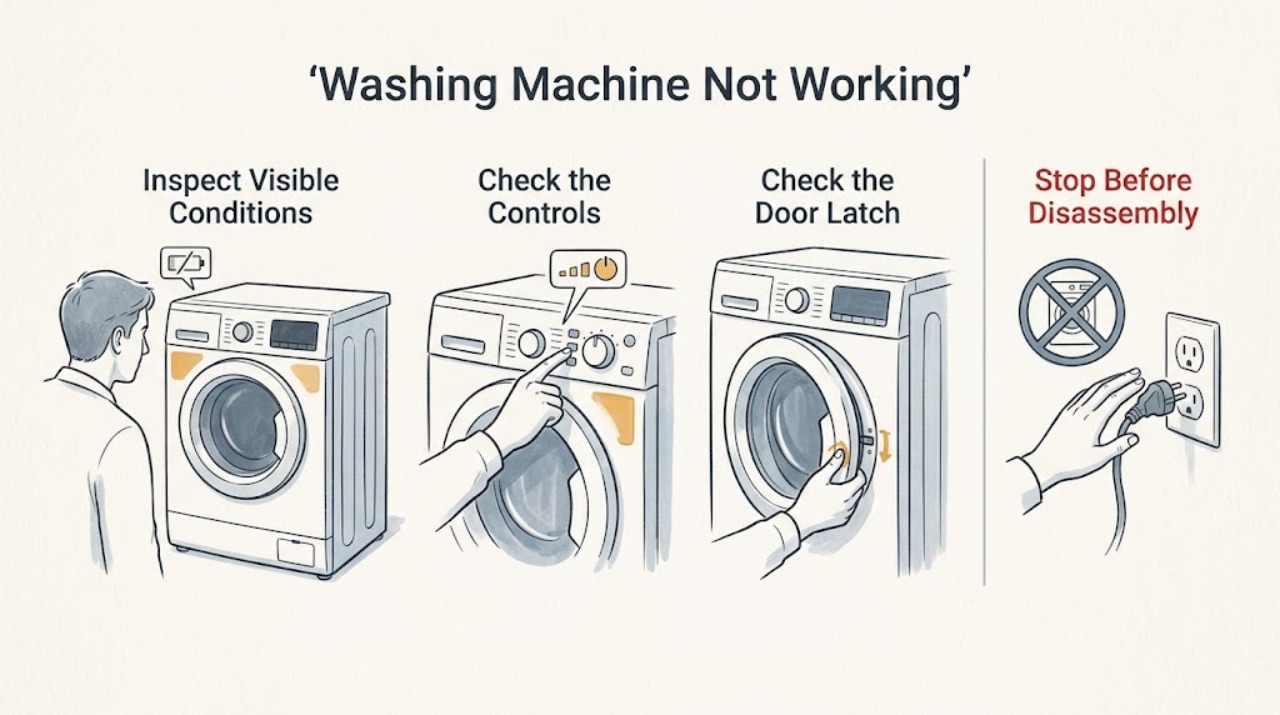
If an Asko washing machine will not work, first identify whether the display is completely blank or the display works but a program will not start. With the appliance dry and safely stopped, check the accessible plug, household supply, door closure, selected program, delay or lock setting, and water tap. Asko manuals list a supply interruption, an unclosed door, an unavailable water supply, or a selected delay as common reasons a program may not proceed, and recommend trained service for repairs affecting safety or performance. Do not open the cabinet, bypass the door lock, or perform electrical tests; if one safe reset and the external checks do not restore operation, arrange qualified appliance service.
Work through in order
Diagnostic checks
Use only checks that match the exact appliance or system and its official guide.
-
Check 1
Press the normal power control once and observe the display, indicator lights, door-lock behavior, and any message. Do not keep pressing buttons or force the door if the machine is still locked.
Expected result: The display stays blank, the display comes on but the program does not advance, or a fault message appears.
Next step: If there is water near the plug or a damaged cord, stop and use the safety-service branch. Otherwise continue with the dry external checks that match the observed state.
Why this matters
Why: A blank display makes an accessible supply or control-state check the first path. A live display with no start points more toward door status, a delayed or locked control, water availability, or a stored fault.
-
Check 2
From a dry, safe position, confirm that the plug is seated in the intended grounded outlet and look at the household fuse or circuit-breaker status. Do not remove an appliance cover or make an electrical measurement at the washer.
Expected result: The outlet and household protection appear available, or the household protection is off while the washer remains unresponsive.
Next step: If the outlet and protection are safely restored and remain stable, switch the washer off and back on once. If the protection trips again, the cord or outlet is damaged, or the display remains blank, stop and request qualified electrical or appliance service.
Why this matters
Why: The ASKO troubleshooting tables identify a power-supply failure or an unavailable outlet as a reason the machine may not start. A protection device that trips again is evidence of a fault, not a cue for repeated resets.
-
Check 3
Check that the drum door is fully closed and that no item is caught in the seal or latch area. Select the intended program and press the model's Start or Start/Pause control once; do not force or bypass the lock.
Expected result: The door closes and locks and the program begins, or the door will not latch / the machine remains idle.
Next step: Remove only an obvious obstruction after the machine is stopped, then try one start. If the door does not latch or the washer still will not start, use qualified service rather than opening the door-lock area.
Why this matters
Why: ASKO manuals identify an improperly closed door as a reason a washing program is not in progress. A latch or door-sensing fault cannot be safely confirmed by defeating the interlock.
-
Check 4
Review the display and control settings for a delayed start, active control lock, paused or canceled program, or a required confirmation. Use the exact model manual to clear only a visible setting; do not change hidden service settings.
Expected result: A delay, lock, paused state, or incomplete confirmation is shown, or the controls accept a normal program with no such state.
Next step: Clear the visible setting according to the manual and make one start attempt. If the controls remain unresponsive or the same fault returns, record the message and continue to service rather than repeatedly cycling the controls.
Why this matters
Why: The washer can appear inactive while waiting for a delayed start or while the controls are locked. If no such state is shown and a valid program still will not begin, the problem is not explained by the visible program selection.
-
Check 5
If the washer powers up but will not begin a wash, confirm that the water tap is open and the inlet hose is visibly connected without a crush or leak. Do not loosen a pressurized hose or move a full appliance.
Expected result: The tap is closed, the hose connection is visibly disturbed, or water supply appears normal and dry.
Next step: Correct only a plainly closed tap or visible hose position, then try one normal start. If the connection leaks, is damaged, or the washer still will not operate, stop and arrange service.
Why this matters
Why: ASKO troubleshooting guidance lists an unavailable inlet supply among causes of a program not progressing. A normal, dry external connection shifts attention back to the door, controls, or an internal fault.
-
Check 6
After the preceding checks, turn the machine off using its normal control, wait about one minute, and restart once if the exact manual permits this. Observe whether the program starts, remains idle, or returns the same error; do not repeat failed restarts.
Expected result: The cycle starts normally, starts and then stops, or the no-start symptom or error returns immediately.
Next step: Stop using the washer when the fault returns, and give service the model, type, serial number, display message, and results of the external checks. Do not open panels or perform live diagnosis.
Why this matters
Why: A one-time recovery can reflect a temporary control or supply disturbance. A repeatable failure after a valid start command indicates that an internal lock, control, motor, supply, or sensor fault may remain.
Use your observations
Decision map
Find the observation that best matches what you see, then follow the next safe action.
-
PATH 01Next step
What you see
There is a damaged cord, burning smell, water near the plug or outlet, active leaking, repeated breaker operation, or unsafe access to the appliance.
Do this next
Stop the washer. Isolate power only from a safely reachable dry control if this can be done without touching water or damage; otherwise leave it alone and contact a qualified appliance or electrical professional.
Why this path and its safety boundary
Why it matters: The issue is a safety hazard rather than a routine start check.
-
PATH 02Next step
What you see
The display is blank and the accessible plug, outlet, and household protection do not provide stable power.
Do this next
Use a qualified electrical professional for the household supply or an authorized appliance professional for the washer. Do not remove panels or make internal electrical measurements.
Why this path and its safety boundary
Why it matters: An external supply issue or an internal electrical fault may prevent the washer from responding.
-
PATH 03Next step
What you see
The display works, but the door will not latch, a lock or delay is active, or the program does not begin after one correct start command.
Do this next
Correct only a visible setting or obstruction according to the exact manual. If the door or controls remain abnormal, stop and arrange service without bypassing the lock.
Why this path and its safety boundary
Why it matters: The visible control state or door-sensing path may be preventing the start sequence.
-
PATH 04Next step
What you see
Stable power, a closed door, normal visible settings, and a normal water connection are present, but the washer remains idle, stops immediately, or repeats an error.
Do this next
Stop using the washer and request qualified appliance service. Provide the model, type, serial number, error, and observed sequence; do not open the cabinet or perform live testing.
Why this path and its safety boundary
Why it matters: An internal control, lock, motor, sensor, or supply fault remains possible and cannot be safely isolated by external checks.
Helpful context
Understand the symptom
Separate a dead machine from a stalled program
Not working can mean no display or response at all, or a machine that powers up but refuses to start. A blank display points toward the accessible supply and controls. A lit display with no progress points toward the door, a selected delay or lock, water availability, or an error state. The exact buttons and symbols differ by model, so use the manual matched to the rating plate.
Do not turn a no-start check into an electrical repair
Keep hands, floor, plug, and controls dry. Do not remove the top or rear panel, probe the outlet or internal terminals, bypass the door lock, or reach into a moving or water-filled machine. Stop for a damaged cord, burning smell, water near electrical equipment, repeated household protection trips, or any uncertainty about safe access, and use a qualified professional.
Only after diagnosis
Potential parts
- door lock or latch assembly
Consider this category only if a qualified technician confirms that the door cannot latch or the lock feedback is faulty after the door and controls are correctly used.
Confirm the exact model and approved fitment before ordering; no universal lock compatibility is assumed. - control board or inlet valve
Consider these categories only after service diagnosis identifies an internal control or water-inlet fault with stable external power and connections.
Use the model and serial information to verify the correct component and installation requirements before replacement.
When checks do not resolve it
Need a professional?
Arrange authorized or otherwise qualified appliance service when stable external power, door closure, visible controls, and water connection do not restore operation; when the door lock or controls need testing; when a household protection device trips again; or when any panel removal or electrical diagnosis would be required. Stop immediately for a damaged cord, burning smell, active leak, water near electricity, or unsafe access.
Common questions
FAQ
Why is my Asko washing machine completely dead?
Start by observing whether the display is blank, then check the accessible plug and household fuse or breaker from a dry, safe position. If power is stable but the washer remains blank, or the protection trips again, use qualified service rather than opening the cabinet.
Why does my Asko washer have power but not start?
Check full door closure, a selected delay or lock, the chosen program, and the visible water connection. If one correct start attempt still leaves the washer idle or an error returns, the door-sensing or control system needs professional diagnosis.
Can I bypass the Asko washing machine door lock?
No. The lock is part of the machine's safety sequence. Do not bypass it, force the door, or open the lock area; arrange qualified service if the door will not latch or the washer will not recognize a closed door.
Should I keep restarting an Asko washing machine that will not work?
Make at most one model-approved restart after the dry external checks. If the washer remains idle, stops again, or repeats the same message, stop using it and provide the recorded model and symptoms to qualified service.
Read the exact guide
Official sources
- User ManualASKO / Gorenje official documentation · ASKO washing machine user manual with start, connection, and troubleshooting guidance
- User ManualASKO / Gorenje official documentation · ASKO WM75.C-P / WMC67XXP washing machine user manual
- User ManualASKO / Gorenje official documentation · ASKO WM76S and W1084BW washing machine user manual
Community feedback
Share a repair observation
Share a plain-text repair observation. Accepted observations are published automatically; this page may take a moment to update.