
On this page
Start here
Quick answer
If a Bosch dryer will not start, first decide whether the control panel is dark or the panel is lit but the cycle does not begin. Bosch's official dryer guidance lists four first checks: the power cord must be inserted correctly, the door must be fully closed, a programme must be selected, and the household fuse or breaker must be intact. Check those external conditions using the exact model manual, then make one normal Start/Pause attempt. If the breaker or fuse opens again, the cord or outlet is hot or damaged, the door cannot latch, the panel remains dead, or the dryer still will not start after these checks, stop and arrange qualified service. Do not open the cabinet, test live wiring, bypass the door switch, or replace a guessed internal part.
Before you begin
Safety first
- This article covers visible power and cord checks, normal door closure observation, programme selection, model identification, and one normal Start/Pause attempt. Cabinet removal, live electrical tests, latch bypass, wiring, controls, heater, motor, and fuse work require qualified service.
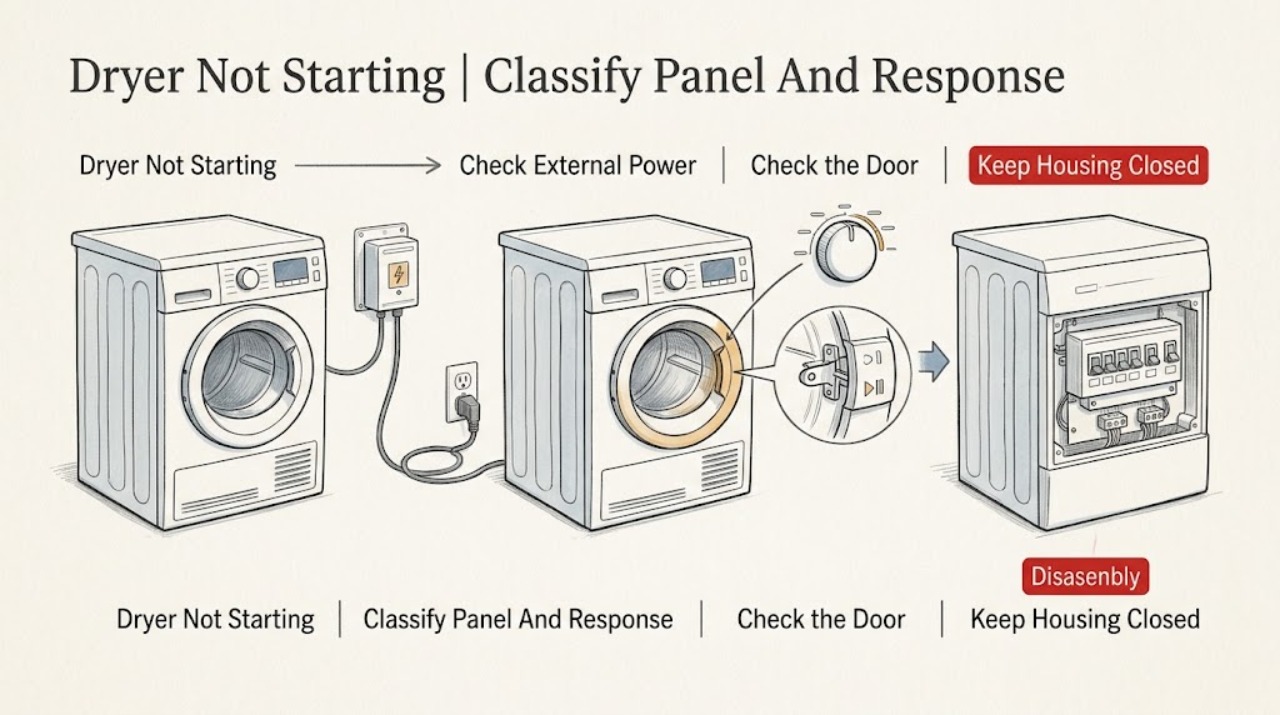
Work through in order
Diagnostic checks
Use only checks that match the exact appliance or system and its official guide.
-
Check 1
Press the normal power or programme control once and observe the Bosch dryer without opening the cabinet. Note whether the panel is dark, lights up, shows an error, beeps, or accepts a programme but does not start.
Expected result: The panel is blank, the panel is lit but unresponsive, a programme appears selected, or an error or warning is displayed.
Next step: Follow the matching power, door, programme, or service branch and record the display or indicator behavior exactly.
Stop if: Stop for smoke, burning odor, a hot plug or outlet, exposed wiring, sparking, or a damaged door.
Why this matters
Why: A blank panel points toward the external supply path. A lit but unresponsive panel keeps door, programme, Start/Pause, or control-state issues in view; an error may require the exact model guide.
-
Check 2
Check the visible power cord and accessible outlet or isolator. Confirm the plug is fully inserted and look at the household fuse or breaker without opening an electrical enclosure.
Expected result: The plug is loose, the outlet or cord is damaged or hot, the breaker or fuse is open, the panel remains dark, or the visible supply looks normal.
Next step: Correct only an obviously loose external connection if there is no hazard and make one safe power check. If the panel stays dark or the protective device opens again, leave the dryer off and arrange qualified electrical or appliance service.
Stop if: Do not replace a fuse with a different rating, probe the outlet, open a junction area, use a damaged cord, or repeatedly reset the breaker.
Why this matters
Why: Bosch lists correct cord insertion and fuse or breaker status among the first no-start checks. A hot, damaged, or repeatedly opening supply is an electrical hazard rather than a normal reset condition.
-
Check 3
With the dryer off, confirm the door closes fully and the latch engages without force. Check only the visible door edge and seal for a garment or debris preventing closure.
Expected result: The door closes and latches, clothing is caught at the edge, the latch will not engage, or the door appears misaligned or damaged.
Next step: Remove only a plainly visible obstruction, close the door normally, and make one Start/Pause attempt. If the latch will not engage or the dryer remains unresponsive, leave it off and arrange service.
Stop if: Do not force, tape, or bypass the door switch, remove the seal, or reach into the drum while it can move.
Why this matters
Why: Bosch lists a fully closed door as a required no-start condition. A visible obstruction can prevent the interlock from recognising closure; a latch that still fails after the obstruction is removed may need service.
-
Check 4
Select a normal drying programme for the load and press Start/Pause exactly as the model guide describes. Do not change several options at once or enter a service mode.
Expected result: The programme starts, the selector is at an off or incomplete position, Start/Pause is ignored, or the dryer beeps or returns to its idle display.
Next step: If the cycle starts, monitor it. If a selected programme still will not start after one normal attempt, leave the dryer off and arrange professional diagnosis.
Stop if: Do not hold undocumented button combinations, bypass a control, or operate with a damaged door or unusual electrical behavior.
Why this matters
Why: Bosch lists programme selection as a first no-start check. A correct selection with an ignored start control points beyond a simple programme omission, but the symptom does not identify a control board, latch, or sensor.
-
Check 5
Check whether the no-start condition began after installation, relocation, an outage, or other work, and record the dryer E-Nr. or model from the rating plate or paperwork. Do not pull out a built-in dryer to inspect hidden connections.
Expected result: The dryer is newly installed, was moved, had a recent power event, or has no known installation change.
Next step: For a new installation, contact the installer or a qualified electrician if the supply is in question. Otherwise provide the model and event history to Bosch-authorised service.
Stop if: Do not remove the rear cover, alter a terminal connection, or move a heavy built-in appliance as a troubleshooting step.
Why this matters
Why: A recent installation or move can leave a cord or supply issue that an external visual check will not prove safe. Bosch uses the exact E-Nr. and production information to match manuals and support.
-
Check 6
Record the exact model, panel state, programme, door-latch response, Start/Pause behavior, cord and outlet observations, breaker or fuse behavior, recent installation or outage, and any error, odor, heat, or sound.
Expected result: The dryer remains off, the same no-start behavior returns, a protective device opens, or an electrical or physical warning appears.
Next step: Keep the dryer off and arrange Bosch-authorised or qualified appliance service. Use a qualified electrician when the household supply, outlet, or breaker is the part that remains abnormal.
Stop if: Do not open panels, perform live tests, replace internal parts, bypass the latch, or continue operating after smoke, heat, odor, or repeated trips.
Why this matters
Why: The record helps a technician separate supply, door, programme, installation, and internal control faults without guessing at a replacement part.
Use your observations
Decision map
Find the observation that best matches what you see, then follow the next safe action.
-
PATH 01Safety boundary
What you see
The Bosch dryer panel and indicators are dark.
Do this next
Check the visible plug and household protective device once if safe. If the panel stays dark or the protective device opens again, leave the dryer off and arrange qualified service.
Why this path and its safety boundary
Why it matters: The external cord, outlet, isolator, fuse, breaker, or supply path is the first safe area to check.
Safety stop: No live testing, fuse substitution, junction-area access, or repeated resets.
-
PATH 02Safety boundary
What you see
The panel is lit, but the dryer will not start and the door does not clearly latch.
Do this next
Remove only a visible obstruction, close the door normally, and make one Start/Pause attempt. If the latch does not engage, arrange service.
Why this path and its safety boundary
Why it matters: A door closure or interlock condition may be preventing a start.
Safety stop: Do not force or bypass the latch or reach into the drum while it can move.
-
PATH 03Safety boundary
What you see
The door closes, the panel is lit, and a programme is selected, but Start/Pause is ignored or the dryer returns to idle.
Do this next
Make one normal start attempt with the exact model sequence. If it still does not begin, leave the dryer off and arrange professional diagnosis.
Why this path and its safety boundary
Why it matters: The basic external start conditions are present; a control, interlock, or model-specific fault remains possible.
Safety stop: Do not enter service mode, repeat button combinations, or remove controls.
-
PATH 04Safety boundary
What you see
The fuse or breaker is open, especially if it opens again when the dryer is switched on.
Do this next
Do not reset it again after a repeat trip. Leave the dryer off and arrange qualified electrical or appliance service.
Why this path and its safety boundary
Why it matters: The protective device may be responding to a supply, cord, installation, overload, or appliance fault.
Safety stop: Do not fit a larger protective device, use a damaged outlet, probe live parts, or continue cycling the dryer.
-
PATH 05Safety boundary
What you see
The dryer remains unable to start after the external checks, or there is smoke, burning odor, a hot plug, exposed wiring, water, or a damaged door.
Do this next
Stop using the dryer, isolate it only through a safe accessible control, keep people away, and arrange prompt qualified service.
Why this path and its safety boundary
Why it matters: This is an unresolved appliance or electrical fault, not a setting problem.
Safety stop: Do not open the cabinet, perform live testing, bypass a safety switch, or operate it because the panel lights up.
Helpful context
Understand the symptom
Separate no power from no start
A dark panel and a lit panel that ignores Start/Pause are different symptoms. A dark panel keeps the cord, outlet, breaker, and supply path in focus. A lit panel shifts attention to door closure, programme selection, and the model's start control. Record what the display and indicators do before trying another cycle.
Use the exact Bosch manual
Bosch dryers use different control layouts and programme labels. The opened Bosch manual is a model-specific example and confirms that the E-Nr. and production information should be recorded for support. Do not assume a button hold, reset sequence, or indicator meaning from another Bosch model.
One restart is enough evidence
After the external checks, make one normal Start/Pause attempt while staying nearby. If the cycle begins, observe whether it continues normally. If the problem returns, or a protective device opens, the restart has not repaired the cause; leave the dryer off and arrange service.
Safety boundary
Stop conditions
- Stop immediately for smoke, burning odor, sparking, a hot plug or outlet, exposed wiring, water near electrical parts, or a damaged door.
- Do not repeatedly reset a breaker, change fuse capacity, use a damaged cord, open the cabinet, or perform live electrical testing.
- Do not force or bypass the door latch, hold a safety switch closed, enter service mode, or replace a control, motor, heater, or fuse based only on the symptom.
- Stop after the visible power, door, programme, model, and one normal Start/Pause checks if the dryer remains unresponsive or the fault returns; arrange qualified service.
When checks do not resolve it
Need a professional?
Arrange Bosch-authorised or qualified appliance service when the dryer remains unable to start after the visible power, door, programme, and one normal Start/Pause checks; when the panel stays dark; when the latch will not engage; or when an error returns. Use a qualified electrician for a persistent outlet, breaker, fuse, or installation issue. Stop promptly for smoke, burning odor, heat, sparking, water near electrical parts, exposed wiring, or a damaged door.
Safety scope: This article covers visible power and cord checks, normal door closure observation, programme selection, model identification, and one normal Start/Pause attempt. Cabinet removal, live electrical tests, latch bypass, wiring, controls, heater, motor, and fuse work require qualified service.
Common questions
FAQ
Why is my Bosch dryer not starting at all?
Check whether the panel is dark or lit. Bosch's first checks are correct power-cord insertion, a fully closed door, a selected programme, and the household fuse or breaker. If one normal Start/Pause attempt still does not begin a cycle, arrange professional diagnosis.
What should I check if my Bosch dryer has power but will not start?
Close the door fully, select a programme, and use Start/Pause exactly as the model guide describes. If the latch will not engage, the control ignores the start action, or an error returns, leave the dryer off and arrange service rather than bypassing a switch.
Can a tripped breaker stop a Bosch dryer from starting?
Yes. Bosch lists a blown fuse or tripped breaker among the initial checks. Check the household device once only when there is no hazard; if it opens again, leave the dryer off and arrange qualified electrical or appliance service.
Why does my Bosch dryer door need to be fully closed before it starts?
Bosch lists a fully closed door as a start condition. Check only for a visible garment or debris at the door edge and close it without force. If the latch still will not engage, do not bypass it; arrange service.
When should I stop troubleshooting a Bosch dryer that will not start?
Stop after the visible power, door, programme, and one normal Start/Pause checks if the dryer remains unresponsive or the fault returns. Stop immediately for smoke, burning odor, heat, sparking, water near electrical parts, exposed wiring, a damaged cord, or a repeat breaker trip, then arrange qualified service.
Read the exact guide
Official sources
- Bosch Dryers Troubleshooting & Repair | Owner SupportBosch Home Appliances · Official Bosch support hub; it supports model-specific documentation and service routing but does not diagnose this dryer from the topic alone.
- en-us Use and Care Manual, Installation Instructions: Dryer WTG865H2UC2Bosch Home Appliances · Official Bosch manual for model WTG865H2UC2; used for safety and model-identification principles, not as proof of a control sequence for every Bosch dryer.
- Dryer No Longer Switching On | Dryer Not Turning OnBosch Home Appliances · Official Bosch US dryer support page directly addressing a dryer that does not turn on or start; exact controls and electrical requirements remain model-specific.
Community feedback
Share a repair observation
Share a plain-text repair observation. Accepted observations are published automatically; this page may take a moment to update.