
On this page
Start here
Quick answer
If an AEG dryer will not start, first identify whether the display is completely dark or the display is on but the cycle is blocked. Check the plug, outlet, breaker or fuse, close the door fully, and make sure Delay Start, Child Lock, standby, or a full water tank is not preventing the programme. Select a cycle and press Start/Pause once after the safe checks. If the dryer shows EHO/EH0, AEG links that code to an unstable or incorrect power supply; if a breaker trips again, the door or hinge is damaged, smoke or burning is present, or the dryer still will not start after the model-specific reset, keep it unplugged and arrange qualified service.
Before you begin
Safety first
- Keep the dryer disconnected for a repeat trip, damaged cord, smoke, burning smell, liquid, damaged door hardware, or persistent no-start. Do not bypass interlocks or dismantle internal components.
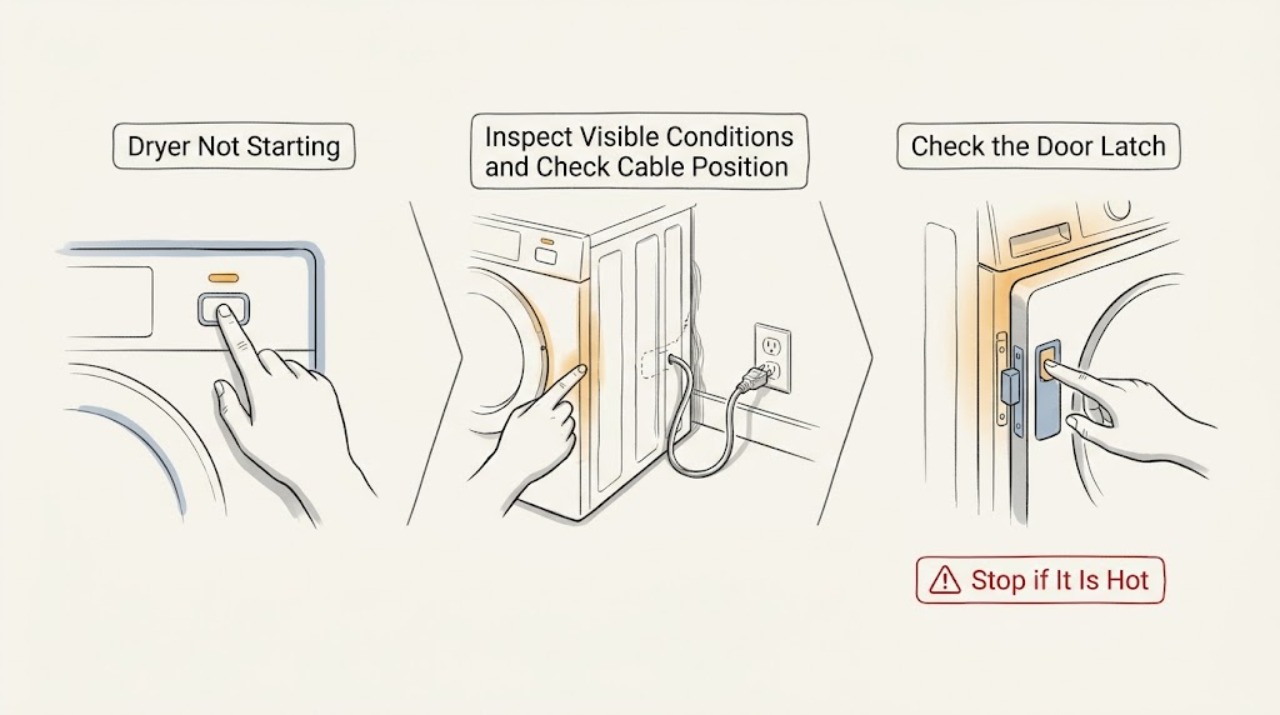
Work through in order
Diagnostic checks
Use only checks that match the exact appliance or system and its official guide.
-
Check 1
Turn the dryer off and check for immediate hazards before trying to start it. Look for a damaged cord or plug, scorch marks, smoke, a burning smell, liquid at the connection, or a breaker/RCD that trips again. Leave the appliance disconnected if any of these are present.
Expected result: Record whether the display is dark, whether any indicator or beep appears, and whether the protection device trips when the dryer is selected.
Next step: If there is no hazard, continue with the external supply check. If a hazard is present, keep the dryer unplugged and arrange qualified electrical or appliance service.
Stop if: Do not energize the appliance to see whether a burning smell or repeated trip goes away.
Why this matters
Why: A dark display can be a supply or power-path issue, while a repeat protection trip is an electrical fault until assessed. Heat, smoke, liquid, or damaged wiring is a safety stop rather than a normal no-start condition.
-
Check 2
Check the supply without opening the appliance. If the dryer has an accessible plug, confirm it is seated and test the same outlet with a known-working low-load device. Check the household breaker or fuse for a trip and reset it once only if there is no hazard. Do not use an extension cable.
Expected result: The test outlet either works or does not, and the breaker either holds or trips again. After a safe supply restoration, the dryer display may remain dark, light normally, or show EHO/EH0 or another code.
Next step: If the external supply works and protection holds, continue to the door and control checks. If it does not, leave the dryer off and arrange electrician or authorised appliance service.
Stop if: Do not open a junction box, replace an unfamiliar fuse, or repeatedly reset a breaker; never use an extension cable for the dryer.
Why this matters
Why: A dead outlet or tripped protection can make the dryer appear not to start. A circuit that trips again indicates an unresolved electrical problem. AEG associates EHO/EH0 and related EH codes with low, high, or unstable supply rather than with a specific replacement part.
-
Check 3
Open and close the door firmly without slamming it. Check that laundry is not caught in the seal, that the latch and hinge look aligned, and that the Start/Pause control is being pressed after a drying cycle is selected. Note any padlock symbol, flashing Start/Pause, or control that responds only to On/Off.
Expected result: The door either latches normally or does not. The panel may respond, show a padlock, flash Start/Pause, or remain unresponsive even when the display is lit.
Next step: Remove only visible laundry from the seal, close the door normally, and use the model manual to clear Child Lock. Test once; arrange service if the latch, hinge, or panel remains faulty.
Stop if: Do not tape, wedge, or bypass the door switch, and do not force a misaligned hinge.
Why this matters
Why: AEG states that an incompletely closed door prevents the cycle from starting and that a broken hinge may allow the door to appear closed without enabling the door switch. A padlock can indicate Child Lock, and its release method varies by model.
-
Check 4
With the display active and the door latched, select a valid drying programme and inspect the indicators before pressing Start/Pause once. Check for a Delay Start countdown, energy-saving standby, full water-tank symbol, external-drain warning, or steam-tank prompt if the model has that feature.
Expected result: Record the exact symbol or countdown and whether the display changes after the documented setting is cancelled, the tank is emptied, or the dryer is switched off and on as AEG directs.
Next step: Use the owner manual for the exact cancellation or button sequence, correct the indicated tank/drain condition, and make one supervised start attempt.
Stop if: Do not guess at button combinations or run a steam cycle without the model-required tank contents.
Why this matters
Why: A dryer can appear not to start when it is waiting for a delayed start, locked in an energy-saving state, blocked by a full tank or drain condition, or waiting for a model-specific steam-tank input. These are operating states, not proof of a failed motor or board.
-
Check 5
If no hazard is present, perform only the reset stated by the applicable AEG guidance or model manual, then select a programme and press Start/Pause once. If the dryer recently overheated, allow it to cool as the manual directs. Record every code or warning rather than repeatedly cycling power.
Expected result: The dryer may start, remain dark, show EHO/EH0 or another code, or still ignore Start/Pause after the documented reset and cooling period.
Next step: Turn the dryer off and disconnect it if the no-start fault persists. Give authorised service the full model, code, display state, outlet result, door result, and settings observed.
Stop if: Do not remove panels, bypass thermal or door protections, or keep operating the dryer after a returning fault code.
Why this matters
Why: A one-time recovery can clear a transient control or supply state, but a returning warning or persistent no-start symptom indicates an unresolved condition. EHO/EH0 specifically keeps the power-supply branch open; other codes require their model manual.
Use your observations
Decision map
Find the observation that best matches what you see, then follow the next safe action.
-
PATH 01Next step
What you see
The display is dark, the outlet is dead, or the breaker/RCD trips again.
Do this next
Leave the dryer disconnected and arrange qualified electrical or authorised appliance service.
Why this path and its safety boundary
Why it matters: Treat the no-start symptom as an external supply or appliance power-path fault.
-
PATH 02Next step
What you see
The door will not latch, the hinge is damaged, or Start/Pause flashes without starting.
Do this next
Remove trapped laundry, close the door normally, and request service for a damaged latch or hinge; never bypass the switch.
Why this path and its safety boundary
Why it matters: The door interlock may not be enabling a cycle.
-
PATH 03Next step
What you see
A padlock, delay countdown, energy-saving state, full tank, drain warning, or steam prompt is visible.
Do this next
Use the exact model manual to clear the option or correct the indicated tank/drain condition, then test once.
Why this path and its safety boundary
Why it matters: A documented operating state is blocking or postponing the start.
-
PATH 04Next step
What you see
EHO, EH0, or a related EH code returns.
Do this next
Check the outlet only from the user side, avoid extension cables, and arrange qualified electrical or appliance assessment if the warning persists.
Why this path and its safety boundary
Why it matters: AEG associates these codes with a possible low, high, or unstable power supply.
-
PATH 05Next step
What you see
The dryer recently overheated or its display shows another warning code.
Do this next
Allow cooling and follow the exact manual/code guidance once; stop and request service if the warning returns.
Why this path and its safety boundary
Why it matters: A safety shut-off or model-specific fault state may be preventing the start.
-
PATH 06Next step
What you see
Power, door, and settings are normal but the dryer still will not start after one documented reset.
Do this next
Keep the appliance disconnected and provide the model, symptoms, and recorded indicators to authorised service.
Why this path and its safety boundary
Why it matters: An internal control, interlock, or power fault remains possible and cannot be identified safely from the symptom alone.
Helpful context
Understand the symptom
Start with the symptom, not a replacement part
A dark display is a different branch from a lit display that ignores Start/Pause. A countdown, padlock, flashing Start/Pause, tank symbol, or error code gives a more specific starting condition. AEG's general guidance supports these user-level checks, but the exact buttons and recovery sequence remain model dependent.
Keep the electrical boundary clear
Only inspect the plug, accessible outlet, and household breaker or fuse from the normal user side. Do not remove covers, bypass the door switch, use an extension cable, or probe a built-in connection. Record the model and exact indicator so a technician can distinguish a supply fault from an internal control or safety fault.
Safety boundary
Stop conditions
- Stop and disconnect the dryer for smoke, burning smell, scorch marks, damaged wiring, liquid at the electrical connection, or a repeated breaker/RCD trip.
- Do not use an extension cable, bypass the door switch or Child Lock, or open cabinet-level wiring and controls.
- Stop if a door hinge or latch is damaged or if the door cannot close and latch normally.
- Stop after one model-documented reset when a code or no-start symptom returns.
Only after diagnosis
Potential parts
- door latch or door-switch assembly
A door that appears closed but does not enable Start/Pause may lead a technician to inspect the latch or interlock, but hinge alignment and trapped laundry can look similar.
Confirm the full model and product identification; brand and appearance alone do not establish fit. - power-input or control module
A persistent dark display with confirmed external supply or a returning electronics warning may justify inspection of the internal power/control path.
A no-start symptom or EH code is not proof that a particular module failed or is compatible. - control-panel assembly
A display that lights but remains unresponsive after the panel is dry and the lock is cleared can prompt control-panel diagnosis.
Select only from the exact model documentation and technician diagnosis. - thermal protection component
A repeat no-start after an overheat event may lead service to inspect thermal protection and airflow-related causes, not simply replace a component.
Do not bypass thermal protection; model-specific diagnosis is required before any part decision.
When checks do not resolve it
Need a professional?
The outlet or circuit is faulty, EHO/EH0 returns, or the display remains dark after safe external checks., The door, hinge, latch, or control panel is damaged or remains unresponsive., The dryer still will not start after a valid programme, a closed door, cleared settings, and one documented reset., Any warning code returns or the appliance has overheated, smoked, scorched, or tripped protection.
Safety scope: Keep the dryer disconnected for a repeat trip, damaged cord, smoke, burning smell, liquid, damaged door hardware, or persistent no-start. Do not bypass interlocks or dismantle internal components.
Common questions
FAQ
Why is my AEG dryer not starting even though it has power?
Check that the door is latched, a drying cycle is selected, Delay Start and Child Lock are cleared, and no energy-saving or full-tank indicator is blocking the programme. If the display responds but the dryer still will not start after one documented reset, the remaining interlock or control fault needs service diagnosis.
What does EHO or EH0 mean on an AEG dryer?
AEG says EHO/EH0 and related EH codes can indicate low, high, or unstable power supply. Test the outlet from the user side, do not use an extension cable, and arrange qualified help if the warning returns or the circuit is not stable.
Can a full water tank stop an AEG dryer from starting?
Yes, AEG says the appliance can stop when the water tank is full. Empty and replace the tank as the model guidance shows, then press Start/Pause once; if the cycle still will not start, follow the separate door, setting, and service branches.
How do I clear the Child Lock on an AEG dryer?
Look for the padlock-marked button or button pair and use the exact owner manual for the model. AEG notes that the lock method varies between models; do not hold random buttons or bypass the lock if the panel remains unresponsive.
Read the exact guide
Official sources
- Tumble dryer has no powerAEG · AEG tumble dryers that seem dead, do not react, or do not start
- Tumble dryer displays error message EHO, EH0AEG · AEG condenser and heat-pump dryers showing EHO/EH0 or related EH power-supply warnings
- Tumble dryer does not start / does not workAEG · AEG tumble dryers that do not start, have a dark display, or do not rotate without an error message
Community feedback
Share a repair observation
Share a plain-text repair observation. Accepted observations are published automatically; this page may take a moment to update.