
On this page
Start here
Quick answer
If a Bosch microwave will not start, first separate a dark display from a powered unit that refuses to run. Check the outlet or breaker, then make sure the door closes fully and its seal and latch area are free of food or foreign material. Confirm that a cooking mode and time have actually been entered, and check the exact model manual for child-lock, demo-mode, clock, or reset behavior. Bosch's official microwave troubleshooting material says a faulty circuit, power cut, unlatched or obstructed door, missing Start command, or an error state can each prevent operation. Wipe only the external control panel with a dry cloth if the keys are not responding. If the display stays dark, the door or seal is damaged, an error returns, the breaker trips, or the microwave still will not start after one documented reset, leave it unused and arrange qualified service. Never bypass the door interlock, run the microwave empty, remove covers, or perform live testing.
Before you begin
Safety first
- This article covers safe external power, door, control, and model-documented reset observations. Qualified service must handle interlock circuits, covers, hardwired connections, control boards, high-voltage components, and live testing.
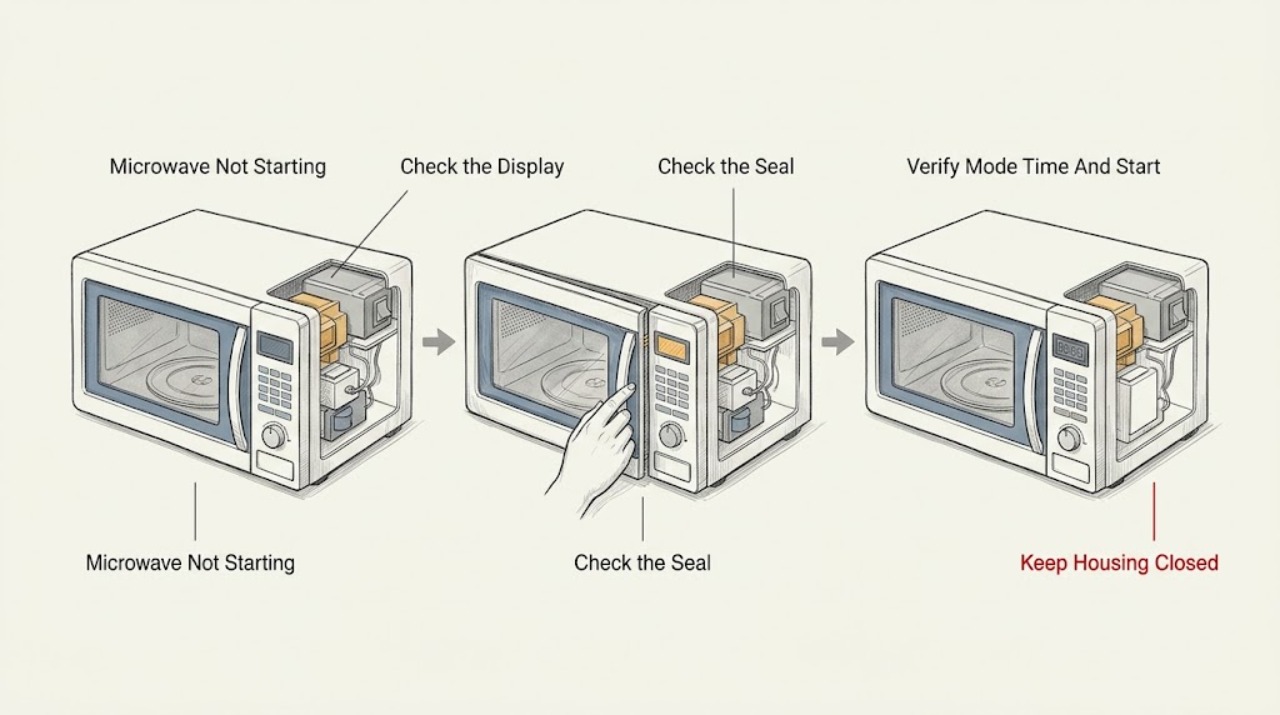
Work through in order
Diagnostic checks
Use only checks that match the exact appliance or system and its official guide.
-
Check 1
Press the power or mode control once and note whether the display, clock, interior light, and touch keys respond. With the microwave off, check that the plug is seated or that its documented supply is present, and inspect the household breaker without opening an electrical box.
Expected result: The display is completely dark, the clock shows a power-cut or setup state, the panel is lit but buttons do not respond, or the display and controls respond normally.
Next step: Restore only an obvious supply connection and follow the exact model instructions for a clock or lock state. If the display remains dark, the breaker trips again, or the panel stays unresponsive, leave the microwave unused and arrange qualified service.
Stop if: Do not reset a breaker repeatedly, open a junction box, remove the microwave cover, or continue if smoke, arcing, burning odor, or a hot or damaged cord is present.
Why this matters
Why: A dark unit points toward the outlet, breaker, cord, or appliance power path. A clock or setup state can follow an interruption and block a start until the model's instructions are completed; a lit but unresponsive panel points toward lock, condensation, or control trouble.
-
Check 2
With the appliance off, inspect the accessible door edge, latch area, and sealing surfaces for food, packing material, a twisted seal, damage, or anything preventing the door from closing completely. Close the door normally; never defeat or manually bypass the door interlock.
Expected result: The door does not close or latch fully, material is trapped at the seal, the seal or door is damaged, or the door closes cleanly and securely.
Next step: Remove only accessible food or packing material and close the door normally, then make one documented start attempt. Arrange service for a damaged seal, door, latch, misalignment, or a no-start condition with a visibly secure door.
Stop if: Do not force the door, bend the latch, tape the door shut, hold the interlock closed, or use the microwave if the door or seal is damaged.
Why this matters
Why: Bosch's manual identifies an unclosed door, material at the seal, and a twisted seal as reasons the microwave will not switch on. A clean, secure door makes power, controls, or an internal interlock fault more likely.
-
Check 3
Using the exact model manual, select the microwave function, enter a cooking time, and press Start as documented. Check whether the unit is in demo, child-lock, timer-only, or another non-cooking mode; do not use an undocumented combination of buttons.
Expected result: The display accepts a function and time and begins, the display accepts settings but Start does nothing, the clock or mode cannot be completed, or a lock or demo indication remains.
Next step: Complete only the documented setup or mode change once. If the unit still does not start with valid settings, cancel the attempt and arrange qualified service rather than trying another model's sequence.
Stop if: Do not run an empty cavity, bypass the door switch, repeatedly force keys, or continue if an electrical or burning symptom appears.
Why this matters
Why: A missing function, time, or Start command can make a working control panel appear unable to start. A persistent lock, demo state, or failure after valid settings points toward model-specific control or interlock diagnosis.
-
Check 4
If the touch keys are erratic or an E11 or other error is shown, switch the microwave off and wipe the external control panel with a dry, soft cloth. Record the exact error and do not spray cleaner into the keypad or remove the panel.
Expected result: The keys respond after the dry-panel clean, an E11 condensation-related indication remains, another error appears, or the panel is still unresponsive without an error.
Next step: Use the model's documented reset only once after the panel is dry. If the error or no-start returns, turn the microwave off and arrange qualified service with the code and model available.
Stop if: Do not pour liquid on the panel, use a sharp tool under a key, enter an undocumented diagnostic mode, or operate with a damaged display or control surface.
Why this matters
Why: Bosch associates E11 with touch keys operating improperly, possibly due to condensation. A continuing error or unresponsive panel after an external clean points toward a control or sensor fault rather than ordinary dirt.
-
Check 5
After recording the model, display, door result, and error state, follow the exact Bosch manual or official error guidance for one power reset. Once the appliance is ready, make one normal test with food in a microwave-safe container; do not test the microwave empty or repeatedly cycle power.
Expected result: The microwave starts normally, the display clears but Start still does nothing, an error returns, the breaker trips, or the door or control symptom remains.
Next step: Stop further testing and arrange qualified Bosch service for any recurring no-start, error, breaker trip, damaged door, or abnormal sound or odor. Provide the exact model and the observed sequence.
Stop if: Do not open the housing, measure live voltage, bypass an interlock, replace a high-voltage part, or continue through smoke, sparks, burning smell, or a hot cord.
Why this matters
Why: A one-time recovery supports a temporary power or control state but does not prove the appliance is repaired. A returning error, repeated trip, or no-start with normal settings makes an interlock, control, or internal microwave-system fault more likely.
Use your observations
Decision map
Find the observation that best matches what you see, then follow the next safe action.
-
PATH 01Safety boundary
What you see
The display is dark, a breaker has tripped, or a power-cut clock or setup state is shown.
Do this next
Check the safe accessible supply and complete only the model's clock or startup instructions. Arrange service for a dark display, recurring breaker trip, or hardwired supply fault.
Why this path and its safety boundary
Why it matters: An external supply or documented post-power-interruption state is more likely than a failed magnetron or heating section.
Safety stop: Do not open electrical boxes, repeatedly reset the breaker, or continue with smoke, arcing, or a damaged cord.
-
PATH 02Safety boundary
What you see
The panel is powered, but the door will not latch cleanly, material is trapped at the seal, the seal or door is damaged, or the unit starts only when the door is pressed or repositioned.
Do this next
Clear only accessible material and close the door normally. Arrange service for any damaged or intermittent door or latch; do not bypass the interlock.
Why this path and its safety boundary
Why it matters: A door alignment, latch, seal, or interlock-sensing issue is more likely than a normal mode-setting mistake.
Safety stop: Do not tape, wedge, hold, or manually trigger the door switch and do not use the appliance with a damaged seal.
-
PATH 03Safety boundary
What you see
The display is lit but a valid function and time cannot be started, a lock or demo state remains, keys are erratic, or E11 or another code appears.
Do this next
Dry the external panel if appropriate and use the exact model's documented mode or one-time reset. Arrange service for a returning code, unresponsive keys, or a no-start with valid settings.
Why this path and its safety boundary
Why it matters: A control-state, condensation, keypad, or electronic fault is more likely than a power-outlet problem.
Safety stop: Do not spray liquid, probe keys, enter undocumented service mode, remove the control panel, or perform live testing.
-
PATH 04Safety boundary
What you see
Power, door closure, settings, and external keypad checks are normal, but the microwave still will not start, an error returns, or a reset changes nothing.
Do this next
Leave the microwave unused and arrange qualified Bosch service. Provide the exact model, display behavior, door result, code, start sequence, and whether a breaker or power reset changed anything.
Why this path and its safety boundary
Why it matters: An interlock circuit, control, sensor, or internal microwave-system fault is more likely and cannot be safely confirmed by a user-level check.
Safety stop: Do not remove covers, test live components, replace a high-voltage part, or continue if smoke, sparks, burning odor, abnormal heat, or a damaged door is present.
Helpful context
Understand the symptom
First separate no power from a powered no-start
A dark display and a lit display that does nothing after Start are different symptoms. Bosch's microwave manual lists a circuit breaker, unplugged cord, or power cut for an appliance with no operation, while a powered oven that will not run should be checked for secure door closure, material caught at the seal, and a missing Start command. A microwave that runs but does not heat is a separate heating diagnosis, not proof that the start control failed.
Use the exact Bosch model manual
Bosch microwaves, built-in units, over-the-range units, and combination speed ovens can use different displays and buttons. Find the model or E-Nr and use its owner manual for clock setup after a power cut, demo mode, child lock, Start or Clear behavior, and any error message. Bosch's microwave support page directs owners to the model owner manual when they need troubleshooting instructions, so do not copy a button sequence from another model.
Microwave safety is a hard stop
Keep all checks external and user-level. Never operate the microwave empty, defeat or hold closed the door interlock, remove the cabinet or control cover, probe wiring, or work around the high-voltage section. If smoke, arcing, a burning smell, a damaged door or seal, or repeated breaker trips appears, stop using the appliance and arrange qualified service.
Safety boundary
Stop conditions
- Stop using the microwave for smoke, sparks, arcing, burning odor, repeated breaker trips, exposed wiring, a hot or damaged cord, or abnormal heat.
- Do not use the appliance if the door, latch, or sealing surface is damaged, and never bypass, tape, wedge, or manually trigger the door interlock.
- Do not run the microwave empty, remove the cabinet or control cover, probe wiring, test live voltage, or replace high-voltage components.
- If the no-start, error, dark display, or door symptom returns after the model-documented visible checks and one reset, leave the appliance unused and arrange qualified service.
When checks do not resolve it
Need a professional?
Safety scope: This article covers safe external power, door, control, and model-documented reset observations. Qualified service must handle interlock circuits, covers, hardwired connections, control boards, high-voltage components, and live testing.
Common questions
FAQ
Why is my Bosch microwave completely dark?
Check the accessible outlet, breaker, plug, and whether a power-cut clock or setup state is shown. If the display remains dark with a normal supply, leave the microwave unused and arrange qualified service.
Why does my Bosch microwave have power but not start?
Check that a microwave function and cooking time were entered, Start was pressed as the model manual shows, and child lock or demo mode is not active. Also inspect the door and seal for an obstruction; persistent no-start needs service.
Can the Bosch microwave door latch prevent it from starting?
Yes. Bosch's manual identifies an incompletely closed door, material at the seal, and a twisted seal as no-start causes. Clear only accessible material and arrange service for a damaged or intermittent latch; never bypass the interlock.
What should I do if my Bosch microwave shows E11?
Bosch associates E11 with touch keys that may be affected by condensation. Switch the microwave off, wipe the external panel with a dry cloth, and follow the model's reset guidance once. If the code returns, arrange service.
Can I bypass the Bosch microwave door switch to test it?
No. Do not bypass or hold the interlock closed, remove the cabinet, test live wiring, or run the microwave empty. A door, latch, control, or internal microwave fault requires qualified service.
Read the exact guide
Official sources
- Microwave Oven Use and Care ManualBosch · Opened Bosch microwave use-and-care manual; exact button labels and features vary by model.
- Microwave oven repair manual | Troubleshooting | Bosch Home AppliancesBosch Home Appliances · Official Bosch microwave support page that directs owners to model-specific manuals and service assistance.
- Bosch Speed Over Problem (HMC54151UC/05)r/Appliances community · Community report from a Bosch combination speed-oven owner about loss of power and a microwave-only failure; not a manufacturer diagnosis or repair instruction.
- Bosch Oven & Microwave Error CodesBosch · Official Bosch error-code guidance; exact codes and reset behavior depend on model.
Community feedback
Share a repair observation
Share a plain-text repair observation. Accepted observations are published automatically; this page may take a moment to update.