
On this page
Start here
Quick answer
Firmly close the door, clear any obstruction, turn off Control Lock or Demo mode if enabled, and try a short timed cycle with a cup of water. If the timer runs without heat or the oven stays unresponsive after a power check, stop and request qualified service.
Before you begin
Safety first
- Do not bypass interlocks or remove the microwave outer cover.
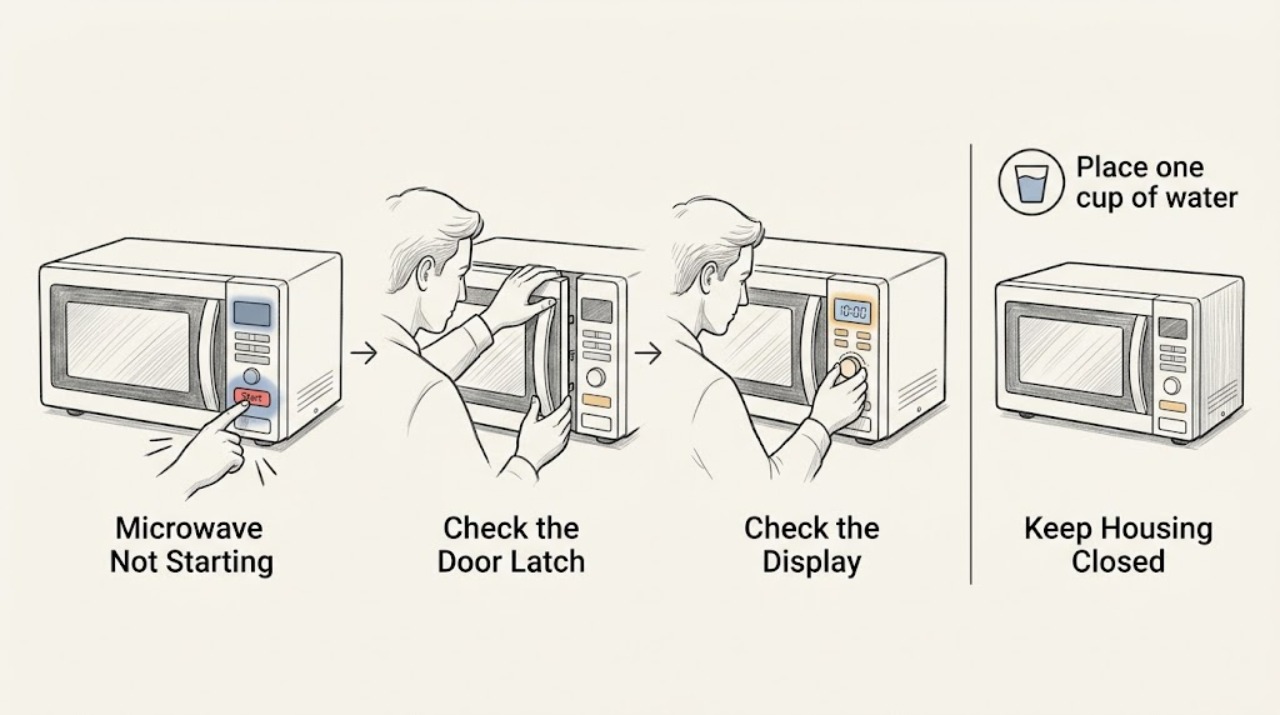
Work through in order
Diagnostic checks
Use only checks that match the exact appliance or system and its official guide.
-
Check 1
Open and firmly close the door and check that no packaging, cookware, or turntable accessory prevents the latch from engaging.
Expected result: Start works or a door message remains.
Next step: Do not operate if the door will not latch firmly.
Why this matters
Why: KitchenAid says a door message can clear after opening and closing the door; a continuing message needs service.
-
Check 2
Check Control Lock or Demo mode using the exact model instructions and verify the household breaker has not tripped.
Expected result: Controls respond after unlocking/power restoration or remain dead.
Next step: Do not repeatedly reset a breaker that trips again.
Why this matters
Why: A lock/demo setting or household interruption can block a normal start; persistent failure needs diagnosis.
-
Check 3
Place one cup of water inside and run a short timed cycle, observing whether the timer runs and the water warms.
Expected result: The timer runs with heat, runs without heat, or nothing starts.
Next step: Stop testing and request service for no heat or no start; do not remove the cover.
Why this matters
Why: A running timer without heat separates a heating fault from a start/control issue.
Use your observations
Decision map
Find the observation that best matches what you see, then follow the next safe action.
-
PATH 01Next step
What you see
The door message clears and water warms after settings are corrected
Do this next
Follow the model instructions and monitor.
Why this path and its safety boundary
Why it matters: A door-state or control-setting issue was likely.
-
PATH 02Next step
What you see
Timer runs without heat or controls remain dead
Do this next
Stop use and arrange qualified microwave service.
Why this path and its safety boundary
Why it matters: Heating, power, control, or interlock trouble remains possible.
When checks do not resolve it
Need a professional?
Arrange service for continued no-start or no-heat.
Safety scope: Do not bypass interlocks or remove the microwave outer cover.
Common questions
FAQ
Why does the timer run but food stays cold?
That can indicate a heating-system fault. Stop use and request service rather than opening the microwave.
What should I check before service?
Firmly close the door, clear obstructions, check Control Lock/Demo mode, and verify power. Persistent failure needs service.
Read the exact guide
Official sources
- Owner's ManualKitchenAid · KitchenAid microwave ovens
Community feedback
Share a repair observation
Share a plain-text repair observation. Accepted observations are published automatically; this page may take a moment to update.