
On this page
Start here
Quick answer
If a Maytag microwave will not start, verify it is plugged directly into a working wall outlet, then check Control Lock, Timer mode, and complete door closure. Select a cooking function and press Start as the model requires. If the outlet is good but the controls still will not start a cycle, or the breaker trips, stop and arrange qualified service.
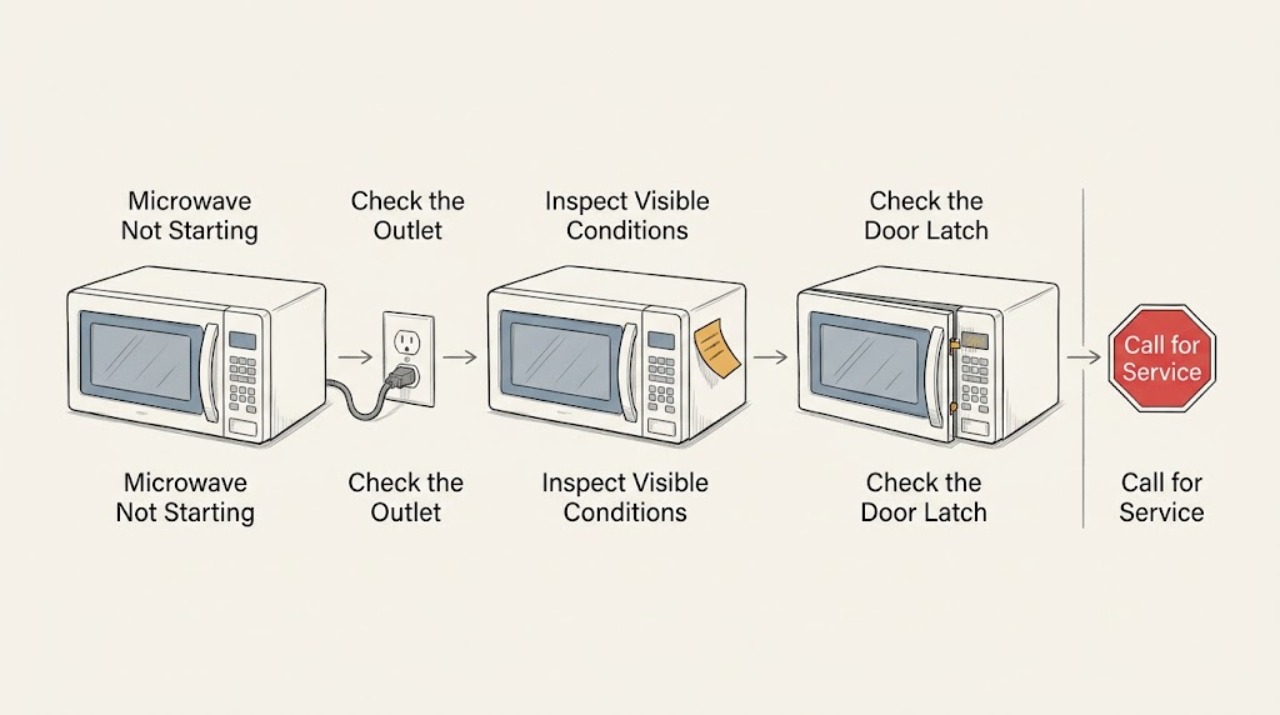
Work through in order
Diagnostic checks
Use only checks that match the exact appliance or system and its official guide.
-
Check 1
Confirm the cord is plugged directly into a grounded, operational wall outlet. Test the easily accessible outlet with a known-working small appliance instead of opening the microwave.
Expected result: The outlet fails the safe test, or the microwave display and controls have power.
Next step: Have an electrician address a dead or ungrounded outlet. If the microwave is powered, continue with the controls check.
Why this matters
Why: A failed outlet is a household electrical issue; a powered display moves the diagnosis to lock, timer, door, or Start selection.
-
Check 2
Look for LOC, L, a padlock, or a flashing Timer icon. Clear Control Lock or cancel the Timer only with the button sequence described for the model.
Expected result: A lock or Timer indicator clears, or no indicator is present and the controls still do not start a cycle.
Next step: Select a cooking function, enter a time, and press Start. If the controls remain unresponsive, continue to the door check and retain the model number.
Why this matters
Why: Control Lock disables the pads, while Maytag says the Timer counts down but does not start or stop the microwave.
-
Check 3
Inspect the latch path for packaging, an oversized dish, a displaced rack, or soil, then open and close the door firmly once before pressing Start.
Expected result: The door closes evenly and the cycle starts, or a door message remains or the latch does not engage.
Next step: Remove only visible interference. If the door cannot latch or the message returns, do not bypass the interlock; arrange service.
Why this matters
Why: Maytag's door and operation guidance requires a fully closed door; an obstruction or door-sensing fault can inhibit starting as a safety condition.
Use your observations
Decision map
Find the observation that best matches what you see, then follow the next safe action.
-
PATH 01Next step
What you see
The display is powered and the microwave starts after clearing Control Lock or cancelling Timer
Do this next
Use the model's normal cooking sequence and note the correct lock sequence for future use.
-
PATH 02Next step
What you see
A Door or Open/Close message clears after opening and closing the door
Do this next
Select the cycle and press Start; request service if the message returns with a clean, fully latched door.
-
PATH 03Next step
What you see
The outlet works, controls have no lock or timer state, and the cycle still will not start
Do this next
Stop trying to defeat the safety system and arrange qualified Maytag service.
Helpful context
Understand the symptom
Not starting can still mean the microwave has power
A lit display with no cycle is usually a control, timer, door-sensing, or setting question; a completely dark display is a power symptom. Maytag's operating guide separates these checks so a user does not replace a part based on the wrong symptom.
When checks do not resolve it
Need a professional?
Arrange qualified service when a powered microwave will not start after the lock, timer, and door checks, a door message persists, the latch is damaged, or the breaker trips.
Common questions
FAQ
Can a Maytag microwave Timer prevent it from starting?
The Timer counts down independently and does not start or stop a cooking cycle. Cancel it if the Timer icon is active, then select the cooking function and press Start.
Why does a Maytag microwave say Door when I try to start it?
Maytag says a Door or Open/Close message can appear when the door has stayed closed without a start. Open and close the door once, then start the cycle; a recurring message needs service.
Read the exact guide
Official sources
- LOC or "L" or Padlock Icon - Error Code - Countertop MicrowaveMaytag Product Help · Maytag countertop microwave lock indicators
- "Door" Or "Open/Close" - Error Code - Countertop MicrowaveMaytag Product Help · Maytag countertop microwave door display
- Microwave is Not Starting or Operating - Countertop MicrowaveMaytag Product Help · Maytag countertop microwave operation
- Not Powering On - Over-the-Range MicrowaveMaytag Product Help · Maytag over-the-range microwave power
Community feedback
Share a repair observation
Share a plain-text repair observation. Accepted observations are published automatically; this page may take a moment to update.