
On this page
Start here
Quick answer
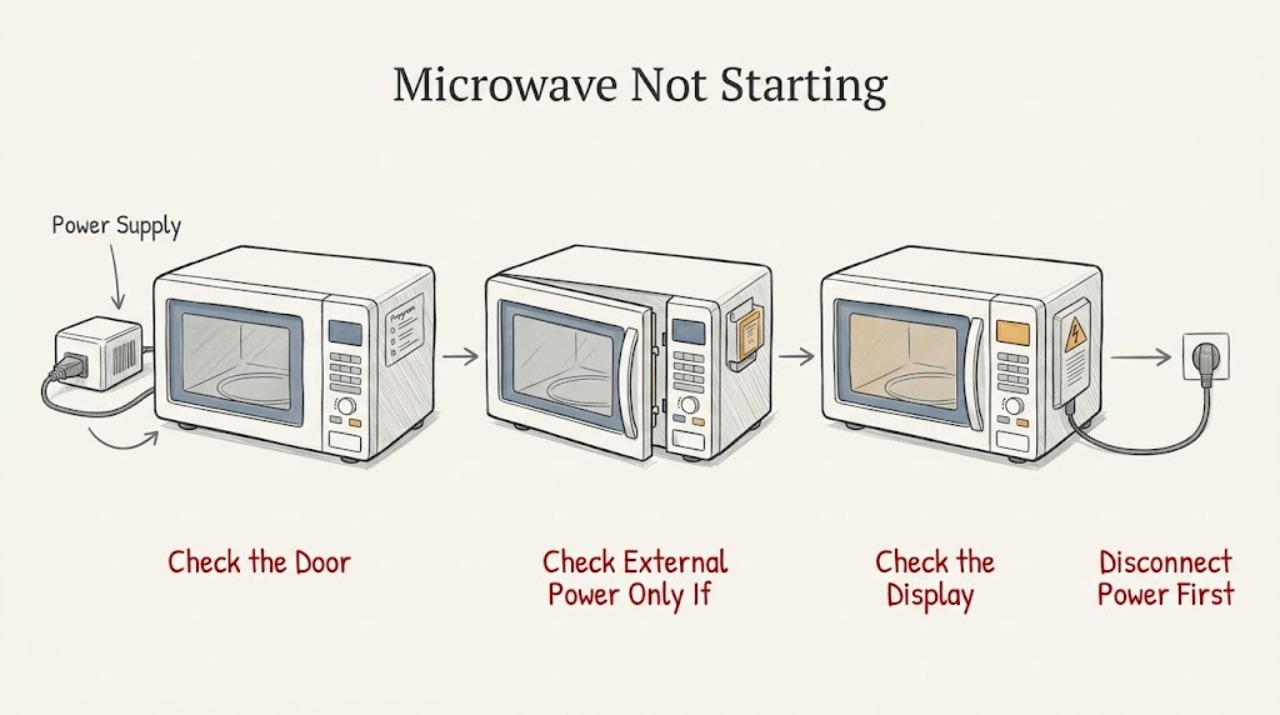
First separate a dark appliance from a lit panel. If the display and cavity light are both off, check only the plug, receptacle, and breaker from a dry, safe position; stop for a hot or damaged cord/outlet, smoke, sparks, or repeated tripping. If the panel is lit but Start does nothing, clear any old program, check for a control lock such as LOC or LOCKED, enter a time or food selection required by the exact model, and close the door firmly. GE says the common lock release is holding Clear/Off or Pause/Off for about three seconds, but older and other models can use a different sequence. If FOOD appears, follow that exact model's food-presence instruction: some models require opening and closing the door after food is inserted before pressing Start. A door that will not close or has damaged hinges, latch, seal, or interlock is a stop condition. Do not open the cabinet, bypass an interlock, run the oven empty, or diagnose high-voltage parts; if it still will not start after the model-approved reset, arrange qualified service.
Before you begin
Safety first
- The owner may perform dry, external power checks, use model-documented controls, inspect an accessible door and latch visually, and perform one model-authorized unplug/reset. Qualified microwave service must handle the cabinet, fuses, capacitors, magnetron, heating circuit, control wiring, thermal devices, door interlocks, and live tests.
Work through in order
Diagnostic checks
Use only checks that match the exact appliance or system and its official guide.
-
Check 1
From outside the appliance, record the complete GE model number and classify what happens when you press Start once: is the display and cavity light dark, is the display lit but silent/unresponsive, is there a LOC/LOCKED/L indicator, does FOOD appear, or does the door fail to close? Note whether the fan, light, or a brief motor sound occurs, without trying to reproduce a spark, burning odor, or trip.
Expected result: The appliance is completely dark; the panel is lit but accepts no input; a lock or FOOD message is visible; or the door/latch does not reach its normal closed position.
Next step: Follow the matching branch below and the exact GE manual for the recorded model. Keep the microwave unused if there is damage, heat, smoke, an electrical smell, or repeated breaker operation.
Stop if: Stop immediately for sparks, smoke, a hot or damaged plug/cord/outlet, a damaged door, hinge, latch, seal, or repeated tripping; do not press Start again to test it.
Why this matters
Why: This first split distinguishes an external power path from a user-interface state, a model-specific safety prompt, and a door-safety condition. It prevents treating every no-start symptom as a failed magnetron or control board.
-
Check 2
Only when the display and appliance light are dark and there is no heat, odor, moisture, or visible damage, verify that the plug is fully seated and that the receptacle has power using a normal household load or the home's ordinary breaker/GFCI procedure. Do not remove panels or take measurements inside the microwave.
Expected result: The receptacle is dead, the breaker/GFCI is tripped, the plug or cord is loose/damaged, or the receptacle works but the microwave remains completely dark.
Next step: For a normal reset with no warning signs, restore the household circuit once and check the exact GE installation/manual instructions. If the circuit trips again, the cord/outlet is hot or damaged, or the microwave stays dark at a working receptacle, leave it disconnected and arrange appliance or electrical service as appropriate.
Stop if: Do not replace a breaker with a higher rating, repeatedly reset a tripping circuit, use a damaged extension cord, or open the microwave to reach a fuse or wiring.
Why this matters
Why: A dead receptacle or external cord issue is upstream of the microwave. A working receptacle with a dark microwave points to an appliance-side power, fuse, thermal, or control fault that cannot be safely identified from outside.
-
Check 3
For a lit panel, press the model's documented Clear/Off or Cancel control once to clear an unfinished program, then enter a valid cook time or food selection before pressing Start. If the display shows L, LOC, or LOCKED, use the exact GE manual's unlock sequence; holding Clear/Off or Pause/Off for about three seconds is common, while some older models use a different two-button sequence.
Expected result: The panel accepts input after the old program is cleared, the lock indicator disappears after the documented sequence, the panel remains locked, or the panel is lit but no key responds.
Next step: If the control becomes responsive, close the door and use the normal Start workflow once. If it remains unresponsive, note the exact display/indicators and arrange qualified service; do not assume the common sequence applies to this model.
Stop if: Do not force keys, remove the control panel, bridge a switch, or bypass a lock or interlock to make the oven start.
Why this matters
Why: A stale program or control lock can make a healthy microwave appear not to start. A model-specific sequence that fails, or a panel that remains unresponsive, shifts the issue to service rather than repeated button combinations.
-
Check 4
If FOOD or another food-presence prompt appears, follow only the exact model's instructions for inserting food, opening and closing the door, selecting the time, and pressing Start. Separately check from the outside that no dish, rack, packaging, or residue is touching the door and that the latch engages without force; inspect the visible seal, hinges, and latch for damage.
Expected result: The FOOD prompt clears after the documented door sequence, the door closes firmly and evenly, the door remains ajar or misaligned, or the prompt/no-start condition remains after a normal closed-door command.
Next step: Remove only an obvious external obstruction, close the door normally, and follow the manual's ordinary Start sequence once. If the door cannot close normally or the prompt remains, keep the unit out of service and call qualified service.
Stop if: Do not slam or bend the door, tape or defeat the latch/interlock, operate with a gap or damaged seal, or place hands inside the latch area while testing.
Why this matters
Why: Some GE models require a door event after food is inserted, and a door that is not securely closed prevents the safety interlocks from accepting a start command. A damaged or misaligned door is a safety issue, not a reason to adjust the latch.
-
Check 5
After the safe external checks, use the exact GE support page/manual to determine whether this model permits a reset. If GE's no-start guidance applies and there were no warning signs, disconnect power for one 30-minute interval, reconnect it, enter a complete valid program, close the door, and press Start once. Record whether it starts, remains dark, remains locked, or starts without heating.
Expected result: The microwave starts normally, still refuses to start, the circuit trips again, or it starts a cycle but does not heat.
Next step: If it still will not start, or if it starts but does not heat, keep it out of service and provide the model, display messages, door findings, and reset result to qualified GE/microwave service. Use electrical service as well for an unsafe outlet or cord.
Stop if: Do not repeat power cycles indefinitely, run the cavity empty, remove the cover, perform live tests, or touch high-voltage components.
Why this matters
Why: A one-time model-compatible reset can clear a temporary control state, but failure afterward is evidence for qualified diagnosis. Starting without heat is a separate high-voltage symptom, not a successful repair of the no-start problem.
Use your observations
Decision map
Find the observation that best matches what you see, then follow the next safe action.
-
PATH 01Safety boundary
What you see
The display and cavity light are both off, with no smoke, heat, moisture, odor, damaged cord, or repeated circuit trip.
Do this next
Perform one safe external plug/receptacle and household-circuit check. If power is present and the display remains dark, leave the unit disconnected and arrange qualified service rather than opening it.
Why this path and its safety boundary
Why it matters: An external receptacle, breaker/GFCI, plug, or cord issue is more likely than a control-lock or door-command issue. If the household supply is normal but the microwave stays dark, an appliance-side fault is more likely.
Safety stop: A hot/damaged connection or a breaker that trips again requires immediate stop and appropriate electrical/appliance service.
-
PATH 02Safety boundary
What you see
The display is lit, the appliance has no damage warning, but Start is ignored or L/LOC/LOCKED is shown.
Do this next
Clear the prior command, enter a valid program, and use the exact model manual's lock release. Stop and service the unit if the panel stays unresponsive after the documented sequence.
Why this path and its safety boundary
Why it matters: An uncleared program, missing time/food entry, or model-specific control lock is more likely than loss of incoming power. The unlock sequence and labels vary by model.
Safety stop: Do not force controls or defeat a lock to make the cycle run.
-
PATH 03Safety boundary
What you see
The door does not close evenly, a dish or residue touches it, the latch does not engage normally, or the unit reports a no-start condition only when the door is involved.
Do this next
Remove only an obvious removable obstruction and close the door without force. If it remains misaligned, damaged, or unable to start, keep the microwave disconnected and arrange qualified service.
Why this path and its safety boundary
Why it matters: The door-safety interlocks may not be engaging. A visibly damaged hinge, latch, seal, or door cannot be treated as a simple alignment adjustment by the owner.
Safety stop: Never tape, bend, bypass, or defeat the interlock, and do not operate with an open or damaged door.
-
PATH 04Safety boundary
What you see
FOOD or a similar prompt remains after food is inserted, or a newer countertop model has a child-resistant door feature that changes the normal door operation.
Do this next
Follow the exact GE manual's food-presence/door instructions once, then stop if the prompt persists or the door does not behave normally. Provide the model and displayed message to service.
Why this path and its safety boundary
Why it matters: This is a model-specific food-presence or door-safety workflow, not proof of a failed heating component. The correct button and door sequence must come from that model's documentation.
Safety stop: Do not defeat the child-resistant feature, hold the latch open, or repeatedly start cycles to work around the prompt.
-
PATH 05Safety boundary
What you see
The oven begins a cycle but does not heat, or it remains unresponsive after safe power, program, lock, and door checks.
Do this next
Stop using the microwave and arrange qualified service. Give the technician the model, display state, door findings, exact sequence attempted, and whether the receptacle or breaker behaved normally.
Why this path and its safety boundary
Why it matters: A no-heat cycle belongs to the high-voltage heating path; a persistent no-start symptom can require control, thermal, power, or interlock diagnosis. Neither condition identifies a user-replaceable part.
Safety stop: Do not open the cabinet, discharge or probe a capacitor, live-test wiring, run an empty test, or bypass the door system.
Helpful context
Understand the symptom
“Not starting” describes several different symptoms
A dark display points first to incoming power, while a lit display usually means the control is waiting for a valid command, is locked, or is refusing to run because the door state is not accepted. A FOOD message and a child-resistant door feature are model-specific behaviors, not proof of a failed control board.
Use the exact GE model instructions
GE uses different lock, timer, door, and reset behaviors across countertop, over-the-range, and older models. Record the complete model number and use its owner's manual for button sequences; a common Clear/Off three-second instruction must not be treated as universal.
A microwave safety boundary is part of the diagnosis
Owner checks stop at an accessible plug, controls, door, latch, and model-documented user reset. Do not remove the cover, probe wiring or capacitors, defeat a door interlock, or run an empty test. If the oven starts but does not heat, use a qualified microwave service path rather than this no-start checklist.
Only after diagnosis
Potential parts
- model-matched door latch/interlock assembly
Consider only if qualified service confirms that the door does not register closed and identifies a failed model-specific latch or interlock component.
A no-start symptom alone does not establish latch or interlock failure; do not bypass or select a part by appearance. Door-safety work requires qualified service. - model-matched control panel or control board
Consider only after the exact model's power, program, lock, and door checks fail and qualified service confirms a control diagnosis.
GE uses model-specific controls and lock behavior; a lit but unresponsive panel is not enough evidence for a board replacement. - model-matched thermal or high-voltage service component
Consider only when qualified microwave service identifies a thermal or high-voltage fault, especially if the unit starts but does not heat.
Microwave high-voltage components can remain hazardous after unplugging; this is not an owner-level replacement or live-test path.
When checks do not resolve it
Need a professional?
Keep the GE microwave out of service and arrange qualified appliance service when it remains dark at a working receptacle, the panel remains locked or unresponsive after the exact model's documented sequence, the door or interlock cannot close normally, a reset does not restore starting, or the unit starts without heating. Stop immediately for smoke, sparks, arcing, an electrical or chemical odor, a hot/damaged cord or outlet, water near the appliance, or repeated breaker trips; use electrical service for an unsafe household connection. Never open the cabinet, run an empty test, live-test wiring, or bypass door interlocks.
Safety scope: The owner may perform dry, external power checks, use model-documented controls, inspect an accessible door and latch visually, and perform one model-authorized unplug/reset. Qualified microwave service must handle the cabinet, fuses, capacitors, magnetron, heating circuit, control wiring, thermal devices, door interlocks, and live tests.
Common questions
FAQ
Why does my GE microwave have power but not start?
A lit panel can still be locked, waiting for a time or food entry, or refusing the command because the door is not securely latched. Clear the old program, check the exact model's lock indicator and door instructions, and press Start only after a complete valid program is entered. If the panel remains unresponsive, arrange qualified service.
How do I unlock a GE microwave that says LOC or LOCKED?
Use the exact model manual. GE says many models unlock when Clear/Off or Pause/Off is held for about three seconds, but some older models use another sequence. Do not force keys or bypass the lock if the documented sequence does not work.
What does FOOD mean on a GE microwave?
On applicable GE models, FOOD can be a food-presence safety-timer message rather than a failed part. Follow that model's instructions for inserting food, opening and closing the door, entering the program, and pressing Start. If the message persists, stop and provide the model and display to service.
What should I do if my GE microwave door will not close?
Remove only an obvious item touching the door and check the visible door, latch, hinge, and seal without force. Do not operate a microwave with a damaged or misaligned door, and never tape, bend, or defeat the safety interlock. Keep it out of service and call qualified repair if the door does not close normally.
My GE microwave starts but does not heat—is that the same problem?
No. A cycle that runs without heating is a separate high-voltage diagnosis. GE warns that the capacitor can retain a dangerous charge, so do not open the cabinet or live-test it; arrange qualified microwave service.
Read the exact guide
Official sources
- Microwave - Runs But Does Not HeatGE Appliances · GE microwave no-heat distinction and high-voltage repair safety
- Countertop Microwave - Child Resistant Oven Door FeatureGE Appliances · GE countertop microwave child-resistant door behavior on applicable newer models
- Microwave - Explanation of the Child Lock Out FeatureGE Appliances · GE microwave child/control lock behavior and model-dependent unlock sequences
- HELP US HELP YOU…GE Appliances · GE microwave safety instructions for door/interlock damage, operation, power, and qualified repair
- Microwave - Will Not StartGE Appliances · GE microwave no-start symptoms, securely closed door, safety interlock behavior, and one 30-minute unplug/retry instruction
- GE Appliances Service and SupportGE Appliances · GE model-specific manuals, support, and service routing
- Microwave - Is Not Making SoundGE Appliances · GE microwave lit-panel/no-response behavior, clearing a program, and control-lock indicators
- Microwave - "Food" Appears in Control Panel DisplayGE Appliances · GE model-specific FOOD display and food-presence safety timer behavior
Community feedback
Share a repair observation
Share a plain-text repair observation. Accepted observations are published automatically; this page may take a moment to update.