
On this page
Start here
Quick answer
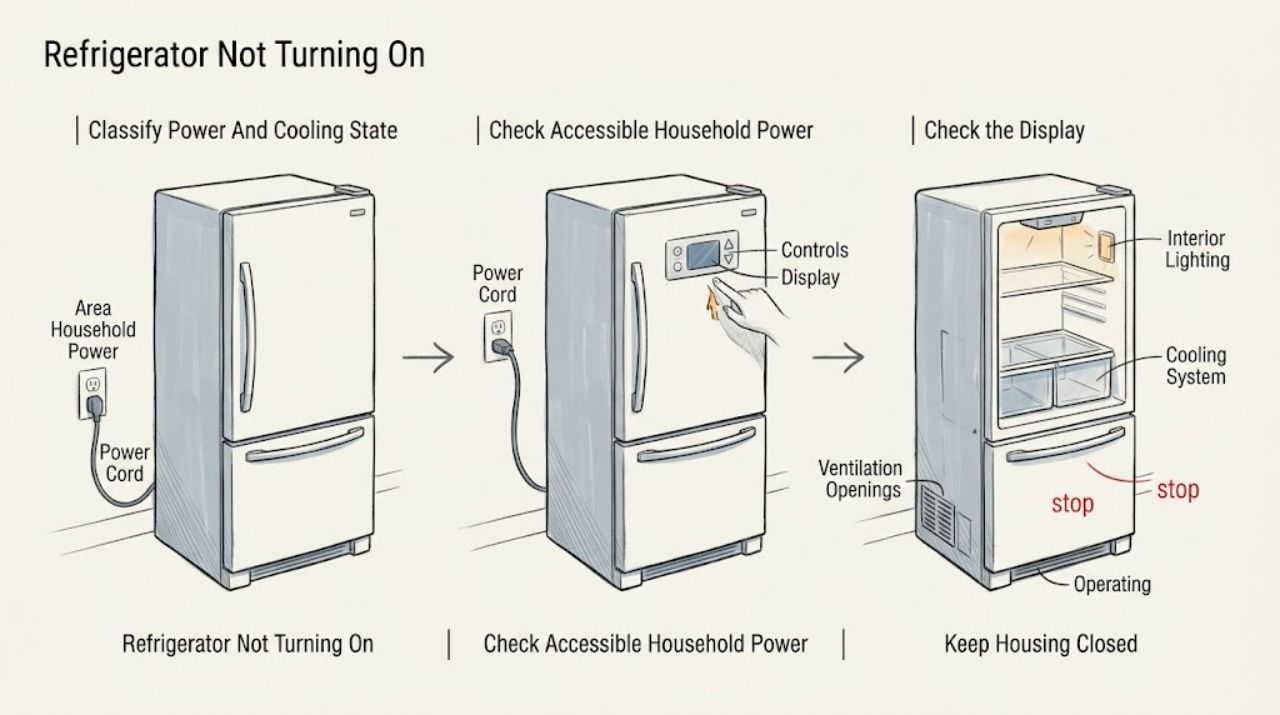
First determine whether the Bosch refrigerator has no power at all or has power but is not cooling. If the display is blank, the interior light is off, and the appliance is silent, check only the accessible household breaker or fuse, a visible power connection, and whether the home has power. Bosch manuals list a power failure, blown fuse or tripped breaker, and an improperly connected plug for this pattern. Do not remove covers or test wiring; if the outlet and breaker are normal but the refrigerator remains dead, arrange qualified appliance or electrical service. If the display or interior light works but the refrigerator is not cooling, check the exact model's temperature setting, visible ventilation openings, and whether showroom/demo mode is enabled. Bosch manuals show that showroom mode can leave displays and lighting on without cooling, but the button sequence differs by model, so use only that model's manual. If the unit was recently reconnected or its temperature differs sharply from the setting, keep doors closed, avoid moving perishable food back in, and follow the manual's documented restart or wait guidance rather than repeatedly cycling power. A warning alarm, error message, burning smell, damaged cord, water near electrical parts, repeated breaker trip, or an appliance that stays warm after the model-specific checks requires service. Do not guess a control board, sensor, compressor, or thermostat from this symptom alone.
Before you begin
Safety first
- This article covers dry, external household-power, display/light, model-manual, setting, alarm, visible-ventilation, and documented mode/restart observations only. A qualified provider must handle internal electrical work, control boards, sensors, fans, compressor or sealed-system work, and cord replacement.
Work through in order
Diagnostic checks
Use only checks that match the exact appliance or system and its official guide.
-
Check 1
With the refrigerator doors closed as much as possible, record the complete Bosch E-Nr. and check the symptom without opening panels: is the display blank, is the interior light off, is there any sound or alarm, and is the cabinet actually warm?
Expected result: The display and light are both off, the display/light work but the cabinet is warm, an alarm or error is present, or the refrigerator was recently installed or reconnected.
Next step: Use the no-power checks for a blank display and light. Use the no-cooling or mode checks when the display or light works. If an error or alarm is present, capture it and use the exact model manual before attempting any reset.
Stop if: Do not dismantle the appliance or leave perishable food in a warming cabinet while troubleshooting.
Why this matters
Why: No display and no interior light make loss of supply or an electrical/control problem more likely. A lit display or light means the appliance has at least some power, so mode, temperature, airflow, door, or cooling-system checks are more relevant.
-
Check 2
For a blank display and unlit interior, check whether other nearby appliances have power, then inspect the accessible household breaker or fuse and the visible refrigerator plug or connection if it can be seen without moving the appliance. Follow the model manual's external power guidance only.
Expected result: The home or outlet has no power, the refrigerator breaker or fuse is open, the plug is visibly loose or disconnected, power is normal but the refrigerator is still blank, or the breaker trips again.
Next step: Restore only an obvious external power condition if it is dry and safe. If the breaker will not stay on, the connection is damaged, or the refrigerator remains dead with normal household power, leave it off and arrange qualified electrical or appliance service.
Stop if: Do not repeatedly reset a breaker, use an extension cord as a repair, remove covers, test live terminals, or pull out a built-in unit to reach wiring.
Why this matters
Why: A house or circuit supply issue can explain an entirely dark refrigerator. If power is normal and the appliance remains dark, the fault may be in the cord, input, control, or internal wiring; a recurring trip is not a normal reset.
-
Check 3
If the display and interior lighting work but the refrigerator is warm, confirm from the control panel that the refrigerator has not been switched off and that the temperature setting was not changed accidentally. Keep doors closed and check for a warning tone, flashing temperature display, or other model-specific message.
Expected result: The temperature setting is off or unusually warm, a temperature alarm is active, the display is cycling or shows a message, or the setting appears normal but the cabinet remains warm.
Next step: Correct only a clearly documented setting or acknowledge an alarm as the exact manual instructs. Protect food and arrange service promptly if the temperature does not recover or if an error returns.
Stop if: Do not enter undocumented service diagnostics, repeatedly reset the appliance, or refreeze food that has thawed.
Why this matters
Why: An incorrect setting, a recent warm event, or an alarm can explain the symptom without proving a failed compressor. A persistent warm cabinet with normal settings and no simple alarm response makes a cooling-system, sensor, airflow, or control fault more likely.
-
Check 4
When the display and lighting remain on but there is no cooling, look in the exact Bosch E-Nr. manual for a showroom or demo-mode entry matching the observed display. Use its documented exit procedure only if the model and button labels match; do not copy a sequence from another Bosch refrigerator.
Expected result: The exact manual identifies showroom/demo mode, the display pattern does not match the manual, the mode is exited but cooling does not resume, or the model cannot be identified.
Next step: After a documented mode change, close the doors and check for cooling according to that manual's guidance. If the mode is absent, the model is uncertain, or the appliance remains warm, stop experimenting and arrange qualified service.
Stop if: Do not hold buttons by guesswork, run a factory reset that could erase settings, or open the control panel.
Why this matters
Why: Showroom/demo mode is a plausible mode-related explanation for lights and controls without cooling, but the procedure and controls are model-specific. If exiting the documented mode does not restore cooling, the symptom is not explained by mode alone.
-
Check 5
Inspect only the visible ventilation openings and the space around the refrigerator for boxes, dust, or other obstructions, and note whether the appliance was recently installed, unplugged, or exposed to frequent door opening or a large load of warm food. Do not move a heavy built-in refrigerator to inspect the rear.
Expected result: A visible opening is blocked, the refrigerator was recently reconnected or heavily loaded, doors were open for a long time, or accessible ventilation and usage conditions are normal.
Next step: Clear only safe visible obstructions, minimize door opening, and follow the model manual's documented recovery or temperature-check timing. If the cabinet remains warm, keep food protected and arrange service.
Stop if: Do not remove rear covers, scrape ice around hidden refrigeration parts, block ventilation with storage, or continue operation when an electrical or overheating hazard is present.
Why this matters
Why: Bosch identifies blocked ventilation and recent operating conditions as contributors to poor cooling or a temperature alarm. Recovery after a restart or warm load can take time, but persistent warmth with normal access conditions is not explained by this check alone.
-
Check 6
Prepare a service report with the E-Nr., whether the display and light work, the breaker behavior, temperature or alarm message, mode check, recent power event, ventilation observations, and the time food began warming.
Expected result: The refrigerator is still entirely dark, still warm with a lit display, shows a recurring error, repeatedly trips power, or has a cord, odor, leak, or noise concern.
Next step: Keep the refrigerator off for electrical hazards and arrange qualified Bosch or appliance service. Tell the technician whether the appliance has any power, rather than ordering a control, compressor, thermostat, or sensor from the symptom alone.
Stop if: Do not open the cabinet, test energized circuits, pierce sealed tubing, or continue using a refrigerator with smoke, burning odor, damaged wiring, water near electrical parts, or repeated trips.
Why this matters
Why: The remaining possibilities can include internal electrical or control faults, sensors, fans, compressor or sealed-system problems, or a model-specific operating fault. The symptom does not identify a safe replacement part.
Use your observations
Decision map
Find the observation that best matches what you see, then follow the next safe action.
-
PATH 01Safety boundary
What you see
The display is blank, the interior light is off, and the refrigerator is silent.
Do this next
Perform only the accessible breaker, fuse, home-power, and visible-connection checks. If the refrigerator remains dark or the breaker trips again, leave it off and arrange qualified electrical or appliance service.
Why this path and its safety boundary
Why it matters: Loss of household power, an open fuse or breaker, or an unplugged/loose connection is more likely than a cooling-only failure. If those external conditions are normal, an internal input or control problem is more likely.
Safety stop: Do not reset repeatedly, remove covers, or reach behind a built-in appliance for wiring.
-
PATH 02Safety boundary
What you see
The display and interior light work, but the cabinet is warm or the refrigerator is not cooling.
Do this next
Check the exact model's setting, alarm, mode, and visible ventilation guidance. If it remains warm after the model-specific recovery guidance, protect food and arrange service.
Why this path and its safety boundary
Why it matters: The refrigerator has power, so a total power failure is less likely. A temperature setting, showroom/demo mode, blocked ventilation, recent warm event, sensor, control, or cooling-system fault is more plausible.
Safety stop: Do not infer a failed compressor or thermostat and do not open the sealed or electrical system.
-
PATH 03Safety boundary
What you see
The lights and display are active, cooling is absent, and the refrigerator was recently installed, reconnected, or shows the display pattern described as showroom/demo mode in its exact manual.
Do this next
Use only the E-Nr.-matched mode or restart guidance and check temperature after its stated interval. If cooling does not return, treat it as a service fault rather than continuing resets.
Why this path and its safety boundary
Why it matters: A mode state or normal post-restart recovery is possible, but the evidence is model-specific. A button sequence from another Bosch family may be wrong and can change settings without restoring cooling.
Safety stop: Do not use undocumented diagnostics or repeatedly power-cycle a warm refrigerator.
-
PATH 04Safety boundary
What you see
A warning alarm or error returns, the temperature remains unsafe, or the refrigerator has smoke, burning odor, water near electrical parts, damaged cord, or repeated breaker trips.
Do this next
Protect or discard food according to its temperature history, stop using the refrigerator when an electrical hazard is present, and arrange qualified service with the exact message and model number.
Why this path and its safety boundary
Why it matters: A persistent operating or safety fault is more likely than a simple setting issue, and continued use may put food or people at risk.
Safety stop: Do not bypass alarms, test wiring, refreeze thawed food, or continue after an electrical or fire warning.
-
PATH 05Safety boundary
What you see
The refrigerator has power and cooling is weak, while a safe visible ventilation opening is blocked or the appliance has just been heavily loaded or opened repeatedly.
Do this next
Clear only the visible obstruction, minimize door opening, and follow the model's temperature-recovery guidance. Escalate if the cabinet remains warm or the obstruction is behind a cover.
Why this path and its safety boundary
Why it matters: Restricted air circulation or a temporary recovery condition is more likely than an immediately proven sealed-system failure.
Safety stop: Do not remove rear panels, force the appliance out, or block required clearances.
Helpful context
Understand the symptom
“Not turning on” has two different meanings
A refrigerator with no display, no interior light, and no sound has a power or control symptom. A refrigerator with a lit display or interior light but no cooling has power, so the diagnostic path changes to temperature settings, showroom/demo mode, ventilation, alarms, or a cooling-system fault. Record the complete Bosch E-Nr. before using a button combination: the manuals reviewed here do not establish one universal reset or mode procedure for every Bosch refrigerator.
Keep the electrical boundary external
Only inspect a dry, accessible plug, outlet, breaker, fuse, display, and door light. Do not pull out a built-in refrigerator by force, remove an electrical cover, probe the outlet or cabinet wiring, splice a damaged cord, or bypass a sensor or control. Smoke, a burning smell, heat, water near electrical parts, exposed wiring, a repeated trip, or a cord that is damaged is a stop condition; leave the appliance off and arrange qualified service.
Mode and restart clues are model-dependent
Some Bosch manuals call the no-cooling-with-lights-on condition showroom mode or demo mode and provide a model-specific way to exit it. Other manuals describe a short documented power cycle for a large temperature discrepancy or a recurring message. Treat those as instructions for the identified model, not as a universal button sequence. If the refrigerator has just been reconnected, protect the food and allow the model's stated recovery period; a brief wait does not prove that the compressor or control has failed.
Safety boundary
Stop conditions
- Stop immediately for smoke, burning odor, abnormal heat, water near electrical parts, damaged or exposed wiring, or a breaker that trips again.
- Do not open electrical covers, test energized circuits, splice a cord, pierce sealed tubing, bypass a sensor, or force a built-in refrigerator out of its enclosure.
- Do not apply another Bosch model's showroom/demo button sequence or undocumented diagnostic procedure.
- Protect perishable food when the cabinet is warming, and do not refreeze food that has thawed.
When checks do not resolve it
Need a professional?
Safety scope: This article covers dry, external household-power, display/light, model-manual, setting, alarm, visible-ventilation, and documented mode/restart observations only. A qualified provider must handle internal electrical work, control boards, sensors, fans, compressor or sealed-system work, and cord replacement.
Common questions
FAQ
Why is my Bosch refrigerator completely dead?
If the display and interior light are both off, check whether the home has power, then inspect the accessible breaker or fuse and visible power connection as the model instructions allow. Bosch manuals list power failure, fuse or breaker action, and a loose plug as possibilities. If power is normal but the refrigerator remains dark, or the breaker trips again, leave it off and arrange qualified service.
What if the Bosch refrigerator light and display work but it is not cooling?
A lit display or interior light means the refrigerator has at least some power. Check the exact model's temperature setting, warning message, visible ventilation openings, and showroom/demo mode. Bosch manuals show that demo or showroom mode can leave the controls and lights on without cooling. If it remains warm after the model-specific checks, arrange service and protect the food.
Is showroom or demo mode why my Bosch refrigerator is not turning on?
It can explain a refrigerator that has lights and a display but does not cool; it does not explain a completely dark appliance. The exit procedure is model-specific, so use the E-Nr.-matched Bosch manual and do not copy a button sequence from another refrigerator family.
How long should I wait after reconnecting a Bosch refrigerator?
Use the exact model manual's restart and temperature-check guidance. Bosch manuals distinguish a short documented restart from the longer period needed for the temperature to recover after a warm event. Keep the doors closed and protect perishable food; if the refrigerator stays warm or an error returns, arrange service rather than repeatedly cycling power.
Should I replace the compressor or control board when my Bosch refrigerator will not turn on?
No. The same symptom can come from household power, a cord, control, sensor, mode, or cooling-system fault, and the Bosch evidence does not identify a compatible part from the symptom alone. Have a qualified provider diagnose the model and handle internal electrical or sealed-system work.
Read the exact guide
Official sources
- TroubleshootingBosch Home Appliances · Official Bosch refrigerator troubleshooting document; its no-power symptom grouping is evidence for the diagnostic distinction, not a universal model procedure.
- BF NF 2.0_KGN_AV_HC_MD260_BO_en_9001654779Bosch Home Appliances · Official Bosch refrigerator/freezer manual example; showroom-mode and restart instructions are model-specific and must not be copied to another E-Nr.
- Refrigerator Not Cooling Properly | Troubleshooting | Bosch Home AppliancesBosch Home Appliances · Official Bosch US support guidance for refrigerators that are not cooling properly; model-specific manuals control where instructions differ.
- Use and Care Manual B36CL.. | Bosch, Manuel d'utilisation B36CL.. | Bosch, Manual del usuario B36CL.. | BoschBosch Home Appliances · Official Bosch B36CL-series manual; its showroom-mode, alarm, temperature, and ventilation procedures are specific to that refrigerator family.
- Fridge repairs | BoschBosch Home Appliances · Official Bosch US repair guidance for refrigerators; it supports professional handling of refrigerator repairs after safe user checks.
- 8001068741_FBM_en_fr_es_20191002Bosch Home Appliances · Official Bosch refrigerator/freezer manual example; the listed demo-mode button sequence and operating details are specific to supported models in that manual.
Community feedback
Share a repair observation
Share a plain-text repair observation. Accepted observations are published automatically; this page may take a moment to update.