
On this page
Start here
Quick answer
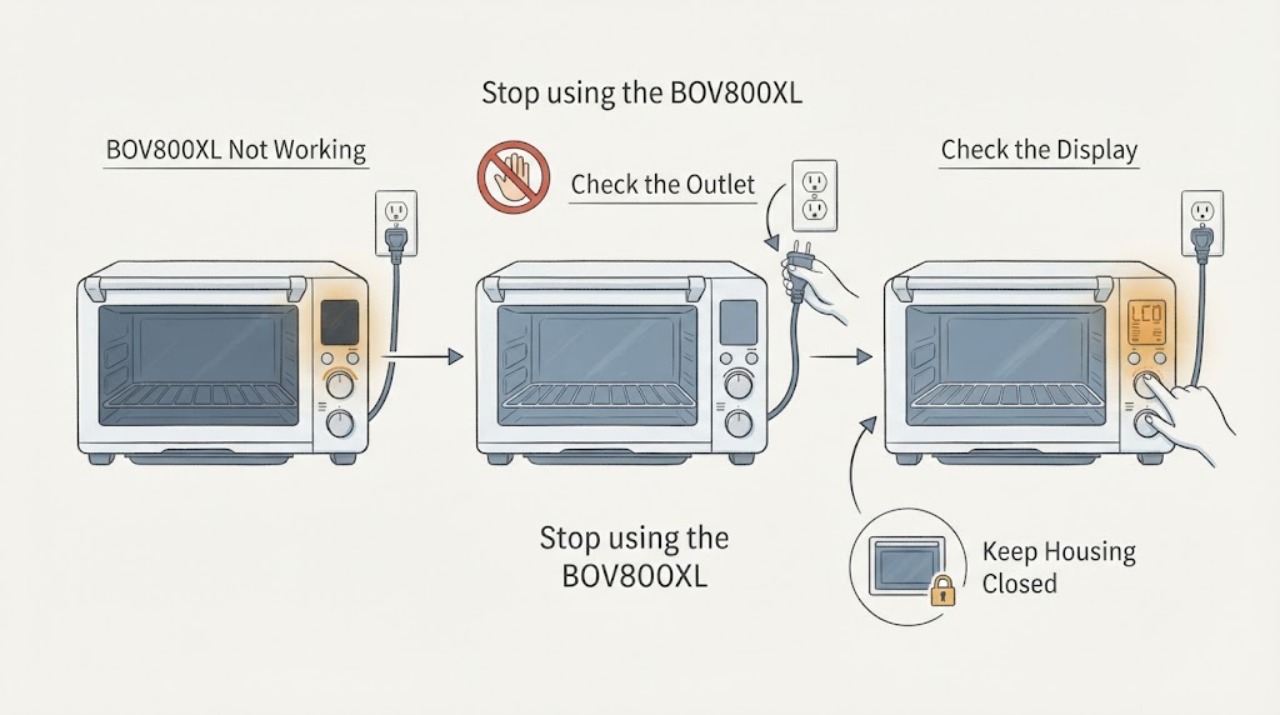
For a Breville Smart Oven BOV800XL that seems not to work, first check the plug and outlet, then determine whether the LCD is simply in standby. Breville’s manual says the oven enters standby after 10 minutes; pressing START/CANCEL or turning a dial wakes it. To start a cycle, select a function, set temperature and time, close the door, and press START/CANCEL. A blinking PREHEATING message, a preheat alert before the displayed target temperature, and heating elements pulsing in short bursts can be normal on this model. With the oven unplugged and cool, confirm the crumb tray is inserted and the ventilation space is clear. If the outlet works but the oven remains dark, a valid cycle will not start, E01/E02/E05 appears, E03 persists after the documented cool-down, or there is smoke, burning smell, melted plastic, cord damage, or a repeat breaker trip, stop DIY work and contact Breville service.
Work through in order
Diagnostic checks
Use only checks that match the exact appliance or system and its official guide.
-
Check 1
Stop using the BOV800XL and inspect only from a safe, dry position for smoke, burning odor, melted plastic, a damaged cord or plug, hot or scorched connections, or a breaker that trips again.
Expected result: A hazard sign or repeat trip is present, or the exterior and power cord appear intact.
Next step: For any hazard, unplug only if the plug is reachable from a dry safe position, keep the oven out of use, and contact Breville or qualified electrical service. If there is no hazard, continue with the outlet and display checks.
Stop if: Do not open the housing, probe wiring, bypass protection, or keep resetting a breaker to reproduce the fault.
Why this matters
Why: A fire or electrical warning changes the task from user troubleshooting to immediate service. A clean exterior does not authorize access to the heating elements or control electronics.
-
Check 2
Confirm the plug is fully inserted into a suitable independent grounded wall outlet, then check whether the LCD is blue or the function options are visible even if the screen illumination has dimmed.
Expected result: The outlet is dead, the LCD wakes when START/CANCEL is pressed or a dial is turned, or the outlet works but the oven remains dark.
Next step: Address the household outlet only if safe. If the outlet works but the BOV800XL stays dark, leave it unplugged and request service instead of testing internal wiring.
Why this matters
Why: A dead outlet points to the household supply. A waking LCD matches BOV800XL standby behavior; a working outlet with no oven response points to the plug, cord, switch, or internal power path.
-
Check 3
Use the documented control sequence once: turn the FUNCTION dial to a valid mode such as BAKE, set temperature and time with their dials, close the door, and press START/CANCEL.
Expected result: The button surround turns red, the LCD turns orange, PREHEATING blinks, and the timer starts, or the controls accept no valid cycle.
Next step: If the cycle starts, let the attended preheat proceed. If the oven returns to standby or will not start after one documented attempt, stop testing and arrange Breville service.
Why this matters
Why: The red button surround and orange LCD indicate the BOV800XL is in a cooking cycle. A blinking PREHEATING message is expected for functions that preheat; failure to accept a valid sequence keeps a control or power fault in scope.
-
Check 4
Interpret the first heating observations before calling an element defective: watch for short power pulses at the elements and note whether the preheat alert occurs before the target temperature shown on the LCD.
Expected result: The elements pulse in short bursts, or the preheat alert sounds at about 75% of the displayed target and the oven continues recovering toward the set temperature.
Next step: Keep the door closed as much as practical and allow the valid cycle to complete. If the cavity remains cold, the temperature never recovers, or only one function fails repeatedly, stop using the oven and give service the function, settings, and timing.
Why this matters
Why: Breville documents pulsing Element IQ control and an early preheat alert as normal BOV800XL behavior. These observations alone do not prove a failed element or relay.
-
Check 5
With the oven unplugged and completely cool, confirm the crumb tray is inserted, remove any loose packaging or foil, and keep at least 4 inches of clear space on both sides with nothing stored on top.
Expected result: The tray is missing, wet, or blocked, the oven is enclosed or crowded, or the tray and ventilation arrangement are correct.
Next step: Correct only the accessible tray and clearance conditions, let all cleaned surfaces dry fully, and make one attended normal start attempt. If it still does not work, leave it unplugged and request service.
Stop if: Do not remove element covers, the rear housing, or the control panel, and do not operate with a damaged cord or exposed part.
Why this matters
Why: The BOV800XL manual requires a dry inserted crumb tray and clear ventilation around the countertop oven. Correcting an accessible setup condition can remove a safe-operation issue, but it cannot repair an internal fault.
-
Check 6
Record any exact LCD error and apply only the BOV800XL manual’s user-level response: E01, E02, and E05 require Breville service; E03 calls for unplugging and 15 minutes of cooling; E04 calls for unplugging and moving the oven to a warmer room.
Expected result: The code clears after the documented E03 or E04 condition, or E01/E02/E05 appears or any code returns.
Next step: For E01, E02, or E05, keep the oven unplugged and contact Breville. For E03 or E04, follow the manual once; if the message persists, stop using it and request service.
Stop if: Never open the housing or attempt a high-voltage repair based on an error code.
Why this matters
Why: These codes are model-specific evidence. A persistent or non-resettable code is not a reason to replace a part from a symptom, while a cleared code still warrants stopping if the oven behaves abnormally.
Use your observations
Decision map
Find the observation that best matches what you see, then follow the next safe action.
-
PATH 01Next step
What you see
The outlet is live, the LCD or function options are visible, and pressing START/CANCEL or turning a dial wakes the screen.
Do this next
Select a valid function, set temperature and time, and press START/CANCEL once. If it still will not start, stop repeating the sequence and arrange service.
Why this path and its safety boundary
Why it matters: The BOV800XL was in its documented standby state rather than being completely without power.
-
PATH 02Next step
What you see
A valid cycle shows an orange LCD, red START/CANCEL surround, blinking PREHEATING, or heating elements that pulse in short bursts.
Do this next
Allow the attended cycle to proceed and avoid opening the door repeatedly. Refer the oven for service if the cavity stays cold after the cycle or one function repeatedly fails.
Why this path and its safety boundary
Why it matters: These observations match the BOV800XL’s documented operating and Element IQ behavior. An early preheat alert or pulsing elements alone does not identify a failed heating part.
-
PATH 03Next step
What you see
The outlet works, the tray and ventilation are correct, but the oven stays dark or will not accept a valid cycle; or E01, E02, or E05 appears.
Do this next
Leave the oven unplugged and provide Breville the model, code, display behavior, and what happened immediately before the failure. Do not open the housing or select a replacement part.
Why this path and its safety boundary
Why it matters: An internal power, control, or non-resettable appliance fault remains possible, and the manual directs the user to Breville service for these codes.
-
PATH 04Next step
What you see
Smoke, burning odor, melted plastic, a damaged cord, repeated breaker trip, exposed wiring, or uncontrolled heat is present.
Do this next
Stop use, keep clear, unplug only from a dry safe position if possible, and contact qualified Breville or electrical service before reuse.
Why this path and its safety boundary
Why it matters: This is an immediate electrical or fire-safety boundary, not a DIY repair branch.
Helpful context
Understand the symptom
Use the BOV800XL display behavior to separate standby from failure
This countertop oven can look inactive without being broken. Breville’s BOV800XL manual says the LCD stops illuminating after 10 minutes of inactivity while the function options remain visible; pressing START/CANCEL or turning any dial reactivates it. A blue LCD that wakes is therefore a standby observation. A working outlet with no display response after the documented user-level checks is a service issue, not an invitation to open the housing.
Do not mistake controlled heating for a failed element
The manual says Element IQ controls heat by pulsing power to the elements in short bursts. It also says the preheat alert sounds at about 75% of the target temperature so the oven can recover faster after the door is opened. Those two observations can look like weak or intermittent heating even when the BOV800XL is operating as designed. A cold cavity after a complete, valid cycle remains a fault path and should be serviced without internal DIY testing.
When checks do not resolve it
Need a professional?
Contact Breville or qualified appliance service when the outlet works but the oven stays dark, controls will not start a valid cycle, the cavity stays cold after a normal attended cycle, or a documented error returns. Stop immediately for smoke, burning smell, melted plastic, cord damage, repeat breaker trips, or uncontrolled heat.
Common questions
FAQ
Why is my Breville BOV800XL LCD dark even though the oven is plugged in?
The BOV800XL enters standby after 10 minutes of inactivity. Breville says pressing START/CANCEL or turning any dial reactivates the LCD. If a known-good outlet is live but the screen never responds, unplug the oven and request service.
Are pulsing heating elements normal on the BOV800XL?
Yes. The BOV800XL manual says Element IQ controls heat by pulsing power to the elements in short bursts. Pulsing alone does not prove an element is defective; a cold cavity after a complete valid cycle needs service.
What should I do if the BOV800XL shows E01, E02, E03, E04, or E05?
Follow the exact manual response. E01, E02, and E05 are non-resettable issues that Breville directs to customer service. For E03, unplug and allow 15 minutes to cool; for E04, unplug and move the oven to a warmer room. If a message persists or behavior is abnormal, stop using the oven and contact Breville.
Read the exact guide
Official sources
- the Smart Oven® - OVENS Support & FAQsBreville US · Official 800XL / BOV800 product hub; confirms the first-time setup and service paths for the assigned Smart Oven family.
- the Smart Oven™ Instruction Book - BOV800XL SeriesBreville · Exact Breville 800XL / BOV800XL US/Canada instruction book; the controlling source for the assigned model’s user-level operation and troubleshooting.
- the Smart Oven® | BrevilleBreville US · Official US product page for the 800XL / BOV800XL family; confirms model identity and published product behavior.
Community feedback
Share a repair observation
Share a plain-text repair observation. Accepted observations are published automatically; this page may take a moment to update.