
On this page
Start here
Quick answer
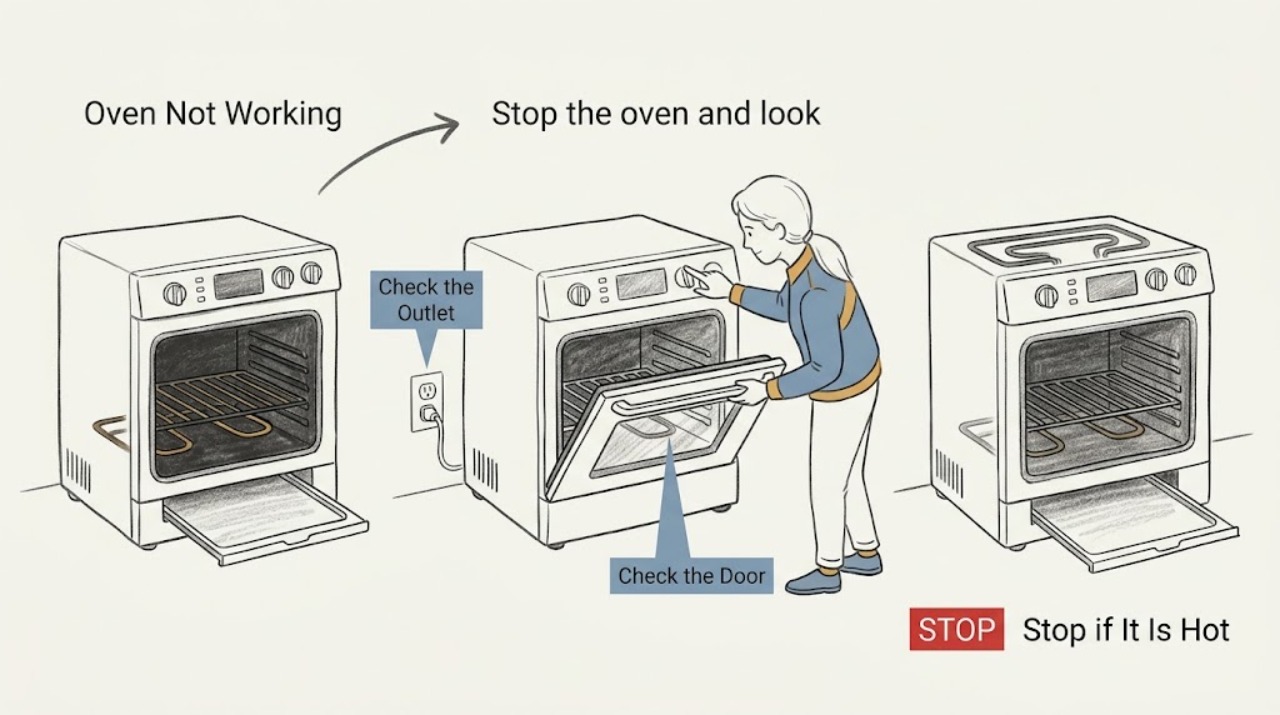
If a Breville countertop oven is not working, first confirm that the power plug and outlet are good, the circuit breaker has not tripped, and the oven is not simply in standby. Select a valid function, set the temperature and time, and press START/CANCEL as described in the model manual. With power disconnected and the oven cool, confirm the crumb tray is inserted, no foil is covering it or the oven, and the ventilation space is clear. If the display shows an error such as E01, E02, or E05 on a model that documents those codes, disconnect the plug and contact Breville; for persistent no-start, no-heat, smoke, burning odor, damaged cord, or repeated breaker trips, stop using the oven and arrange service.
Work through in order
Diagnostic checks
Use only checks that match the exact appliance or system and its official guide.
-
Check 1
Stop the oven and look from a safe position for smoke, a burning smell, melted plastic, a damaged cord or plug, or a breaker that trips again. If none is present, leave the oven off until it has cooled; do not open the housing or immerse any part in water.
Expected result: There is a fire or electrical warning, or there is no visible safety warning.
Next step: For any warning sign, unplug only from a dry, safe position and arrange Breville service. If the oven is cool and externally intact, continue with the outlet and control checks.
Why this matters
Why: A safety warning can indicate a fault or an overheating condition that is not suitable for user-level diagnosis. Without one, external power, standby, control, and accessory checks can be made after cooling.
-
Check 2
Confirm the power plug is fully inserted, use a suitable independent wall outlet as the manual recommends, and check the household circuit breaker if it has tripped. Inspect only the visible cord; do not use the oven with a damaged cord or an extension arrangement that the manual does not allow.
Expected result: The outlet has no power, the outlet works but the Breville oven remains dark, or the LCD and alert respond.
Next step: Restore the household supply only if safe and do not reuse a damaged cord. If the outlet works but the oven stays dark, stop and request service; if the display responds, continue with standby and function checks.
Why this matters
Why: A dead outlet points to the household supply. A working outlet with no oven response points to the plug, cord, switch, or internal power circuit, while a responding display means the oven may be in standby or waiting for a valid start command.
-
Check 3
Check whether the LCD shows STANDBY or a dim/blank standby state, then press START/CANCEL or turn a dial as the model manual directs. Select a valid function, set the temperature and time, close the door, and press START/CANCEL once.
Expected result: The display wakes and the cycle begins, or the display responds but no valid cycle starts.
Next step: Use only the documented controls for the exact model and retry once. If the controls do not accept a valid programme or the oven returns to standby without starting, leave it off and arrange service.
Why this matters
Why: Breville manuals describe standby after inactivity and require a function, settings, and a start command for operation. A responsive control panel that still will not start points toward a control, selector, or internal fault rather than the outlet.
-
Check 4
With the oven unplugged and completely cool, remove crumbs from the accessible crumb tray, dry it thoroughly, and reinsert it. Remove any foil covering the tray or oven, keep the ventilation slots clear, and restore the model manual's required clearance around the appliance.
Expected result: The tray is missing, wet, or blocked, foil is present, or the tray and ventilation arrangement are correct.
Next step: Correct only the accessible tray, foil, and ventilation conditions, then allow the oven to remain unplugged until fully dry. If it still will not start or heat, do not remove the housing; request service.
Why this matters
Why: Breville warns that foil can cause overheating and requires a dry crumb tray before operation. A blocked or incorrectly assembled accessory can affect safe operation, while a correct tray and clear vents make a power, control, or heating fault more likely.
-
Check 5
Record the exact display message and observe one attended start attempt only if the oven is cool, intact, and safe. Note whether it shows PREHEATING, whether the heating elements pulse, and whether the START/CANCEL indicator changes; do not touch the elements or leave the oven unattended.
Expected result: The oven shows a documented error, starts preheating with pulsing elements, or remains idle/no-heat without a code.
Next step: If the code is documented for the exact model, follow that manual's unplug, cool-down, and support instructions; otherwise record it for service. If the oven remains idle or does not heat, stop testing and arrange Breville service.
Why this matters
Why: Breville explains that pulsing elements can be normal temperature control behavior, while a model-specific error can identify an over-temperature or non-resettable issue. An idle or no-heat oven with normal power and controls needs internal diagnosis.
Use your observations
Decision map
Find the observation that best matches what you see, then follow the next safe action.
-
PATH 01Next step
What you see
There is smoke, a burning smell, melted plastic, a damaged cord, or a breaker trips again.
Do this next
Stop using it and unplug only from a dry, safe position. Do not open the housing or attempt an internal repair; arrange qualified Breville service before reuse.
-
PATH 02Next step
What you see
The outlet has no power or the oven remains dark despite a working outlet.
Do this next
Address the household supply only if safe. If the outlet works but the oven stays dark, leave it unplugged and request service rather than testing internal wiring.
-
PATH 03Next step
What you see
The LCD is dim or shows standby, or the display works but the programme does not start.
Do this next
Wake it with the documented START/CANCEL or dial control, select a valid function, and press START/CANCEL once. Persistent no-start needs service.
-
PATH 04Next step
What you see
An E01, E02, E03, E04, or E05 message appears on a model whose manual documents that code.
Do this next
Follow the exact model manual's unplug and cool-down instructions. For a non-resettable code or a code that continues, arrange Breville support; do not repeatedly reset or open the housing.
-
PATH 05Next step
What you see
Power, standby, controls, crumb tray, and ventilation checks are normal but the oven still will not start or heat.
Do this next
Leave the oven unplugged and arrange qualified Breville service. Do not touch internal elements, test live parts, or replace a component based only on the symptom.
Helpful context
Understand the symptom
Breville sells several countertop ovens, including Smart Oven models with different dials, displays, and error messages. “Not working” may mean no lights, a lit LCD that will not start, a cycle that starts but does not heat, or a display that has gone dark in standby. Identify the exact model before following any button sequence.
Unplug the oven and let it cool before cleaning the crumb tray or inspecting accessories. Do not immerse the body, cord, or plug, use foil to line the oven or crumb tray, open the housing, or touch heating elements while hot. Smoke, a burning smell, a damaged cord, or repeated breaker trips is a stop-use condition.
Only after diagnosis
Potential parts
- Breville oven control or selector component
Consider this only after service confirms that the display, selector, or start-control circuit has failed; standby or an invalid programme can look similar.
Confirm the complete Breville model and authorized parts information before ordering any component. - Breville oven heating element or thermal component
Consider this only after qualified testing identifies a failed element or thermal protection component rather than a power or control condition.
Do not infer compatibility from a similar-looking part; use the exact model and authorized service information. - Breville oven power cord or internal wiring component
Consider this only when service confirms cord, connector, or internal wiring damage; a damaged cord is a stop-use condition, not a user repair.
Keep electrical replacement with qualified service and verify exact model compatibility.
When checks do not resolve it
Need a professional?
Request Breville service when the countertop oven remains unresponsive or does not heat after the power, standby, control, tray, ventilation, and exact-model error-code checks, or whenever an electrical or overheating fault is suspected.
Have this ready
- Provide the full model number, whether the LCD and alert work, outlet and breaker behavior, selected function, temperature and time, START/CANCEL response, exact error message, crumb-tray and foil condition, and whether the oven produces heat, smoke, or unusual odor.
Common questions
FAQ
Why is my Breville oven not turning on?
Check the plug, independent outlet, breaker, standby state, selected function, temperature and time, and START/CANCEL control. If the outlet works but the oven remains dark, service is needed.
Is a blank Breville oven display always a failure?
Not always. Breville manuals say the LCD can enter standby after inactivity and can be reactivated with START/CANCEL or a dial. A display that remains unresponsive with confirmed power needs service.
Can foil make a Breville oven stop working?
Breville warns that foil covering the crumb tray or any part of the oven can cause overheating. Unplug the oven, let it cool, remove the foil, and restore the dry crumb tray before any safe retest.
What should I do if my Breville oven shows E03?
Only apply that meaning if your exact model manual documents E03. The Smart Oven Pro manual describes it as an oven temperature above the maximum limit, with a documented unplug and cool-down step; if it continues, contact Breville support.
Read the exact guide
Official sources
- the Smart Oven Product HubBreville · Breville Smart Oven product hub; exact controls and repair coverage vary by model
- the Smart OvenBreville · Breville BOV670 Smart Oven model family; use the matching manual for another model
- the Smart Oven ProBreville · Breville BOV845 Smart Oven Pro model family; use the matching manual for another model
Community feedback
Share a repair observation
Share a plain-text repair observation. Accepted observations are published automatically; this page may take a moment to update.