
On this page
Start here
Quick answer
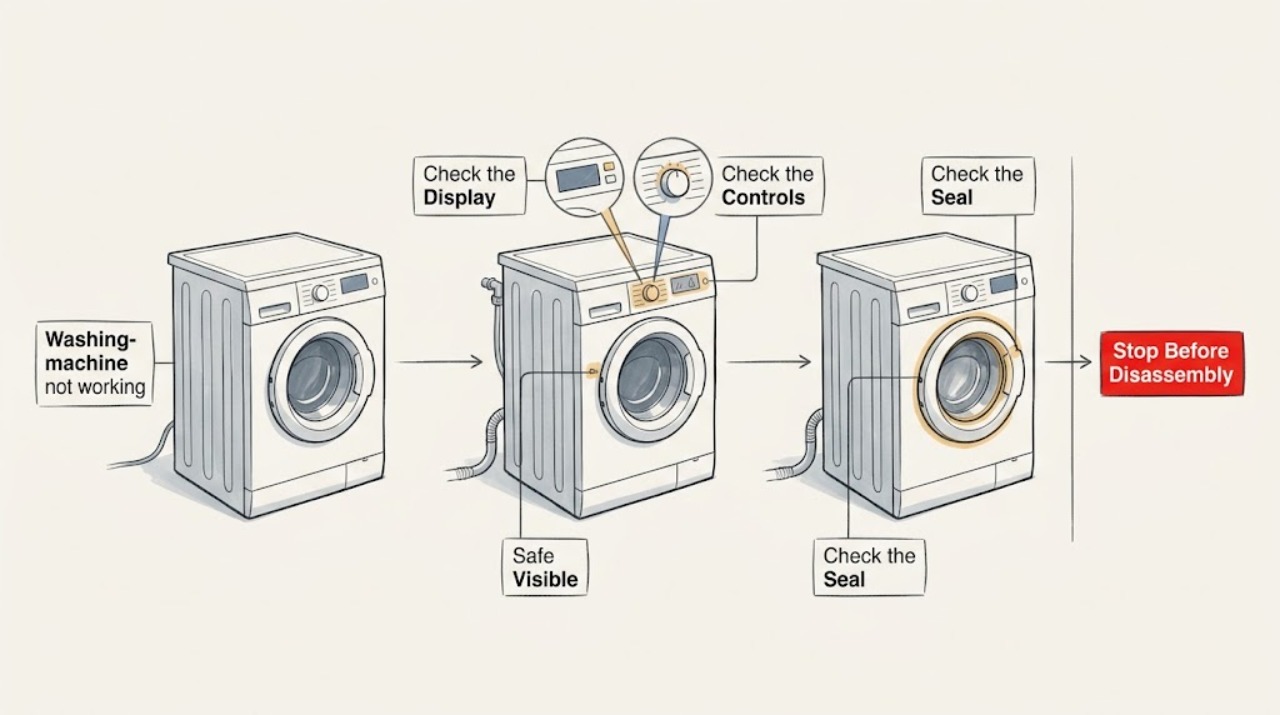
First identify what ‘not working’ means on the Candy washing machine: no lights or display, a programme that will not start, a cycle that stops with water inside, or a machine that starts and then stops. Check the outlet and controls without opening the cabinet, make sure the door closes and the water supply is available, and confirm that delay, pause, or a no-spin option is not selected. If water remains, inspect the accessible drain hose and filter only with power safely isolated and towels ready. Do not continue using the washer if it leaks, smells of burning, trips protection, has a damaged cord, or repeatedly stops; arrange qualified service.
Work through in order
Diagnostic checks
Use only checks that match the exact appliance or system and its official guide.
-
Check 1
Classify the symptom before changing anything: check whether the display and programme lights are blank, whether the display responds but Start does nothing, whether the drum begins and then stops, or whether the cycle finishes with water still inside.
Expected result: A blank machine has no visible response; a responsive machine that will not start has a start, door, programme, or supply condition; a stopped cycle with water has a drain-path clue.
Next step: Follow the branch that matches the visible symptom and record any displayed code or unusual sound for the model manual or technician.
Why this matters
Why: These symptoms lead to different checks, so replacing a pump or control without identifying the stage can misdiagnose the fault.
-
Check 2
For a blank display, check that the household outlet switch is on and that the Candy power plug is fully seated only when the plug and surrounding area are dry; check the home's electrical protection status without opening the appliance.
Expected result: Other appliances also lack power, or the washer returns briefly and then loses power; alternatively, the outlet works but the Candy display remains blank.
Next step: Restore only an obvious household supply issue. If the washer remains blank, the cord is damaged, or protection trips again, stop and arrange qualified service.
Why this matters
Why: A shared supply issue is outside the washer; a working outlet with a blank washer display points toward the cord, internal power path, or controls.
-
Check 3
For a lit display that will not start, close the door firmly and check the model controls for pause, delay start, child lock, a programme that excludes the expected stage, or an unconfirmed Start command; confirm that no garment is caught at the door seal.
Expected result: The door closes evenly and the programme starts after the setting is corrected, or the lock indication remains, the door will not close, or the washer still ignores Start.
Next step: Use the exact Candy manual for the controls and door-lock behavior. Do not force the door or bypass its lock; arrange service if the door or lock remains abnormal.
Why this matters
Why: A door interlock or programme state can prevent movement even when the washer has power; a persistent lock or no-start state needs model-specific diagnosis.
-
Check 4
If the washer does not fill or stops shortly after starting, check that the household water tap is open and that the visible inlet hose is not kinked or visibly damaged; keep the supply closed if a connection is spraying or leaking.
Expected result: No water enters with an open tap and clear visible hose, or water enters after the supply path is restored; a leak, damaged hose, or repeated no-fill symptom remains.
Next step: Correct only an obvious tap or hose-position issue permitted by the model instructions. For a damaged connection, leak, or persistent no-fill fault, stop using the washer and arrange service.
Why this matters
Why: A missing water supply can prevent a programme from progressing, while a leak or persistent no-fill condition can involve the inlet valve, hose, or internal control path.
-
Check 5
If the programme stops with water inside or will not advance to spin, check the selected programme and visible drain hose for a kink or blockage; with power isolated and towels ready, clean the accessible pump filter only as the Candy model manual directs.
Expected result: The selected programme intentionally retains water, or the filter, drain hose, or household drain is obstructed; a clear drain path still leaves water in the drum.
Next step: Restore the model-approved drain path and run a suitable empty test only if no leak or electrical hazard exists. If the pump does not operate, the filter is inaccessible, or water remains, request service.
Why this matters
Why: Candy explains that some programmes exclude final drainage and that a blocked filter, hose, drain, or pump can prevent the washer from draining and completing.
-
Check 6
After the external checks, note whether the washer stops at the same stage, shows an error message, trips household protection, leaks, smells of burning, or makes an unusual motor or pump sound.
Expected result: A repeatable stage or code, electrical trip, leak, burning smell, or abnormal sound remains after settings, supply, door, and drain checks.
Next step: Stop using the washer and provide the model identifier, code, stage, water level, and observations to qualified service. Do not open the cabinet or substitute a part based only on the symptom.
Why this matters
Why: A repeatable symptom after safe checks points to an internal lock, valve, pump, motor, sensor, wiring, or control fault rather than an operating mistake.
Use your observations
Decision map
Find the observation that best matches what you see, then follow the next safe action.
-
PATH 01Safety boundary
What you see
The display is blank, the cord or outlet area is damaged, or household electrical protection trips when the washer is used.
Do this next
Stop using the washer and arrange qualified electrical or appliance service; do not open the cabinet or retry a tripping appliance.
Why this path and its safety boundary
Safety stop: Continue with door, programme, water-entry, and drain checks.
-
PATH 02Safety boundary
What you see
The display is on but Start is ignored, the door will not lock, or the door does not close evenly.
Do this next
Check the model's pause, delay, and lock controls and remove only an accessible obstruction. Do not force or bypass the lock; arrange service if the condition remains.
Why this path and its safety boundary
Safety stop: Continue with the water-entry and drain-stage checks.
-
PATH 03Safety boundary
What you see
The washer stops with water in the drum and the programme is not intentionally retaining water.
Do this next
Isolate power, use towels, and follow the model manual for the accessible filter and drain-hose check. Escalate if the pump or drain path remains blocked.
Why this path and its safety boundary
Safety stop: Continue with the supply, controls, and repeat-symptom checks.
-
PATH 04Safety boundary
What you see
The machine leaks, smells of burning, makes smoke, or repeatedly stops after the safe checks.
Do this next
Close the water supply if safely possible, stop using the washer, and arrange qualified service. Keep clear of wet electrical areas.
Why this path and its safety boundary
Safety stop: Run only the model-approved cycle that matches the corrected condition and stop if the symptom returns.
Helpful context
Understand the symptom
‘Not working’ describes several different failures. A blank display points to the supply or controls; a lit display with no movement often points to the door, programme, or water-entry conditions; a stopped programme with water in the drum points to drainage. Note the last stage reached and any display message before trying a check.
Keep water and electricity separate while troubleshooting. Do not remove cabinet panels or handle internal wiring. Candy's own maintenance guidance directs owners to the manual for model-specific use, and its drain guidance limits user checks to safe access around the filter, hoses, and drain path before professional help.
Only after diagnosis
Potential parts
- washing machine door lock
Consider this only when the door closes correctly but the lock indication or start interlock remains abnormal and a technician confirms the lock path.
Confirm the complete Candy model identifier and the manufacturer's fit information before ordering any part. - drain pump
Consider this only after the programme, filter, drain hose, and household drain are clear and a technician identifies the pump as the failed path.
Use the exact model identifier and service diagnosis to confirm compatibility before selecting a component. - washing machine inlet valve
Consider this only when the household supply and visible inlet hose are correct but the washer still fails to fill and a technician confirms an inlet-path fault.
Do not infer fit from the Candy brand alone; confirm the model-specific component and installation requirements.
When checks do not resolve it
Need a professional?
Stop using the Candy washer and arrange qualified service for a blank display with a working outlet, repeated electrical trips, a damaged cord, a door that will not lock, a leak or flood risk, a burning smell or smoke, an inaccessible or persistent drain blockage, a repeated error, or a cycle that keeps stopping after safe supply, setting, door, and drain checks.
Common questions
FAQ
Why is my Candy washing machine not working at all?
Separate a blank display from a no-start or stopped-cycle symptom. Check the safe household supply, door closure, programme settings, water supply, and drain path. A working outlet with a blank washer or repeated electrical trip needs service.
Why does my Candy washing machine stop with water inside?
The programme may intentionally retain water, or the filter, drain hose, household drain, or pump path may be blocked. Follow the model manual for a safe accessible filter check with power isolated; persistent water needs service.
Can a Candy washing machine refuse to start because of the door?
Yes. A door that is not closed evenly, a trapped garment, or a lock condition can prevent starting. Check the visible closure and model controls, but never force or bypass the door lock.
When should I stop troubleshooting a Candy washing machine?
Stop for leaks, flooding, water near electrical areas, a burning smell, smoke, repeated electrical trips, a damaged cord, an abnormal door lock, or a fault that remains after safe supply, setting, door, and drain checks. Arrange qualified service.
Read the exact guide
Official sources
- Repairs & ServiceCandy · Candy authorized appliance repair and trained engineer service guidance
- User manualCandy · Candy appliance model-specific user manual and product-code lookup
- The washing machine won't drain, what should I do?Candy · Candy washing machine programme, filter, drain hose, pump, and safe drain troubleshooting
- Washing machine maintenance tipsCandy · Candy washing machine manual use, hose inspection, door, dispenser, filter, load, and detergent maintenance
Community feedback
Share a repair observation
Share a plain-text repair observation. Accepted observations are published automatically; this page may take a moment to update.