
On this page
Start here
Quick answer
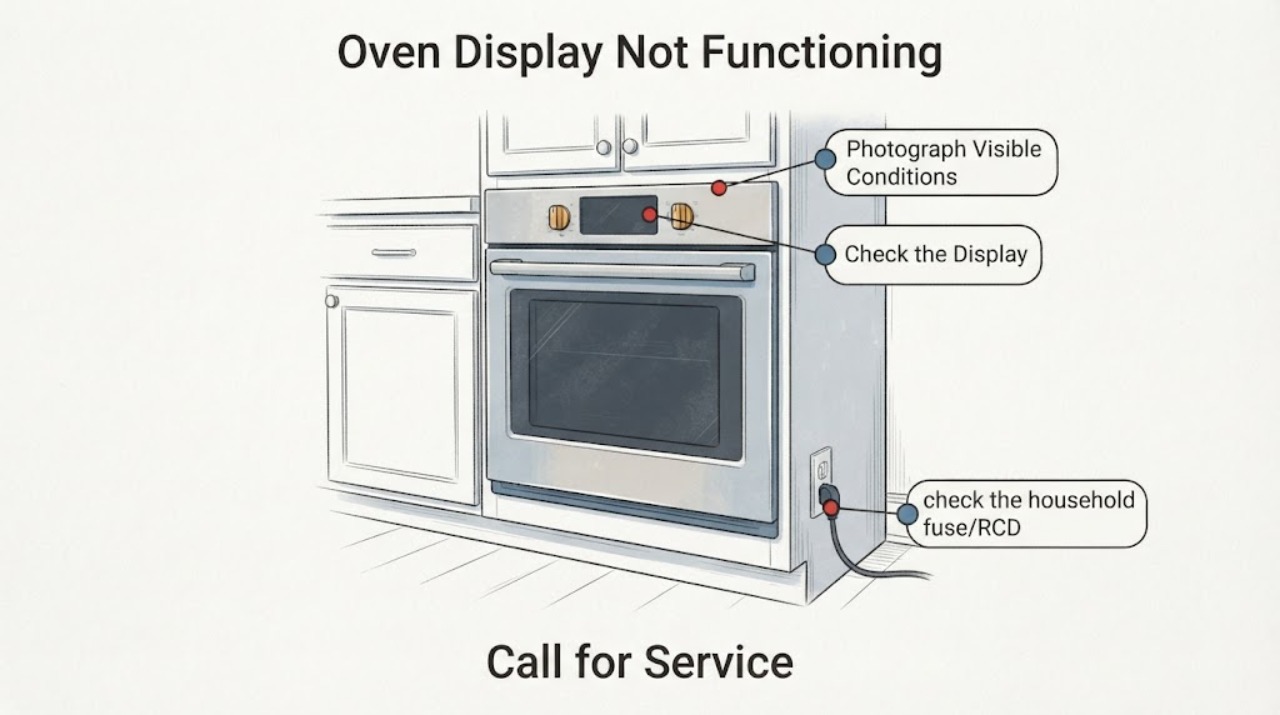
First separate a display that is intentionally off in standby from a display that stays blank while the oven also has no function. Electrolux says Standby Mode can turn off the display when the oven is not in use and gives a clock-plus-up-arrow method on supported controls, but also says to follow the appliance's own manual. If the display is dark together with no heating or operation, check the fuse or RCD/breaker status and record whether there was a power cut; do not open the oven or attempt electrical repair. A display that remains blank after the matching manual's external checks, a repeated trip, an error code, or visible damage needs service.
Work through in order
Diagnostic checks
Use only checks that match the exact appliance or system and its official guide.
-
Check 1
With the oven cool and the controls untouched, record whether the display is blank only after the oven is turned off, blank while the oven is selected or heating, or blank together with no response from any control. Note whether the reported temperature-down indication disappeared after a setting change, and photograph the rating plate if it is accessible without moving the appliance.
Expected result: The display returns when the oven is used, remains off only while idle, or stays blank while the oven also will not heat or respond.
Next step: Use the standby branch if the display wakes normally; otherwise check the fuse/RCD and power-event history. Do not open the oven to identify the display component.
Stop if: Stop if there is smoke, a burning smell, exposed wiring, water near electrical parts, visible damage, or a repeated protective-device trip.
Why this matters
Why: An idle-only blank display can fit Standby Mode. A blank display combined with no operation points toward a power, installation or appliance fault and cannot be diagnosed as a mere preference.
-
Check 2
If the display is off only when the oven is not in use, compare the controls with the exact user manual for the appliance. Electrolux documents one standby exit on supported ovens: turn the oven off and hold the clock icon and up arrow for a few seconds; use that combination only if the manual and icons match your oven.
Expected result: The display lights and the time returns after the documented standby action, or the controls/icons do not match and the display remains off.
Next step: Keep the matching manual with the appliance record. If the display remains blank despite the model-correct setting instructions, continue to the power check and arrange service if it persists.
Why this matters
Why: A display that returns confirms a standby or display-setting state rather than proving a failed display. A different control layout means the generic sequence cannot be assumed to apply.
-
Check 3
If the display is blank and the oven also does not heat or operate, check the household fuse/RCD or breaker status from the user-accessible electrical panel without removing any oven panel. Note whether there was a recent power cut and whether the digital clock is flashing or unset after power returns.
Expected result: The fuse/RCD or breaker is tripped, the clock shows a power-loss state, or the protective device is on but the oven display remains blank.
Next step: Follow the appliance's normal manual procedure for restoring a tripped protective device once if there is no hazard. If it trips again or the display remains blank, stop and contact a qualified technician or electrician.
Stop if: Do not repeatedly reset a fuse, RCD or breaker, and do not remove the oven cover or perform live electrical tests.
Why this matters
Why: Electrolux associates a blank display with a tripped fuse/RCD, a power-source or installation issue, and a clock that needs setting after a power cut. A normal protective-device state with a dead display requires appliance diagnosis.
-
Check 4
If the display is visible but the temperature-down indication or another setting changed, check the exact manual for standby, clock, duration/end-time, demo, or child-lock settings before treating the behavior as a dead display. Record any error code exactly as shown.
Expected result: The display responds and shows a setting/lock/demo indication, or it stays blank and no user control responds.
Next step: Use only the matching manual for a setting change. If an error code persists or the panel remains blank, provide the code and rating-plate data to service rather than guessing a control-board or display part.
Why this matters
Why: Electrolux lists clock, Duration/End, demo mode and Child Lock as model-dependent causes of an oven appearing not to operate; those settings do not establish a failed display. A fully blank, unresponsive panel remains unresolved.
-
Check 5
Before requesting service, record the exact model/PNC, serial number, display state, recent power interruption, fuse/RCD result, and whether any setting or standby action changed the screen. Keep the oven unused if the issue began with damage or a protection trip.
Expected result: The oven remains functional only intermittently, shows an error, has visible damage, or has a display that stays blank after the manual-specific external checks.
Next step: Contact Electrolux service, the installer/dealer where appropriate, or a qualified electrician for the power supply. Do not continue testing by cycling the oven repeatedly.
Why this matters
Why: Electrolux says functional problems after installation or first use and unresolved display/power issues should be reported with the appliance data; repeated trips may indicate a harmful electrical or component fault.
Use your observations
Decision map
Find the observation that best matches what you see, then follow the next safe action.
-
PATH 01Next step
What you see
The display is off only while the oven is idle and returns when the supported manual's standby control is used.
Do this next
Use the exact manual to keep or disable the standby setting; request service only if the display also fails during normal operation.
Why this path and its safety boundary
Why it matters: The observed change is consistent with Standby Mode rather than a confirmed display failure.
-
PATH 02Next step
What you see
The display is blank while heating and controls are also unavailable, or a fuse/RCD/breaker has tripped.
Do this next
Make one safe external power check; if protection trips again or the display stays blank, leave the appliance off and arrange trained service or electrical help.
Why this path and its safety boundary
Why it matters: Electrolux treats this pattern as a power-source, installation or appliance fault rather than a harmless display preference.
-
PATH 03Next step
What you see
The display is visible and responds, but only a temperature-down or other setting indication changed.
Do this next
Use the exact user manual to restore the intended setting and record any code; do not substitute a generic key sequence from another Electrolux oven.
Why this path and its safety boundary
Why it matters: The oven has not demonstrated a dead display; the behavior may be a model-dependent standby, clock, demo, lock or timing setting.
-
PATH 04Next step
What you see
The oven shows visible damage, repeatedly trips protection, or remains blank after the matching manual and external checks.
Do this next
Do not use the oven; provide the rating-plate data and symptom record to Electrolux, the installer/dealer, or a qualified technician.
Why this path and its safety boundary
Why it matters: The issue is outside safe user troubleshooting and may involve an electrical or appliance fault.
Helpful context
Understand the symptom
The observed change may be a display setting or a fault
The supplied report describes an Electrolux oven that used to show the temperature falling after switch-off and then stopped showing anything. That makes the first decision whether the display is off only while the oven is idle, or whether the display and oven functions are both unavailable. The task has no model number, so model-specific key combinations and settings must remain conditional.
Keep the check at the user-safe boundary
Use the display, controls, rating-plate information, fuse or RCD status, and visible signs of damage to describe the symptom. Do not remove panels, probe wiring, replace an unknown component, or continue using an oven that trips protection or has damage.
When checks do not resolve it
Need a professional?
Give service the complete model/PNC and serial number, whether the display is blank only when off or blank during operation, any recent power event, fuse/RCD result, exact error code, and whether the matching manual's standby check changed the display.
Common questions
FAQ
Does a display that turns off when the Electrolux oven is not in use always mean it is broken?
No. Electrolux documents Standby Mode as a cause of an off display on ovens. Confirm the exact model manual and use its supported standby control before treating the change as a failed display.
What if the oven display is blank and the oven also will not heat?
Check the accessible fuse/RCD or breaker state and whether there was a power cut. If the protective device trips again or the display remains blank, stop and arrange qualified service rather than opening the oven.
Can I use a different Electrolux oven's button sequence to restore the display?
No. Electrolux's standby article gives a clock-and-up-arrow sequence for supported controls but directs users to the exact appliance manual. Without the model-specific manual, do not assume another oven's sequence applies.
Read the exact guide
Official sources
- Oven Trips Fuses or Circuit Breaker – Causes & How to FixElectrolux UK Support · Electrolux oven family electrical-safety and service boundary applied to the assigned display-not-functioning problem; repeated protection trips are not treated as a DIY component diagnosis.
- The time is not shown on the display when the oven is turned offElectrolux UK Support · Electrolux oven family guidance applied to the assigned oven display-not-functioning problem; exact key availability remains model-dependent and the page directs users to the matching manual.
- Oven does not heat upElectrolux UK Support · Electrolux oven family guidance for the assigned display-not-functioning problem, including blank/dark display, power cut, clock, duration/end, demo and child-lock branches; no model-specific setting is inferred.
- Oven has visible signs of damageElectrolux UK Support · Electrolux oven family safety and service guidance applied to the assigned display-not-functioning problem; no model-specific repair is inferred.
Community feedback
Share a repair observation
Share a plain-text repair observation. Accepted observations are published automatically; this page may take a moment to update.