
On this page
Start here
Quick answer
Start by separating a preheat or cooking-setup problem from a persistent temperature-control problem. Electrolux says to preheat with the oven empty, keep the door closed until the ready signal, and allow up to 20 minutes; rack position and bakeware can change results. For convection, use the model guidance and remember that Electrolux commonly calls for about 25°F less than a traditional recipe. Keep foil, liners and bakeware off the oven floor so air can circulate. If results stay consistently wrong after the exact model manual's calibration procedure, or the oven reports F10/thermal runaway or becomes abnormally hot, turn it off, let it cool and arrange qualified service. Do not open panels, adjust heating or gas parts, or run repeated high-heat tests.
Work through in order
Diagnostic checks
Use only checks that match the exact appliance or system and its official guide.
-
Check 1
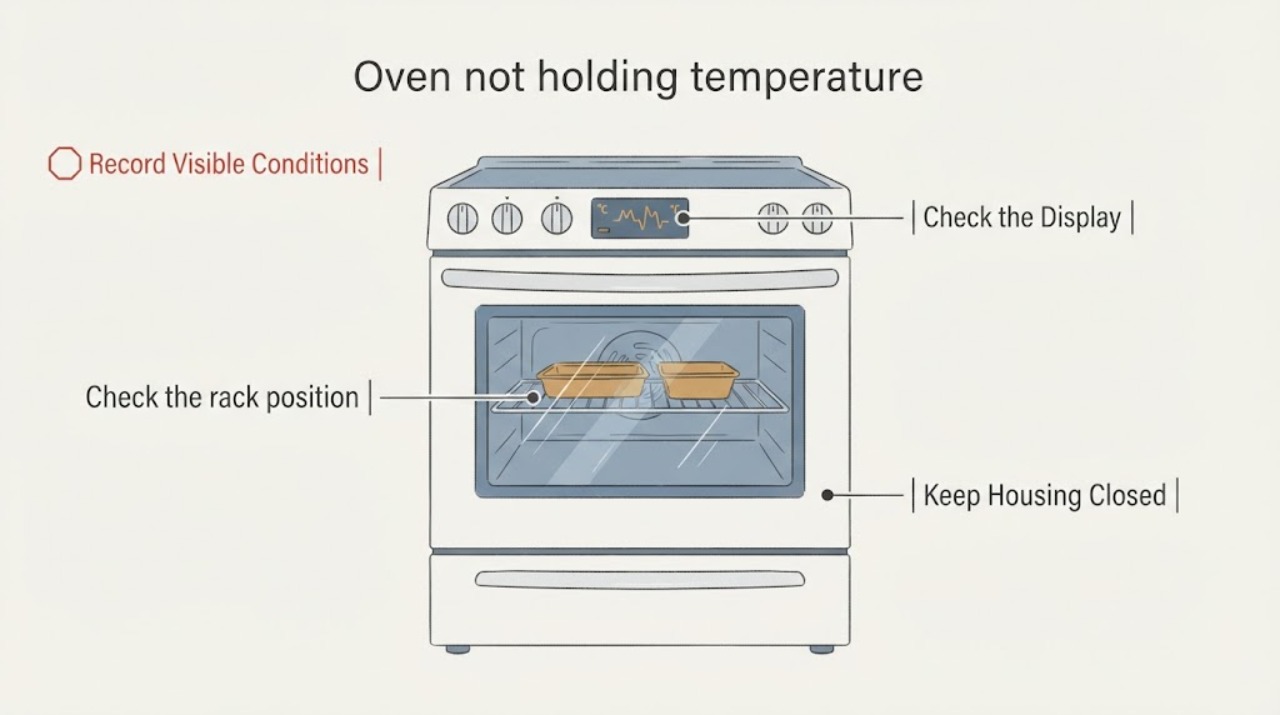
Record the exact model/serial, gas or electric fuel type, selected temperature, cooking mode, rack used, preheat duration, ready signal and the repeatable result that suggests the oven is not holding temperature.
Expected result: The problem occurs only in convection, only on one rack or bakeware setup, before the ready signal, or across modes after a complete preheat; note any F10 or other display.
Next step: If F10 or abnormally high heat is present, stop using the oven, let it cool and use the thermal-safety branch. Otherwise continue with the matching setup check.
Stop if: Do not run repeated high-heat cycles just to create a diagnosis.
Why this matters
Why: A setup-specific result can point to mode, rack, bakeware or preheat conditions, while a repeatable cross-mode problem after a valid preheat needs the model-manual/service path. An unverified display must not be assigned a code meaning.
-
Check 2
Run one controlled preheat with the oven empty, the door closed and the intended cooking mode selected; wait for the Electrolux ready signal before placing food inside.
Expected result: The oven reaches its ready signal in the expected process, takes much longer than expected, or never signals readiness; the oven remains empty during preheat.
Next step: After the ready signal, repeat the same recipe/setup once and compare the result. If the oven cannot reach readiness or repeatedly overheats, stop and arrange service.
Stop if: Do not add food early or keep opening the door to check progress.
Why this matters
Why: Electrolux says proper preheating helps the oven reach and maintain the right temperature and may take up to 20 minutes. A result before the ready signal cannot establish that the oven failed to hold temperature.
-
Check 3
Check the rack position and cookware against the recipe and exact Use & Care manual, then repeat with the same rack and bakeware; if using convection, use the model-recommended rack arrangement and its temperature conversion.
Expected result: The result changes when rack, pan material/shape or convection settings change, or remains wrong with the same documented setup.
Next step: Use the setup that matches the manual and recipe. If the same error persists across the correct setup, proceed to the airflow and calibration checks.
Stop if: Do not infer a failed heating element or sensor from one recipe or one pan.
Why this matters
Why: Electrolux says rack placement and bakeware can affect results; for convection it says to follow the manual and in most cases use about 25°F less than a traditional recipe. This is a cooking-setup distinction, not a component diagnosis.
-
Check 4
Inspect the oven floor while it is cool and remove only user-placed foil, liners or bakeware from the bottom; keep the bottom clear and do not remove panels or heating/gas parts.
Expected result: The bottom is obstructed by foil/liners/bakeware, or it is already clear and the temperature problem remains.
Next step: With the oven cool, keep the bottom clear and repeat the documented cooking setup once. If the issue persists, use model-specific calibration/service.
Stop if: Do not add foil or a liner to compensate for uneven heating.
Why this matters
Why: Electrolux says items on the oven bottom can affect air circulation and direct heat. A clear bottom removes that setup variable but does not identify an internal failure.
-
Check 5
If the problem remains consistent after a full preheat and correct rack, cookware, mode and airflow setup, open the exact Electrolux Use & Care manual and follow only its temperature-calibration instructions.
Expected result: The manual provides calibration for this model and the result improves, or calibration is unavailable/does not correct the repeatable deviation.
Next step: Use only the exact model procedure, record the change and stop if the manual does not cover the observed condition.
Stop if: Keep the oven off and arrange qualified service rather than adjusting internal wiring, sensors, elements, igniters or gas components.
Why this matters
Why: Electrolux says calibration may be needed for inconsistent results and that the procedure varies by model. A calibration menu or value from another model is not evidence for this oven.
-
Check 6
Stop using the oven and arrange qualified service if F10/thermal runaway appears, the oven becomes abnormally hot, it cannot reach the selected temperature, or the temperature remains wrong after the exact-manual checks.
Expected result: The safety display clears only after cooling/reset, returns, or the oven shows smoke, flame, gas odor, damaged wiring or another unsafe sign.
Next step: Leave the oven off; for gas odor or flame, leave the area and follow local gas/emergency guidance. Do not restart to reproduce the fault.
Stop if: A resolved setup issue does not prove an internal repair; continue only within the exact manual and normal operating limits.
Why this matters
Why: Electrolux describes F10 on standard range and wall ovens as higher-than-normal temperature detection and directs the user to turn the oven off, let it cool and contact support if it persists. The other unsafe signs also exceed a generic user-level calibration article.
Use your observations
Decision map
Find the observation that best matches what you see, then follow the next safe action.
-
PATH 01Next step
What you see
The oven has not completed an empty, door-closed preheat or the ready signal has not occurred.
Do this next
Allow the documented preheat to finish before judging the result; if it cannot reach readiness, stop and arrange service.
Why this path and its safety boundary
Why it matters: The cooking result does not yet test temperature holding under Electrolux's stated preheat conditions.
-
PATH 02Next step
What you see
The result changes with convection, rack position or cookware, while the oven otherwise reaches the ready signal.
Do this next
Use the exact manual for rack positions and convection conversion, and keep the same documented setup for comparison.
Why this path and its safety boundary
Why it matters: The pattern is more consistent with mode, rack or bakeware setup than proof of a failed temperature component.
-
PATH 03Next step
What you see
Foil, a liner or bakeware is on the oven floor.
Do this next
After the oven cools, keep the floor clear and repeat the proper setup once; do not use the obstruction as a workaround.
Why this path and its safety boundary
Why it matters: Electrolux says bottom obstructions can affect air circulation and direct heat.
-
PATH 04Next step
What you see
The same deviation persists across a completed preheat and correct setup, and the exact manual has a calibration procedure.
Do this next
Follow only that model's calibration instructions; if it fails or the manual does not cover the symptom, request service.
Why this path and its safety boundary
Why it matters: Electrolux identifies model-specific calibration as the next user-level adjustment for inconsistent results.
-
PATH 05Next step
What you see
F10/thermal runaway, abnormal overheating, smoke, flame, gas odor or damaged electrical parts are present.
Do this next
Turn the oven off, let it cool when safe, leave the area for gas odor/flame and use qualified service or emergency gas guidance; do not open or repeatedly test it.
Why this path and its safety boundary
Why it matters: This is a safety or professional-service condition, not a generic temperature calibration problem.
Helpful context
Understand the symptom
Confirm what “not holding temperature” means
Record the selected temperature, cooking mode, fuel type, model number, preheat time and the repeatable cooking result. An oven that reaches the ready signal but gives inconsistent food results may need a rack, bakeware or mode correction; an oven that becomes abnormally hot or shows F10 belongs in the safety/service path. This page keeps those situations separate because the exact model and deviation were not supplied.
Give the oven a valid preheat
Electrolux says the cavity should be empty during preheat, the door should stay closed, and the ready signal should be used before food goes in. Waiting for the signal matters because placing food before the oven has reached the selected temperature can look like a temperature-control failure.
Use the mode and airflow the model expects
Rack position and cookware change cooking results. Electrolux also gives separate convection guidance and says the oven bottom must remain clear of foil, liners and bakeware so air and direct heat are not disrupted. These are user-level setup checks; they do not prove an internal component failure.
Calibrate only from the exact manual
If the same temperature error remains after a valid preheat and setup check, use the Electrolux Use & Care manual for the exact model. Electrolux says calibration instructions vary by model. Do not copy a button sequence from another oven family or make an internal adjustment.
When checks do not resolve it
Need a professional?
Arrange qualified service if the oven cannot reach the selected temperature, remains inconsistent after exact-manual setup and calibration, reports F10/thermal runaway, becomes abnormally hot, or shows smoke, flame, gas odor or electrical damage. Do not continue testing an unsafe oven.
Have this ready
- exact model and serial
- gas or electric type
- selected temperature and mode
- preheat/ready-signal behavior
- rack and cookware used
- repeatable under/over-temperature result
- any display code, smoke, flame, gas odor or visible damage
Common questions
FAQ
How long should I preheat an Electrolux oven before judging temperature?
Electrolux says to preheat with the oven empty, keep the door closed and wait for the ready signal; it notes this can take up to 20 minutes. Use the exact model manual for any model-specific behavior.
Can a rack or pan make an oven seem unable to hold temperature?
Yes. Electrolux says rack placement and bakeware can affect results, and its convection guidance requires model-recommended rack positions and usually about 25°F less than a traditional recipe.
Can I put foil or a liner on the bottom to correct uneven heating?
No. Electrolux says foil, liners and bakeware on the oven bottom can affect air circulation and direct heat; keep the bottom clear.
When should I calibrate or call service?
Use calibration only if the exact Electrolux Use & Care manual supports it. If the problem persists, the model procedure is unavailable, or F10/abnormal overheating, smoke, flame, gas odor or electrical damage occurs, stop using the oven and arrange qualified service.
Read the exact guide
Official sources
- Ovens - Can you use aluminum foil in an air fryer oven?Electrolux Owner Support · Official Electrolux oven guidance on foil, liners, bakeware and keeping the oven bottom clear; applies to the airflow check, not to diagnosis of internal components.
- Ovens - How do I use Quick Preheat or Preheat?Electrolux Owner Support · Official Electrolux oven preheat instructions; use only where the exact model exposes the described preheat control.
- Ovens - How do I use Convection Bake?Electrolux Owner Support · Official Electrolux convection-bake guidance; exact rack positions and controls remain model-manual dependent.
- Oven Error Codes and Alarms GuideElectrolux Owner Support · Official Electrolux guidance for the listed oven families; F10 scope is explicitly standard range ovens and wall ovens.
- Oven - Is too HotElectrolux Owner Support · Official Electrolux support guidance for range ovens and wall ovens; applies to preheat, rack/bakeware setup, calibration and service escalation, with model-specific calibration instructions.
Community feedback
Share a repair observation
Share a plain-text repair observation. Accepted observations are published automatically; this page may take a moment to update.