
On this page
Start here
Quick answer
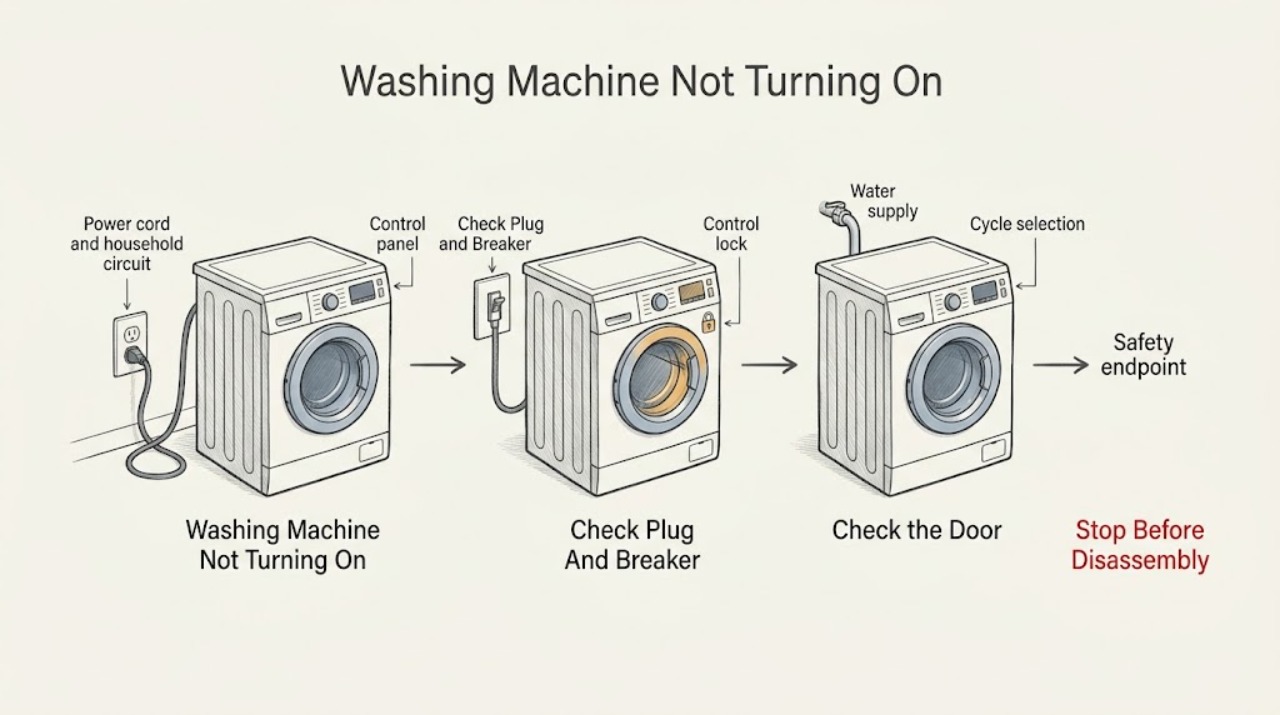
First separate a completely dark Electrolux washer from a powered washer that will not start. Check the plug and household breaker from ordinary access, do not use an extension cord, and confirm the washer's door or lid is fully closed. Then cancel Delay Start or pause, press START after selecting a cycle, and check whether a control-lock indication such as LOC is active on models that have it. Electrolux notes that a washer can turn itself off after sitting without START and will not operate with an improperly closed lid; water valves also need to be on for the machine to operate properly. If the panel remains blank after a safe supply check, the breaker trips again, the lock cannot be cleared, or the washer still will not start, stop troubleshooting and arrange qualified Electrolux service or electrical help. Do not remove panels, bypass a latch, probe live wiring, or repeatedly reset the circuit.
Before you begin
Safety first
- This article supports ordinary-access control, plug/breaker, door/lid, lock, and water-supply checks plus one exact-manual-permitted reset. It does not authorize live electrical testing, cabinet removal, safety bypass, pressurized hose disconnection, or part replacement.
Work through in order
Diagnostic checks
Use only checks that match the exact appliance or system and its official guide.
-
Check 1
Press one normal control from a dry, safe position and observe the Electrolux display, indicator lights, and sounds; do not repeatedly press controls or reach behind the machine.
Expected result: Record whether the panel is completely dark, partially lit, showing a code or LOC, responsive but waiting, or turning off immediately.
Next step: For a dark panel, perform the ordinary plug and breaker check; for a lit panel, proceed to cycle, door/lid, and lock checks using the exact manual.
Stop if: Stop for smoke, burning smell, hot or damaged wiring, water at electrical connections, a damaged control, or a breaker that trips.
Why this matters
Why: A dark panel points toward the power/control path, while a lit responsive panel suggests a selection, lock, door/lid, water, or cycle-state issue. A displayed code is model-specific and must not be decoded from another washer.
-
Check 2
From ordinary access, confirm the power cord is firmly connected to the intended wall outlet and inspect the household fuse or breaker for a trip; do not use an extension cord or open the washer.
Expected result: Record whether the plug was loose, the outlet is visibly damaged or dead, the breaker/fuse was open, power returns after one safe reset, or the breaker opens again.
Next step: If safe and permitted by the household setup, restore the breaker or fuse once and verify the washer; contact a qualified electrician or appliance technician when power does not return or the circuit trips again.
Stop if: Do not increase fuse capacity, touch exposed conductors, reset a hot/damaged circuit, use a wet outlet, or continue after a repeat trip.
Why this matters
Why: Electrolux lists a loose cord, blown fuse, or tripped breaker as possible reasons a washer will not start and warns against extension-cord use. A repeat trip indicates an electrical or appliance fault, not a successful fix.
-
Check 3
With the panel powered, select the intended cycle, cancel any unintended Delay Start or pause, close the door or lid fully, and press START according to the exact model manual.
Expected result: Record whether START is accepted, the washer turns itself off after inactivity, a door/lid warning remains, the cycle is delayed, or the control responds but no fill or movement begins.
Next step: Repeat the correct selection once after clearing the documented state; if the latch appears closed but the machine still refuses to start, arrange service rather than bypassing it.
Stop if: Do not force the door or lid, defeat a latch, reach into a moving drum, or continue if the door/lid, hinge, glass, or seal is damaged.
Why this matters
Why: Electrolux says a washer may turn off when left without START, may remain paused by Delay Start, and will not operate when the lid or door is not closed properly. These states can look like a dead washer even when power is present.
-
Check 4
If the display shows LOC or a control-lock icon, use only the exact Electrolux model's control-lock option to turn it off; do not try random key combinations or disconnect a lock wire.
Expected result: Record whether LOC clears and the washer accepts a cycle, remains locked, or changes to another error or unresponsive state.
Next step: After a documented unlock, select and start a cycle once; if the lock persists or another code returns, stop and provide the display and model to Electrolux service.
Stop if: Do not bypass the control lock, force the door, open the control panel, or continue if a child or person could be exposed to an unintended cycle.
Why this matters
Why: Electrolux defines LOC as an active control lock and states that cycles will not run while it is active. A lock that will not clear as documented may involve controls or the door system and needs service.
-
Check 5
If the panel accepts START but the machine does not begin filling, verify from ordinary access that the hot and cold water valves are on and that accessible inlet hoses are not kinked, loose, or leaking; do not disconnect a pressurized hose.
Expected result: Record whether both valves are open, a hose is kinked or reversed after recent installation, water starts within the normal model window, or the washer remains silent with no fill.
Next step: Correct only an accessible valve position or hose routing that the manual permits, check for leaks, and request service when the washer remains silent or the installation is uncertain.
Stop if: Stop for a leaking connection, corroded valve, water near electrical parts, a hose that must be forcibly removed, or any need to open the cabinet.
Why this matters
Why: Electrolux states that water must be turned on for proper operation and lists supply and hose conditions as common washer issues. A no-fill condition after the controls respond is different from a no-power condition.
-
Check 6
Only if the exact manual permits a reset and no hazard is present, disconnect power at the normal plug or household disconnect for the manual's interval, restore it once, and verify the washer without repeating the reset.
Expected result: Record whether the panel returns, a cycle starts, LOC or an error returns, the display stays blank, or the breaker trips again.
Next step: Stop using the washer when the fault persists and contact Electrolux service or a qualified electrician with the model, display, power check, door/lid result, and reset result.
Stop if: Do not perform repeated resets, bypass safety interlocks, probe wiring, or operate after smoke, burning smell, water intrusion, or a breaker trip.
Why this matters
Why: A one-time recovery can indicate a temporary control state but does not confirm a repaired appliance. A returning error, blank panel, or repeat trip requires a professional diagnosis.
Use your observations
Decision map
Find the observation that best matches what you see, then follow the next safe action.
-
PATH 01Safety boundary
What you see
The panel remains completely dark and the plug/outlet or household breaker/fuse is loose, open, damaged, or uncertain.
Do this next
Correct only an accessible connection or one safe breaker/fuse state as appropriate, then arrange qualified electrical or appliance service if power does not return.
Why this path and its safety boundary
Why it matters: Power delivery or the appliance's power-control path is the leading boundary; a motor or pump diagnosis is premature.
Safety stop: Do not use an extension cord, touch exposed wiring, increase fuse capacity, or reset a circuit that trips again.
-
PATH 02Safety boundary
What you see
The panel lights and responds, but Delay Start, pause, missing START input, or a not-closed door/lid prevents the cycle from beginning.
Do this next
Cancel the documented delay/pause, close the door or lid, select the cycle again, and press START once.
Why this path and its safety boundary
Why it matters: The washer has power and may be in a normal user-selected or safety state rather than failed.
Safety stop: Stop if the latch, hinge, glass, lid, or seal is damaged or if the machine remains blocked after the manual procedure.
-
PATH 03Safety boundary
What you see
The display shows LOC or a control-lock indicator and the washer will not run.
Do this next
Clear the lock using the exact model's documented control-lock option, then retry one normal cycle.
Why this path and its safety boundary
Why it matters: Electrolux says control lock prevents washer cycles from running while active.
Safety stop: Do not bypass the lock or force the door; request service when LOC remains or another error appears.
-
PATH 04Safety boundary
What you see
The washer accepts START but does not begin filling, and the hot/cold valves or inlet hoses are off, kinked, reversed after installation, or leaking.
Do this next
Correct only a safe accessible valve or hose-routing issue under the manual, check for leaks, and arrange service if filling still does not begin.
Why this path and its safety boundary
Why it matters: A water-supply or installation condition can stop the cycle after the controls have responded; this is not the same as no electrical power.
Safety stop: Stop for water near electrical parts, a leaking/corroded valve, a pressurized connection, or any need to open the washer.
-
PATH 05Safety boundary
What you see
The panel stays dark or unresponsive, the door/lid and supply checks are normal, or the same fault returns after one permitted reset.
Do this next
Stop troubleshooting and arrange Electrolux appliance service; use a qualified electrician when the household circuit or outlet is implicated.
Why this path and its safety boundary
Why it matters: The cause may be the control, power path, latch, wiring, or another model-specific fault that cannot be identified safely from the front panel.
Safety stop: Do not open panels, probe live wiring, bypass the latch, or select a control board, fuse, or latch part by guesswork.
-
PATH 06Safety boundary
What you see
There is smoke, burning odor, hot or damaged wiring, water around electrical connections, a damaged door/lid, or a breaker trips again.
Do this next
Stop using the washer, isolate power only if safe without touching damage, keep the area clear, and arrange qualified appliance or electrical service.
Why this path and its safety boundary
Why it matters: The washer presents an electrical, fire, water, or physical hazard rather than a routine no-start condition.
Safety stop: Do not restore a tripping breaker, touch wet electrical parts, open the cabinet, or operate with damaged glass, latch, cord, or wiring.
Helpful context
Understand the symptom
Decide whether the washer has power
Press a normal control once and observe the display without repeatedly pressing buttons. A completely dark panel points toward the plug, outlet, breaker, fuse, cord, wiring, or control power path. A lit panel with no cycle activity is a different problem: the washer may be waiting for START, Delay Start, a door or lid closure, a control-lock change, or water. Do not assume a dark display means the motor or pump has failed.
Use the exact control sequence
Select a cycle, cancel an unintended Delay Start or pause, close the door or lid, and press START as the exact model manual describes. Electrolux notes that leaving the washer on without pressing START can cause it to turn off and require the selection to be made again. A front-load control lock may show LOC and prevent cycles from running until it is cleared through the model's control-lock option.
Check water only after controls respond
If the panel lights and the washer accepts START but does not begin filling, check that hot and cold supply valves are on and that accessible inlet hoses are not kinked or leaking. Electrolux says a washer will not function properly when water is not turned on. Do not loosen hose connections on a pressurized or leaking installation, and do not confuse a fill delay with a completely powerless washer.
Reset once, then use the result
If the exact manual permits a power reset and there is no water, heat, or electrical hazard, turn the relevant power off and restore it once. A reset that restores the panel may indicate a temporary control state; a blank panel, recurring code, or repeated breaker trip is not resolved by doing it again. Keep the model, display state, and reset result for service.
Know when a no-start condition is a service issue
Arrange qualified Electrolux appliance service when the panel remains dark after the outlet and breaker check, the door or lid appears closed but the machine refuses to start, the lock cannot be cleared, or a reset does not restore operation. Use a qualified electrician when the household circuit is overloaded or a breaker repeatedly trips. Stop immediately for smoke, burning odor, hot or damaged wiring, water around electrical connections, a damaged door or lid, or a breaker that trips again.
Safety boundary
Stop conditions
- Stop for smoke, burning odor, hot or damaged wiring, water near electrical connections, damaged door/lid/glass, or a breaker that trips again.
- Do not use an extension cord, increase fuse capacity, probe live wiring, remove panels, or bypass a door/lid latch or control lock.
- Do not force a locked door, reach into a moving drum, disconnect a pressurized or leaking water hose, or move an unstable appliance alone.
- Do not perform repeated power resets; one reset is a limited model-permitted check and does not prove a repair.
- Keep the washer out of use and arrange qualified service when the panel remains dark, LOC cannot be cleared, the same fault returns, or the machine will not start after the ordinary checks.
Only after diagnosis
Potential parts
- model-specific door or lid latch assembly
Consider this category only when qualified diagnosis confirms the latch or lock circuit prevents a correctly closed door or lid from being recognized.
Confirm the exact Electrolux model, load type, latch revision, and installation procedure; do not bypass or replace a latch from the symptom alone. - model-specific power or control assembly
Consider this category only after the outlet, breaker, cord, lock, and user controls are checked and a qualified technician isolates a control/power fault.
Verify exact model/revision, electrical rating, and manufacturer fit information; do not probe or substitute a board or fuse as a user test. - model-specific inlet valve or hose component
Consider this category only when the panel accepts START, safe water-supply checks are complete, and diagnosis confirms an inlet component or hose is preventing fill.
Confirm exact model, hose routing, connection, leak-safety requirements, and technician diagnosis before ordering.
When checks do not resolve it
Need a professional?
Arrange Electrolux appliance service when the panel stays dark after the plug and household-circuit check, the washer remains unresponsive after the exact door/lid, START, Delay Start, and lock procedures, the same fault returns after one permitted reset, or the machine accepts START but will not begin normally after safe water-supply checks. Use qualified electrical help for a damaged outlet, overloaded circuit, or repeated breaker trip. Treat smoke, burning odor, water at electrical parts, damaged wiring or glass, and any unsafe latch condition as immediate stop boundaries.
Safety scope: This article supports ordinary-access control, plug/breaker, door/lid, lock, and water-supply checks plus one exact-manual-permitted reset. It does not authorize live electrical testing, cabinet removal, safety bypass, pressurized hose disconnection, or part replacement.
Common questions
FAQ
Why is my Electrolux washer completely dark?
Check the cord, wall outlet, household breaker or fuse from ordinary access. Do not use an extension cord. If the panel remains dark after one safe circuit check, or the breaker trips again, arrange qualified appliance or electrical service rather than opening the machine.
Why does my Electrolux washer have power but not start?
Confirm the cycle selection, cancel Delay Start or pause, close the door or lid, and press START as the exact manual describes. A control lock can also block cycles on supported models. If the washer still refuses to start, request service.
What does LOC mean on an Electrolux washer?
Electrolux says LOC indicates that Control Lock is active and washer cycles will not run. Clear it only through the exact model's documented control-lock option; do not bypass the lock or force the door.
Can a water-supply issue make an Electrolux washer seem not to start?
Yes, if the panel accepts START but the cycle does not begin filling. Verify the hot and cold valves are on and accessible hoses are not kinked or leaking. A completely dark panel is a power/control branch, not a water-supply diagnosis.
When should I stop using an Electrolux washer that will not turn on?
Stop for smoke, burning odor, hot or damaged wiring, water near electrical parts, damaged door/lid/glass, or a breaker that trips again. Isolate power only if safe and arrange qualified appliance or electrical service.
Read the exact guide
Official sources
- How to Fix Your Front Load Washer: Not StartingElectrolux · Official Electrolux front-load support page; the detailed no-start checks are provided in the linked washer-start article and exact manual.
- What should I do if my washer does not start?Electrolux · Official Electrolux washer support for top-load and front-load no-start symptoms; exact model instructions control.
- Laundry Water Supply GuideElectrolux · Official Electrolux guidance for front-load and top-load washers; used here only for a powered washer that accepts START but does not fill.
- Laundry front loading washer displaying Error Code LOC control lock activatorElectrolux · Official Electrolux support for front-load models that display LOC; the exact model manual controls the lock procedure.
Community feedback
Share a repair observation
Share a plain-text repair observation. Accepted observations are published automatically; this page may take a moment to update.