
On this page
Start here
Quick answer
First define what not working means on your Electrolux washing machine: no display, controls that do not respond, a cycle that will not start, a cycle that stops while filling, or a tub that will not drain. Check power and the model's control-lock state, confirm the door or lid is securely closed, and verify both water supplies are open with hoses correctly connected and free of kinks. Electrolux says LOC means the control lock is active and that a washer may not function properly when the water is not turned on. Record any code before clearing it, and use the exact manual because front-load and top-load controls differ. Stop for burning odor, smoke, damaged wiring, repeated breaker trips, uncontrolled water, or unsafe access; if the basic checks do not restore operation, arrange qualified washer service.
Work through in order
Diagnostic checks
Use only checks that match the exact appliance or system and its official guide.
-
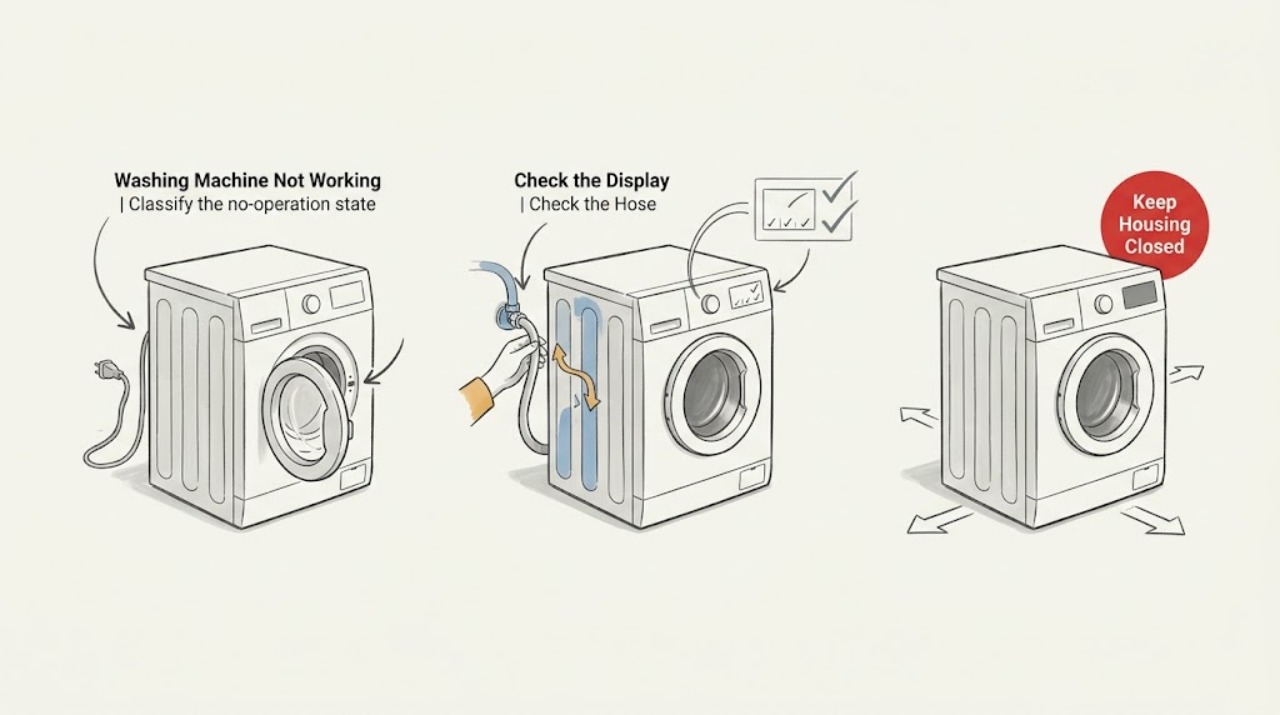
Classify the no-operation state
Record whether the display and interior light are completely blank, whether buttons or a cycle selector respond, whether the washer beeps or shows a lock symbol, whether the door or lid is latched, and at which stage the cycle stopped. Photograph any code before attempting to clear it.
Expected result: A blank display points first to household power or the appliance's power path. A lit display with no cycle usually points to a control-lock, door or lid, option, water-supply, or error condition rather than total power loss.
Next step: If there is smoke, burning odor, damaged wiring, or repeated breaker operation, stop and arrange service. If the display is lit, continue to the lock, door, and water checks; if it is blank, check only the accessible household power conditions described by the manual.
Why this matters
Why: The correct next check depends on whether the washer has power and whether its controls are intentionally preventing operation.
-
Check the control lock and door or lid state
Look for LOC, a padlock symbol, or another control-lock indicator and use the exact Electrolux control-lock sequence for the model. Close the door or lid firmly without slamming it, remove any item caught in the seal or latch area, and confirm the machine acknowledges the closed state. Never force a locked door or lid.
Expected result: Electrolux says LOC indicates that control lock is active and that cycles will not run while it is enabled. If the lock clears and the washer starts, the original issue was a control state. If the door or lid will not latch or the lock indication returns, an interlock or obstruction may be involved.
Next step: Run one normal start attempt after unlocking and closing the door or lid. If the lock cannot be cleared, the door remains unlatched, or the machine stops at the lock stage, keep it out of use and arrange service.
Why this matters
Why: A functioning washer can appear unresponsive when the control lock or door-sensing state prevents a cycle from starting.
-
Verify both water supplies and hose connections
Check that the hot and cold supply valves are open, the hoses are connected to the matching washer inlets, and the hoses are not kinked, pinched, or leaking. Inspect only the accessible connections and inlet screens described by the manual; do not loosen a pressurized connection or continue if water is spraying.
Expected result: Electrolux says the washer will not function properly if the water is not turned on, and identifies reversed hoses, restricted flow, loose connections, and clogged inlet filters as common issues. A washer that powers on but does not begin filling may therefore be waiting on water rather than failing completely.
Next step: Correct one obvious valve, hose-routing, or connection issue and check for leaks. If both supplies are available but the washer still will not fill or displays a recurring fill code, stop testing and use the model service path.
Why this matters
Why: Water supply is part of the start sequence on many washer models, so a fill problem can present as a no-operation complaint.
-
Read the exact error or option state
Write down every code, message, flashing light, selected delay, and cycle indicator. Compare it with the exact Electrolux owner's manual instead of assuming a code has the same meaning on every model. For example, LOC is a control-lock indication, while HO SE on certain front-load models indicates reversed hot and cold inlet hoses.
Expected result: A code that clears after its documented correction points to a known operating state. A code that returns, a display that remains frozen, or a cycle that stops at the same stage indicates an unresolved condition.
Next step: Perform only the manual-documented clear or restart step once. If the code returns or the washer remains inactive, record the exact display and arrange qualified service rather than repeatedly cycling power.
Why this matters
Why: Electrolux publishes model and configuration-specific guidance; a generic reset or code list can send the diagnosis in the wrong direction.
-
Check whether the machine is paused by water level or draining
If water is already in the drum, note whether the washer is filling, draining, or simply paused with the door locked. Check the accessible drain hose for a kink or obvious blockage and follow the model manual for any user-accessible filter or emergency-drain procedure. Do not open a filter or hose connection without preparing for standing water and making the appliance safe first.
Expected result: A full drum can keep a door locked and prevent the next stage from starting. A drain restriction, pump obstruction, or pressure-sensing problem can make a working control panel look like a stopped machine.
Next step: Use only the model-approved drain procedure. If water will not move, leaks, the pump is silent or grinding, or the filter access is unclear, stop and arrange service.
Why this matters
Why: The presence of water changes the safe response: forcing the door or restarting a full cycle can cause flooding or leave the washer in a repeating fault state.
-
Rule out an installation or stability problem
If the washer was recently installed, moved, or stacked, verify from the installation manual that shipping materials were removed, the unit is level on a solid floor, the stacking kit and brackets are correct when applicable, and hoses are secured. Do not pull a stacked or loaded appliance out alone.
Expected result: Electrolux's laundry guidance links new-installation problems to shipping materials, leveling, stacking hardware, and unsecured hoses. A machine that starts and then pauses, shakes, or appears to stop can be reacting to an installation or stability condition.
Next step: Correct only an obvious setup issue that the manual permits the owner to correct, then make one supervised start attempt. If the unit remains unstable, stacked hardware is uncertain, or the no-operation symptom persists, call service.
Why this matters
Why: A change after installation or relocation is evidence for setup review before replacing a control or motor.
-
Use one model-approved reset and verify once
When there is no burning odor, smoke, uncontrolled water, damaged wiring, or other hazard, and the manual permits it, perform one documented power reset. Restore the supply and make one supervised start attempt with the door or lid closed, the lock cleared, both water valves open, and no laundry added until the washer responds normally.
Expected result: If the display and cycle return to normal, a transient control state may have cleared. If the washer is still blank, ignores Start, returns the same code, fails to fill, or stops at the same point, the fault is persistent.
Next step: Stop after one attempt and arrange qualified service for a persistent no-operation condition. Do not repeatedly cycle power or run unattended tests.
Why this matters
Why: A reset can clear a temporary state but cannot repair a door interlock, inlet valve, pump, sensor, motor, control, or wiring fault.
Use your observations
Decision map
Find the observation that best matches what you see, then follow the next safe action.
-
PATH 01Next step
What you see
The display is blank, there is no odor or wiring damage, and the household power condition is uncertain.
Do this next
Check only accessible power conditions using the exact manual. If power is present but the display stays blank, arrange service rather than opening the appliance.
-
PATH 02Next step
What you see
LOC or a lock symbol is displayed and the door or lid closes normally.
Do this next
Clear the control lock using the model-specific sequence, then make one normal start attempt.
-
PATH 03Next step
What you see
The washer has power but does not fill or shows a fill-related message.
Do this next
Verify both water valves, matching hose connections, flow, leaks, and accessible inlet screens. Use the manual and service branch for a recurring code.
-
PATH 04Next step
What you see
Water remains in the drum, the door stays locked, or the machine stops during drain.
Do this next
Follow the model-approved drain or filter procedure only if safe. Stop for a leak, blocked path, silent or grinding pump, or unclear access and call service.
-
PATH 05Next step
What you see
The washer remains inactive after the lock, door, water, code, installation, and one reset checks.
Do this next
Keep it out of use and arrange qualified service for controls, interlock, inlet valve, pump, motor, sensor, or wiring diagnosis.
-
PATH 06Next step
What you see
There is smoke, burning odor, damaged wiring, repeated breaker operation, uncontrolled water, or unsafe access.
Do this next
Stop immediately, keep clear of the appliance, and obtain qualified appliance or electrical help from a safe location.
Helpful context
Understand the symptom
Do not treat every stopped cycle as a dead machine
A washer can pause while filling, locking the door, draining, correcting an imbalance, or waiting for a selected option. A blank display is a power question; a lit display with no action is a control, door, water, or error question. Identify the state before repeatedly pressing Start or opening a locked door.
Water and electrical safety boundary
Keep water away from outlets and controls. Stop immediately for a burning smell, smoke, damaged cord or wiring, repeated breaker trips, uncontrolled filling or leaking, or a door that cannot be safely opened. Do not bypass a door lock, remove electrical covers, or reach into a running drum or pump.
Only after diagnosis
Potential parts
- door or lid interlock
Consider this only when the door or lid closes but the washer cannot confirm the lock during a documented start sequence.
Interlocks and connectors are model-specific; verify the exact model and qualified diagnosis before ordering. - water inlet valve
Consider this only after both supply valves, hoses, filters, and installation have been checked and a qualified diagnosis identifies an inlet fault.
Valve ports and electrical connections vary by model; do not substitute by appearance. - drain pump
Consider this only when water remains after the safe, model-approved drain-path checks and a technician confirms a pump or obstruction fault.
Pump fit, filter housing, and hose connections are model-specific; standing-water access requires the manual or qualified service.
When checks do not resolve it
Need a professional?
Arrange qualified Electrolux washer service when the display stays blank despite confirmed power, the washer ignores Start after the control lock and door checks, a fill or drain code returns, water remains in the drum, the pump is silent or grinding, or one model-approved reset does not restore operation. Stop immediately for burning odor, smoke, damaged wiring, repeated breaker trips, uncontrolled water, or unsafe access. Do not bypass a door lock or open electrical panels.
Common questions
FAQ
Why is my Electrolux washer not starting even though the display is on?
Check whether control lock is active, the door or lid is latched, a delayed option is selected, both water supplies are open, and a code is displayed. Use the exact model manual and stop after one documented restart if the washer remains inactive.
What does LOC mean on an Electrolux washing machine?
Electrolux says LOC indicates that control lock is active and cycles will not run while it is enabled. Use the model-specific control-lock sequence to unlock it; do not force the door or lid.
Can low or missing water supply make an Electrolux washer seem not to work?
Yes. Electrolux says the washer will not function properly if the water is not turned on. Verify both valves, matching hot and cold connections, hose condition, flow, and accessible inlet screens before calling service for a recurring fill problem.
What should I do if my Electrolux washer stops with water inside?
Do not force the locked door or lid. Follow the exact manual for a safe drain or filter procedure if the model provides one, prepare for standing water, and call service for a blocked path, silent or grinding pump, leak, or unclear access.
Read the exact guide
Official sources
- Laundry front loading washer displaying Error Code LOC control lock activator.Electrolux Owner Support · Control-lock indication and unlocking sequence when washer cycles will not run
- Laundry Water Supply GuideElectrolux Owner Support · Water valves, hose connection, reversed hoses, flow, inlet screens, leaks, and installation-related washer operation
- Laundry Washers Noises GuideElectrolux Owner Support · Shipping materials, leveling, stacking, hose routing, lock states, fill, drain, and vibration observations
- How to Fix Your Front Load Washer: Not StartingElectrolux Owner Support · Electrolux not-starting support route and related door, lock, water, detergent, noise, and service guidance
Community feedback
Share a repair observation
Share a plain-text repair observation. Accepted observations are published automatically; this page may take a moment to update.