
On this page
Start here
Quick answer
Start by identifying the exact Fisher & Paykel model and the event that triggers the beep; the sound is not a universal code across the brand. On the RF605Q, RF522/RF540/RF610, and RS80/RS90/RS9120 families covered by the opened guides, a beep after a refrigerator or freezer door remains open is a door alarm, while a Bottle Chill timer can sound after its timed cycle and a locked dispenser can beep when its pad is pressed. A flashing filter icon is a filter-maintenance reminder on Ice & Water or Automatic Ice models, not proof that a filter part has failed. If the refrigerator is warm, minimize door openings and protect perishable food; if the compartment is not getting cold, the Fisher & Paykel guides direct you to move perishables to another appliance or cooler and arrange service. If opening the refrigerator door produces a counted beep pattern with a sequence of temperature-panel lights, record both and contact Fisher & Paykel service. Do not guess an internal sensor, fan, valve, or control-board fault from an unidentified sound, and do not open panels or perform live electrical or refrigerant work.
Before you begin
Safety first
- This article covers model identification, visible closure and gasket observations, normal control indicators, the guide-authorized filter area, and external temperature/food-protection observations. Trained Fisher & Paykel service or qualified electrical/plumbing personnel must handle enclosure panels, wiring, sensors, fans, valves, controls, ice-maker internals, pressurized water connections, sealed refrigeration, and live diagnosis.
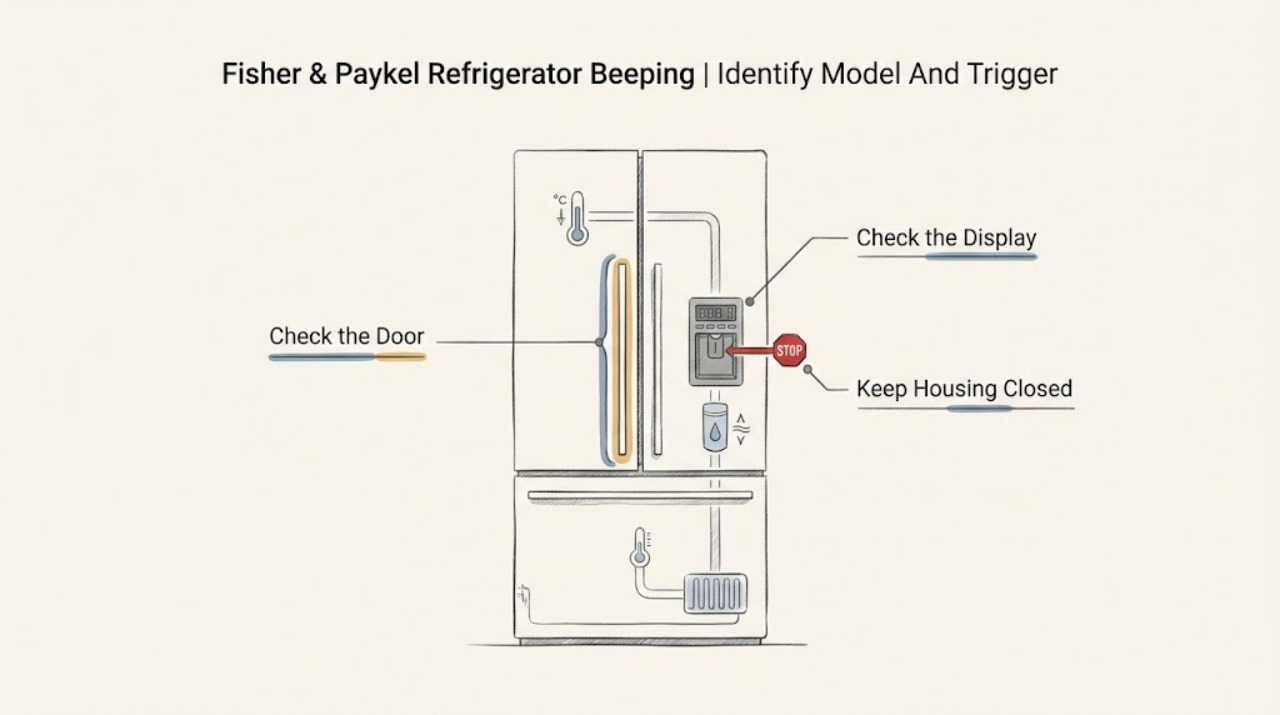
Work through in order
Diagnostic checks
Use only checks that match the exact appliance or system and its official guide.
-
Check 1
Read the model and serial label and identify the physical configuration before interpreting the beep. Record whether the refrigerator is an RF605Q four-door model, an RF522/RF540/RF610-style freestanding model, an RS80/RS90/RS9120 integrated or bottom-mount model, or another Fisher & Paykel family. Note which door or drawer is open, whether the panel shows a symbol or flashing temperature lights, and what action immediately preceded the sound.
Expected result: The beep is tied to one open door, a timed feature, dispenser use, a filter icon, a warm compartment, or a repeatable beep/light sequence; alternatively, it occurs at an unknown time with no visible indicator.
Next step: Continue with the branch matching the observed trigger and keep the exact model guide beside the appliance. If no trigger can be established, document the sound and use the professional-service branch rather than guessing.
Stop if: Do not remove trim or panels to find a model label, hold a door switch with a tool, or enter an unknown diagnostic mode.
Why this matters
Why: A repeatable trigger can be matched to a model guide. An unknown sound without a display or event is not enough to name a sensor, fan, compressor, valve, or board.
-
Check 2
Close every refrigerator and freezer door and any accessible drawer fully, then inspect only the visible gasket seating and the cabinet or shelf items that could hold a door open. Do not force the door. On the RF605Q and RF522/RF540/RF610 families, compare the timing: the opened guides describe a refrigerator-door alarm after about 90 seconds, a freezer-door alarm after about 60 seconds, and later beeps while a door remains open; the exact timing and controls are model dependent.
Expected result: The beeping stops as soon as all doors close, returns only when one door is left open, or continues with doors visibly closed; a gasket is folded or an item obstructs closure.
Next step: Remove only the visible obstruction, clean and reseat the accessible gasket as directed by the guide, and make one normal closure check. If the alarm continues with a closed door, record the door involved and move to the fault or service branch.
Stop if: Do not remove a hinge, door sensor, trim, or gasket assembly, and do not tape or defeat a door switch.
Why this matters
Why: A beep that follows an open door and stops when it closes is consistent with a door alarm. A dirty, folded, or poorly seated gasket or an obstruction can leave the door ajar and make that alarm recur. Continued beeping with properly closed doors is not automatically a door-seal diagnosis.
-
Check 3
Look at the normal control panel for Bottle Chill, key lock, Sabbath mode, dispenser lock, or another active icon. Ask whether the beep occurs after a timed Bottle Chill selection, after a button is pressed while the panel is locked, or when the water-dispenser pad is pressed. Use only the exact model guide to cancel the timed function or unlock the normal controls.
Expected result: The beep occurs once at the end of Bottle Chill, several beeps occur when a locked button or dispenser pad is pressed, a timed icon is flashing, or no user-state indicator is present.
Next step: Cancel Bottle Chill or unlock the control/dispenser only with the model-authorized button sequence. If the beeping is not described by that guide or returns with normal controls, record the indicator state and continue to fault escalation.
Stop if: Do not guess a button combination, repeatedly change modes, or bypass a lock or interlock.
Why this matters
Why: The RF605Q and RS80/RS90/RS9120 guides document a Bottle Chill reminder alarm, key-lock feedback, and dispenser-lock feedback on applicable models. These are user-state notifications and do not prove a failed internal part. If no documented user-state trigger matches, do not infer one.
-
Check 4
Check the displayed or indicated temperature setting and the actual symptom without dismantling the refrigerator: are foods or ice cream warming, is the motor running for long periods, was a large load recently added, or were doors opened frequently? Minimize door openings while observing whether cooling returns, and do not use a beep alone to label the cause as a temperature alarm.
Expected result: The cabinet is warm or food is melting, the temperature setting is not the expected model setting, doors were recently left open, a large amount of food was added, or the cabinet is cooling normally while the beep has another trigger.
Next step: Restore only the documented temperature setting if it was changed, keep doors closed, and move perishables to another appliance or cooler if cooling is inadequate. Arrange Fisher & Paykel service if the refrigerator remains warm, the alarm returns with abnormal temperature indicators, or cooling requires internal diagnosis.
Stop if: Do not remove the rear cover, touch the compressor or fan, add refrigerant, use a heat source to defrost, or continue storing perishable food in a refrigerator that is not getting cold.
Why this matters
Why: The opened guides list temperature setting, frequent or prolonged door openings, large recent loads, and hot conditions among warm-compartment or long-running causes. A warm cabinet plus beeping is a cooling/food-protection problem even when the guide does not identify a universal temperature-beep code. If the cabinet is not getting cold, the manufacturer directs the owner to protect perishables and arrange service.
-
Check 5
Only on a model equipped with Ice & Water or Automatic Ice, inspect the normal internal or external display for the water-filter replacement icon and look for visible dripping around the dispenser or filter area. Match the filter part number and replacement procedure to the model guide; the RF605Q and RS80/RS90/RS9120 guides place the filter internally and describe a replacement indicator, while the official 847200 page lists compatible model families but warns owners to check the old filter number.
Expected result: The filter icon illuminates or flashes when water is dispensed, water flow is reduced, water is visible around the filter/dispenser, or no filter indicator is present and the appliance is not a water-dispensing model.
Next step: If the exact guide authorizes consumer filter replacement, use the labeled compatible cartridge and its flushing/reset instructions, then verify all connections are dry. If the filter is not clearly identified, water leaks, the icon persists after the authorized reset, or the beep is unrelated, stop and arrange service or plumbing help.
Stop if: Do not force a cartridge, substitute an unverified filter, work on a pressurized connection, touch wet electrical areas, or reach into a moving ice-maker mechanism.
Why this matters
Why: A filter icon is a maintenance reminder and can coexist with normal refrigerator cooling; it is not a diagnosis of a valve or control board. A leak or water near electrical parts is a stop-use condition. A non-water model cannot use a water-filter explanation for its beep.
-
Check 6
If opening the refrigerator compartment door produces beeps together with a flashing or repeating temperature-light pattern, count the beeps and record the light sequence exactly once. Photograph the normal display if safe, note which door was opened, and do not clear the pattern before recording it. Silence the alarm only through the normal button specified by the guide.
Expected result: A repeatable counted beep pattern and temperature-light sequence appears, the beeping stops when a normal button is pressed but the lights remain, or no fault pattern is displayed.
Next step: Provide the exact model, serial information, beep count, light sequence, temperature symptom, and recent power or water event to Fisher & Paykel Customer Care or a trained service technician. Leave the refrigerator off if there is a hazard or if it is not cooling.
Stop if: Do not open panels, test sensors or wiring, repeatedly reset the appliance, or order a part from the beep count alone.
Why this matters
Why: Fisher & Paykel's RF605Q, RF522/RF540/RF610, and RS80/RS90/RS9120 documentation treats a counted door-open beep with temperature-light sequence as a fault indication and directs the owner to contact trained service. The number or pattern is information for diagnosis, not a safe user-level part code.
-
Check 7
Make a final service record after the safe external checks: exact model and serial, physical configuration, when the beep starts and stops, door/gasket result, timed-feature or lock result, temperature and food condition, filter icon and visible-water result, beep count/light sequence, and any cord, outlet, smoke, odor, or trip symptom.
Expected result: The sound stopped after a documented door or user-state correction, the filter reminder was handled by the exact guide, or beeping persists without a documented trigger or returns with warm temperatures, a fault pattern, water, or an electrical hazard.
Next step: Use the appliance only when the guide-authorized correction has resolved the sound and cooling/water conditions are normal. Otherwise leave it off and contact Fisher & Paykel trained service; use a qualified electrician for an external supply hazard and a qualified plumber for a water-connection issue.
Stop if: Stop immediately for smoke, sparks, burning odor, abnormal heat, a wet or damaged cord/outlet, a repeated breaker trip, refrigerant-circuit damage, a leak near electrical parts, or loss of cooling.
Why this matters
Why: A documented correction supports a user-state or maintenance reminder. Persistent or unexplained beeping, especially with warm storage compartments, fault lights, water, or electrical symptoms, requires diagnosis beyond an external sound description.
Use your observations
Decision map
Find the observation that best matches what you see, then follow the next safe action.
-
PATH 01Safety boundary
What you see
The beeping starts after one refrigerator or freezer door remains open and stops when the door is fully closed.
Do this next
Clear only visible obstructions, check that the gasket sits flat and seals, and make one normal closure check. Escalate if the alarm continues with the door closed.
Why this path and its safety boundary
Why it matters: This matches the documented door-alarm behavior for the cited ActiveSmart model families. A visible obstruction, folded gasket, or cabinet not level can make the alarm recur, but the beep does not by itself identify a failed door sensor.
Safety stop: Do not remove hinges, sensors, trim, or gaskets and do not defeat the door switch.
-
PATH 02Safety boundary
What you see
The beep occurs at the end of Bottle Chill, or pressing a locked control or dispenser pad produces several beeps.
Do this next
Cancel the timed function or unlock the control/dispenser using the exact model guide. If the control state is absent or the sound returns unexpectedly, capture the display and use the service branch.
Why this path and its safety boundary
Why it matters: The cited guides document Bottle Chill reminder alarms and lock feedback on applicable models. This is a control-state notification, not evidence that a board or dispenser actuator needs replacement.
Safety stop: Do not guess key combinations or bypass a control or dispenser lock.
-
PATH 03Safety boundary
What you see
The refrigerator or freezer is warm, foods or ice cream are melting, or the motor runs unusually long while beeping continues.
Do this next
Minimize door openings, move perishables to another appliance or cooler if the refrigerator is not getting cold, and arrange trained Fisher & Paykel service if cooling does not recover or internal diagnosis is needed.
Why this path and its safety boundary
Why it matters: The guides' temperature troubleshooting points to settings, frequent or prolonged door openings, large recent loads, hot conditions, or a cooling fault. A warm compartment should be treated as a food-protection issue; do not assume the sound is a dedicated temperature alarm unless the exact model guide says so.
Safety stop: Do not remove covers, work on the compressor or fan, alter refrigerant, or keep perishables in a cabinet that is not getting cold.
-
PATH 04Safety boundary
What you see
The beep is associated with a flashing filter icon or water/ice use, and the model has an Ice & Water or Automatic Ice system.
Do this next
Match the cartridge and reset/flush instructions to the exact model and filter label. Stop for any leak or water near electrical parts and arrange trained service or qualified plumbing help.
Why this path and its safety boundary
Why it matters: The filter icon is a documented replacement reminder on applicable models. Reduced flow or a visible leak may accompany a filter or water-path issue, but the beep does not select a valve or filter part by itself.
Safety stop: Do not install an unverified cartridge, work on a pressurized connection, or touch wet electrical areas.
-
PATH 05Safety boundary
What you see
Opening the refrigerator compartment door produces a repeatable number of beeps and a sequence of temperature-panel lights, or the sound returns with a fault indication.
Do this next
Record the pattern once, note temperature and water symptoms, and contact Fisher & Paykel Customer Care or a trained service technician. Do not keep clearing the alarm to continue operation.
Why this path and its safety boundary
Why it matters: The cited Fisher & Paykel guides identify this pattern as a fault alarm and direct the owner to record the beep count and light sequence for trained service. It is not a user-level code for choosing a part.
Safety stop: Do not open the control area, test wiring, or order a sensor, fan, valve, or board based only on the pattern.
-
PATH 06Safety boundary
What you see
The refrigerator beeps at an unknown time with doors closed, no timed feature or filter icon, normal cooling, and no documented fault display.
Do this next
Record a short description of timing, number of beeps, door state, display state, and model number; contact Fisher & Paykel service if the sound repeats or is disruptive.
Why this path and its safety boundary
Why it matters: The available official guides describe several normal alerts and sound types but do not provide a universal brand-wide meaning for an unidentified beep. A guessed component diagnosis would be unsafe and model-inaccurate.
Safety stop: Do not dismantle the refrigerator, probe live circuits, or continue repeated resets in an attempt to discover the cause.
-
PATH 07Safety boundary
What you see
The beep is accompanied by smoke, sparks, burning odor, abnormal heat, a wet or damaged cord/outlet, water near electrical parts, a repeated breaker trip, refrigerant-circuit damage, or loss of cooling.
Do this next
From a safe, dry position, disconnect power or turn off water only when that can be done without touching the hazard; ventilate for suspected refrigerant-circuit damage, keep away from sparks/flames, move perishables if safe, and arrange trained Fisher & Paykel service, qualified electrical help, or plumbing help as applicable.
Why this path and its safety boundary
Why it matters: This is a stop-use condition, not a sound-identification exercise. Fisher & Paykel's guides reserve electrical, refrigerant, and internal service for trained or qualified personnel and direct owners to protect food when the product is not getting cold.
Safety stop: Do not restart, touch wet electrical parts, open panels, handle refrigerant, or perform live testing.
Helpful context
Understand the symptom
The trigger matters more than the sound itself
Fisher & Paykel uses more than one refrigerator architecture and control layout. The RF605Q guide covers a four-door ActiveSmart refrigerator with separate refrigerator and freezer doors and optional Ice & Water or Automatic Ice functions. The RF522A, RF540A, and RF610A guide covers a different freestanding ActiveSmart family, while the RS80A, RS90A, and RS9120W guide covers integrated French-door and bottom-mount models. Use the guide that matches the model label. Note whether the beep starts after a door or drawer has been open, after a timed feature, when the dispenser is pressed, when a filter icon flashes, when the cabinet is warm, or only when a door is opened to reveal lights.
Safe boundary before investigating a beep
Keep the checks to the model label, doors and gaskets, normal control-panel indicators, the accessible water-filter area described by the guide, and external signs of cooling or water trouble. Keep hands away from an operating ice-maker mechanism. Do not remove covers, probe wiring, test energized terminals, disturb the sealed refrigerant circuit, or try to silence a fault by repeatedly power-cycling. If the cord or outlet is hot or damaged, there is smoke, a burning smell, water near electrical parts, a repeated breaker trip, refrigerant-circuit damage, or the appliance is not getting cold, stop using it and arrange trained Fisher & Paykel service or qualified electrical help as appropriate.
Safety boundary
Stop conditions
- Stop using the refrigerator for smoke, sparks, burning odor, abnormal heat, a hot or damaged cord/outlet, water near electrical parts, or a repeated breaker trip.
- If the refrigerator is not getting cold or perishables are melting, move food to another appliance or cooler when safe and arrange trained Fisher & Paykel service.
- Do not open covers, probe energized wiring, replace internal sensors/fans/valves/controls, disturb the sealed refrigerant circuit, or perform live tests.
- Do not bypass a door, drawer, ice-maker, dispenser, or control interlock, and do not keep clearing an unidentified fault alarm.
- Stop for a water leak or water near electrical parts; use trained appliance service or qualified plumbing help for the connection or internal water path.
When checks do not resolve it
Need a professional?
Safety scope: This article covers model identification, visible closure and gasket observations, normal control indicators, the guide-authorized filter area, and external temperature/food-protection observations. Trained Fisher & Paykel service or qualified electrical/plumbing personnel must handle enclosure panels, wiring, sensors, fans, valves, controls, ice-maker internals, pressurized water connections, sealed refrigeration, and live diagnosis.
Common questions
FAQ
Why is my Fisher & Paykel refrigerator beeping when the door is closed?
First confirm that the exact door and any drawer are closing without a visible obstruction and that the gasket sits flat. If opening the refrigerator door produces a counted beep pattern with a temperature-light sequence, the Fisher & Paykel guides treat it as a fault alarm: record the pattern and contact trained service. If there is no documented trigger or indicator, do not guess a door sensor or other part from the sound alone.
Can the water filter cause a Fisher & Paykel refrigerator to beep?
A filter replacement icon can illuminate or flash on applicable Ice & Water or Automatic Ice models, but the official guides describe it as a maintenance reminder rather than a universal beep code. Match the filter to the exact model and the number on the old cartridge. Stop for a leak or water near electrical parts and arrange service.
What if the beeping happens while the refrigerator is warm?
Treat the warm compartment as a cooling and food-protection symptom. Minimize door openings, check only the documented temperature setting, and move perishable food to another appliance or cooler if the refrigerator is not getting cold. Arrange Fisher & Paykel service rather than opening panels or trying to identify a compressor, fan, sensor, or refrigerant fault by sound.
Is every Fisher & Paykel refrigerator beep an error code?
No. The opened guides document door alarms, Bottle Chill reminders, lock feedback, filter reminders, and fault alarms, and they list normal refrigeration sounds separately. Only a beep pattern tied to the exact model's documented fault indicators should be treated as a fault path; an unknown sound should be recorded and referred to service without guessing a part.
Read the exact guide
Official sources
- ACTIVESMART™ REFRIGERATORFisher & Paykel Appliances · Official user and installation guide for RF605QDU and RF605QD models; optional Ice & Water and Automatic Ice behavior is limited to the applicable configuration.
- USER GUIDE — ACTIVESMART™ INTEGRATED REFRIGERATOR FRENCH DOOR REFRIGERATOR FREEZER RS80A & RS90A; BOTTOM MOUNT REFRIGERATOR FREEZER RS9120WFisher & Paykel Appliances · Official user guide for the listed RS80A, RS90A, and RS9120W model families; water/filter and external-display behavior is limited to the applicable model.
- Water FilterFisher & Paykel USA · Official Fisher & Paykel USA accessory page listing refrigerator families beginning with RF605, RF610, RS36, RS90, RS9120 and others; it explicitly directs the owner to check the old filter part number and does not replace the exact model guide.
- ACTIVESMART™ REFRIGERATOR — CONTEMPORARY FRENCH DOOR REFRIGERATOR FREEZER RF522A, RF540A & RF610AFisher & Paykel Appliances · Official multi-model user guide whose cover lists RF522A, RF540A, RF610A and additional bottom-mount families; exact controls and optional water/ice features depend on the model variant.
Community feedback
Share a repair observation
Share a plain-text repair observation. Accepted observations are published automatically; this page may take a moment to update.