
On this page
Start here
Quick answer
A Haier HRF15N3AGAS refrigerator that beeps after a door is opened or closed should first be checked for a door that is not fully sealed, a control response, or a temperature alarm. Confirm the doors close, inspect the gasket and accessible door area, and record whether the beep stops; repeated beeping with a warm cabinet, error display, or electrical hazard needs service.
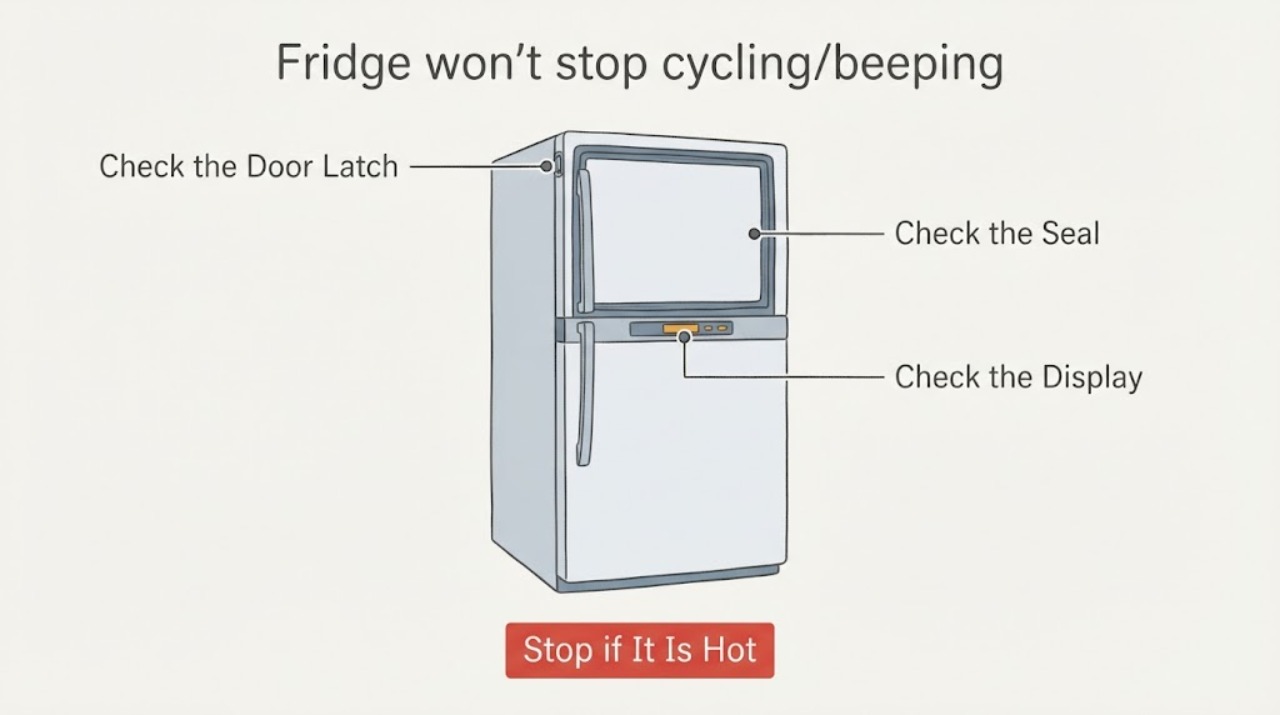
Work through in order
Diagnostic checks
Use only checks that match the exact appliance or system and its official guide.
-
Check 1
Close the refrigerator doors normally and watch whether the door alarm stops after the latch engages.
Expected result: The beep stops when both doors seal, or it continues with a visible gap or a door that rebounds.
Next step: Remove only an accessible obstruction and arrange service if the gasket, hinge, or door remains misaligned.
Stop if: Stop and arrange qualified service for smoke, burning odor, sparks, damaged wiring, water near electrics, or repeated protective-device trips.
Why this matters
Why: A door alarm or poor closure is more likely than an internal sound when the tone follows door position.
-
Check 2
Inspect the gasket, door edge, shelves, and drawers for food or packaging preventing the French doors from closing.
Expected result: The seal contacts evenly, or a package, drawer, or shelf holds a door open.
Next step: Clear the accessible obstruction and reassess; do not disassemble hinges or door wiring.
Stop if: Stop and arrange qualified service for smoke, burning odor, sparks, damaged wiring, water near electrics, or repeated protective-device trips.
Why this matters
Why: An obstruction can keep the door switch in an alarm state and raise cabinet temperature.
-
Check 3
Check the accessible display and controls for a blinking temperature, alarm icon, or error indication after the beep.
Expected result: The display shows a temperature or error alert, or it remains normal while the tone continues.
Next step: Record the display pattern and model number, then use Haier service if the alert returns or cannot be identified.
Stop if: Stop and arrange qualified service for smoke, burning odor, sparks, damaged wiring, water near electrics, or repeated protective-device trips.
Why this matters
Why: A display alert may indicate high temperature or a model-specific fault; a tone without a visible alert requires the exact manual.
-
Check 4
With the unit closed, note whether cooling is normal and whether beeping occurs only after opening and closing the door.
Expected result: Cooling is normal and the tone ends after a short door interval, or cooling is weak and the tone recurs.
Next step: Protect perishable food and arrange qualified Haier service for persistent beeping with weak cooling.
Stop if: Stop and arrange qualified service for smoke, burning odor, sparks, damaged wiring, water near electrics, or repeated protective-device trips.
Why this matters
Why: A brief door-related alarm is different from repeated alarm behavior accompanied by loss of cooling.
Use your observations
Decision map
Find the observation that best matches what you see, then follow the next safe action.
-
PATH 01Next step
What you see
The beep stops when the doors close fully and no display alert remains.
Do this next
Keep the gasket and door path clear; consult the HRF15N3 manual if the alarm interval is unclear.
Why this path and its safety boundary
Why it matters: Door position or an alarm timeout is the leading explanation.
-
PATH 02Next step
What you see
The beep continues with a door gap, uneven gasket contact, or a drawer that prevents closure.
Do this next
Correct only the accessible obstruction; seek appliance service for gasket, hinge, or harness damage.
Why this path and its safety boundary
Why it matters: The refrigerator may be reporting an open door, and continued operation can warm the cabinet.
-
PATH 03Next step
What you see
The beep repeats with blinking temperatures, an error pattern, weak cooling, smoke, heat, or electrical damage.
Do this next
Stop repeated testing, protect food, and arrange qualified service; do not open panels or bypass switches.
Why this path and its safety boundary
Why it matters: This pattern exceeds a simple door-alarm check and may involve temperature recovery, controls, or an electrical fault.
Helpful context
Understand the symptom
What the symptom can mean
This haier refrigerator symptom can come from an accessible condition, a control state, or a component that requires qualified service.
Use the result to choose the next step
Record what you observed and stop when the safety or service boundary below applies.
When checks do not resolve it
Need a professional?
Arrange qualified appliance service when the symptom persists after the documented user-accessible checks, a protective device trips again, or the diagnosis would require opening panels, accessing wiring, refrigerant circuits, sealed mechanisms, or motor and control components.
Common questions
FAQ
Can I keep using the refrigerator while this symptom continues?
Use it only when the accessible checks show normal operation and no safety warning; stop for persistent faults, heat, smoke, water near electrics, sparks, or repeated protective-device trips.
When should I stop troubleshooting?
Stop when the symptom repeats after the documented user checks, when a panel or sealed system would need to be opened, or when any electrical, fire, water, or mechanical hazard appears.
Read the exact guide
Official sources
- Installation and User Manual HRF15N3 French-Door Bottom Mount RefrigeratorHaier America · Haier HRF15N3AGAS HRF15N3AGS refrigerator
Community feedback
Share a repair observation
Share a plain-text repair observation. Accepted observations are published automatically; this page may take a moment to update.