
On this page
Start here
Quick answer
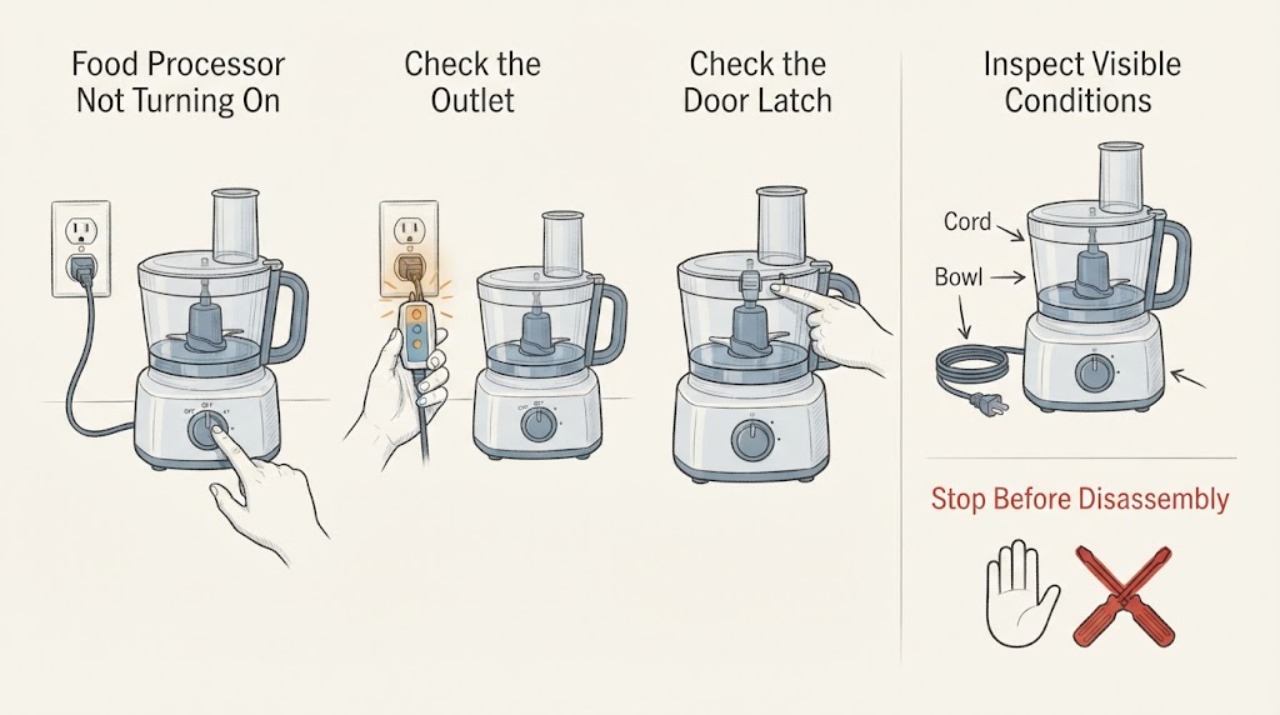
Start with a working outlet, then reseat the bowl and lid until the safety interlock is fully engaged. If power and locking are confirmed but the processor stays silent, hums, trips the supply, or smells hot, unplug it and arrange service.
Work through in order
Diagnostic checks
Use only checks that match the exact appliance or system and its official guide.
-
Check 1
Plug the processor into a known working outlet and check the plug, cord, and any reset GFCI or breaker.
Expected result: A lamp works in the outlet and the processor shows a light or motor response, or the outlet is dead.
Next step: Restore the outlet safely or continue with the bowl-and-cover check; do not open the motor base.
Why this matters
Why: A dead outlet is an incoming-power issue; power with no operation shifts attention to the interlock or controls.
-
Check 2
Unplug the processor, remove the bowl and lid, then reinstall the bowl flat and lock the lid fully using its alignment marks, latches, or locking arm.
Expected result: The parts sit level and click or turn into the locked position, or a tab/latch will not engage.
Next step: If alignment cannot be achieved without force, stop and arrange service for the lid, bowl, or interlock.
Why this matters
Why: The motor safety interlock is satisfied only when the bowl and cover are fully secured; a misaligned or damaged latch can prevent starting.
-
Check 3
With the bowl empty and lid locked, select the normal ON or PULSE control once and observe the response.
Expected result: The motor runs briefly, hums, trips the outlet, or remains completely silent.
Next step: Unplug it and use the manufacturer service path for persistent silence, hum, or tripping.
Why this matters
Why: A brief run points to a load or assembly issue; a hum or trip suggests overload or motor/electrical fault; silence after verified power and lock points to controls or interlock.
Use your observations
Decision map
Find the observation that best matches what you see, then follow the next safe action.
-
PATH 01Next step
What you see
The outlet is dead but another outlet works for the processor.
Do this next
Reset the GFCI or breaker only if safe; otherwise have an electrician check the outlet.
Why this path and its safety boundary
Why it matters: The appliance may be fine and the supply or GFCI is the first fault domain.
-
PATH 02Next step
What you see
Power is present, the bowl and lid lock normally, but ON/PULSE remains silent or trips power.
Do this next
Leave the processor unplugged and arrange qualified appliance service.
Why this path and its safety boundary
Why it matters: The fault is beyond a user-accessible assembly check and may involve the interlock, switch, or motor circuit.
Helpful context
Understand the symptom
This guide focuses on food processor not turning on and uses the observed symptom to choose the next safe check.
When checks do not resolve it
Need a professional?
Arrange qualified service if the checks do not restore normal operation or if the appliance shows damaged wiring, burning smell, smoke, gas odor, sparking, or repeated tripping.
Common questions
FAQ
Why does a food processor refuse to start after I put the bowl on?
The bowl and lid must be fully locked; remove and reseat both parts rather than forcing a latch.
Can I test it with the lid open?
No. The lid is part of the safety interlock; keep the appliance unplugged while reseating parts.
What if it stopped during processing?
Let it stop, unplug it, clear only removable food after the blade stops, and reassess power and locking before service.
Read the exact guide
Official sources
- How to Assemble and Lock the CoverHamilton Beach · food processor bowl and cover interlock
- Hamilton Beach FAQsHamilton Beach · food processor power and locking
Community feedback
Share a repair observation
Share a plain-text repair observation. Accepted observations are published automatically; this page may take a moment to update.