
On this page
Start here
Quick answer
A food processor’s noise pattern matters. A brief click or pop under a dense load can be clutch engagement, while repeated grinding, scraping, metal-on-metal noise, burning odor, or worsening movement is a stop-use signal. Turn it off and unplug it before touching the bowl, blade, or lid; then check load size, hard seeds or foreign pieces, assembly, and the level surface. If the noise returns with an empty correctly assembled bowl, arrange service.
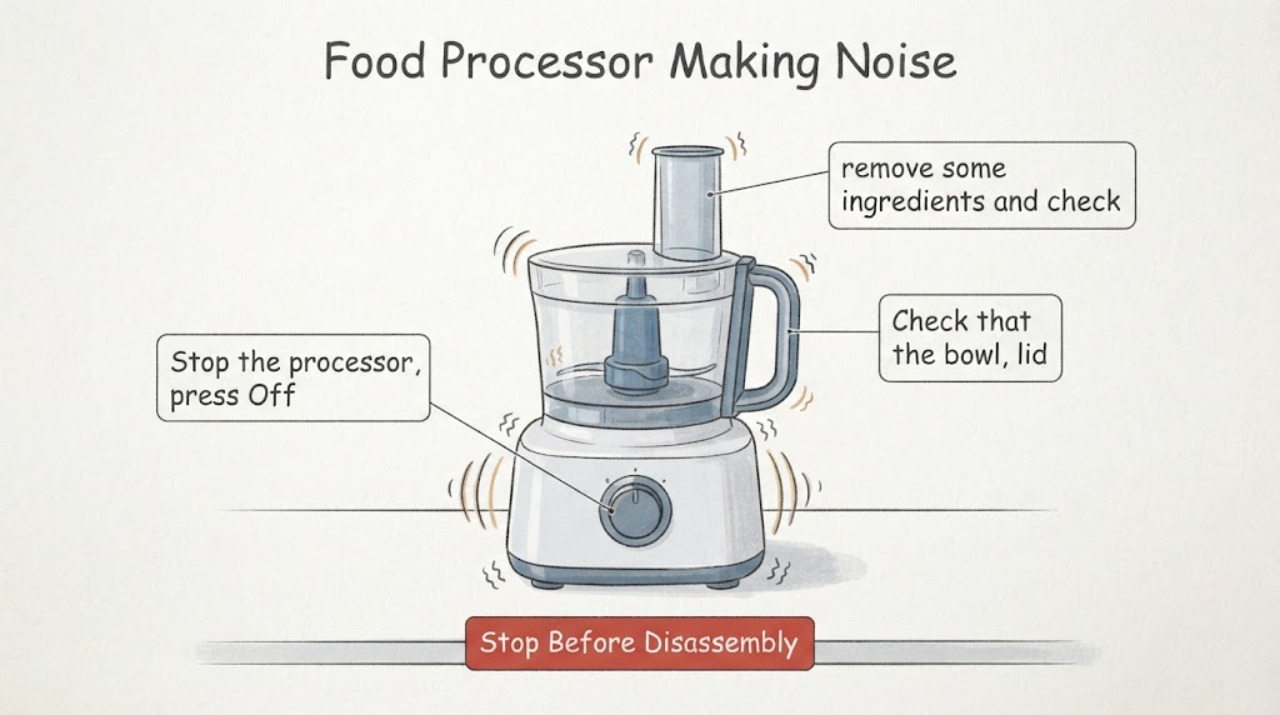
Work through in order
Diagnostic checks
Use only checks that match the exact appliance or system and its official guide.
-
Check 1
Stop the processor, press Off, and unplug it before opening the lid or touching the blade; wait for every moving part to stop.
Expected result: The noise is a brief click/pop under load, or it continues after the motor stops or includes scraping/grinding.
Next step: Do not restart persistent grinding or scraping. Continue only with the unplugged load and assembly inspection.
Stop if: Do not reach into a moving bowl or handle sharp blades by the cutting edge.
Why this matters
Why: KitchenAid identifies a loud click/pop as possible clutch engagement, while persistent mechanical noise needs a different branch; Breville requires power isolation before blade/lid work.
-
Check 2
With the appliance unplugged, remove some ingredients and check for hard seeds, pits, bones, or a foreign object around the blade/disc and bowl.
Expected result: The bowl was overfilled or a hard object is present, or the bowl is clear.
Next step: Remove the cause, reassemble as the manual directs, and make one brief supervised test. If noise remains, stop.
Stop if: Stop if the condition becomes unsafe or requires opening the appliance.
Why this matters
Why: KitchenAid links loud clutch engagement to too many items or hard seeds; a clear bowl means the noise is not explained by that load condition.
-
Check 3
Check that the bowl, lid, drive adapter, blade/disc, and pusher are correctly seated and locked; inspect the work surface and rubber feet for level, dry contact.
Expected result: The assembly was loose, the feet are wet/dirty, or the processor was stable and correctly assembled.
Next step: Correct only the visible assembly or surface issue, then test briefly. Arrange service if the sound persists.
Stop if: Stop if the condition becomes unsafe or requires opening the appliance.
Why this matters
Why: A loose fit or unstable base can create movement or contact noise; correct assembly should not be used to excuse repeated grinding.
-
Check 4
Run one short test with the correct empty attachment or a light permitted load, listening for whether the sound is speed- or load-dependent; stop at the first abnormal smell or movement.
Expected result: The noise disappears after reducing the load, or it persists with a light/empty correctly assembled setup.
Next step: Keep the processor unplugged and arrange qualified service for persistent noise or any burning odor, smoke, or power loss.
Stop if: Stop if the condition becomes unsafe or requires opening the appliance.
Why this matters
Why: Load-dependent noise supports clutch/overload or contact with ingredients; noise without that load points toward drive, bearing, motor, or attachment wear.
Use your observations
Decision map
Find the observation that best matches what you see, then follow the next safe action.
-
PATH 01Next step
What you see
A single loud click/pop occurs only with too much food or hard seeds
Do this next
Remove the excess/hard material and test once with a permitted load.
Why this path and its safety boundary
Why it matters: The KitchenAid guidance makes clutch engagement or load resistance more likely.
-
PATH 02Next step
What you see
The processor grinds or scrapes with a light load and correct assembly
Do this next
Stop using it and arrange service.
Why this path and its safety boundary
Why it matters: The sound is not explained by the documented load check and may indicate mechanical or attachment wear.
-
PATH 03Next step
What you see
The appliance vibrates, walks, smells hot, or shuts off while noisy
Do this next
Unplug it, let it cool if the manual permits, and arrange service if the pattern returns.
Why this path and its safety boundary
Why it matters: Load, surface, or overload protection may be involved, but the combined symptoms make continued use unsafe.
Helpful context
Understand the symptom
Classify the sound before replacing anything
The most useful split is load-dependent click/pop versus persistent mechanical noise. That observation changes whether you inspect ingredients and assembly or stop and request service.
When checks do not resolve it
Need a professional?
Arrange qualified food-processor service when abnormal noise persists with a light or empty permitted load, or when there is grinding, burning odor, smoke, damaged parts, repeated shutdown, or worsening movement.
Common questions
FAQ
Is a loud click always a failed food processor?
No. KitchenAid says clutch activation can make a very loud clicking or popping noise, especially with too many items or hard seeds. Repeated grinding or scraping is a different stop-use pattern.
Can I remove the blade while the processor is plugged in?
No. Breville’s manual says to switch off and unplug before attaching or removing blades, discs, or the lid.
Read the exact guide
Official sources
- TROUBLESHOOTINGBreville · Breville food processor operation and noise-related checks
- Clutch Engages - KitchenAid Food Processor AttachmentKitchenAid · KitchenAid food processor attachment noise
Community feedback
Share a repair observation
Share a plain-text repair observation. Accepted observations are published automatically; this page may take a moment to update.