
On this page
Start here
Quick answer
A food processor error display must be read with the bowl/lid lock, motor temperature, load, and power state. KitchenAid guidance supports checking bowl/lid alignment, allowing a hot motor to cool, resetting a locked motor with the documented control, and verifying a grounded outlet. Record the exact display and use the model manual; do not bypass the interlock or open the base.
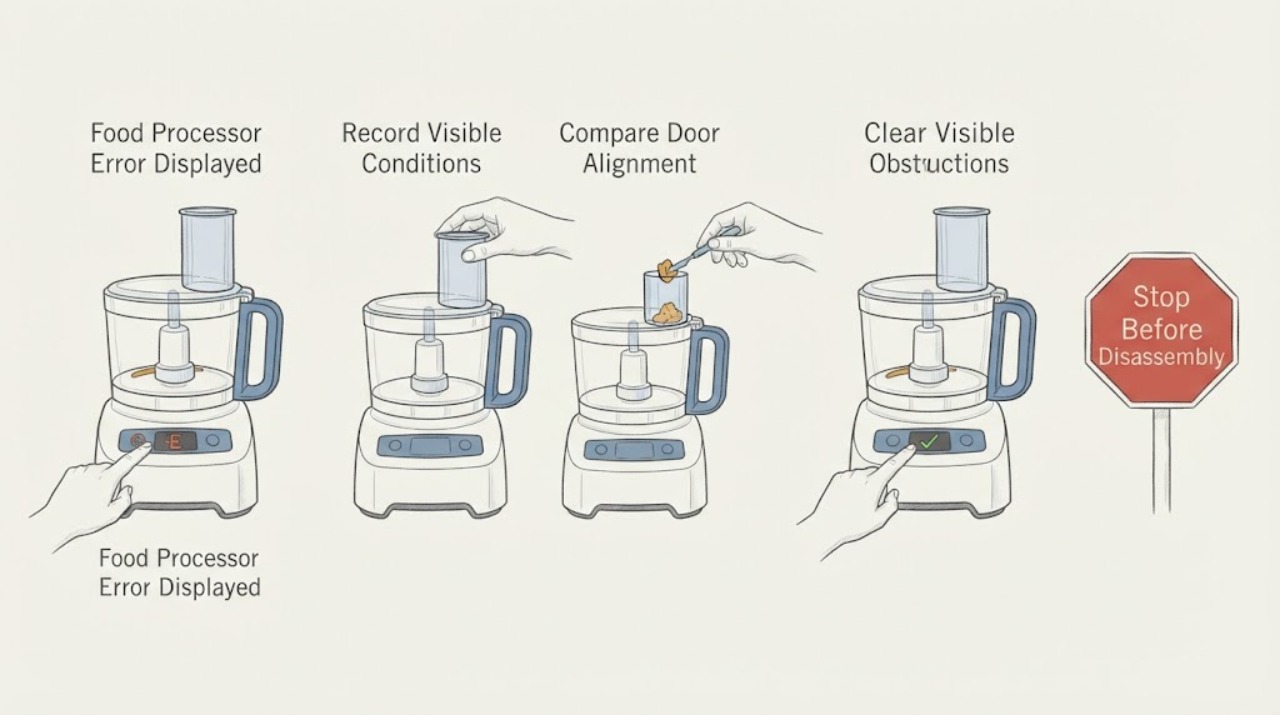
Work through in order
Diagnostic checks
Use only checks that match the exact appliance or system and its official guide.
-
Check 1
Record the exact letters, lights, flashing pattern, motor sound, load, and whether the display appears at startup or during processing.
Expected result: Pattern and timing separate lock, overload/heat, motor lock, and supply paths.
Next step: Turn the control to Off/Pulse and wait for moving parts to stop.
Why this matters
Why: This observation narrows the likely cause but does not identify an internal part by itself.
-
Check 2
Unplug when safe, then inspect bowl, lid, feed tube, and interlock alignment from outside; never bypass the lock or put hands near blades.
Expected result: Misalignment can inhibit operation or create an error; correct seating with recurrence leaves another fault possible.
Next step: Reseat once according to the model manual and do not start with an open lid.
Why this matters
Why: This observation narrows the likely cause but does not identify an internal part by itself.
-
Check 3
Remove/reduce the load and clear only visible obstruction with a utensil after unplugging and blade stop; do not exceed capacity.
Expected result: A jam or overload can trigger protection; a light load that still errors needs service diagnosis.
Next step: Make one reduced-load test only after cool-down and correct seating.
Why this matters
Why: This observation narrows the likely cause but does not identify an internal part by itself.
-
Check 4
Allow the exact model’s documented cool-down period and check the grounded outlet/cord from outside.
Expected result: Recovery after cool-down supports thermal protection; a dead outlet or hot cord indicates supply risk.
Next step: Do not use a larger fuse, adapter, or repeated resets; service recurrence.
Why this matters
Why: This observation narrows the likely cause but does not identify an internal part by itself.
-
Check 5
Record model, display pattern, lock state, load, cool-down result, outlet behavior, odor, and noise.
Expected result: This evidence narrows the protection/control path without naming a part.
Next step: Arrange KitchenAid or qualified service for unresolved errors.
Why this matters
Why: This observation narrows the likely cause but does not identify an internal part by itself.
Use your observations
Decision map
Find the observation that best matches what you see, then follow the next safe action.
-
PATH 01Next step
What you see
Error clears when bowl/lid is correctly locked and no load is present.
Do this next
Use the exact manual and monitor a normal supervised load.
Why this path and its safety boundary
Why it matters: Safety-lock or setup state is more likely.
-
PATH 02Next step
What you see
Indicator matches overheating or motor lock and clears after documented cool-down/reset.
Do this next
Respect load/cycle limits; service repeated protection.
Why this path and its safety boundary
Why it matters: Protection response is more likely.
-
PATH 03Next step
What you see
Error returns with correct seating, cool motor, and light load.
Do this next
Keep unplugged and arrange qualified service.
Why this path and its safety boundary
Why it matters: Control, motor, or electrical fault remains possible.
-
PATH 04Next step
What you see
Smoke, burning odor, grinding, cracked bowl, exposed blade, or damaged cord appears.
Do this next
Stop, unplug only if safe, and call qualified service.
Why this path and its safety boundary
Why it matters: Immediate mechanical/electrical safety boundary.
Helpful context
Understand the symptom
The same “error” area can represent a safety lock, motor protection, multiple-button state, or an electrical/control fault. The exact indicator pattern and model are required for interpretation.
Overload and heat recovery are not a license to reach into blades or infer a control part. Unplug before clearing a bowl and follow the model manual.
When checks do not resolve it
Need a professional?
Call qualified food-processor service for persistent displays, failed lock, repeated overload/heat errors, grinding, damaged bowl/base, or electrical symptoms.
Common questions
FAQ
Why does a food processor show an error?
Possible causes include bowl/lid alignment, motor lock, overheating, overload, buttons, and supply. The exact display and model manual are needed.
Can I open the lid while the code is shown?
Turn off and unplug, wait for blades to stop, and follow the model’s safe access instructions. Never bypass the lid lock.
How long should I cool it?
Use the exact model guidance. KitchenAid notes some units may need 5–15 minutes, but that timing is not universal.
Read the exact guide
Official sources
- Not Turning on/Malfunction/Fail to Operate - Food ProcessorKitchenAid · Food-processor display/operation fault checks: bowl/lid lock, overheating, motor lock, grounded supply, button state, and service.
- TroubleshootKitchenAid · KitchenAid official troubleshooting resource and model/manual routing.
Community feedback
Share a repair observation
Share a plain-text repair observation. Accepted observations are published automatically; this page may take a moment to update.