
On this page
Start here
Quick answer
A food processor that will not work usually needs separate checks for the bowl and lid interlock, feed tube seating, overfill, household power, and an overload or locked motor. KitchenAid’s opened guidance treats these as different observations and directs unresolved faults to service.
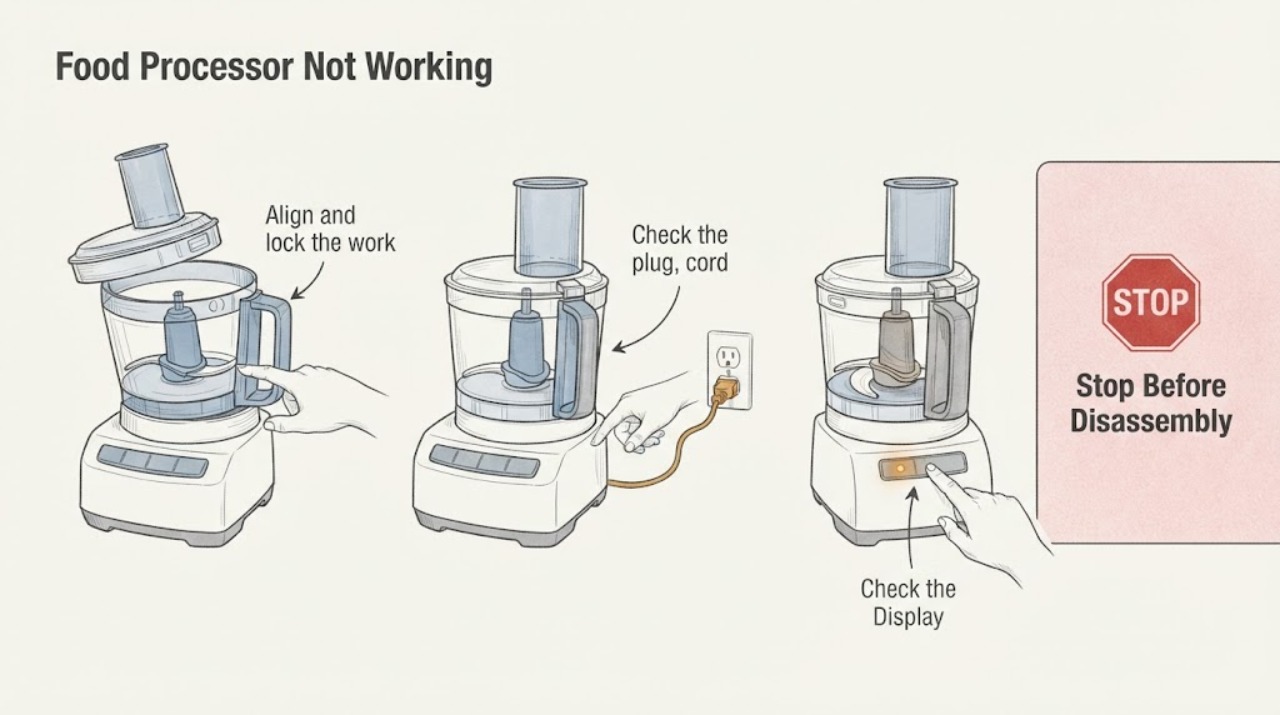
Work through in order
Diagnostic checks
Use only checks that match the exact appliance or system and its official guide.
-
Check 1
Align and lock the work bowl and lid, then push the feed tube fully down as the manual shows.
Expected result: The processor starts after seating, or remains silent.
Next step: Correct only the documented assembly issue and make one start attempt.
Why this matters
Why: An interlock state is more likely when seating restores operation.
-
Check 2
Check the plug, cord and accessible breaker from outside.
Expected result: The outlet or breaker is abnormal, the cord is damaged, or supply is normal but controls stay dark.
Next step: Correct one safe supply issue and stop for damage or repeat trips.
Why this matters
Why: A supply fault can leave the processor dark; normal supply with no response needs service.
-
Check 3
If it stopped under load, note whether the speed light is off with Off/Pulse flashing or whether the motor indicator remains on.
Expected result: A cooling or motor-lock indication appears, or neither appears.
Next step: Follow the model cool-down or Off/Pulse reset once; do not restart repeatedly.
Why this matters
Why: KitchenAid links these patterns to overheating or a locked motor.
Use your observations
Decision map
Find the observation that best matches what you see, then follow the next safe action.
-
PATH 01Next step
What you see
The processor starts after bowl, lid or feed tube seating.
Do this next
Use the correct assembly sequence and monitor one use.
Why this path and its safety boundary
Why it matters: An interlock or assembly state is more likely than a failed motor.
-
PATH 02Next step
What you see
It stopped under load and recovers after the documented cool-down or reset.
Do this next
Reduce the load and stop if protection returns.
Why this path and its safety boundary
Why it matters: Overheat or motor-lock protection is more likely.
-
PATH 03Next step
What you see
Power is normal but it stays dark or repeatedly stops.
Do this next
Arrange qualified service without opening the housing.
Why this path and its safety boundary
Why it matters: An internal control, motor or wiring fault remains possible.
Helpful context
Understand the symptom
A food processor that will not work usually needs separate checks for the bowl and lid interlock, feed tube seating, overfill, household power, and an overload or locked motor. KitchenAid’s opened guidance treats these as different observations and directs unresolved faults to service.
Use the exact model manual for controls, access, cleaning and any code interpretation. Stop when a check reaches wiring, pressure, microwave high-voltage or another internal service boundary.
When checks do not resolve it
Need a professional?
Provide the exact model, observed symptom, any code or sound, and which safe checks changed it.
Common questions
FAQ
Why will a food processor not start?
Check bowl and lid alignment, feed tube seating and power before considering overload or motor lock.
What if it stops while running?
Use the model’s documented cool-down or motor reset and stop if the fault returns.
Read the exact guide
Official sources
- Not Turning on/Malfunction/Fail to Operate - Food ProcessorKitchenAid · food processor troubleshooting
Community feedback
Share a repair observation
Share a plain-text repair observation. Accepted observations are published automatically; this page may take a moment to update.