
On this page
Start here
Quick answer
For the Cuisinart Mini-Prep Plus, uneven chopping is usually a preparation or processing-pattern problem before it is a motor failure. Unplug the unit before handling the bowl or blade, cut food into similar small pieces, use a smaller batch, choose Chop rather than Grind when appropriate, pulse briefly, and stop to scrape food from the sides only after the blade has stopped. Cuisinart's DLC-2A Series booklet says overloading, pieces that are too large, and overprocessing can cause inconsistent results; if the bowl, cover, blade, and controls are correctly assembled and the result remains uneven with a damaged or loose blade, stop and use Cuisinart service rather than guessing at a replacement.
Work through in order
Diagnostic checks
Use only checks that match the exact appliance or system and its official guide.
-
Check 1
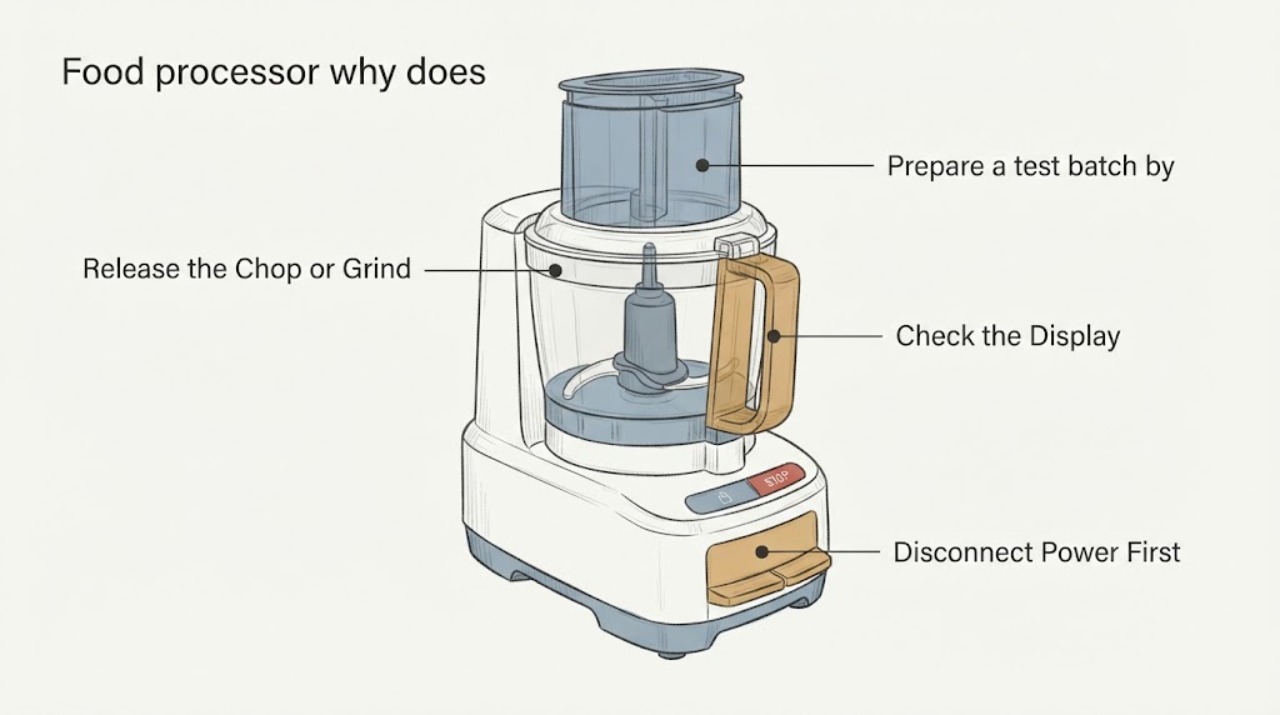
Release the Chop or Grind button, wait until the blade stops, unplug the Mini-Prep Plus, and check that the work bowl is seated on the base, the blade is on the center stem, and the cover is locked in the position shown in the DLC-2A Series booklet. Do not touch the blade edge or defeat the cover interlock.
Expected result: The bowl or cover is not fully locked, the blade is not seated on the stem, the wrong assembly is present, or everything is correctly assembled.
Next step: Correct only the assembly shown in the matching booklet, then test with a small, uniform batch. If the blade is loose, bent, chipped, or will not seat, stop and arrange service.
Why this matters
Why: An incorrectly seated bowl, blade, or cover can change how the food reaches the cutting edges and can also prevent safe operation. Correct assembly is a prerequisite before judging chopping quality.
-
Check 2
Prepare a test batch by cutting the ingredients into similarly sized pieces and using less food than the bowl can hold. For the DLC-2A Series, follow the booklet's ingredient-specific sizes and keep processed food below the stated central-hub limit rather than packing the bowl.
Expected result: The smaller, more uniform batch chops evenly, or large pieces and a crowded bowl still produce large and small pieces together.
Next step: Keep the smaller batch and repeat in stages. If two or more small, uniform batches remain uneven with correct assembly, continue to the pulse and blade checks instead of adding more food or holding the control continuously.
Why this matters
Why: Cuisinart says pieces that are too large and an overloaded bowl cause uneven or inconsistent results; the blade cannot redistribute a crowded batch uniformly.
-
Check 3
For chopping soft foods such as herbs, onions, or vegetables, use the Chop control and short pulses. Pause often so the food can fall toward the blade; for a longer run, let the blade stop between pulse periods. Use Grind only for the hard-food applications described in the booklet.
Expected result: Short pulses improve uniformity, continuous holding makes the bottom fine while the top remains large, or the result becomes watery/pasty before it is uniform.
Next step: Use shorter pulses and inspect the result frequently. If food is already too fine or watery, stop and start a fresh smaller batch; do not keep running the motor to correct it.
Why this matters
Why: The manual says pulse action is best for Chop, that brief pulses prevent overprocessing, and that continuous processing can turn the mixture watery or too fine. A timing mismatch is different from a failed blade.
-
Check 4
If food sticks to the sides or cover, release the control and wait for the blade to stop completely. Unplug the unit, remove the cover, and use the supplied spatula to move food back toward the center; do not reach into the bowl while it is connected or moving.
Expected result: The food was concentrated on the sides or cover and becomes more even after a stopped-and-unplugged scrape, or it keeps collecting despite a small batch and correct pulses.
Next step: Reduce the batch or adjust the ingredient preparation per the booklet. If food catches on a damaged or loose blade, stop using the appliance and contact Cuisinart service.
Why this matters
Why: Cuisinart identifies side/cover buildup and excessive quantity as causes of uneven access to the blade. Persistent buildup can also indicate unsuitable food texture or a mechanical issue, but it does not identify a failed component by itself.
-
Check 5
With the unit unplugged and the blade removed by its center hub, inspect the blade assembly and center stem for visible damage, looseness, dried food, or an object that prevents the blade from sitting correctly. Do not touch the cutting edges, sharpen the blade, bend it, or disassemble the motor base.
Expected result: The blade is clean and seats normally, or it is chipped, bent, loose, obstructed, or still catches food after the preparation checks.
Next step: Leave the processor unplugged and provide the exact DLC-2A Series model, symptom, and photos to Cuisinart support or an authorized service representative. Do not substitute a blade from another Mini-Prep variant.
Why this matters
Why: A visible blade or stem problem can prevent consistent cutting, but the booklet does not support a user repair of the motor or blade assembly. A normal-looking blade with persistent uneven results after correct batches and pulses needs model-specific diagnosis.
Use your observations
Decision map
Find the observation that best matches what you see, then follow the next safe action.
-
PATH 01Next step
What you see
A smaller batch of similarly sized pieces becomes even after using short Chop pulses.
Do this next
Repeat that batch method and stop to inspect frequently; do not overload the 24-ounce bowl to save a batch.
Why this path and its safety boundary
Why it matters: The original result was consistent with the Cuisinart booklet's preparation, quantity, or pulse guidance rather than an established equipment failure.
-
PATH 02Next step
What you see
The bowl or cover was not locked, the blade was not seated, or food was stuck to the sides and the result improves after safe reassembly or a stopped-and-unplugged scrape.
Do this next
Keep using the exact assembly and pulse sequence from the booklet. If the bowl will not lock or the blade will not seat, stop and request service.
Why this path and its safety boundary
Why it matters: The blade was not receiving a consistent load or the food was not reaching it evenly; this observation does not prove a damaged motor or blade.
-
PATH 03Next step
What you see
Two or more small, uniform batches remain uneven with the bowl, cover, and blade correctly assembled, or the blade is visibly damaged or loose.
Do this next
Stop using the processor and contact Cuisinart or an authorized service representative with the exact DLC-2A Series information. Do not bend, sharpen, modify, or replace the blade with an unverified part.
Why this path and its safety boundary
Why it matters: The common loading and operating explanations have not resolved the symptom; a blade, stem, or drive problem is possible, but the booklet does not justify a user diagnosis of the failed part.
-
PATH 04Next step
What you see
The motor base, cord, or control behaves abnormally, the unit was dropped, there is a burning smell, or the blade keeps moving after the control is released.
Do this next
Unplug the unit if it is safe to do so, keep hands away from moving parts, and arrange manufacturer or qualified service. Do not operate it under a cabinet, in water, or with the interlock defeated.
Why this path and its safety boundary
Why it matters: This is a safety or electrical service condition, not a food-preparation adjustment.
Helpful context
Understand the symptom
Start with the food and the pulse pattern
The Mini-Prep Plus is a small 24-ounce processor with an auto-reversing SmartPower blade. Cuisinart's DLC-2A Series instructions say uneven chopping can result from overloading or pieces that are not small enough, and they recommend short pulses for chopping so the food can fall back toward the blade. That makes batch size, piece size, and timing the first decision points.
Sharp parts and the cover interlock set the service boundary
The manual calls the blade extremely sharp, requires the bowl and cover to be locked before operation, and says not to defeat the cover interlock. Scrape or remove food only with the unit stopped and unplugged. If the blade is loose, damaged, catches food despite correct loading, or the motor behaves abnormally, the next step is service rather than a modification to the blade or safety mechanism.
When checks do not resolve it
Need a professional?
Arrange Cuisinart or authorized service when the blade is damaged or loose, the bowl or cover will not lock, the motor or control behaves abnormally, the unit was dropped, or uneven chopping persists after correct assembly, smaller uniform batches, short pulses, and stopped-and-unplugged redistribution.
Have this ready
- Provide the exact model marking, the ingredient and batch size, Chop or Grind setting, pulse pattern, a photo of the assembled bowl/blade interface with power disconnected, and whether the blade is damaged or food catches on it.
Common questions
FAQ
Why does the Mini-Prep Plus chop some pieces finely and leave others large?
Cuisinart's booklet points first to pieces that are too large, too much food, side buildup, and an unsuitable pulse pattern. Cut similar small pieces, use a smaller batch, pulse briefly, and stop to scrape only after the blade stops and the unit is unplugged.
Should I hold the Chop button continuously to make the cut even?
Usually no. The Mini-Prep Plus booklet says pulse action is best for chopping and warns that overprocessing can produce a watery paste. Check frequently and let the blade stop between pulse periods.
When should uneven chopping be treated as a repair problem?
Treat it as a service issue when the blade is visibly damaged or loose, the bowl or cover will not lock, the motor or control behaves abnormally, or correct small batches and pulse technique do not improve the result. Do not modify the blade or interlock.
Read the exact guide
Official sources
- INSTRUCTION & RECIPE BOOKLET Mini-Prep Plus ProcessorCuisinart · Exact Cuisinart DLC-2A Series manual covering safety, assembly, food size/quantity, Chop/Grind pulse technique, redistribution, and the uneven-chop troubleshooting entry.
- Mini Prep Plus Food Processor (3-Cup)Cuisinart · Cuisinart's exact product page identifies the Mini-Prep Plus DLC-2A, its 24-ounce work bowl, 250-watt motor, auto-reversing SmartPower blade, and instruction booklet/support context.
Community feedback
Share a repair observation
Share a plain-text repair observation. Accepted observations are published automatically; this page may take a moment to update.