
On this page
Start here
Quick answer
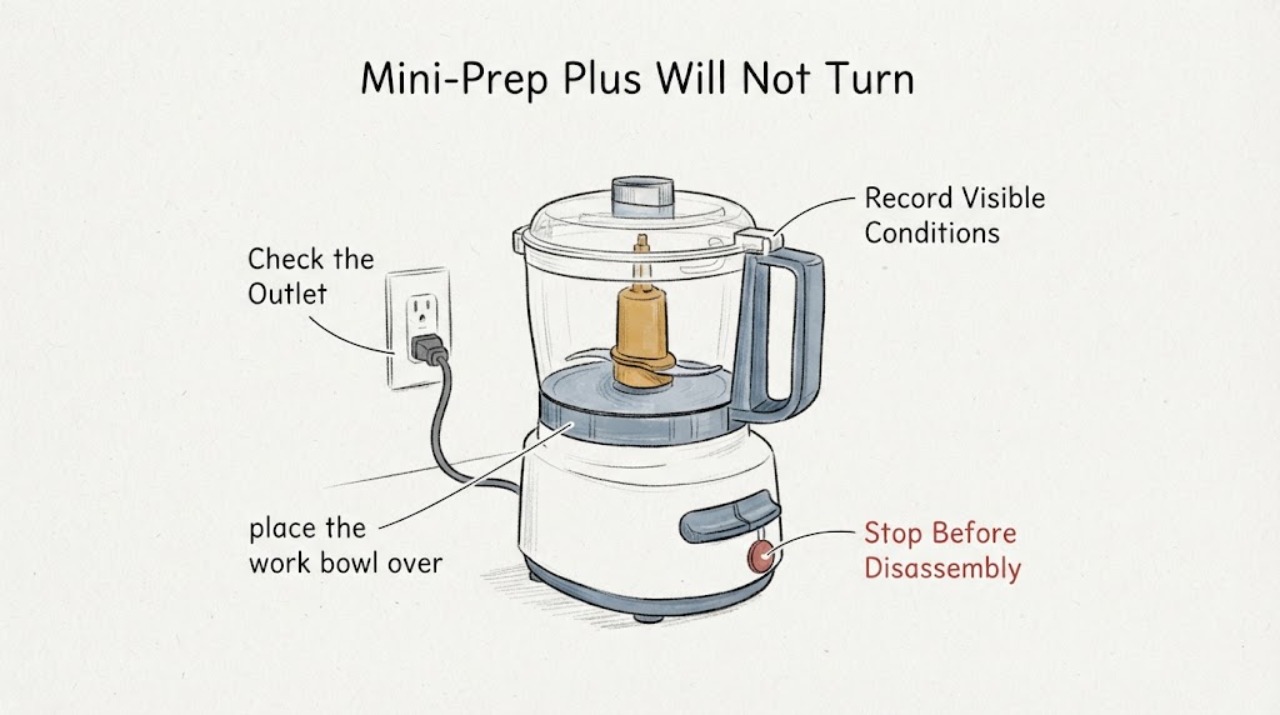
Unplug the Mini-Prep Plus before reseating anything. Confirm the model number first because Cuisinart sells Mini-Prep Plus variants including the 24-ounce DLC-2A and 4-cup DLC-4CHB. For the DLC-2A family, Cuisinart's manual says a motor that does not start should be checked for a secure plug, a work bowl and cover that are securely locked, and only one operation button being pressed at a time. Reassemble the bowl and cover using the normal locking motion described by the manual; never press, hold, or bypass the cover interlock. If the cord, plug, base, bowl, or cover is damaged, or the unit still does not respond after these external checks, leave it unplugged and use an authorized Cuisinart service route.
Work through in order
Diagnostic checks
Use only checks that match the exact appliance or system and its official guide.
-
Check 1
Read the model label on the motor base and record whether it is DLC-2A, DLC-4CHB, or another Mini-Prep variant. Check the bowl capacity and cover shape against the matching Cuisinart product page before using a manual.
Expected result: The label matches DLC-2A, matches the 4-cup DLC-4CHB, or cannot be read; the bowl and cover appear to belong to the same variant or are mixed/uncertain.
Next step: Use the exact model manual. If the model is unclear or the bowl and cover are mixed, do not power the unit; identify the parts through Cuisinart support instead of forcing the lock.
Why this matters
Why: Cuisinart documents Mini-Prep Plus as more than one model family, so an apparently similar bowl or cover is not proof of interchangeability. The opened detailed lock and troubleshooting steps are for the DLC-2A Series2 booklet.
-
Check 2
Unplug the processor and inspect the plug, cord, outlet area, motor base, bowl, and cover from the outside. Do not put the motor base or plug in water, and do not operate the appliance with a damaged cord, plug, or housing.
Expected result: The plug is loose, the outlet area is wet or unavailable, the cord/plug/base is damaged, or the external power path looks dry and intact.
Next step: If the area is wet or any cord, plug, or base is damaged, keep the unit unplugged and arrange qualified service or electrical help. If it is dry and intact, continue with the unplugged bowl and cover alignment check.
Why this matters
Why: Cuisinart's manual treats a secure plug as a first troubleshooting check and instructs users not to operate a damaged appliance. A visual power or damage issue is not evidence of a failed motor or lock switch.
-
Check 3
With the plug still disconnected, place the work bowl over the center stem and turn it counterclockwise until it locks onto the base. Place the cover with its long tab to the right of the rear column and turn it counterclockwise into the locking post. Do not press an interlock by hand or with a tool.
Expected result: The bowl and cover reach their normal locked positions, stop short, sit crooked, or require force; the cover or bowl has a crack or broken locking feature.
Next step: Remove only the obvious obstruction while unplugged and retry the normal alignment once. If the parts still do not lock or are damaged/mismatched, leave the unit unplugged and obtain the exact replacement or authorized service guidance; do not run it with the interlock defeated.
Why this matters
Why: The DLC-2A manual says the work bowl and cover must be securely locked and separately warns that the cover interlock must not be defeated. A cover that will not lock normally points to alignment, damage, or wrong/mismatched parts; it does not justify bypassing the safety mechanism.
-
Check 4
After the bowl and cover are normally locked and the unit is dry, reconnect the plug and press only one intended operation control at a time. Do not press multiple controls together or test with the cover removed.
Expected result: The motor starts normally, remains completely silent, or hums/stops with an unusual smell or sound.
Next step: If it starts, release the control to stop and continue using the exact manual. If it remains silent, unplug it and request authorized service. If it hums, smells hot, or behaves abnormally, unplug it immediately and do not run another test.
Why this matters
Why: Cuisinart lists pressing only one operation control at a time as part of the motor-does-not-start troubleshooting path. A silent unit after a secure plug and locked assembly still does not identify one internal part; a hum, hot smell, or abnormal sound is a reason to stop rather than repeat the test.
-
Check 5
If the blade or food appears jammed, disconnect power and wait for all movement to stop before removing the cover or blade. Keep hands and utensils away from the blade; do not open the motor base or probe the interlock or controls.
Expected result: The blade is obstructed, the bowl is overloaded, the unit was stopped during processing, or there is no visible user-serviceable obstruction.
Next step: Only after unplugging and confirming the blade has stopped, remove food with the supplied spatula or clean the removable parts as instructed. If the base, control, or interlock still needs investigation, leave it unplugged and use authorized service.
Why this matters
Why: The manual requires the blade to stop before the cover is removed, warns that the blade is sharp, and limits service beyond cleaning and normal maintenance to an authorized representative. An obstruction or overload can explain a stoppage but does not establish a damaged motor or switch.
Use your observations
Decision map
Find the observation that best matches what you see, then follow the next safe action.
-
PATH 01Next step
What you see
The model is DLC-2A and the plug, bowl, cover, and single-control check match the official booklet, but the motor remains silent.
Do this next
Unplug the processor and contact an authorized Cuisinart service representative; do not open the motor base or bypass the cover interlock.
Why this path and its safety boundary
Why it matters: The manual's external troubleshooting conditions have been checked, but the observation does not identify a particular motor, control, or interlock component.
-
PATH 02Next step
What you see
The bowl or cover will not reach its normal locked position, requires force, or has a broken or mismatched locking feature.
Do this next
Keep the unit unplugged, identify the exact model and matching parts through Cuisinart, and obtain service or a documented replacement path before operating it.
Why this path and its safety boundary
Why it matters: The assembly condition is unresolved, and the safety interlock may not be in its intended state. This is not a reason to defeat the interlock.
-
PATH 03Next step
What you see
The cord, plug, base, or outlet area is damaged or wet, or the unit produces smoke, a hot smell, or an abnormal sound.
Do this next
Stop testing, unplug only from a safe dry position, keep the appliance out of service, and arrange qualified service or electrical inspection. Do not immerse the base or attempt an internal repair.
Why this path and its safety boundary
Why it matters: This is an electrical or mechanical safety boundary rather than a normal lock-alignment problem; the manual says not to operate a damaged appliance.
-
PATH 04Next step
What you see
The unit starts after normal bowl/cover alignment and one-control operation, with no damage or abnormal sound.
Do this next
Use the exact model booklet, stop by releasing the control, and unplug before cleaning, disassembly, or storage. Continue to monitor for recurrence rather than bypassing any safety feature.
Why this path and its safety boundary
Why it matters: The original no-start symptom was consistent with an external assembly or control-use condition described by the manual; it does not prove that an internal part is defective.
Helpful context
Understand the symptom
Confirm which Mini-Prep Plus you have
Mini-Prep Plus is a product family name, not one single model. Cuisinart's current product pages identify a 24-ounce DLC-2A and a 4-cup DLC-4CHB, with different bowl capacities and dimensions. The detailed troubleshooting and assembly citations below come from the official DLC-2A Series2 booklet. If the label on your base shows another DLC-2A variant or the 4-cup model, use the manual for that exact model for any layout-specific instruction; do not force a cover or bowl from a different variant to fit.
The lock is a safety condition, not a switch to bypass
In the DLC-2A booklet, the bowl is placed over the center stem and turned counterclockwise to lock onto the base; the cover is positioned with its long tab to the right of the rear column and turned counterclockwise to lock into the locking post. The same manual says the cover must be securely locked before operation and warns not to defeat the cover interlock. That gives a safe external check: look for correct alignment and normal locking, then test only with the cover in its intended position. Do not hold an interlock down with a utensil, remove the cover while the blade is moving, or open the motor base.
What a silent unit does and does not prove
A secure outlet and correctly locked bowl and cover remove the first user-checkable conditions from Cuisinart's troubleshooting list, but they do not prove that a particular switch, motor, control, or interlock part has failed. If the unit remains silent after those checks, record the model and symptom and stop at the authorized-service boundary. If the unit hums, jams, smells hot, or has a damaged cord or plug, unplug it and do not repeatedly test it.
When checks do not resolve it
Need a professional?
Use authorized Cuisinart service when the unit remains silent after a secure plug, correct model-specific bowl and cover lock, and one-control check; when the cord, plug, base, bowl, or cover is damaged; or when the processor hums, smells hot, smokes, or behaves abnormally. Unplug before assembly, disassembly, cleaning, or any obstruction check. Never defeat the cover interlock, probe the base, or replace an internal part based only on a no-start symptom.
Common questions
FAQ
Why will my Cuisinart Mini-Prep Plus not turn on?
For the DLC-2A Series2, Cuisinart says to check that the plug is secure, the work bowl and cover are securely locked, and only one operation control is pressed at a time. If those checks do not restore operation, unplug the unit and use authorized service rather than guessing at an internal part.
Can I hold the safety switch down to test the motor?
No. The Cuisinart manual explicitly says not to defeat the cover interlock because serious injury may result. Check only the normal bowl and cover alignment while unplugged, then use service if the unit still will not run.
Are all Mini-Prep Plus bowls and covers interchangeable?
The product pages show more than one Mini-Prep Plus model, including the 24-ounce DLC-2A and 4-cup DLC-4CHB, with different capacities and dimensions. Do not assume parts are interchangeable; confirm the exact model and use its matching documentation.
What if the Mini-Prep Plus is completely silent after it is assembled?
Unplug it, recheck the exact model's normal bowl and cover lock, confirm the plug and outlet area are dry and intact, and press only one control when testing. If it remains silent, leave it unplugged and arrange authorized service; silence alone does not identify a motor or switch failure.
Read the exact guide
Official sources
- 4-Cup Small Food Processor, Mini-Prep PlusCuisinart · Cuisinart product page for the 4-cup DLC-4CHB Mini-Prep Plus variant; product identity and listed dimensions only
- Mini Prep Plus Food Processor (3-Cup)Cuisinart · Cuisinart product page for the 24-ounce DLC-2A Mini-Prep Plus variant; product identity and listed parts only
- INSTRUCTION & RECIPE BOOKLET — Mini-Prep Plus Processor — DLC-2A Series2Cuisinart · DLC-2A Series2 only for detailed assembly, cover interlock, no-start troubleshooting, blade safety, and service boundary; do not extend these model-specific details to another Mini-Prep variant without its manual
Community feedback
Share a repair observation
Share a plain-text repair observation. Accepted observations are published automatically; this page may take a moment to update.