
On this page
Start here
Quick answer
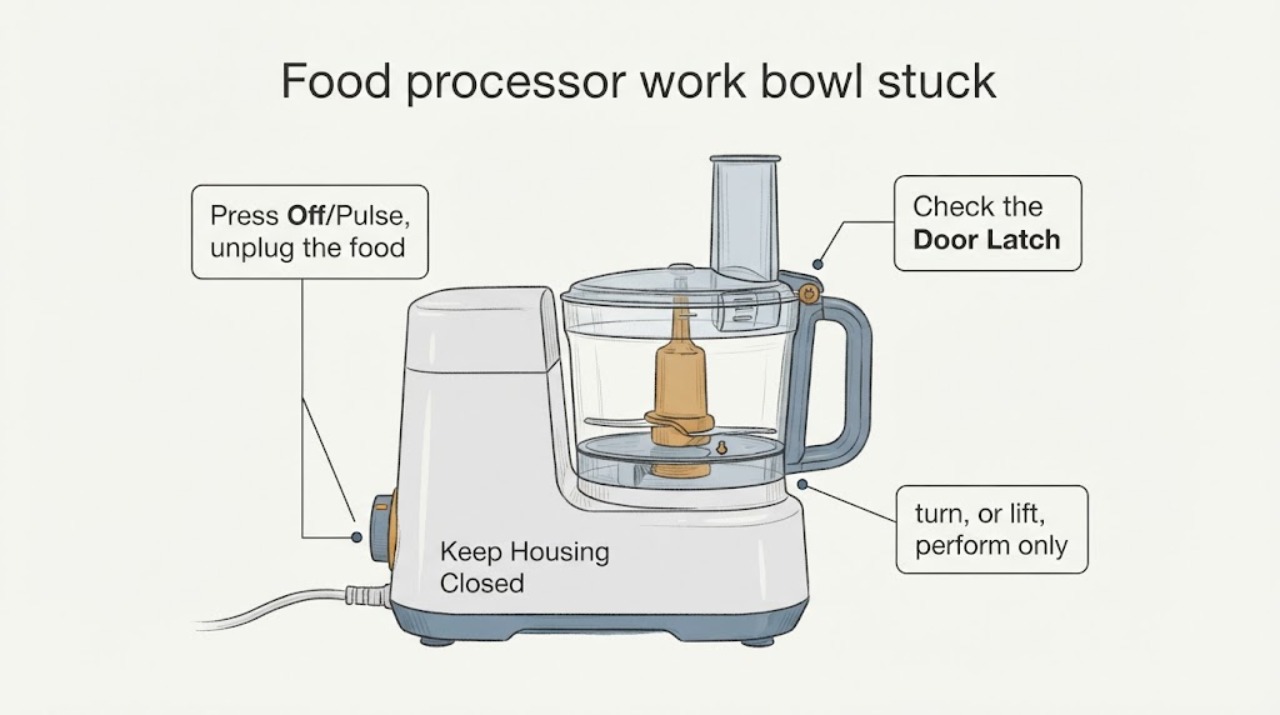
Do not force a stuck food-processor bowl, twist it with pliers, pry it with a tool, or reach into it. Press Off/Pulse, unplug the processor, and wait until every blade or disc has stopped. The exact release direction and latch design vary by brand and model. In the opened KitchenAid food-processor instructions, the safe sequence is to unlock and lift the cover, remove a disc or drive adapter/blade as directed, and then lift the work bowl from the base; KitchenAid also says to stop and contact service when a stuck accessory cannot be separated. Use your own model manual for the bowl's rotation direction. If the bowl or cover will not release with the documented hand motion, leave the assembly intact and arrange appliance service.
Work through in order
Diagnostic checks
Use only checks that match the exact appliance or system and its official guide.
-
Check 1
Press Off/Pulse, unplug the food processor, move hands away from the bowl, and wait until the blade or disc has completely stopped. Keep the processor upright on a dry, level counter and do not lift the bowl while an accessory may still be moving.
Expected result: The motor stops and the bowl is still intact, or the blade/disc continues moving, the processor is hot, or the cord/base is damaged.
Next step: If movement continues or there is damage, keep clear and arrange service. If it is fully stopped, continue only with the exact manual's hand-only release sequence.
Why this matters
Why: KitchenAid's opened guidance makes power isolation and a complete stop the first step before disassembly. Continued motion or electrical/heat damage is a stop-service condition, not a stuck-bowl technique problem.
-
Check 2
Identify what is actually stuck: the cover latch, a disc or blade inside the work bowl, the bowl-to-base lock, or food in the handle or between parts. Read the exact brand/model manual before trying a release direction; do not rotate the bowl in an assumed direction.
Expected result: The manual identifies the release direction and order, or the brand/model cannot be confirmed or the manual does not match the processor.
Next step: If identity or instructions are uncertain, stop with power disconnected and contact the manufacturer or qualified small-appliance service. Do not borrow a release direction from another brand.
Why this matters
Why: KitchenAid separates cover, accessory, and bowl removal and states that model number is needed for its manuals. Similar-looking bowls can use different tabs, latches, or rotation directions.
-
Check 3
If the exact manual shows the cover or bowl released by a hand latch, turn, or lift, perform only that motion with light, even hand pressure after removing the specified accessory. Do not use a tool, pull on the feed tube, twist the motor base, or reach around an exposed blade.
Expected result: The documented motion releases the part smoothly, or the part does not move, plastic flexes, a tab cracks, or food remains wedged between the cover and disc.
Next step: If it does not release with the manual's hand motion, stop and leave the assembly intact for service. Do not pry the cover, pull the blade by its cutting edge, or attempt to cut food out while the accessory is installed.
Why this matters
Why: A smooth release is consistent with the intended lock path. Resistance, flexing, or a wedged accessory indicates that the assembly is still loaded or damaged; KitchenAid notes that overfilling and wedged food can lodge a disc in its cover.
-
Check 4
After any successful release, inspect the bowl, cover, latch tabs, drive area, and accessory for cracks, distortion, melted plastic, bent parts, or a blade that no longer seats correctly. Do not reconnect power until all parts are correctly assembled and dry.
Expected result: The assembly is intact and dry, or a crack, distortion, damaged latch, damaged blade/disc, or liquid in the base is present.
Next step: Keep the processor unplugged and arrange qualified service for damage, liquid in the base, or uncertainty about seating. Replace or reuse parts only with model-matched manufacturer guidance.
Why this matters
Why: A released bowl is not proof that the lock or accessory is safe to reuse. KitchenAid says the base must not be immersed and that the processor should not be plugged in until correctly assembled; damaged cutting or locking parts need assessment.
Use your observations
Decision map
Find the observation that best matches what you see, then follow the next safe action.
-
PATH 01Next step
What you see
The processor is unplugged, the accessory has stopped, the exact manual identifies the release direction, and the bowl or cover releases with light hand pressure.
Do this next
Inspect all parts, dry them, and reassemble only according to the exact manual. Keep power disconnected until the assembly is correctly seated.
Why this path and its safety boundary
Why it matters: The assembly followed its documented lock path; the successful release does not establish that it is safe to reuse if tabs, bowl, blade, or drive parts are damaged.
-
PATH 02Next step
What you see
The cover or disc is stuck and the bowl was overfilled or food is visibly wedged between the cover and disc.
Do this next
Keep power disconnected and follow only the matching manual's accessory-removal sequence. If the accessory will not separate by that hand-only method, contact service with the assembly intact.
Why this path and its safety boundary
Why it matters: KitchenAid identifies overfilling and wedged food as causes of a lodged disc in its cover. This does not support prying, cutting, or pulling against the blade.
-
PATH 03Next step
What you see
The model is unknown, the manual does not match, the bowl direction is uncertain, or the bowl remains stuck after the documented hand motion.
Do this next
Leave the processor unplugged and upright, photograph the label and locked assembly, and arrange manufacturer or qualified small-appliance service. Do not use tools or heat to free it.
Why this path and its safety boundary
Why it matters: The lock geometry and accessory order cannot be safely inferred from another food processor. Continuing force could crack the bowl, damage the motor base, or expose a blade.
-
PATH 04Next step
What you see
The blade or disc is moving, the cord/base is damaged, liquid has entered the base, plastic is cracked or melted, or a latch/tab has broken.
Do this next
Do not touch the moving or damaged assembly. Keep power disconnected and arrange qualified service; do not immerse, reconnect, or test the processor.
Why this path and its safety boundary
Why it matters: This is a cut, electrical, or equipment-damage boundary rather than a routine release problem.
Helpful context
Understand the symptom
Treat the bowl as a locked assembly until the blade is safe
The task does not provide a brand, model, bowl-lock direction, or whether the cover, disc, blade, or bowl itself is stuck. A food processor can retain a sharp blade or disc even when the motor is no longer running. KitchenAid's opened instructions begin by pressing Off/Pulse, unplugging, and removing the cover and accessories in sequence. That is a safe stopping point for an unidentified processor: disconnect power, wait for movement to stop, and use the exact manual rather than guessing how the tabs or lugs release.
A stuck lid, accessory, and bowl are different problems
Do not treat every failure to come apart as a bowl-lock failure. On the opened KitchenAid family, the lid latch is released before the cover is lifted, a disc is lifted by its grips, the drive adapter and blade are removed separately, and only then is the work bowl lifted from the base. A full bowl or food wedged between a disc and cover can lodge that accessory. The exact order and direction can differ on another brand or model, so stop when the manual's hand-only step does not work.
Do not turn a jam into a cracked bowl or blade injury
A bowl that remains stuck should stay upright on a stable, dry counter. Do not use pliers, screwdrivers, knives, hot water, impact, twisting force against the motor base, or a hand inside the bowl. KitchenAid's cleaning guidance says to unplug before cleaning, keep the base out of water, and avoid abrasive tools that can damage the bowl or cover. If the release path is not clear or plastic is flexing, document the model and arrange service with the assembly left intact.
When checks do not resolve it
Need a professional?
Arrange manufacturer or qualified small-appliance service when the brand/model is unknown, the manual does not match, the bowl or cover remains stuck after the documented hand-only motion, food is wedged around a blade or disc, or any bowl, latch, blade, cord, base, or plastic part is cracked, melted, bent, wet, or otherwise damaged. Provide the rating-plate identity, a photo of the locked assembly, whether the cover or accessory also sticks, what was being processed, and whether the processor was fully unplugged before the jam occurred.
Common questions
FAQ
Can I force or pry a food-processor work bowl off the base?
No. Unplug the processor, wait for the blade or disc to stop, and follow the exact manual's hand-operated lock direction. Do not use pliers, screwdrivers, knives, heat, impact, or force against the motor base. If it does not release smoothly, leave it intact and arrange service.
What if the lid or disc is stuck instead of the bowl?
Treat it as a different problem. KitchenAid's opened sequence releases the cover first, then removes a disc or drive adapter/blade, and only then removes the bowl. Overfilling or food wedged between a disc and cover can lodge the disc; do not cut, pry, or pull against the blade if the manual's hand-only method fails.
Can I use another food processor's twist direction?
No. The task has no brand or model, and bowl tabs, latches, and rotation directions vary. Use the rating plate and the matching manual. A KitchenAid example cannot establish the release direction for another brand.
What should I do if the bowl finally comes loose?
Keep the processor unplugged while inspecting the bowl, cover, latch tabs, drive area, and blade or disc for cracks, distortion, melted plastic, or moisture. Reassemble only when parts are dry and correctly seated according to the matching manual; damaged parts need service or model-matched replacement guidance.
Read the exact guide
Official sources
- Assembling the Food ProcessorKitchenAid · Supports the need for correct bowl seating, cover-latch order, dry level placement, and model-specific service. It is explicitly treated as a family example, not a universal twist instruction.
- How to Remove Processed Foods - Food ProcessorKitchenAid · Supports the model-family sequence of Off/Pulse, unplugging, cover removal, disc/adapter/blade removal, and work-bowl removal. It is not used to infer a release direction for an unidentified brand or model.
- Disc Stuck in Work Bowl Cover - Food ProcessorKitchenAid · Supports the limited branch that overfilling or food wedged between disc and cover can lodge an accessory and that unresolved cases should use service. It does not authorize prying, cutting, or force against a blade or bowl.
- How to Clean the Base and Attachments - Food ProcessorKitchenAid · Supports unplugging before cleaning, keeping the base out of water, avoiding abrasive tools, careful bowl handling, and service escalation. It does not provide a universal stuck-bowl repair.
Community feedback
Share a repair observation
Share a plain-text repair observation. Accepted observations are published automatically; this page may take a moment to update.