
On this page
Start here
Quick answer
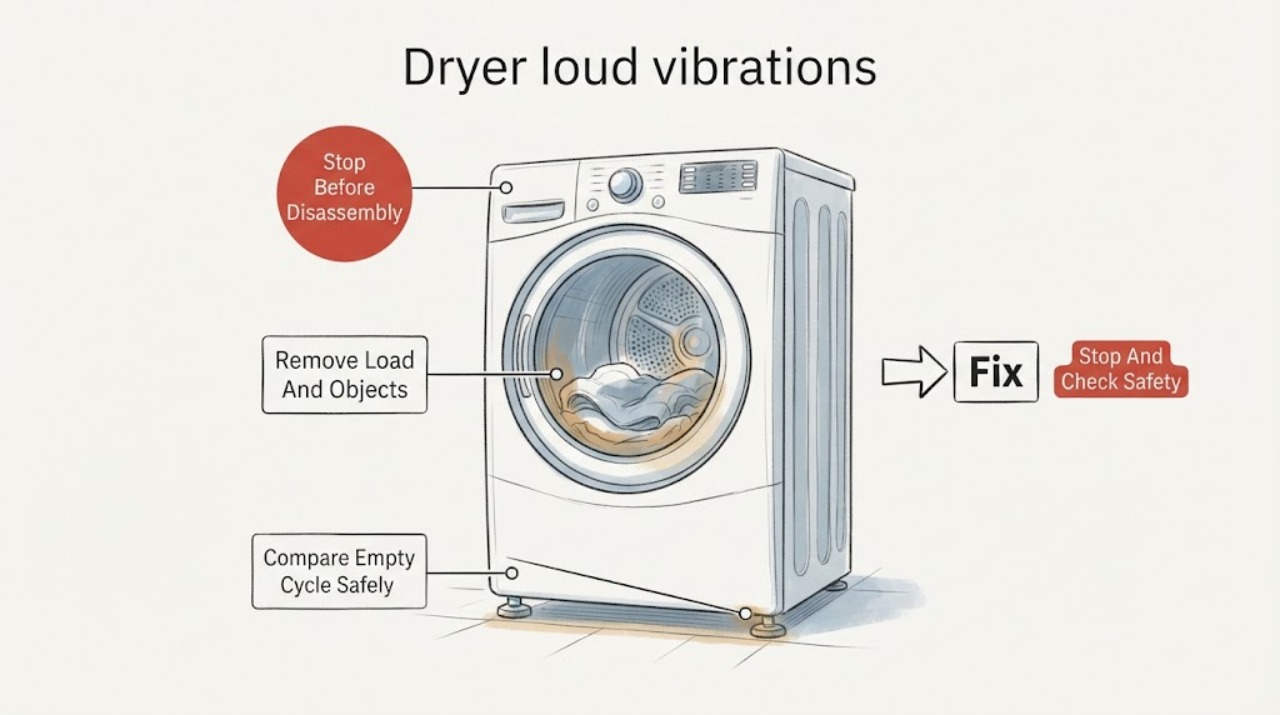
Stop the dryer and first separate a load or loose-object problem from a machine or installation problem. Frigidaire says to check the drum for foreign objects and clothing fasteners, and its dryer-noise guide identifies vibrating or walking after installation with shipping bolts that remain in place or a unit that is not level. Check only accessible conditions: remove the load, inspect pockets and the drum, confirm the dryer sits firmly and level, and look for a loose pedestal or contact with nearby surfaces. If the empty drum still produces severe vibration, the dryer moves, the cabinet or cord is damaged, or the sound persists after the external checks, keep it off and use the exact manual or qualified service; do not open the cabinet or guess a roller, belt or motor failure.
Work through in order
Diagnostic checks
Use only checks that match the exact appliance or system and its official guide.
-
Check 1
Stop the dryer if it is walking, striking a wall, producing smoke or a burning smell, showing a damaged cord or cabinet, or making a sudden severe change in noise. Keep it off and do not reach inside a moving drum or remove panels.
Expected result: The dryer moves forcefully, contacts nearby surfaces, smells burnt, smokes, or has visible damage; or it is only a loud but controlled vibration with no hazard sign.
Next step: For any hazard sign, keep the dryer disconnected as appropriate and arrange qualified appliance service; use emergency support for smoke or fire. If no hazard sign is present, continue only with the stopped-dryer checks below.
Why this matters
Why: A moving or damaged dryer can worsen mechanical, electrical or installation damage. The available Frigidaire guidance supports external checks and service, not a consumer internal-part diagnosis.
-
Check 2
With the dryer stopped, remove the load and inspect accessible drum surfaces and garment pockets for coins, fasteners, belt buckles or other loose objects. Secure or turn garments with metal fasteners inside out before any later normal use.
Expected result: A coin, fastener or other object is found; the load was uneven or bulky; or the drum and load contain no obvious source.
Next step: Remove the object and correct the load. If the dryer still vibrates loudly with no load or the unit walks, stop and move to installation/service checks rather than adding more test loads.
Why this matters
Why: Frigidaire identifies foreign objects and clothing fasteners as causes of rattling or clanking, and says the load can be separated from a unit noise by an empty-cycle observation. Finding an object does not prove it caused severe cabinet vibration.
-
Check 3
Only when there is no smoke, burning odor, damaged hardware or forceful walking, run one brief empty cycle from a safe position to compare the vibration with the loaded condition. Do not place hands near the drum, repeatedly run cycles or use this as a way to reproduce a dangerous noise.
Expected result: The vibration disappears empty, remains empty, or becomes worse immediately.
Next step: If it remains or worsens empty, stop using the dryer and arrange service. If it disappears, use balanced, appropriate loads and monitor; return to service if the symptom recurs.
Why this matters
Why: A vibration that disappears empty points toward load or clothing conditions; vibration that remains empty points toward the dryer, support or installation and is not a confirmed roller, belt or motor failure.
-
Check 4
With the dryer off, check from outside that it sits firmly on a solid, level surface and is not rocking, touching a wall, or sitting on a visibly loose pedestal. If it was newly installed, verify from the installation documentation that the required shipping materials were removed; do not disassemble the cabinet to reach them.
Expected result: The dryer rocks, is visibly out of level, contacts another surface, has a loose pedestal, or was recently installed with shipping-material status unknown; or the accessible installation appears stable.
Next step: Correct only accessible placement issues according to the exact manual or have the installer do so. Do not improvise shims, pedestal hardware or internal removal steps; use service if the condition persists.
Why this matters
Why: Frigidaire specifically links vibrating or walking to leveling and, for a newly installed unit, shipping bolts. A stable exterior does not rule out an internal fault.
-
Check 5
Record the exact model, whether the dryer is freestanding, stacked or on a matching pedestal, when the vibration began, whether it occurs empty, and any visible damage. Use the exact Frigidaire manual and contact the installer or qualified service.
Expected result: The dryer was installed within 30 days, the installation configuration is uncertain, or the vibration persists after the external checks.
Next step: Keep the dryer off if it vibrates severely or shows damage, and provide the service provider the timing, load/empty comparison and installation observations. Do not open the cabinet or replace an unverified part.
Why this matters
Why: Frigidaire routes recent installations back to the installer and unresolved later noise to service. Model and configuration are needed before any part or installation instruction can be scoped.
Use your observations
Decision map
Find the observation that best matches what you see, then follow the next safe action.
-
PATH 01Next step
What you see
The vibration disappears when the load is removed and no object remains in the drum.
Do this next
Use smaller, balanced loads and secure metal fasteners. Stop and request service if vibration returns, becomes forceful or makes the dryer walk.
Why this path and its safety boundary
Why it matters: The symptom is load-dependent, but the public evidence does not establish a specific clothing or drum diagnosis.
-
PATH 02Next step
What you see
The dryer vibrates or walks during an empty cycle.
Do this next
Stop using it, check only accessible level/contact/pedestal conditions, and arrange qualified service if the problem remains.
Why this path and its safety boundary
Why it matters: The unit, support or installation remains implicated; a belt, roller, motor or bearing is not confirmed.
-
PATH 03Next step
What you see
The dryer is newly installed or sits on a pedestal/stacked configuration.
Do this next
Have the installer or qualified service verify the installation against the exact manual. Do not improvise pedestal or stacking hardware.
Why this path and its safety boundary
Why it matters: Shipping-material removal, leveling and matching installation hardware are relevant; the exact configuration is unresolved without the model/manual.
-
PATH 04Next step
What you see
Smoke, burning odor, damaged cord/cabinet or violent movement is present.
Do this next
Stop immediately, keep people clear and arrange appropriate emergency or qualified appliance service. Do not run another cycle.
Why this path and its safety boundary
Why it matters: This exceeds a normal noise check and may create fire, electrical or mechanical risk.
Helpful context
Understand the symptom
Separate the load from the dryer
Stop the dryer, remove the load and check the drum and pockets for coins, fasteners or other loose objects. Frigidaire says clothing fasteners and foreign objects can create noise and recommends an empty cycle to see whether the sound follows the dryer or the items. Do not use an empty run to reproduce severe walking or a hazardous sound.
Check level, shipping materials and support
Frigidaire links vibrating or walking to a unit that is not level and, when newly installed, to shipping bolts that remain. Check only accessible placement, rocking, nearby contact and pedestal condition. Match any correction to the exact manual and installation configuration.
Use the installer or service path
Frigidaire directs units installed within the past 30 days back to the installer and later unresolved noise to service. Persistent empty-drum vibration does not prove a roller, belt, motor or bearing fault, so do not open the cabinet or buy an unverified part.
When checks do not resolve it
Need a professional?
Keep the dryer off and contact qualified appliance service when vibration remains with an empty drum, the dryer walks or strikes nearby surfaces, the pedestal/installation cannot be verified, or the accessible checks do not resolve the symptom. For a unit installed within 30 days, contact the installer first as Frigidaire directs. Smoke, burning odor or damaged electrical hardware requires immediate stop and appropriate emergency support.
Common questions
FAQ
Why does my Frigidaire dryer vibrate loudly?
Start with the supported distinctions: loose objects or clothing fasteners, an unlevel or newly installed unit, remaining shipping bolts, a loose pedestal, or a vibration that persists with an empty drum. The symptom alone does not identify an internal part.
Should I run the dryer empty to check the vibration?
Only if there is no smoke, burning odor, damaged hardware or forceful walking. Frigidaire recommends an empty cycle to distinguish clothing/object noise from a unit noise. Stop immediately if the empty drum still vibrates severely or the dryer moves.
Could the dryer be unlevel after installation?
Yes, Frigidaire says a vibrating or walking newly installed dryer should have shipping bolts removed and be leveled. Use the exact installation instructions or the installer; do not open the cabinet or improvise internal or pedestal repairs.
Read the exact guide
Official sources
- Delivery and Installation Guide - LaundryFrigidaire · Official installation guidance for dryers, including configuration/pedestal and installation support boundaries.
- Laundry Dryer NoisesFrigidaire · Official Frigidaire dryer noise guide covering rattling/clanking, vibrating or walking, leveling, shipping bolts and service escalation.
- Is it normal for my dryer to make sounds or noises?Frigidaire · Official model-general dryer sound guidance covering clothing fasteners, foreign objects, empty-cycle comparison and normal operating sound categories.
Community feedback
Share a repair observation
Share a plain-text repair observation. Accepted observations are published automatically; this page may take a moment to update.