
On this page
Start here
Quick answer
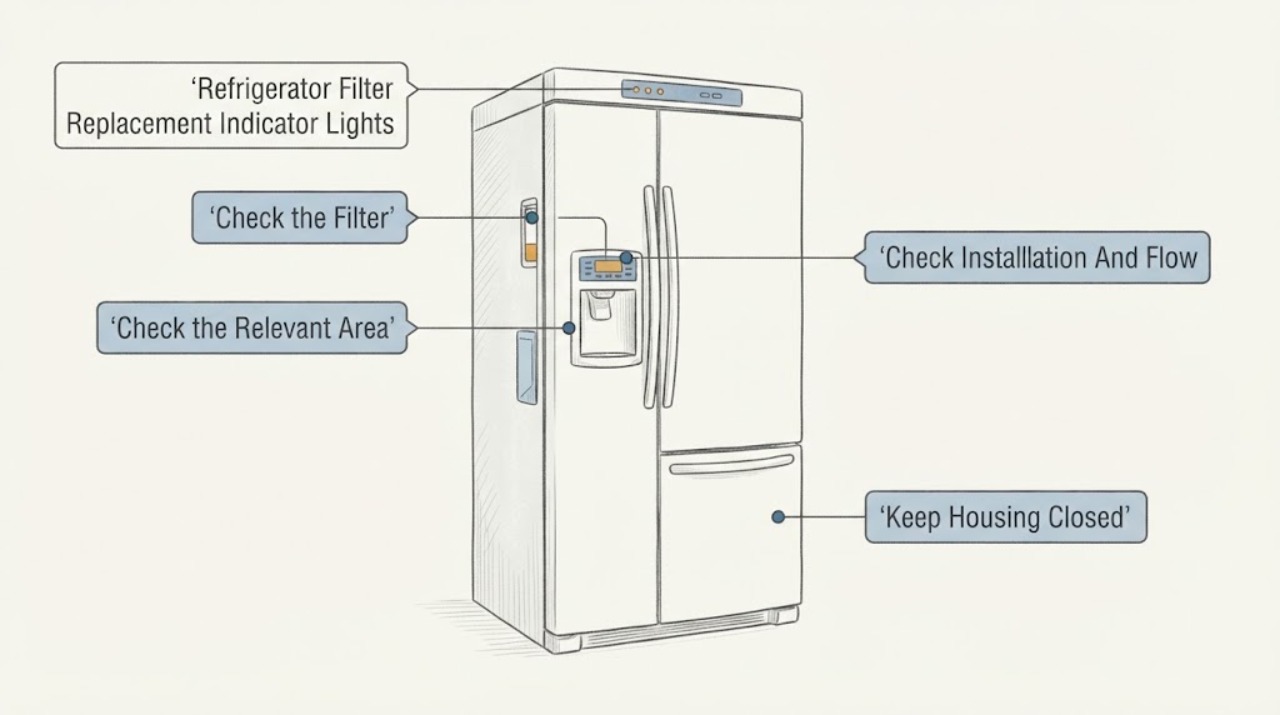
A Frigidaire water-filter indicator is usually a replacement reminder, not proof that the refrigerator itself is failing. Read the exact display label and model manual, confirm whether the filter is due by age or recent installation, and use the same filter type already specified for that refrigerator. Frigidaire generally recommends changing a refrigerator water filter every six months and says most models illuminate a Water Filter Status prompt. After installing a new filter, make sure it is seated correctly and prime/purge the water line as the model guide requires. Reset the indicator only with the exact model’s documented control sequence; do not guess a button combination or use a look-alike filter. If the indicator remains on with the correct filter, water is slow or absent, the filter is cracked/frozen, or there is leakage, use the model-specific support or service path.
Work through in order
Diagnostic checks
Use only checks that match the exact appliance or system and its official guide.
-
Check 1
Read the exact display label or light pattern and record the refrigerator model before removing the filter.
Expected result: The display identifies a water-filter reminder, another filter/maintenance icon, or an alert that is not clearly a filter reminder.
Next step: Use the exact Owner’s Manual for the displayed alert. If it is not a filter reminder, follow that alert’s model-specific support path.
Why this matters
Why: Frigidaire’s Water Filter Status behavior and control functions vary by model; a different alert should not be handled as a water-filter reset.
-
Check 2
Compare the installed cartridge and its service age with the exact model manual; Frigidaire generally recommends replacement every six months.
Expected result: The filter is at or beyond the recommended interval, was installed after a long period of non-use, or its type cannot be confirmed.
Next step: Obtain the model-matched filter through the manufacturer’s parts path or manual. Do not substitute a look-alike cartridge.
Why this matters
Why: Frigidaire treats the reminder as a replacement prompt and says the same filter type already used in the refrigerator should be ordered.
-
Check 3
If water is slow or absent, verify the accessible filter is seated securely and inspect it for a crack or freezing; also confirm the display is not locked and the water supply is available.
Expected result: The filter was loose, cracked, frozen or newly installed, or the filter and supply appear normal.
Next step: Correct only the accessible condition described by the model manual. If the filter or housing leaks or flow remains poor, stop using the dispenser and request service.
Why this matters
Why: Frigidaire identifies filter seating/condition, display lock, water supply and post-installation purging as possible reasons for poor dispensing.
-
Check 4
After installing a new filter, follow Frigidaire’s model-appropriate purge guidance by dispensing and discarding the initial water until the line is flushed.
Expected result: Flow becomes even and taste/air symptoms clear, or flow remains poor and the indicator stays active.
Next step: If symptoms clear, proceed to the exact model reset. If not, keep the dispenser out of service and use the model support path.
Why this matters
Why: Frigidaire says air can remain in new plumbing after a filter change; persistent poor flow is not explained by purge alone.
-
Check 5
Use only the exact Owner’s Manual or model display instructions to reset the filter reminder after the correct filter is installed and purged.
Expected result: The light clears, or it remains on despite a confirmed model-matched filter and correct seating.
Next step: Record the model, filter type, installation date and display text, then contact Frigidaire support or qualified service. Do not repeat unknown button sequences or open the control panel.
Why this matters
Why: A cleared light supports a reminder-state explanation; a persistent light does not identify a failed sensor or control board.
Use your observations
Decision map
Find the observation that best matches what you see, then follow the next safe action.
-
PATH 01Next step
What you see
The indicator is a Water Filter Status prompt and the cartridge is about six months old or older.
Do this next
Install the exact model-matched filter, purge the line as directed and use the model-specific reset instruction.
Why this path and its safety boundary
Why it matters: Frigidaire generally treats this as the normal filter-replacement interval.
-
PATH 02Next step
What you see
A new filter was installed and the water is briefly uneven, tastes unusual or the ice maker misses initial cycles.
Do this next
Prime and purge the system using the manufacturer’s guidance, discarding the initial water; escalate if flow does not recover.
Why this path and its safety boundary
Why it matters: Frigidaire says air can remain in the lines after filter installation and can cause these temporary effects.
-
PATH 03Next step
What you see
The correct filter is installed securely, but water remains slow or absent, the cartridge is cracked/frozen, or the housing leaks.
Do this next
Stop using the dispenser if there is leakage, preserve the model and filter details, and arrange qualified service.
Why this path and its safety boundary
Why it matters: The symptom is no longer just a replacement reminder; Frigidaire lists filter condition, water supply and installation as checks before service.
-
PATH 04Next step
What you see
The light remains on after a confirmed model-matched filter, proper seating, purge and the exact reset procedure.
Do this next
Use Frigidaire support or service with the model and alert text rather than installing more filters or guessing a reset sequence.
Why this path and its safety boundary
Why it matters: The indicator state is unresolved; it does not prove a failed filter sensor, control board or other part.
Helpful context
Understand the symptom
Read the indicator before replacing anything
Confirm whether the display actually says Water Filter, Replace Filter, Order Filter or another alert. Frigidaire says most refrigerator models illuminate a Water Filter Status prompt when replacement is due, but refrigerator styles and control panels vary. A light that remains on after a recent replacement may reflect a reset that has not been completed, an incorrectly seated filter or a model-specific alert rather than a cooling failure.
Match the filter to the exact refrigerator
Use the model number and the filter already installed to identify the correct type. Frigidaire says most Owner’s Manuals contain model-specific filter information and warns that compatible or look-alike filters are not guaranteed to offer the same water quality. Do not choose a cartridge from the indicator color, shape or a different Frigidaire refrigerator.
Inspect seating and condition when water flow changed
If the dispenser is slow or not dispensing after the indicator appears, verify that the filter is installed securely and inspect only the accessible cartridge for a crack or freezing. Frigidaire also says a locked display, missing water supply or a recently installed filter can affect dispensing. These checks do not justify opening the filter housing or diagnosing an internal valve.
Prime and purge after a new filter
Frigidaire says air can be trapped after a filter change, which can cause uneven flow, empty ice-maker cycles or unusual taste. Follow the model’s purge instructions and discard the initial water specified by the manufacturer. Do not treat temporary air or taste after a new filter as proof that the refrigerator is broken.
Reset the reminder only through the model guide
After the correct filter is installed and the line is purged, use the exact Owner’s Manual or display instructions to clear the reminder. Frigidaire’s support pages emphasize model-specific manuals for filter information and control behavior. If the light remains on, water leaks, flow stays poor or the filter cannot seat, record the model and alert text and arrange support rather than repeating unknown reset sequences.
When checks do not resolve it
Need a professional?
Arrange Frigidaire or qualified refrigerator service when the indicator remains on after a model-matched filter and documented reset, the filter housing leaks, the cartridge cannot seat, water flow remains poor after purge, or the display shows an alert that is not identified by the manual. Do not replace a sensor or control board from the light alone.
Common questions
FAQ
How often should a Frigidaire refrigerator water filter be replaced?
Frigidaire generally recommends every six months and says most models illuminate a Water Filter Status prompt when replacement is due. The exact manual controls model-specific details.
Why is the filter light still on after I installed a new filter?
Confirm that the cartridge is the exact model-matched type, seated securely and purged, then use the exact manual’s reset procedure. Do not assume a universal button sequence or a failed sensor.
Can I use a compatible or look-alike Frigidaire filter?
Frigidaire warns that compatible or look-alike filters are not guaranteed to provide the same water quality. Use the filter type specified by the model manual or manufacturer’s filter lookup.
Read the exact guide
Official sources
- Refrigerators - How do I know which water filter I need for my refrigerator?Frigidaire · Official Frigidaire guidance covering French-door, side-by-side and top-freezer refrigerators; it directs users to the model manual and warns against unverified look-alike filters.
- Refrigerators - How often should I change my water filter?Frigidaire · Official Frigidaire guidance applying to French-door, side-by-side and top-freezer refrigerators; it states the general six-month interval and Water Filter Status prompt behavior.
- Refrigerators - No WaterFrigidaire · Official Frigidaire refrigerator guidance for power, water supply, display lock, filter seating/condition and post-installation purge.
- Refrigerator Prime and Purge GuideFrigidaire · Official Frigidaire refrigerator guidance for purging air and impurities after a new water filter.
Community feedback
Share a repair observation
Share a plain-text repair observation. Accepted observations are published automatically; this page may take a moment to update.