
On this page
Start here
Quick answer
On a GE Profile refrigerator, “not turning on” can mean a dark cabinet, a lit display with no cooling, a dispenser panel that ignores input, or a temporary quiet period. Begin by recording the model, every display character, and whether the interior light works. If a Profile display shows a documented demo/showroom indication, use only that model's exit sequence; demo mode can leave lights and controls active while disabling cooling. If the cabinet is dark, check the accessible plug and outlet once. If lights work but cooling is absent, verify the control state, allow for the model's defrost or post-outage compressor delay, and do not keep power-cycling the refrigerator. A persistent code, panel failure, warm cabinet after the documented interval, repeated breaker trip, or smoke/odor/water near electrical parts requires qualified service. Keep rear, freezer, door-wiring, compressor, and sealed-system areas closed.
Before you begin
Safety first
- Do not open refrigerator panels, pull door harnesses, touch the compressor or fans, bypass a lock, overload, or sensor, probe live wiring, add refrigerant, or open the sealed system. Stop for smoke, burning/electrical odor, sparks, abnormal heat, a hot or damaged cord or outlet, water near electrical parts, or repeated breaker trips.
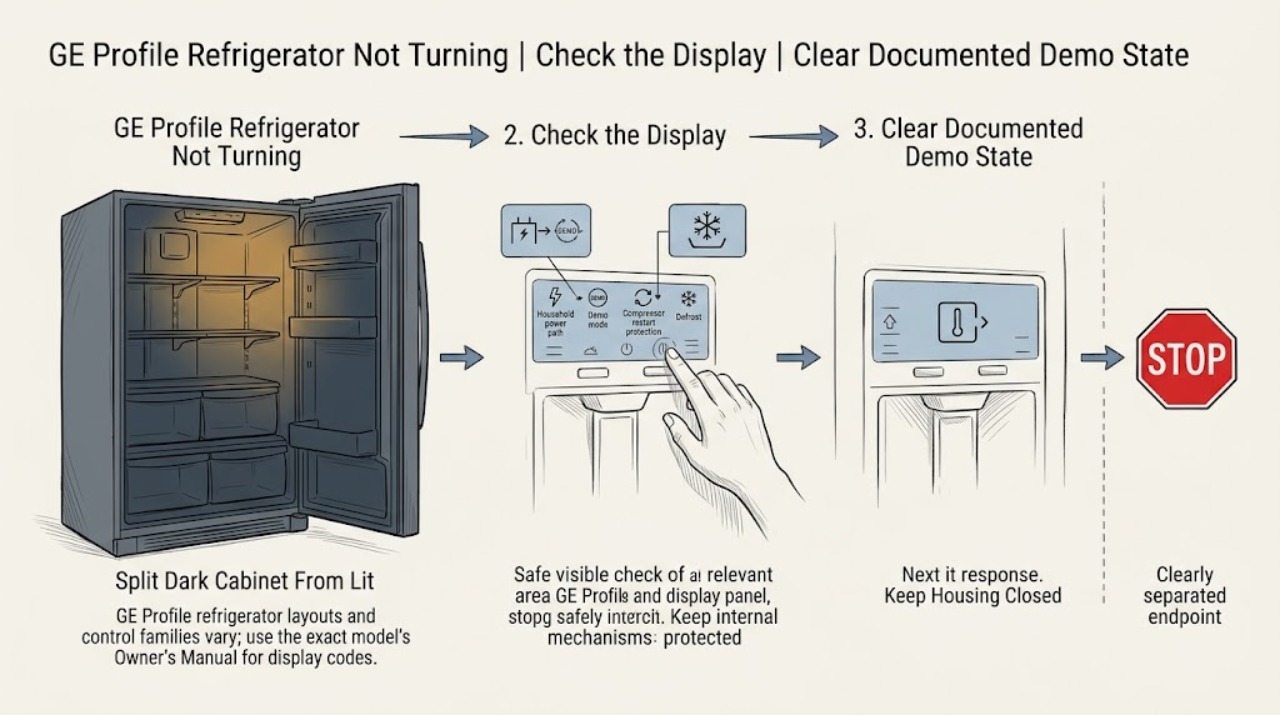
Work through in order
Diagnostic checks
Use only checks that match the exact appliance or system and its official guide.
-
Check 1
Record the complete GE Profile model and serial information and photograph or transcribe the display before changing a setting. Note the cabinet style, whether the fresh-food light is on, whether the dispenser panel responds, and whether the complaint is no light, no cooling, no controls, or an intermittent stop.
Expected result: The display is dark, a demo/showroom or fault code appears, the light works but the panel is unresponsive, or all controls work while the cabinet is warm.
Next step: Use the exact Profile model support page and Owner's Manual for the observed state. If the label or display cannot be obtained without touching water or damaged power hardware, stop and arrange service.
Why this matters
Why: This split prevents a Profile display or panel state from being mistaken for a whole-appliance power failure. GE's code list is incomplete and its control procedures are model-specific, so an unknown character is evidence to preserve, not a diagnosis.
-
Check 2
If the Profile display identifies a demo, showroom, or similar non-cooling mode, compare the exact model's control placement with GE's model instructions and follow that model's documented exit sequence once. Do not use a button combination copied from another Profile family.
Expected result: A documented demo indication clears and cooling settings can be entered, the display shows a different code, or no documented demo state is present.
Next step: After a documented mode change, set temperatures exactly as the manual directs and allow the stated stabilization period. If the code remains or cooling does not resume, stop changing settings and arrange service.
Stop if: Do not enter a diagnostic mode, bypass a lock or sensor, or repeat unverified key sequences.
Why this matters
Why: GE says demo mode can keep lights and controls active while disabling cooling, but the exit keys differ by model. Clearing it supports a settings explanation; a different or persistent code moves to model-specific diagnosis.
-
Check 3
For a dark cabinet, check the accessible plug and wall outlet from a dry, safe position without moving a built-in refrigerator. For a lit cabinet, verify only that the model's temperature control is enabled and that a documented control lock is not preventing input; do not open panels or change breaker protection.
Expected result: The outlet is dead, the plug is loose or power hardware is hot/damaged, the outlet has power but the Profile cabinet remains dark, or lights and controls work while cooling is absent.
Next step: Correct only a normally loose plug or obtain qualified electrical help for the outlet/circuit. If power is present and the refrigerator remains dark, keep it closed and arrange service; if lit but warm, continue to the timed-state check.
Stop if: Stop for smoke, electrical odor, sparks, abnormal heat, a hot/damaged cord or outlet, water near electrical parts, or a repeated breaker trip.
Why this matters
Why: A dead outlet or loose plug can explain a dark refrigerator. Power at the outlet with a dark unit points toward the appliance power/control path. A lit but warm refrigerator follows demo, control, defrost, outage, and cooling branches instead of a simple outlet check.
-
Check 4
If the Profile refrigerator was recently unplugged, experienced a short outage, or stopped while previously cooling, note the elapsed time without repeatedly cycling power. Compare the quiet period with the exact manual and GE's documented defrost/restart behavior while monitoring whether the cabinet remains safely closed.
Expected result: The compressor and fans are quiet during a defrost period, operation resumes after a short outage delay, the compressor repeatedly clicks/tries to start, or the refrigerator remains silent and warms beyond the expected interval.
Next step: Allow the documented interval once and record recovery. If cooling does not return or the compressor repeatedly attempts to start, arrange qualified service without tapping the compressor or opening the rear compartment.
Stop if: Do not repeatedly unplug/replug, defeat compressor protection, or perform a live test.
Why this matters
Why: GE says defrost stops the compressor and fans, and an outage can trigger automatic overload equalization before the compressor restarts. Recovery supports a temporary state; repeated attempts or persistent warmth suggests a fault beyond a normal pause.
-
Check 5
If the interior light is on but the external dispenser or temperature panel does not respond, use the exact Profile manual to check its lock state. Only if the manual documents it, perform one brief power reset from a dry, safe position; do not remove door trim or inspect a harness.
Expected result: The panel was locked, a documented reset restores response, the refrigerator is a new installation after door removal, or the panel remains unresponsive with household power present.
Next step: Leave the panel in the manual's normal state after one authorized correction. If it remains dead or the door wiring history is relevant, arrange service and provide the model and installation history.
Stop if: Do not bypass the lock, pull door wiring, remove the dispenser panel, or repeatedly cycle power.
Why this matters
Why: GE identifies a control lock, temporary static-related lockup on some new units, and door-harness conditions after installation as different possibilities. A persistent panel fault can affect temperature or appliance control and needs service.
-
Check 6
Match every displayed character to the exact Profile manual or GE's code guidance. Record whether it is PF, DE/dE, CC, FF, CI, a normal tC/tF function indicator, or an unfamiliar code; do not clear a code before recording it.
Expected result: The code is a documented power interruption, demo, defrost, temperature, icemaker, or normal Turbo feature indicator, or it persists/does not appear in the model documentation.
Next step: Follow only the documented model action once. If the code returns, the refrigerator stays warm, or the display/control remains abnormal, leave the appliance closed and arrange qualified service with the recorded code.
Stop if: Do not guess code meanings, bypass protection, open panels, or perform live electrical, compressor, fan, or sealed-system tests.
Why this matters
Why: GE distinguishes fault codes from normal function indicators and states that not every possible code is listed for owner resolution. A persistent or unfamiliar code is a service path, not permission to enter diagnostics or replace a board.
-
Check 7
Give the technician the Profile model, display record, light and panel state, outlet result, mode/lock checks, outage or defrost timing, temperatures, and any safe sound description. Do not move the refrigerator or remove a cover to obtain a final confirmation.
Expected result: The refrigerator stays dark with outlet power, stays warm after the exact interval, repeatedly tries to start, has an unresolved code/panel, or shows smoke, odor, water near electricity, heat, sparks, or breaker operation.
Next step: Stop use for a hazard and obtain qualified appliance or electrical service. For a non-hazardous persistent no-run, leave the unit in the safest state allowed by the service provider so the recorded symptom can be diagnosed.
Stop if: Do not open panels, touch internal parts, pull door harnesses, bypass safety devices, add refrigerant, or reset a tripping breaker repeatedly.
Why this matters
Why: An appliance power, control, compressor, fan, defrost, sensor, or sealed-system fault may be involved. These observations cannot safely identify a universal GE Profile part.
Use your observations
Decision map
Find the observation that best matches what you see, then follow the next safe action.
-
PATH 01Next step
What you see
Lights and display work, a demo/showroom state is documented, or the panel is locked while cooling or controls appear unavailable.
Do this next
Use the exact Owner's Manual once to clear the documented state, then allow stabilization. Persistent non-cooling or panel failure needs service; do not guess another key sequence.
Why this path and its safety boundary
Why it matters: A Profile settings or interface state is more likely than a dark-cabinet power failure. GE's demo and lock procedures vary by model and control family.
-
PATH 02Next step
What you see
The interior light and display are dark, the accessible outlet is unpowered or the plug is loose, or outlet power is confirmed but the Profile refrigerator remains dark.
Do this next
Obtain qualified electrical help for the outlet/circuit or arrange appliance service for a dark refrigerator with verified outlet power. Do not open the appliance power path.
Why this path and its safety boundary
Why it matters: The first pattern points to household power; the second points toward the refrigerator's power/control path. A breaker that trips again is a hazard condition, not a reset invitation.
-
PATH 03Next step
What you see
The Profile refrigerator was recently interrupted or is in a documented defrost interval, and operation resumes without repeated power cycling.
Do this next
Record the recovery and let the refrigerator stabilize. If it stays warm, repeatedly clicks, or does not resume after the exact interval, arrange service.
Why this path and its safety boundary
Why it matters: A temporary compressor/fan pause is more likely than a permanent no-run fault. GE says defrost and post-outage overload equalization occur automatically.
-
PATH 04Next step
What you see
A code remains after its documented action, the dispenser/temperature panel stays unresponsive with power present, or the display does not match the exact manual.
Do this next
Stop trying unverified resets, preserve the code and model information, and arrange qualified appliance service. Do not remove the panel or door harness.
Why this path and its safety boundary
Why it matters: A Profile control, wiring, sensor, or appliance fault is more likely than a normal mode. GE states that some codes require technician expertise.
-
PATH 05Safety boundary
What you see
The refrigerator remains warm after mode, control, and timed-state checks, repeatedly attempts to start, or presents smoke, burning/electrical odor, sparks, abnormal heat, water near electrical parts, damaged power hardware, or repeated breaker trips.
Do this next
Stop use and obtain qualified appliance or electrical service from a dry, safe position. Do not open panels, perform live tests, or reset protection repeatedly.
Why this path and its safety boundary
Why it matters: An internal cooling, compressor, fan, defrost, control, or electrical fault may be involved. Hazard signs override troubleshooting and make continued operation unsafe.
Safety stop: Leave the unit off for active smoke, odor, sparks, abnormal heat, water near electricity, damaged power parts, or recurring breaker trips.
Helpful context
Understand the symptom
Start with what the Profile display is telling you
The same complaint can be a power loss, a demo state, a locked dispenser interface, or a normal compressor pause. GE Profile refrigerators use multiple control families and door configurations. Before pressing combinations, photograph or transcribe the display, note the interior light and dispenser response, and capture the full model from the appliance label or model support page. An unfamiliar display must be matched to that model rather than guessed from a similar Profile refrigerator.
Demo mode and a real cooling fault look alike
GE says demo mode can preserve normal lights and controls while disabling the cooling system. Its published examples use different button combinations for different control locations and families. Treat a demo indicator as a settings branch, not as a compressor diagnosis. If the exact mode is absent or cooling remains off after its documented exit and stabilization period, the problem moves to service rather than another guessed sequence.
A silent compressor can be a timed state
GE documents two temporary reasons a Profile refrigerator can seem to stop: automatic defrost and the compressor's protective restart delay after a short outage or immediate unplug/replug. The length varies by model and situation. Do not tap the compressor or cycle the power repeatedly. Persistent warmth, a repeated start attempt, or no recovery after the model-specific interval is a service symptom.
Keep internal Profile refrigerator work professional
Owner checks should stop at the accessible plug/outlet, documented controls and lock state, display, light, door closure, and elapsed time. Do not remove a rear or freezer panel, pull a door harness, bypass a lock or overload, probe live wiring, touch a compressor or fan, add refrigerant, or open the sealed system. Stop for smoke, burning or electrical odor, sparks, abnormal heat, a hot or damaged cord or outlet, water near electrical parts, or repeated breaker trips; isolate power only from a dry, safe position and arrange qualified appliance or electrical service.
When checks do not resolve it
Need a professional?
Call qualified GE Profile refrigerator service for persistent darkness with verified outlet power, no cooling after the exact model's mode and timed-state checks, a recurring or unfamiliar code, an unresponsive dispenser/temperature panel, or any internal component diagnosis. Call qualified electrical service for damaged power hardware or repeated breaker trips. Stop immediately for smoke, burning or electrical odor, sparks, abnormal heat, or water near electrical parts.
Safety scope: Do not open refrigerator panels, pull door harnesses, touch the compressor or fans, bypass a lock, overload, or sensor, probe live wiring, add refrigerant, or open the sealed system. Stop for smoke, burning/electrical odor, sparks, abnormal heat, a hot or damaged cord or outlet, water near electrical parts, or repeated breaker trips.
Have this ready
- Complete model and serial information, cabinet and dispenser configuration, interior-light/display/panel state, every displayed character, outlet and plug result, mode/lock checks, outage or defrost timing, temperatures, compressor/fan sounds, and any safe photo or recording.
Common questions
FAQ
Why does my GE Profile refrigerator show lights but not cool?
Check the exact model's temperature control and demo/showroom mode first. GE says demo mode can leave lights and controls active while disabling cooling. A defrost or post-outage compressor delay can also be temporary. If cooling does not return after the documented interval, arrange service rather than trying another button combination.
What should I check if my GE Profile refrigerator is completely dark?
Check the accessible plug and outlet from a dry, safe position. GE uses the interior light to distinguish a no-power state from a refrigerator that has some power. If the outlet works but the Profile refrigerator remains dark, keep it closed and arrange qualified appliance service; do not open the rear or control panels.
Can a GE Profile refrigerator be quiet during normal operation?
Yes. GE says the compressor and fans stop during automatic defrost, and a short outage can trigger automatic overload equalization before the compressor restarts. Do not repeatedly cycle power. Persistent silence with warming or repeated start attempts needs service.
What if my GE Profile dispenser or temperature panel is not responding?
Use the exact manual to check the control lock and any documented brief reset. GE also identifies a temporary lockup on some new installations and door-harness conditions after door removal. If the panel stays unresponsive with power present, arrange service without removing the panel or pulling door wiring.
How do I interpret a GE Profile refrigerator code?
Record the exact characters and model before clearing anything. GE distinguishes PF, DE/dE, CC, FF, and CI conditions from normal tC/tF function indicators, but not every code is listed for owner resolution. Use the exact Owner's Manual and arrange service for a persistent or unfamiliar code.
When should I stop troubleshooting a GE Profile refrigerator?
Stop for smoke, burning or electrical odor, sparks, abnormal heat, a hot or damaged cord or outlet, water near electrical parts, repeated breaker trips, or a damaged cabinet. Do not open panels, perform live tests, bypass protection, or work on the compressor, fans, defrost system, or sealed system.
Read the exact guide
Official sources
- User Manual & Care for PVD28BYNFS | GE AppliancesGE Appliances · Only GE Profile PVD28BYNFS as an identity example; do not infer its controls or code behavior for an unidentified Profile model
- Refrigerator - Does Not Run or CoolGE Appliances · GE refrigerators; exact Profile model settings and timing remain manual-specific
- Refrigerator - Error, Fault or Function CodesGE Appliances · GE refrigerators with electronic controls; code availability and exact meaning vary by model
- Refrigerator - Dispenser Control Panel Not WorkingGE Appliances · GE refrigerator models with the described dispenser control panel; exact Profile control layouts vary
- Refrigerator - Normal Cycle TimesGE Appliances · GE refrigerators; exact run time and defrost interval vary by model and conditions
- Refrigerator - Not RunningGE Appliances · GE refrigerators; demo sequences and controls vary by model, including GE Profile families
Community feedback
Share a repair observation
Share a plain-text repair observation. Accepted observations are published automatically; this page may take a moment to update.