
On this page
Start here
Quick answer
On Haier wine coolers, LL is model- and market-sensitive. Haier Appliances' opened wine-cellar chart says a flashing LL with a buzzing alarm means the related compartment is below 23°F, and tells the owner to stop running the wine cooler until the ambient temperature rises; the code can remain after the alarm is silenced. Haier India separately warns that different series use different codes and lists LL among wine-cellar sensor or sensor-temperature errors that require service. Confirm the complete model, market, affected zone, and exact display before acting. Check only the surrounding temperature and user controls from outside; if LL persists, the compartment is not recovering, or the manual does not match, stop use and arrange Haier or qualified refrigeration service. Do not open panels or guess a sensor or control-board part.
Before you begin
Safety first
- Owner checks are limited to recording the display and model, reading the external temperature and setpoint, checking visible environment and ventilation, and using only a documented alarm control. Do not open panels, probe wiring, access sensors, bypass an alarm, or work on the compressor or sealed refrigeration system.
Work through in order
Diagnostic checks
Use only checks that match the exact appliance or system and its official guide.
-
Check 1
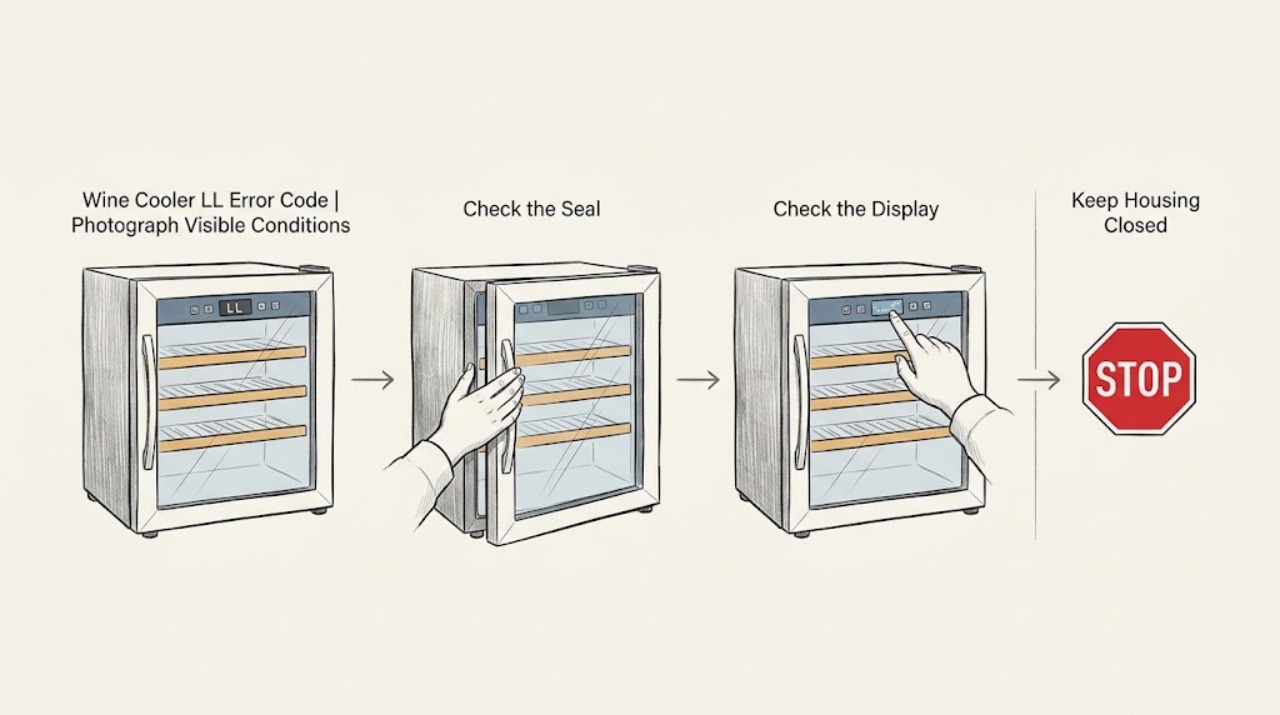
Photograph the complete display and rating label, then record the full Haier model, market or country, serial information, number of zones, affected compartment, and whether LL is flashing with a buzzer or shown steadily. Do not use a wine-cooler code table from a different series without checking the model.
Expected result: The model and market are confirmed and LL is clearly on a wine cooler; the code is incomplete, the zone is unclear, or the display belongs to another Haier appliance.
Next step: Use the matching regional Owner's Manual or Haier support page. If identity or zone remains uncertain, stop code-specific diagnosis and arrange Haier service rather than assigning a generic LL meaning.
Stop if: Do not remove a panel or control housing to find a hidden sensor, wiring label, or board marking.
Why this matters
Why: Haier states that different series display different codes. The exact identity determines whether LL is the opened US low-temperature condition, a model-specific sensor-temperature fault, or another display state.
-
Check 2
From a dry, safe position, read the temperature shown for the affected zone and note the room temperature, whether bottles or shelves are unusually cold, and whether the compressor or fan appears to run continuously. Do not insert a probe through a gasket or remove an interior cover.
Expected result: The related compartment is below the model's documented low limit or the US chart's 23°F reference; the zone is not that cold; or the temperature cannot be read reliably.
Next step: If the matching manual uses the same low-temperature instruction, stop running the wine cooler until the ambient condition is suitable and monitor only as the manual directs. If LL persists or the temperature is not recovering, arrange service.
Stop if: Do not alter a sensor, thermostat, refrigerant setting, or control board to force the displayed temperature to change.
Why this matters
Why: For the Haier Appliances chart, LL is tied to the related compartment being below 23°F. A different reading or unknown model does not disprove LL; it means the code must be interpreted against the exact series and its sensor/control behavior.
-
Check 3
Check only the user controls and environment: verify that the affected zone setpoint was not changed, the cooler is not in a special mode, air openings are not visibly blocked, and the cabinet is not placed in an unusually cold or hot location. Keep the door closed while observing and do not move a loaded unit.
Expected result: The setpoint or mode is incorrect, ventilation is obstructed, the room is outside the model's stated operating range, or all visible conditions are normal while LL remains.
Next step: Correct only an obvious setting or accessible obstruction according to the exact manual, then monitor without repeated cycling. If the code returns or the condition is normal, stop use and provide the complete identity to Haier service.
Stop if: Do not remove shelves, fan covers, evaporator panels, or insulation to reach an air path or sensor.
Why this matters
Why: A documented setting or environment can contribute to a low-temperature alarm, but it does not prove the cause of LL. With normal external conditions, a sensor, control, or cooling fault becomes a service question rather than a user-replaceable part decision.
-
Check 4
If the exact Haier manual supports it, silence the LL buzzer once with the documented set or light control, and record whether the code remains on the display. Do not interpret a quiet panel as a repair and do not repeatedly power-cycle the cooler.
Expected result: The buzzer stops but LL remains; LL clears and does not return after the documented condition is corrected; or the alarm and code return.
Next step: Continue only the matching manual's external monitoring if temperature is recovering. For a persistent or returning LL, stop use and arrange service; do not choose a sensor or board based on the alarm response.
Stop if: Do not enter a diagnostic mode, bypass the alarm, or restore power repeatedly to test whether LL disappears.
Why this matters
Why: Haier's US chart says pressing the set or light on/off button cancels the buzzing but the error code remains until the failure is resolved. Alarm silence changes the noise, not the underlying temperature or sensor condition.
-
Check 5
Prepare a service record without opening the cabinet: model and market, LL timing, affected zone, displayed temperature, setpoint, room conditions, alarm behavior, compressor or fan sound, and any frost, moisture, unusual heat, odor, or damaged cord. Keep the wine cooler out of service if the code persists or cooling is abnormal.
Expected result: LL clears and the zone returns to the documented range; LL remains or returns; the zone continues to over-cool or fails to control temperature; or there is an electrical or physical hazard.
Next step: For persistent LL or abnormal temperature, stop using the wine cooler and arrange Haier or qualified refrigeration service. For smoke, burning odor, sparks, a hot or damaged plug, or water near electrics, isolate power only from a dry safe position and obtain qualified electrical help.
Stop if: Do not replace a sensor, thermostat, control board, fan, compressor, or sealed-system part from LL alone.
Why this matters
Why: A cleared code with stable temperature supports continued model-specific monitoring, but it does not identify a failed component. Persistent LL is either the documented low-temperature condition or a model-specific sensor/control fault; heat, odor, water, or electrical damage is an immediate safety boundary.
Use your observations
Decision map
Find the observation that best matches what you see, then follow the next safe action.
-
PATH 01Next step
What you see
The exact model matches the Haier Appliances wine-cellar chart, LL is flashing with the alarm, and the related compartment is below the documented low-temperature limit.
Do this next
Stop running the wine cooler until the ambient temperature rises as the matching Haier guidance directs. Monitor only as the exact manual permits, and arrange service if LL remains or returns.
Why this path and its safety boundary
Why it matters: This matches Haier's specific LL low-temperature branch; it is not evidence that a sensor or board should be replaced by the owner.
-
PATH 02Next step
What you see
The model or market differs from the US chart, or the temperature does not explain LL, and the code persists or returns.
Do this next
Stop use, preserve the exact model and market, and arrange Haier or qualified refrigeration service. Do not order a sensor or control board without model-specific diagnosis.
Why this path and its safety boundary
Why it matters: Haier's India support guidance warns that different series use different codes and places wine-cellar LL among sensor or sensor-temperature errors requiring service. The available evidence does not establish a user repair or universal threshold for another series.
-
PATH 03Next step
What you see
LL clears after the matching manual's safe low-temperature or setting correction, the alarm does not return, and the affected zone returns to its documented range.
Do this next
Keep the unit under normal observation with the doors closed. Escalate if LL returns, the temperature drifts again, or the model manual gives a service instruction.
Why this path and its safety boundary
Why it matters: The immediate low-temperature condition may have cleared, but alarm silence or a reset alone does not prove the sensing and control system is healthy.
-
PATH 04Next step
What you see
The display identity is uncertain, the affected zone cannot be identified, or LL appears with smoke, burning odor, sparks, abnormal heat, water near electrics, or a damaged plug.
Do this next
Stop handling the cooler. Isolate power only from a dry safe position if possible, leave the area for active smoke or fire, and obtain qualified electrical or appliance service.
Why this path and its safety boundary
Why it matters: Code interpretation is secondary to identity and electrical safety. A wet, overheated, or damaged appliance is not safe for further testing.
Helpful context
Understand the symptom
LL on a Haier wine cooler should not be treated as a universal generic fault. In the opened Haier Appliances wine-cellar chart, LL flashes with a buzzer when the related compartment is below 23°F, and the stated action is to stop the wine cooler until the ambient temperature rises. A separate Haier India support page says different series display different codes and lists LL in the wine-cellar group as a sensor or sensor-temperature error for which service is required. Those statements are compatible with a model and market gate: the US chart gives a specific low-temperature branch, but it does not prove that every Haier wine cooler uses the same threshold or internal cause.
Begin by preserving the exact identity and zone rather than replacing a component. Record whether LL is steady or flashing, whether the alarm is sounding, which compartment is affected, the displayed temperature if available, and the room conditions. Only make external checks of the setpoint, ventilation, and visible power condition. Silence an alarm only as the matching manual permits; silencing it does not resolve the code. If LL remains, the unit is over-cooling or not controlling temperature, or the display cannot be matched to the manual, stop use and arrange qualified service.
When checks do not resolve it
Need a professional?
Contact Haier or qualified refrigeration service for persistent or returning LL, an unexplained low-temperature condition, a sensor or control suspicion, or any need to access internal components. Contact qualified electrical help for smoke, burning odor, sparks, a hot or damaged connection, or repeated electrical protection.
Safety scope: Owner checks are limited to recording the display and model, reading the external temperature and setpoint, checking visible environment and ventilation, and using only a documented alarm control. Do not open panels, probe wiring, access sensors, bypass an alarm, or work on the compressor or sealed refrigeration system.
Have this ready
- Provide the complete model and serial, market, number of zones, affected zone, full display and alarm behavior, displayed temperature, setpoint, room conditions, timing, and photographs of the display and rating plate.
Common questions
FAQ
What does LL mean on a Haier wine cooler?
On the opened Haier Appliances wine-cellar chart, LL flashing with a buzzer means the related compartment is below 23°F. Haier's India support page warns that different series use different codes and lists wine-cellar LL as a sensor or sensor-temperature error requiring service, so confirm the exact model and market before interpreting it.
Can I silence the LL alarm?
The opened Haier Appliances chart says pressing the set or light on/off button can cancel the buzzing for LL, but the code remains until the underlying failure is resolved. Silencing the alarm is not a repair; follow the exact manual and arrange service if LL persists or returns.
Should I replace a temperature sensor when LL appears?
Not from LL alone. Some Haier guidance associates LL with a low-temperature condition, while another regional page groups it with wine-cellar sensor or sensor-temperature errors. Confirm the model and have qualified service diagnose the cause before ordering a sensor or control board.
What should I do if LL returns after a reset?
Stop repeated resets, record the affected zone and temperature, keep the wine cooler out of service, and arrange Haier or qualified refrigeration service. If there is smoke, burning odor, sparking, abnormal heat, water near electrical parts, or a damaged plug, stop handling it and obtain qualified electrical help.
Read the exact guide
Official sources
- The error code for the refrigerator and freezerHaier India · The opened page says different series display different codes, lists LL in the wine-cellar group as a sensor or sensor-temperature error requiring service, and does not authorize a user sensor or board repair.
- Haier - Wine Cellar Error CodesHaier Appliances · The opened page's chart defines LL for its supported wine-cellar guidance as the related compartment below 23°F and directs the owner to stop running until ambient temperature rises; exact-series applicability must still be confirmed.
Community feedback
Share a repair observation
Share a plain-text repair observation. Accepted observations are published automatically; this page may take a moment to update.