
On this page
Start here
Quick answer
First separate a completely dead wine cooler from one that has a display or light but is not cooling, and from one that is operating but not reaching the selected temperature. Haier's official wine-cellar support says that when the unit is not working at all, verify the cooler is plugged into a working outlet, check power at the wall outlet, and confirm the unit is turned on with the thermostat set to a cold temperature. If the display or light works, do not treat that as no power: check only the exact model's temperature, mode, door, loading, and visible ventilation conditions. Haier's wine-cellar guidance notes that frequent door opening, a large load, direct sun or nearby heat, insufficient clearance, and a door that does not close can affect cooling; these are different from a completely dead unit. Do not open the cabinet, test a compressor or fan, alter wiring, or repeatedly reset a breaker. Stop for a hot or damaged cord, smoke, burning odor, arcing, water near electrical parts, or repeated protective-device operation, and arrange qualified service when the cooler remains inactive after the accessible checks.
Before you begin
Safety first
- The user may perform dry, accessible observations of the plug, outlet state, on/off control, thermostat, door, load, visible clearance, and model-documented settings. Qualified service must handle control panels, wiring, fans, compressor circuits, sensors, sealed-system work, internal parts, and live tests.
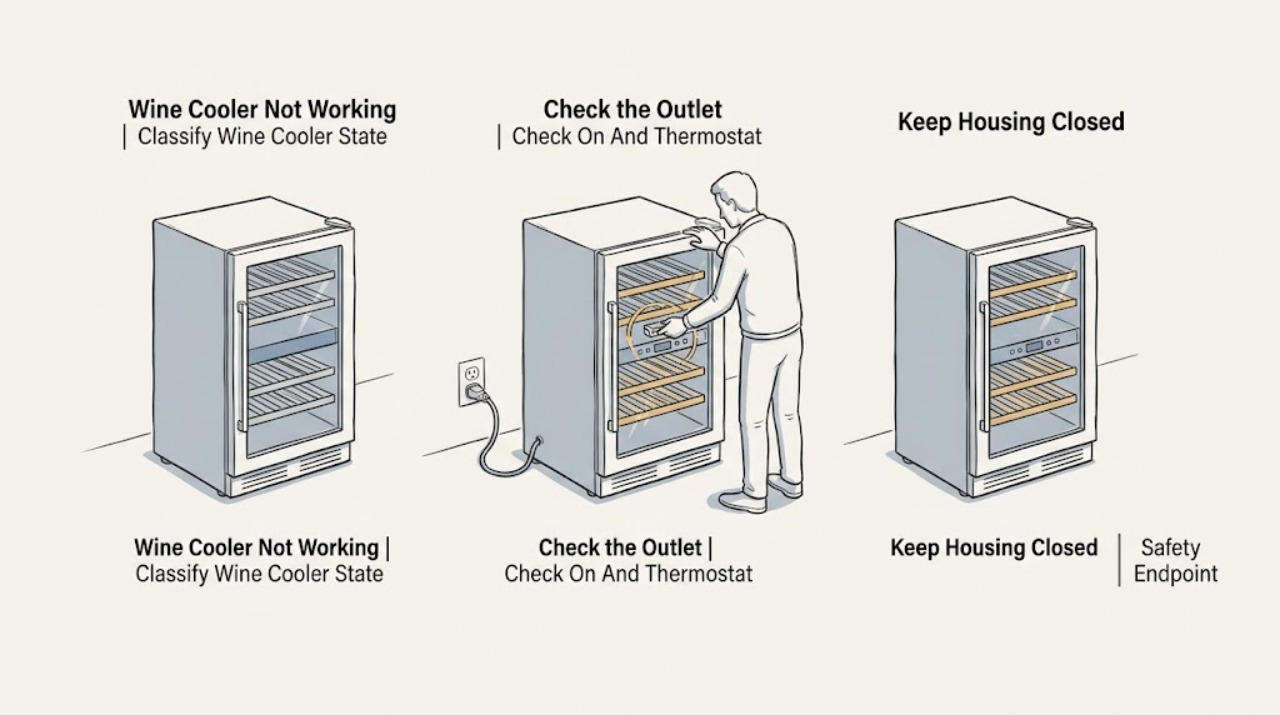
Work through in order
Diagnostic checks
Use only checks that match the exact appliance or system and its official guide.
-
Check 1
Without repeatedly pressing controls, note whether the display, interior light, temperature buttons, fan sound, or compressor sound is present. Record whether all zones are affected, whether a code or alarm appears, and whether the cooler was recently moved or lost power.
Expected result: Everything is dark and silent, the display or light works, only one zone is warm, the unit runs but does not reach temperature, or a code is shown.
Next step: Follow only the matching branch below and preserve the model and observations. Stop for smoke, burning odor, arcing, heat, water near electrical parts, or repeated breaker operation.
Stop if: Do not keep cycling power to make the cooler respond.
Why this matters
Why: A completely dead wine cooler follows a power and control branch. A lit unit with warm contents is not a no-power diagnosis, and a code must be matched to its exact series.
-
Check 2
If the cooler is completely dark, check from a dry, accessible position that the plug is seated in a working outlet and that the outlet's accessible switch or protective device is on. Do not open the outlet or use the cooler as a live test load.
Expected result: The plug is loose, the outlet is dead, a protective device is open, the outlet is powered but the cooler stays dark, or the cord or outlet is hot or damaged.
Next step: Restore only a normal accessible supply state once if safe. If the cooler remains dark, the protective device trips again, or the cord or outlet is hot or damaged, leave it isolated and arrange qualified service.
Stop if: Do not repeatedly reset a breaker, change its rating, use an extension cord, or open an outlet.
Why this matters
Why: Haier lists the plug and wall-outlet power as the first checks for a wine cellar that is not working at all. A powered outlet with a dark cooler makes an internal power or control fault more likely; heat or damage is an electrical stop condition.
-
Check 3
If the outlet is powered, check only the accessible on/off control and thermostat or temperature setting described by the exact model manual. For a touch panel, use a light touch; do not force buttons or assume another Haier model's sequence.
Expected result: The unit was off, the thermostat is not set to a cooling position, the display is lit but controls do not respond, or settings are normal and the cooler remains inactive.
Next step: Correct only a clearly model-documented setting and observe once. If the display remains unresponsive or the cooler still does not run, arrange service.
Stop if: Do not remove the thermostat, display, control board, or wiring.
Why this matters
Why: Haier's wine-cellar support includes the on state and a cold thermostat setting in its no-running check. A powered cooler with normal settings may have an internal control, fan, or compressor fault rather than a setting problem.
-
Check 4
If the light or display works but cooling is poor, check the visible door seal and closure, whether bottles or racks obstruct the door, whether a large new load was added, and whether the exterior has visible clearance from walls or heat sources. Do not remove covers or move a built-in unit.
Expected result: The door is not closing, a bottle or rack interferes, the cooler is overfilled, direct sun or a nearby heat source is present, visible clearance is restricted, or these conditions are normal.
Next step: Remove only an obvious loading obstruction, close the door normally, and correct a clearly accessible environmental issue. If the unit remains inactive or cooling does not recover, arrange service.
Stop if: Do not force the door, dismantle the seal, or pull the cooler out to inspect hidden ventilation.
Why this matters
Why: Haier's wine-cellar guidance lists door opening, load size, heat, clearance, and door closure as cooling factors. These observations distinguish a cooling-performance complaint from a completely dead unit but do not identify an internal component.
-
Check 5
If the cooler runs but the displayed or measured temperature seems wrong, compare the selected setting with the exact manual and note whether the unit is single-zone or dual-zone. Treat a consumer thermometer as an indication only and do not change internal temperature controls.
Expected result: The setting is wrong, the actual temperature differs modestly from the display, only one zone is affected, the ambient room is unusually cold or hot, or the setting and environment are normal.
Next step: Correct only a model-documented setting or visible environmental condition and allow normal operation to be observed. If the cooler does not run, the zone remains abnormal, or the code returns, arrange service.
Stop if: Do not open the cabinet, alter sensors, or test the compressor or fan.
Why this matters
Why: Haier's wine-cellar guidance explains that displayed and measured temperatures can differ, that ambient temperature affects operation, and that two-zone settings can influence one another. This is not proof that the cooler is not turning on.
-
Check 6
If a code, letter, or repeating display appears, photograph it and record the exact model before pressing buttons. Compare it only with the exact official manual; do not substitute a refrigerator or another wine-cooler series code.
Expected result: The exact manual defines the code and a user-safe check, the code is not listed, the display shows an alarm, or the same code returns after a permitted check.
Next step: Follow only the exact manual's external instruction once. If the code is unmatched, returns, or involves a fan, sensor, control, or cooling system, leave the cooler out of service as appropriate and arrange qualified service.
Stop if: Do not enter unverified test mode, clear a code repeatedly, or replace a part from another series.
Why this matters
Why: Haier says different wine-cooler series display different codes and directs users with an error code to service. A code can identify a service path, but it does not select a replacement part from a generic list.
-
Check 7
Arrange qualified service when stable accessible power and the exact model's on, thermostat, door, clearance, and mode checks are normal but the wine cooler remains dark, the controls fail, the compressor or fan does not operate, cooling remains abnormal, or the fault returns.
Expected result: One safe external correction restores normal operation, or the cooler remains inactive or fails again without an external explanation.
Next step: Give the technician the complete model, power-state observations, zone and temperature impact, code image, and timeline. Protect wine and other contents according to the temperature risk.
Stop if: No panel removal, live measurement, refrigerant work, or deliberate fault reproduction.
Why this matters
Why: Remaining possibilities include internal power circuitry, control, fan, compressor-start components, sensor, or sealed-system faults. The official guidance does not justify choosing one internal part from this symptom alone.
Use your observations
Decision map
Find the observation that best matches what you see, then follow the next safe action.
-
PATH 01Safety boundary
What you see
The display, light, controls, and sounds are all absent.
Do this next
Perform one dry external supply check. If power is present but the cooler remains dark, arrange qualified service.
Why this path and its safety boundary
Why it matters: An outlet, plug, protective device, cord, or internal power fault is more likely than a cooling-only problem.
Safety stop: Stop for heat, damage, moisture, smoke, odor, arcing, or repeat protective-device operation.
-
PATH 02Safety boundary
What you see
The display or light works, but the cooler does not reach temperature or only one zone is affected.
Do this next
Check only visible door, loading, clearance, and model settings. Arrange service if cooling remains abnormal or an internal part would need access.
Why this path and its safety boundary
Why it matters: This is not a no-power diagnosis. Door, load, heat, clearance, mode, ambient conditions, fan, compressor, sensor, or sealed-system causes remain possible.
Safety stop: Do not remove covers or test sealed-system or compressor components.
-
PATH 03Safety boundary
What you see
The panel is lit but the cooler appears off, the thermostat is not set to cooling, or a mode is preventing the expected operation.
Do this next
Use only the exact manual's control procedure and observe once. Persistent non-response needs service.
Why this path and its safety boundary
Why it matters: A user setting or touch-control state may explain the symptom; Haier says operations differ by model.
Safety stop: Do not force touch controls or infer a board failure.
-
PATH 04Safety boundary
What you see
A code, alarm, or repeating display appears, or the same indication returns after a permitted model-specific check.
Do this next
Preserve the code and exact model, follow only the matching manual, and arrange qualified service for an unmatched or recurring indication.
Why this path and its safety boundary
Why it matters: Haier says wine-cooler codes differ by series and directs users with displayed errors to service; a generic code list is not reliable.
Safety stop: No unverified test mode, repeated reset, or cross-series part replacement.
-
PATH 05Safety boundary
What you see
The cord or outlet is hot or damaged, the breaker trips again, water is near the supply, smoke or odor occurs, or the wine cooler remains inactive after safe external checks.
Do this next
Leave the cooler disconnected when safe and obtain qualified electrical or appliance service. Give the technician the model and recorded observations without recreating the event.
Why this path and its safety boundary
Why it matters: This is an electrical or internal-fault stop condition, not a normal cooling adjustment.
Safety stop: Do not touch damaged conductors, alter protective devices, open the cabinet, or restore power to a damaged unit.
Helpful context
Understand the symptom
Define ‘not working’ before touching anything
Check whether the interior light, display, temperature controls, fan sound, or compressor vibration is present. A dark panel and no light point first to the accessible power path. A lit panel with warm wine, a temperature mismatch, or a single-zone issue is a cooling or settings path. A code or alarm is its own model-specific path.
Use the exact model manual
Haier wine coolers are sold in different series and regions. Haier's support pages explicitly say that error codes differ by series and provide model-based manual access. Record the complete model or product code before relying on a control sequence, temperature range, two-zone behavior, or error meaning.
Keep electrical and sealed-system work professional
Owner checks are limited to a dry, accessible outlet, plug, on/off control, thermostat setting, door, load, and visible ventilation or clearance. Do not remove panels, bypass a thermostat or door switch, test live voltage, handle refrigerant, or replace a compressor, fan, sensor, or control from the symptom alone.
Safety boundary
Stop conditions
- Stop immediately for smoke, burning odor, visible arcing, a hot or damaged cord or outlet, water near electrical parts, or repeated breaker or GFCI operation.
- Do not open the cabinet, bypass a thermostat or door switch, alter grounding, use an extension cord, perform live tests, or handle refrigerant.
- Do not enter an unverified test mode or apply error-code meanings from another Haier wine-cooler series. Use the exact model manual.
- Separate complete loss of power from a lit display with poor cooling, a single-zone issue, or a temperature-setting complaint. Internal fan, compressor, sensor, control, and sealed-system faults require qualified service.
Only after diagnosis
Potential parts
- power cord, plug, or outlet connection
Consider this category only when qualified electrical diagnosis identifies a supply or cord fault after the accessible checks.
Regional plugs and electrical requirements vary. Do not repair a cord, remove grounding, or open an outlet from the no-working symptom. - thermostat, touch control, or display interface
Consider this category only when the panel is powered but a qualified model-specific diagnosis confirms a failed user-control path.
A setting or mode can mimic a control failure. Verify the complete model before any part decision. - fan or compressor-start component
Consider this category only when a powered cooler does not cool and qualified diagnosis identifies a fan or compressor-start fault.
Do not infer a fan or compressor failure from silence, warmth, or one zone alone; internal electrical work is service-only. - temperature sensor, control board, or sealed-system component
Consider these categories only after the exact model's manual and qualified service diagnosis identify the fault.
Wine-cooler series and two-zone arrangements differ. Sensor, board, refrigerant, and sealed-system work are not owner repairs.
When checks do not resolve it
Need a professional?
Arrange qualified Haier wine-cooler service when a working outlet and the exact model's on, thermostat, mode, door, load, and clearance checks do not restore operation; when the cooler remains dark; when cooling remains abnormal; when a code or alarm is unmatched or recurring; or when an internal component would need access. Use qualified electrical service for a hot, damaged, dead, or repeatedly tripping outlet, cord, or circuit. Treat smoke, arcing, burning odor, and water near electrical parts as immediate stop-use conditions.
Safety scope: The user may perform dry, accessible observations of the plug, outlet state, on/off control, thermostat, door, load, visible clearance, and model-documented settings. Qualified service must handle control panels, wiring, fans, compressor circuits, sensors, sealed-system work, internal parts, and live tests.
Common questions
FAQ
What should I check first if my Haier wine cooler is completely dead?
Verify from a dry, accessible position that the cooler is plugged into a working outlet, that the wall outlet has power, and that the unit is turned on with the thermostat set to a cold temperature. Haier gives these checks for a wine cellar that is not working at all. If it remains dead, arrange service rather than opening the cabinet.
My Haier wine cooler has a display but is not cooling. Is it not working?
That is a different path from complete loss of power. Check only visible door closure, load, nearby heat, clearance, ambient conditions, and the exact model's temperature setting. If cooling remains abnormal, a fan, sensor, compressor, control, or sealed-system diagnosis needs qualified service.
Can I use a Haier wine-cooler error-code list from another model?
No. Haier states that different wine-cooler series display different error codes and directs users with an error code to service. Photograph the exact indication, record the model, and use only the matching manual.
Why does my Haier wine cooler run but not reach the selected temperature?
Haier lists the temperature setting, frequent door opening, a large load, direct sun or nearby heat, insufficient clearance, and door closure as cooling checks. Some official guidance also notes ambient temperature and two-zone settings can affect the reading. If those external conditions are normal and cooling stays abnormal, arrange service.
Should I reset the breaker repeatedly if my Haier wine cooler will not start?
No. Check the accessible supply only once if safe. If the breaker or GFCI trips again, or the cord or outlet is hot or damaged, leave the cooler off and obtain qualified electrical or appliance service.
Read the exact guide
Official sources
- Wine cellar is not cooling sufficientlyHaier Japan · Official Haier Japan wine-cellar guidance; the page is Japanese and model or regional details may differ.
- How to check the wine-cellar instruction manualHaier Japan · Official Haier Japan support page; manual availability and controls vary by model and region.
- Wine cellar does not reach the set temperatureHaier Japan · Official Haier Japan wine-cellar guidance; temperature behavior and zone controls are model-dependent.
- The error code for the wine coolerHaier Philippines · Official Haier Philippines support page; its listed code examples are not universal across wine-cooler series.
- Haier Wine Cellar - Not Coming On / Not RunningHaier Appliances · Official Haier Appliances support guidance for wine cellars in its service region; exact controls and regional installation differ by model.
Community feedback
Share a repair observation
Share a plain-text repair observation. Accepted observations are published automatically; this page may take a moment to update.