
On this page
Start here
Quick answer
First distinguish a completely dark wine cooler from a powered unit whose fan or display works but whose cooling cycle has not begun. Record the exact model because Haier's wine-cellar designs and temperature behavior differ. For a dark unit, confirm the plug is fully inserted and the wall outlet has power; then verify the unit is turned on and the thermostat is set to a cold setting. For a powered unit, check whether the room is colder than the selected temperature: Haier says a thermoelectric wine cellar may wait to cool until the room is warmer than its setting. Keep the cooler freestanding on a hard, level surface away from heat and direct sun, not in an unheated garage or recessed opening, and check that the door closes and the gasket seals. On models with a rear fan filter, clean it only with power disconnected and reinstall it dry. If the outlet works and the documented external checks do not restore operation, or there is a hot plug, damaged cord, smoke, sparks, burning odor, water, or abnormal noise, stop and use the exact manual and qualified service; do not open the cabinet or test the cooling circuit.
Before you begin
Safety first
- The user may identify the model, check an ordinary working outlet, verify the on control and documented setting, inspect door closure and gasket, correct visible placement, and clean an accessible rear fan filter with power disconnected. Qualified personnel must handle cabinet disassembly, live electrical testing, internal wiring, compressor or thermoelectric cooling components, refrigerant, and repairs near water or damaged power.
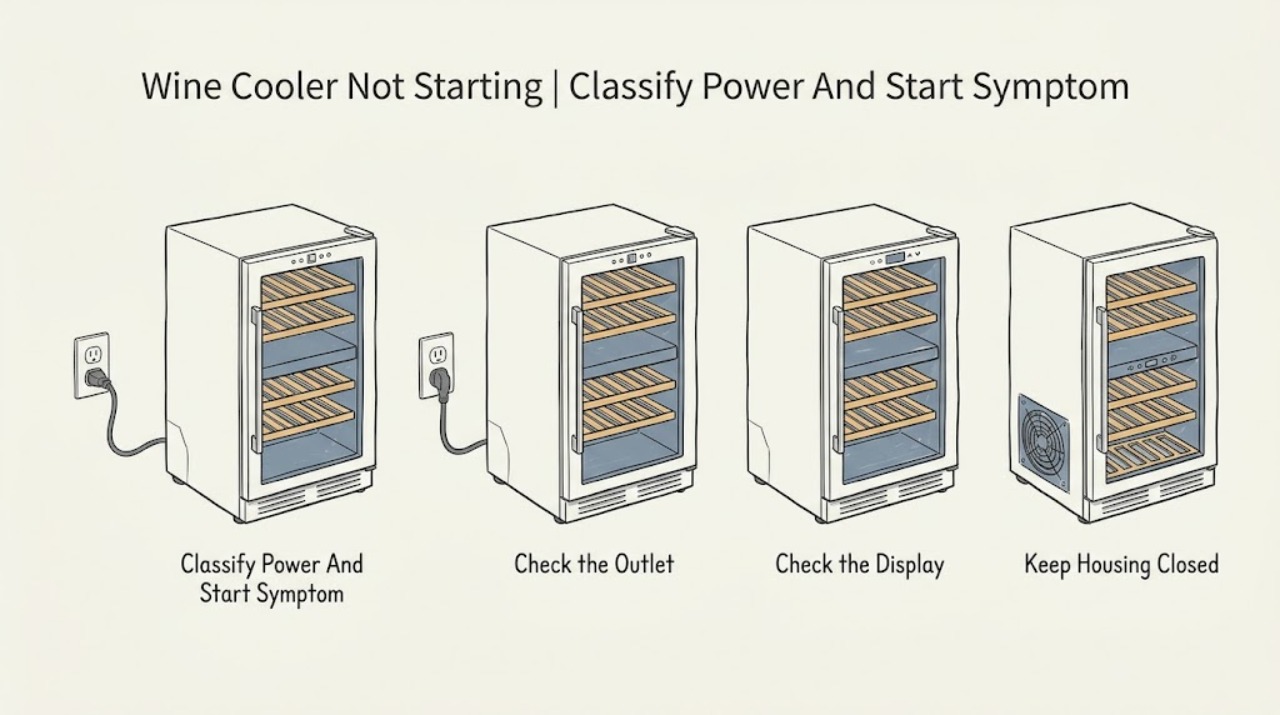
Work through in order
Diagnostic checks
Use only checks that match the exact appliance or system and its official guide.
-
Check 1
Record the complete Haier model and serial information from the label or paperwork without removing a cover. Note whether the display and interior light are dark, whether a fan or other sound runs, whether the unit has recently been moved or loaded, and whether the complaint is no power, no cooling, or a delayed start.
Expected result: The cabinet is completely dark; the display or light works but cooling does not begin; the fan runs; or the unit is in an unknown operating state.
Next step: Use the matching power, setting, ambient, door, and airflow checks below. Do not open the cabinet because the display is dark.
Stop if: Stop for smoke, sparks, burning odor, a hot or damaged cord or plug, water near electrical parts, or a new abnormal electrical or mechanical sound.
Why this matters
Why: A dark cabinet points first to supply and the on control. A powered cabinet points to the thermostat, ambient condition, door or airflow condition, or an internal cooling fault. The exact model is needed before interpreting thermoelectric or other design behavior.
-
Check 2
From a dry, safe position, make sure the plug is fully seated and verify the wall outlet has power using an ordinary external check. Then confirm the wine cooler's on control is enabled; do not remove a panel or probe the receptacle, cord, or cabinet wiring.
Expected result: The outlet has no power; the plug was loose; the outlet works but the cooler remains completely dark; or the cooler powers up after the external correction.
Next step: Restore only an ordinary household supply issue that is safe to address, then recheck the cooler. If the outlet works but the cooler stays dark, leave it disconnected and arrange service rather than testing internal power parts.
Stop if: Stop for a hot, loose, scorched, wet, or damaged plug or outlet, a damaged cord, repeated breaker operation, smoke, sparks, or burning odor.
Why this matters
Why: A dead outlet or loose plug is an external supply issue. If the outlet works and the cooler remains dark, the problem is less likely to be the thermostat setting alone and needs model-specific electrical diagnosis.
-
Check 3
With the cooler powered and dry, verify that it is turned on and that the thermostat or temperature control is set to a documented cold setting. On a digital model, note the displayed setting; on a dial model, record the position rather than turning it repeatedly to an unknown limit.
Expected result: The cooler was off or set incorrectly and begins a cooling cycle after correction; or it is on with a cold setting but does not begin cooling.
Next step: Leave the documented setting in place and observe the unit without opening it. If no response follows, record the model and proceed to the ambient and placement branch.
Stop if: Stop if a control is stuck, the display behaves erratically, the cord or plug heats, or a fault or odor appears after switching on.
Why this matters
Why: Haier identifies the on control and cold thermostat setting as the first control checks. If a correct setting produces no cooling response, continue with ambient and installation checks; the result does not identify a failed thermostat or compressor by itself.
-
Check 4
Measure or reasonably observe the room condition and inspect only the visible installation. Check whether the room is colder than the selected setting, whether the cooler is in an unheated garage or attic, whether it is recessed or built in, whether direct sun or a heat source is nearby, and whether it stands level on a hard, even surface with ventilation space.
Expected result: The room is colder than the set temperature; the cooler is in an unheated or hot location, in direct sun, recessed, on an uneven surface, or with restricted rear ventilation; or the installation matches the manual.
Next step: Move or level the cooler only if it can be done safely without tipping or damaging the cord, and follow the exact installation instructions. Allow the unit to stabilize after a move; if it still will not start, use service rather than opening the cabinet.
Stop if: Stop if moving the loaded cooler risks injury, the cord is strained, the cabinet is unstable, water is present, or correction would require a built-in or cabinet modification.
Why this matters
Why: On a thermoelectric Haier wine cellar, a colder room can make a cooling cycle wait until the room warms above the setting. Poor placement can also limit cooling or airflow. A correct installation with no cooling response makes a model-specific fault more likely.
-
Check 5
If the unit has power, inspect the closed door, gasket, bottle or rack position, and visible rear fan-filter area. Remove any bottle or rack that prevents closure. If the model has a removable rear fan filter, unplug the cooler, release the filter only as the manual shows, vacuum or hand-wash it with warm soapy water, let it air-dry fully, reinstall it, and reconnect power.
Expected result: The door was ajar, the gasket did not seal, a rack or bottle blocked closure, the fan filter was blocked, or these accessible conditions were normal while the unit still did not cool or start.
Next step: Run the cooler only after the filter is dry and the door closes freely. If it remains silent or warm with the external conditions correct, stop troubleshooting and provide the recorded observations to service.
Stop if: Stop if the gasket, filter housing, fan guard, cord, or cabinet is damaged, if cleaning would require cover removal, or if the plug or rear area becomes hot or wet.
Why this matters
Why: Haier lists door closure, gasket seal, recent loading, and a blocked fan filter as reasons a powered wine cellar may not get cold. Correcting one can restore normal cooling, but no improvement shifts the concern toward model-specific controls, fan, or cooling hardware.
-
Check 6
After the outlet, on control, documented setting, ambient condition, placement, closure, and accessible filter checks, record the final display state, sounds, temperature response, and any repeated power interruption. Compare only with the exact Haier Owner's Manual; do not perform live electrical tests, open the cabinet, or substitute a part based only on the symptom; refrigerant work is for qualified service.
Expected result: The cooler remains dark with a working outlet; it powers up but never starts cooling; it starts and stops abnormally; or it operates normally after an external correction.
Next step: Keep the cooler off if failure persists or any hazard is present and arrange qualified Haier or appliance service with the model and notes. Do not bypass a control or keep cycling a suspect unit.
Stop if: Stop immediately for smoke, sparks, burning odor, hot wiring or plug, damaged cord, water near electrical parts, or any need to open the cabinet.
Why this matters
Why: Persistent failure after external checks can involve a model-specific control, fan, thermoelectric module, compressor, wiring, or another cooling component. The observed symptom does not safely choose among those parts.
Use your observations
Decision map
Find the observation that best matches what you see, then follow the next safe action.
-
PATH 01Next step
What you see
The display and light are dark and the wall outlet has no power, or the plug was not fully seated.
Do this next
An external supply issue is more likely than a wine-cellar thermostat fault. Correct only the safe outlet or plug condition and recheck once. If the outlet works but the cabinet remains dark, leave it disconnected and arrange service.
-
PATH 02Next step
What you see
The display or fan works, the cooler is on, but the room is colder than the selected temperature or the setting was not a cold setting.
Do this next
A documented control or thermoelectric ambient condition is more likely than an immediate internal failure. Correct the setting or evaluate the room only within the exact model's range. If a suitable room and correct setting still produce no cooling response, use service.
-
PATH 03Next step
What you see
The cooler has power but the door is not sealing, a rack or bottle blocks closure, the rear fan filter is blocked, or the unit is in a hot, direct-sun, recessed, or poorly ventilated location.
Do this next
Door, airflow, or installation conditions are more likely to be limiting cooling. Correct the visible condition, clean and dry an accessible filter with power disconnected, and observe again. Persistent no-start or no-cooling after correction needs service.
-
PATH 04Next step
What you see
The outlet has power, the cooler is on with a documented setting, installation and door conditions are correct, and it remains dark, silent, or unable to cool.
Do this next
An internal control, fan, thermoelectric, compressor, or wiring issue is possible, but the symptom does not identify a part. Keep the unit off if it behaves abnormally and arrange qualified model-specific service.
-
PATH 05Next step
What you see
The plug or cord is hot or damaged, the outlet is scorched or wet, or there is smoke, sparking, burning odor, water, or repeated power interruption.
Do this next
Treat this as an electrical or physical stop condition independent of the wine cooler diagnosis. Disconnect only from a dry, safe position, do not keep resetting or cycling the unit, and obtain qualified electrical or appliance service.
Helpful context
Understand the symptom
“Not starting” has two different meanings
A dark display and a silent cabinet call for a power and control check. A lit display, fan, or interior light with no cooling call for a setting, ambient, door, airflow, or cooling-system check. Haier's basic wine-cellar guidance does not provide one universal reset for every model, so keep the model number with the diagnosis and do not borrow a procedure from another wine cooler.
Thermoelectric behavior is ambient-dependent
Haier documents a thermoelectric wine-cellar range and says cooling will not operate when the room is colder than the selected wine-cellar temperature. It also notes that a warm room can limit the lowest achievable cabinet temperature. Because the task has no model number, treat these as thermoelectric-model conditions only; do not use them to dismiss a power failure on a different design.
Placement and airflow affect startup and cooling
Haier says the wine cellar is for freestanding installation on a hard, even surface, away from direct sunlight and heat sources, and not in an unheated garage or attic. The warm-cellar guidance also identifies a blocked rear fan filter as an external check. Leave ventilation paths and the rear area accessible; do not recess the unit or remove a cooling-system cover to look for a fan fault.
Door and load checks belong after power is confirmed
If the cooler has power but does not cool, Haier lists a door left ajar, an obstruction preventing closure, a gasket that does not seal, frequent or prolonged opening, and recently added wine that has not had time to cool. These conditions can look like a cooler that never started. Correct only visible loading or closure problems and allow the cabinet to respond; a persistent no-start or no-cooling result needs the model-specific service path.
Do not diagnose the cabinet by opening it
An outlet that works and a correct setting do not prove that a controller, thermoelectric module, fan, compressor, or wiring is healthy. Haier's support pages direct continued problems to service. Keep the cabinet closed and avoid live electrical tests, refrigerant work, or replacing an unverified part; record the model, display state, outlet result, setting, ambient conditions, and any sound or odor for the service handoff.
When checks do not resolve it
Need a professional?
Safety scope: The user may identify the model, check an ordinary working outlet, verify the on control and documented setting, inspect door closure and gasket, correct visible placement, and clean an accessible rear fan filter with power disconnected. Qualified personnel must handle cabinet disassembly, live electrical testing, internal wiring, compressor or thermoelectric cooling components, refrigerant, and repairs near water or damaged power.
Common questions
FAQ
Why is my Haier wine cooler not turning on?
Check whether the display and light are completely dark. Verify the plug and outlet, then confirm the cooler is turned on and the thermostat is set to a cold setting. If the outlet works but the cooler remains dark, do not open it; record the model and arrange service. If it has power but does not cool, check ambient conditions, placement, door seal, and any accessible rear fan filter.
Can a cold room keep a Haier wine cooler from starting?
On thermoelectric Haier wine cellars, yes: Haier says cooling will not operate while the room is colder than the selected wine-cellar temperature. That explanation is model-specific, so identify the exact cooler before treating a cold room as normal. A dark display with a dead outlet still indicates a power issue, not ambient control.
What should I do if my Haier wine cooler still will not start after the outlet and settings are correct?
Check the documented placement, door closure, gasket, bottle or rack obstruction, and accessible rear fan filter with power disconnected. If the cooler remains dark, silent, or unable to cool, keep it off and use the exact manual and qualified service path. Do not perform live electrical tests, open the cabinet, or choose a compressor, fan, or control from the symptom alone.
Read the exact guide
Official sources
- Product Support for Wine & Beverage CentersHaier Appliances · Official Haier product-support hub directing owners to model-number manuals and support resources for Wine & Beverage Centers.
- Haier Wine Cellar - Running But Not Getting Cold or Wine Is WarmHaier Appliances · Official Haier guidance for a powered wine cellar that does not get cold; it includes thermoelectric caveats and an accessible fan-filter procedure.
- Haier Wine Cellar - Installation Location and ClearanceHaier Appliances · Official Haier installation guidance for wine cellars; exact model manual controls the final clearances.
- Haier Wine Cellar - Not Coming On / Not RunningHaier Appliances · Official Haier support guidance for a wine cellar that is not working at all; exact model and installation still apply.
- Haier - Wine Cellar Temperature RangeHaier Appliances · Official Haier temperature guidance that specifically describes dual-zone and thermoelectric wine-cellar behavior; not every Haier model is identical.
Community feedback
Share a repair observation
Share a plain-text repair observation. Accepted observations are published automatically; this page may take a moment to update.