
On this page
Start here
Quick answer
Check the outlet, display, control lockout, and compressor response, then verify ventilation and setpoint. A wine cooler that remains dead or warm after safe reset, correct clearance, and stabilization needs qualified refrigeration service.
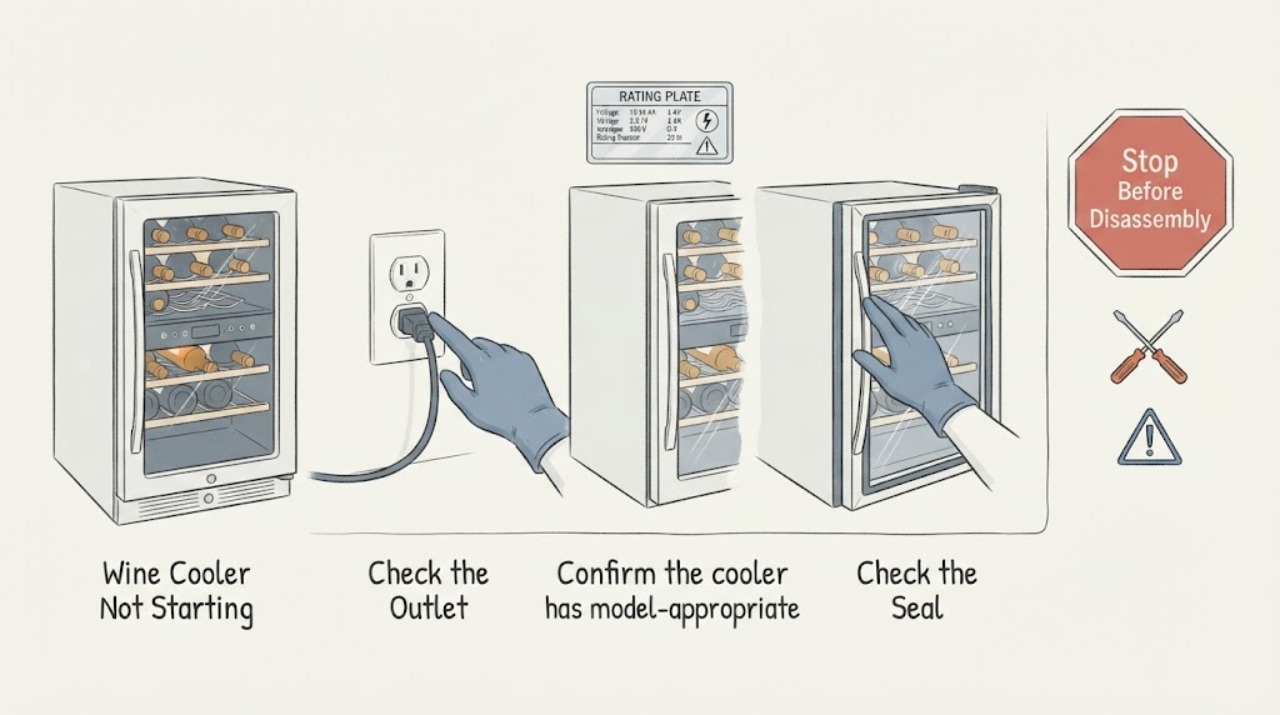
Work through in order
Diagnostic checks
Use only checks that match the exact appliance or system and its official guide.
-
Check 1
Check the outlet, power cord, display, and whether the compressor or fan is running; verify the wine cooler is not in a control lockout state.
Expected result: The display is dark, controls are locked, or power and display are normal but cooling does not start.
Next step: Restore a safe outlet or unlock using the exact manual; do not open the sealed system.
Why this matters
Why: A dead display or lockout points to supply/control state; normal display with no cooling shifts attention to airflow or refrigeration.
-
Check 2
Confirm the cooler has model-appropriate clearance and that vents are not enclosed or blocked; inspect for excessive dust only where the manual allows.
Expected result: The case is enclosed, clearances are short, or airflow is unobstructed.
Next step: Correct placement if possible and allow the documented stabilization period.
Why this matters
Why: GE says heat must escape from the condenser and inadequate clearance can affect cooling performance.
-
Check 3
Check the set temperature, recent power loss, door seal, and loading; then wait up to 24–48 hours as the model guidance requires before judging recovery.
Expected result: The display reset to a default, temperature falls normally, or it remains warm with the compressor running continuously.
Next step: Protect wine and arrange qualified refrigeration service for continued no-start or no-cooling behavior.
Why this matters
Why: A power reset, large load, or recent setting change can delay stabilization; persistent warmth with sound airflow suggests service.
Use your observations
Decision map
Find the observation that best matches what you see, then follow the next safe action.
-
PATH 01Next step
What you see
The display is dark or controls ignore input but the outlet works.
Do this next
Check the exact manual for lockout/reset; service if the display remains dead.
Why this path and its safety boundary
Why it matters: Power connection or control lockout is more likely than a sealed-system fault.
-
PATH 02Next step
What you see
The display and compressor run, clearances are correct, and temperature remains warm after stabilization.
Do this next
Leave the unit operating if safe for diagnosis and schedule qualified service; do not open refrigerant lines.
Why this path and its safety boundary
Why it matters: Fan, thermostat, compressor, or sealed-system trouble is more likely.
Helpful context
Understand the symptom
This guide focuses on wine cooler not starting and uses each observation to select the next safe check.
When checks do not resolve it
Need a professional?
Arrange qualified service when external checks do not restore operation or when there is damaged wiring, smoke, burning smell, sparking, gas odor, overheating, or repeated breaker trips.
Common questions
FAQ
Why are the sides of a wine cooler warm?
GE says the outer case can act as the condenser and feel warm; inadequate clearance can reduce cooling.
How long should a wine cooler take to stabilize?
GE advises allowing about 24 hours after setting changes and notes a fully loaded empty unit may need up to 48 hours.
What if the control panel will not respond?
Check for control lockout using the exact model guide and schedule service if controls remain unresponsive.
Read the exact guide
Official sources
- Wine Chiller Wine is Too Warm or Too ColdGE Appliances · wine cooler temperature and ambient conditions
- Wine Chiller - Sides of Outer Case Hot to the TouchGE Appliances · wine cooler operation and ventilation
Community feedback
Share a repair observation
Share a plain-text repair observation. Accepted observations are published automatically; this page may take a moment to update.