
On this page
Start here
Quick answer
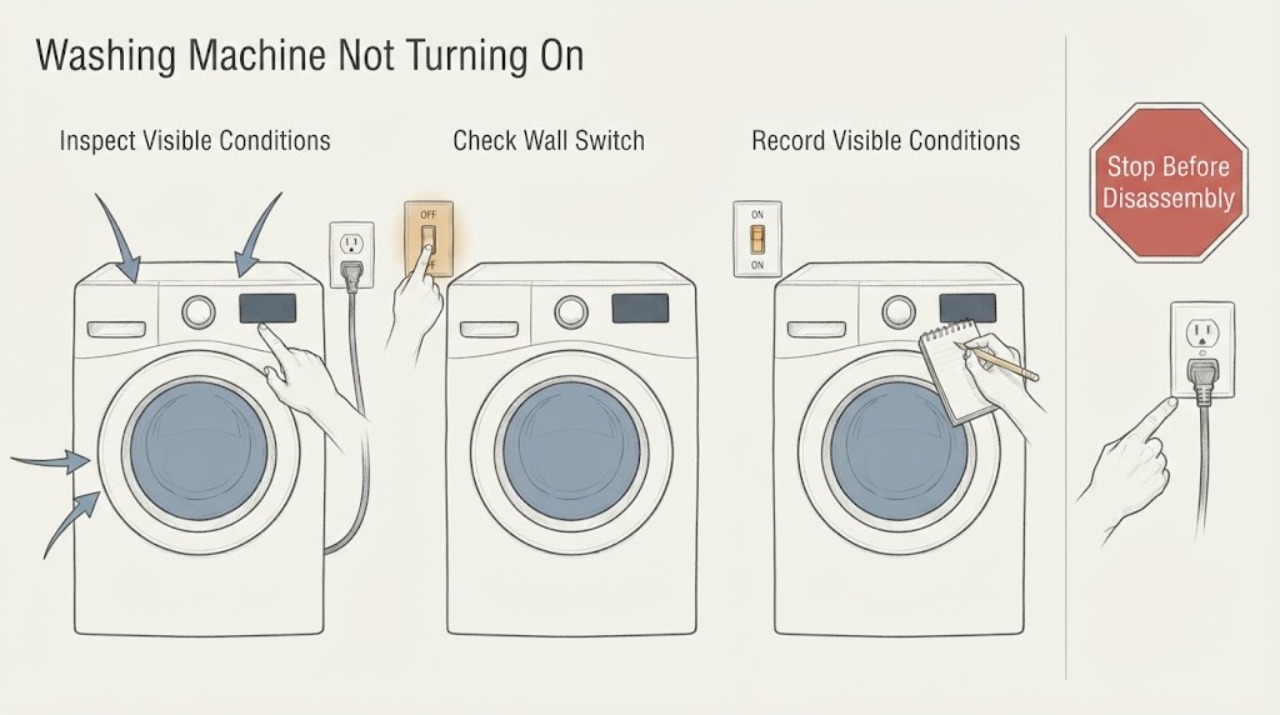
First decide whether the Hoover washing machine is completely dark or has lights but will not begin a cycle. For a dark machine, check the switched socket and household supply without touching a wet or damaged connection. If the panel lights but the cycle will not begin, check the door, child lock, delay or demo mode, water tap, and any water left in the drum. Disconnect the appliance before examining hoses or filters, and stop for water near electrical parts, a burning smell, smoke, sparks, a hot or damaged plug, repeated trips, or a persistent fault.
Work through in order
Diagnostic checks
Use only checks that match the exact appliance or system and its official guide.
-
Check 1
Stop and look for water on the floor or around the plug, a wet control panel, a hot or damaged plug, a burning smell, smoke, sparks, unusual heat, or a household trip that happened when the washer was used.
Expected result: Any hazard is present, or the supply protection will not remain on with the washer idle.
Next step: Leave the washer off. Do not touch wet or damaged electrical parts, keep people away from immediate danger, and arrange qualified electrical or appliance help; use local emergency help for smoke or fire.
Why this matters
Why: The problem may involve shock, fire, water damage, or a supply fault rather than a normal start setting.
-
Check 2
If the area and connection are dry and sound, check whether the wall socket switch, nearby isolator, or household protective device is on. A simple external check with a known-working low-load appliance can show whether the socket itself has power; do not use a damaged or wet socket.
Expected result: The test appliance also has no power, the isolator is off, a protective device has tripped, or the Hoover has no display while the socket is known to work.
Next step: Restore only a normal switch or isolator state once, if there is no hazard. If protection trips again, the socket is damaged, or the Hoover remains dark, stop and call a competent electrician or qualified appliance technician.
Why this matters
Why: No power to both appliances points toward the household supply; power at the socket with a dark Hoover points toward the plug, cord, internal supply, or controls.
-
Check 3
If the panel lights, record every symbol, letter, number, or flashing pattern, then check the selected programme and whether child lock, delay start, demo mode, or pause is shown. Use the exact model manual for any button combination.
Expected result: The controls are unresponsive, a padlock is shown, an H-style delay indication appears, demo mode is indicated, or the machine is paused rather than unpowered.
Next step: Cancel the displayed delay or pause and follow the model-specific child-lock or demo-mode instruction once. If the panel stays unresponsive or the mode returns, leave the machine off and request service.
Why this matters
Why: The washer can have power while a control mode prevents an immediate start; these settings vary by model and should not be guessed from another Hoover model.
-
Check 4
Open and close the door gently, checking the door opening and seal for a trapped garment or obstruction. Select a normal programme and press Start as described for the model; allow the normal safety-lock delay.
Expected result: The door does not close flush, the lock indicator never appears, clothing prevents closure, or the panel starts only after the door is repositioned.
Next step: Remove only a plainly trapped item and close the door normally. If the lock still does not engage, do not bypass it; keep the washer off and arrange qualified service.
Why this matters
Why: The interlock may be preventing the cycle from starting; forcing the door or defeating the lock would create a safety risk.
-
Check 5
Check the water tap supplying the washer and look at the visible inlet hose for a sharp kink or crush, especially after installation or moving. Do this with the appliance disconnected from the mains if you need to examine the hose.
Expected result: The tap is closed, the hose is kinked or trapped, or the machine powers up but does not begin filling.
Next step: Open the tap normally or remove an obvious hose kink without pulling on fittings. If there is a leak, damaged hose, or the machine still will not fill, turn off the water and call service.
Why this matters
Why: Hoover's guidance notes that a programme may not start without its initial water supply; a fill restriction can look like a start failure.
-
Check 6
If water remains in the drum, note the water level and any drain or error indication. With power disconnected and the water tap closed, inspect only the user-accessible drain filter or hose area described in the model manual; protect the floor from residual water.
Expected result: The drum is full, a drain indication appears, the drain hose is visibly kinked, or the accessible filter area is blocked.
Next step: Do not force the door or run another cycle. Follow the exact model procedure for safe draining and filter cleaning; if water cannot be controlled, the filter is damaged, or the issue returns, arrange service.
Why this matters
Why: A washer that cannot complete draining may keep the door locked or refuse the next programme, even though its controls still have power.
-
Check 7
After recording the symptom and only when there is no hazard, perform one normal power restoration using the appliance instructions. Recheck the same programme once and record whether the panel, door lock, fill, and drain behavior changes.
Expected result: The machine starts once, remains dark, shows the same code, stays locked with water inside, or trips the supply again.
Next step: Stop after the single retry if the fault returns. Keep the washer disconnected when appropriate and provide the model number, code or lights, water state, and the exact point at which it stops to a qualified technician.
Why this matters
Why: A single reset can clear a transient control state, but a repeated symptom identifies an unresolved supply, interlock, pump, valve, or control fault.
Use your observations
Decision map
Find the observation that best matches what you see, then follow the next safe action.
-
PATH 01Next step
What you see
There is smoke, a burning smell, a spark, a hot or damaged plug, water at an electrical connection, or a repeated household trip.
Do this next
Stop using the washer and do not keep resetting protection. Move away from immediate danger and obtain qualified electrical or appliance help; use local emergency help for fire or smoke.
-
PATH 02Next step
What you see
The socket has no power for another appliance or the nearby isolator or protective device is off.
Do this next
Treat this as a household supply issue. A normal switch or isolator can be restored once when dry and safe; if the supply fails again, call a competent electrician.
-
PATH 03Next step
What you see
The Hoover panel is dark but the socket works normally.
Do this next
Do not open the washer or its electrical covers. Keep it off and arrange qualified appliance diagnosis of the plug, cord, internal supply, and controls.
-
PATH 04Next step
What you see
The panel is lit but child lock, delay, demo, pause, or another control state is visible.
Do this next
Use the exact model manual to cancel that state once. If controls remain unresponsive or the state returns, stop and request service.
-
PATH 05Next step
What you see
The door will not close or the lock indicator does not engage.
Do this next
Remove only a plainly trapped item and close the door normally. Never defeat the interlock; a continuing lock fault needs qualified service.
-
PATH 06Next step
What you see
The machine has power but will not begin filling, and the tap is closed or the inlet hose is kinked.
Do this next
Restore the tap or remove an obvious kink if there is no leak. Turn off water and call service for a leak, damaged hose, or continuing fill failure.
-
PATH 07Next step
What you see
Water remains in the drum, a drain indication appears, or the washer returns to the same fault after one safe reset.
Do this next
Do not force the door or repeat cycles. Follow the model's safe drain and filter guidance, then arrange service if the condition remains or returns.
Helpful context
Understand the symptom
“Not turning on” can mean two different symptoms: no display or indicator at all, or a lit panel that refuses to run a programme. The first points toward the supply and plug; the second can be an interlock, selected mode, water condition, or drain condition. Hoover models differ, so use the model number from the appliance information plate when a display code or button combination is involved.
Keep the checks below at the user-accessible level. Disconnect the washer before examining hoses, filters, or the rear area. Do not remove electrical covers, defeat the door lock, reach into a moving drum, or work on a wet connection.
Only after diagnosis
Potential parts
- power cord, plug, or internal power supply
Relevant only when a qualified electrical or appliance check finds a fault after the wall supply and socket are confirmed safe.
Confirm the complete model or product code and the installation requirements before any replacement. - door interlock
Relevant only when the door closes correctly but the lock does not engage and professional testing isolates the interlock circuit.
Fit is model-specific; never bypass the lock or select a part from the symptom alone. - water inlet valve or inlet filter
Relevant only when the tap and visible hose are clear but a qualified check confirms a fill-path fault.
Verify the exact model, valve configuration, and safe water connection before replacement. - drain pump or filter assembly
Relevant only when water remains in the drum and the drain path is clear enough for professional testing to identify a pump or filter fault.
Confirm model fit and safe water handling; do not open a wet electrical area. - control board or user-interface circuit
Consider only after supply, door, water, and drain causes have been tested and the control circuit is implicated.
Use the complete product identity and qualified fit verification; no-start alone does not prove a control fault.
When checks do not resolve it
Need a professional?
Call a competent electrician or qualified appliance technician when the socket or protective device fails, the Hoover stays dark despite a working supply, the door interlock does not engage, water cannot be controlled, the drum remains full, a display code returns, or the washer fails again after one safe reset. Stop immediately for water near electrical parts, a burning smell, smoke, sparks, a hot or damaged plug, overheating, or a repeated trip.
Common questions
FAQ
Why is my Hoover washing machine completely dead?
Start with the socket switch, nearby isolator, and household supply only when the area is dry and undamaged. If another appliance also has no power, the household supply needs attention; if the socket works but the Hoover remains dark, keep it off and arrange qualified diagnosis.
Why does the Hoover panel light up but the cycle will not start?
Check the selected programme, pause, child lock, delay or demo mode, door closure, water tap, and any water left in the drum. Use the exact model manual for control combinations and stop if the condition returns after one safe reset.
Can a closed tap stop a Hoover washer from starting?
Yes. Hoover's advice explains that the programme needs a water supply at the start. Check the tap and a visible kinked or crushed inlet hose, but turn off water and seek service for a leak or continuing fill failure.
What if there is water left in the Hoover drum?
Do not force the door or run another cycle. Disconnect power, close the water tap, and follow the exact model's safe drain and filter instructions; persistent water or a returning drain fault needs service.
Should I keep resetting the Hoover washing machine?
No. Record the display or lights and perform at most one normal reset when there is no hazard. A repeated trip, burning smell, spark, water near electrical parts, or returning fault is a stop point for qualified help.
Read the exact guide
Official sources
- Is the water turned on?Hoover · Hoover washer water supply and fill-hose start checks
- Cycle won't start - Hoover Advice CentreHoover · Hoover washer and washer-dryer cycle-start states, including child lock, delay, demo mode, water, and power
- Is the door shut firmly?Hoover · Hoover washing-machine door closure and safety-lock start condition
- Hoover Washing Machine Dynamic next DWFT 411AH7-80 Instruction Manual - Product Code 31007928Hoover · Hoover model-specific washing-machine safety, door, water, drain, error, and no-start examples
- No electrical power - Hoover Advice CentreHoover · Hoover appliances and checks for socket, isolator, household supply, and plug fuse
- Washing Machine TroubleshootingHoover · Hoover washing-machine troubleshooting topics and model-code navigation
Community feedback
Share a repair observation
Share a plain-text repair observation. Accepted observations are published automatically; this page may take a moment to update.