
On this page
Start here
Quick answer
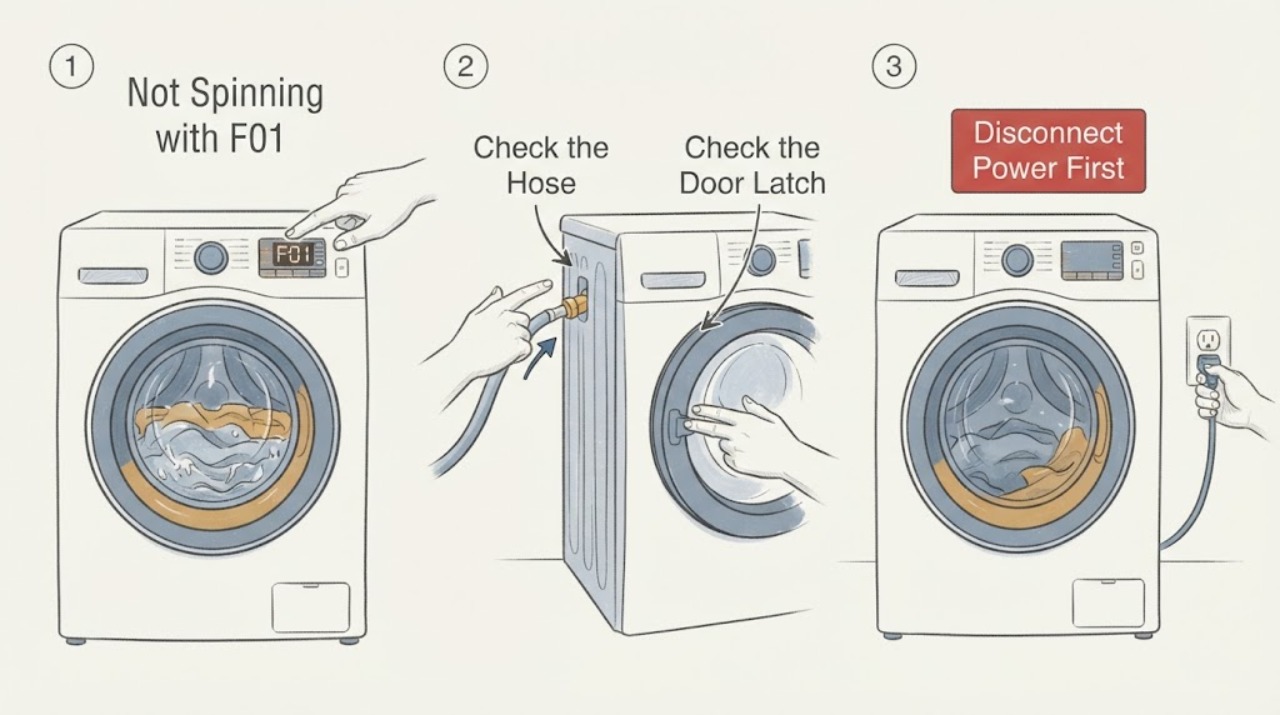
For the Hotpoint RD966JGD, a no-spin report with F01 should not be treated as a motor-part diagnosis. Hotpoint's official error-code guidance defines F01 as an electronic circuit-board fault and says the appliance may have some or all functions unavailable; its separate F02 entry is the motor-circuit code for intermittent or absent drum rotation, while F05 covers a drain or pump issue and F06 covers a door-lock fault. First note whether water remains, whether the door is securely latched, whether the load is balanced, and where the programme stops. Hotpoint permits one documented power reset for F01—unplug for at least two minutes, reconnect, wait 30 seconds, and try once—but says to arrange service if the fault remains. Do not open the cabinet, probe live wiring, force the door, or replace a motor or control board from the no-spin symptom alone.
Before you begin
Safety first
- Unplug before any user-permitted part or filter procedure. Do not open the control cabinet, probe live wiring, bypass the door lock, force the door, reach into a moving drum, or replace a board, motor, pump, belt, or lock from the error and symptom alone.
Work through in order
Diagnostic checks
Use only checks that match the exact appliance or system and its official guide.
-
Check 1
Stop the programme normally and record the exact display or light pattern: F01 only, F01 with a spin or door indication, or a different code. Note whether the drum is full of water, partly full, empty but still, or turning slowly, and record the programme and options that were selected.
Expected result: F01 is present with some controls unavailable, water remains, the drum is empty but never rotates, or the door/spin indicator is the dominant symptom.
Next step: Use the drain, door, load, and reset branches below. Keep the door closed while water or motion is present and stop for smoke, burning odor, a hot plug, leaks near electrics, or repeated breaker trips.
Stop if: Do not reach into the drum while it can move or force the door open while water remains.
Why this matters
Why: F01 points to Hotpoint's electronic circuit-board category, while standing water, absent rotation, and door symptoms overlap with the separate F05, F02, and F06 code families. The observations determine the safe branch without overriding the official code meaning.
-
Check 2
If water remains, switch the appliance off normally and inspect only the visible drain hose and accessible waste connection for a kink, crush point, or obvious blockage. Check the exact RD966JGD manual before opening any filter cover; do not loosen a hose containing water under pressure or dismantle the pump.
Expected result: The hose or waste connection is visibly kinked or blocked, the route looks clear but the drum remains full, or the drum is already empty.
Next step: Correct only an obvious external kink and use the model-documented drain or spin programme once. If water remains, stop and arrange qualified service rather than forcing the door or opening the pump while connected.
Stop if: Do not force the door, tip the appliance, or remove a pump cover without the exact model procedure and safe isolation.
Why this matters
Why: Hotpoint says a waste-pipe blockage or pump issue can leave water in the drum and is represented by F05 in its code table. A clear external route with standing water can still require internal pump/filter service; it does not convert F01 into a pump diagnosis.
-
Check 3
Check the visible door closure and latch area from outside. Remove only clothing or debris that is plainly obstructing the door, confirm the programme has been paused or cancelled normally, and do not pull the handle against a locked door. Use the exact manual to identify any door or lock indicator.
Expected result: The door will not latch, a door symbol or F06-like condition appears, the door is latched but the drum is full of water, or the door is latched and F01 remains.
Next step: Follow only the model manual's user-level door or drain response. Arrange service for a persistent latch/lock issue, a door that will not safely unlock, or an F01 return; never bypass the lock.
Stop if: Do not use a tool to defeat the lock, reach through the door seal, or operate with the door safety bypassed.
Why this matters
Why: Hotpoint assigns F06 to a door-lock fault, while the lock may also remain engaged when water is present. A securely latched door with F01 keeps the electronic-board fault as the official code identity; it does not prove the lock or motor is good.
-
Check 4
If the drum is empty of water and the door is secure, remove or redistribute an obviously overloaded or one-sided load. Check whether crease-care or rinse-hold is selected, and confirm that a documented spin or drain-and-spin programme is being used. Do not hold the machine down or repeatedly restart a violently vibrating cycle.
Expected result: The spin indicator or programme stops after repeated redistribution, a hold option was selected, the load spins after correction, or the correct programme still stops with F01.
Next step: Cancel only the documented user option, redistribute once, and observe one safe cycle. Stop for repeated instability or a returning code and arrange service.
Stop if: Do not continue high-speed spin when the machine walks, bangs, leaks, or shows an electrical warning.
Why this matters
Why: Hotpoint links a flashing spin indication with an excessive or unbalanced load and says crease-care or rinse-hold can keep laundry in final-rinse water. A no-spin condition with the correct programme and a sensible load remains a control, motor, lock, drain, or sensor service question rather than a confirmed part.
-
Check 5
For F01 only, use Hotpoint's documented reset once: unplug the appliance from the mains for at least two minutes, reconnect it, wait 30 seconds, and try starting the machine again. Keep the appliance dry and do not open the cabinet during the reset or restart.
Expected result: The error clears and a normal cycle completes, F01 returns immediately, or the appliance remains partly or wholly unresponsive.
Next step: Do not repeat resets as a repair strategy. Keep the washer dryer out of service and arrange qualified Hotpoint diagnosis with the display sequence, water state, door result, load, programme, and timing.
Stop if: Do not remove the control panel, test live voltage, bridge a lock, or replace the board or motor yourself.
Why this matters
Why: A successful reset shows that the control state changed, not that an electronic board or motor is healthy. A returning F01 or continued no-spin matches Hotpoint's service boundary; the separate F02 motor code cannot be assumed merely from absent rotation.
Use your observations
Decision map
Find the observation that best matches what you see, then follow the next safe action.
-
PATH 01Next step
What you see
F01 appears, some or all functions are unavailable, the drum is empty or the visible drain route is clear, and one documented two-minute power reset does not clear the code.
Do this next
Keep the appliance unplugged and arrange qualified Hotpoint service. Provide the exact RD966JGD model, full display sequence, programme, and whether water remained.
Why this path and its safety boundary
Why it matters: This matches Hotpoint's official F01 description of an electronic circuit-board fault with a service requirement if the reset fails. It is not a safe basis for naming a board revision or performing live control work.
-
PATH 02Next step
What you see
Water remains in the drum or the appliance cannot empty, especially with a drain or pump indication, while the external hose and waste route are visibly clear.
Do this next
Stop using the appliance and arrange service for the internal filter/pump and drain path. Do not force the door or dismantle a water-filled pump assembly.
Why this path and its safety boundary
Why it matters: Hotpoint associates F05 with a waste-pipe blockage or pump issue. The standing water can prevent a safe spin and can keep the door locked, but it does not establish that F01 is a pump code.
-
PATH 03Next step
What you see
The door will not latch or unlock safely, a door symbol is present, or the machine will not start because the door state is not accepted.
Do this next
Keep the appliance off and arrange qualified service after checking only visible obstruction and the exact manual's user-level steps. Do not force or bridge the lock.
Why this path and its safety boundary
Why it matters: Hotpoint's F06 category is a door-lock fault. The lock is a safety boundary, not a component to bypass so that the drum can spin.
-
PATH 04Next step
What you see
The spin indication or programme stops after a one-sided/oversized load, the load repeatedly redistributes, or a rinse-hold/crease-care option was selected; no persistent F01 remains after the documented user correction.
Do this next
Redistribute or reduce the load, cancel only the documented hold option, and run one normal programme. Arrange service if the issue repeats with a sensible load or a correct option.
Why this path and its safety boundary
Why it matters: Hotpoint links the spin indication to an excessive or unbalanced load and says hold options can keep water in the final rinse. This is an operating condition rather than proof of a motor-control failure.
-
PATH 05Safety boundary
What you see
The drum is empty, the door is secure, the drain route is clear, the load and options are correct, and the washer dryer still will not spin or F01 returns.
Do this next
Stop using the appliance and request model-specific service diagnosis. Do not substitute a motor, board, door lock, pump, or belt based only on the symptom.
Why this path and its safety boundary
Why it matters: An electronic control, motor circuit, lock feedback, sensor, or other internal condition remains possible. Hotpoint's public table distinguishes F01 from F02 but does not authorize the user to identify the internal component from no-spin alone.
Safety stop: No live electrical testing, cabinet removal, lock bypass, or internal component replacement by the user.
Helpful context
Understand the symptom
F01 is the important identity clue here. Hotpoint's official table places F01 in the electronic circuit-board category, not the motor category, even though the symptom is no spinning. That is why the safe path starts with water level, door state, load balance, programme options, and one documented reset; it does not jump directly to a motor, belt, or board replacement.
The RD966JGD is an exact model identity, but Hotpoint notes that manuals and user steps vary by appliance. Use the model-specific manual lookup for control names and any filter or drain procedure. The public F01 guidance supports a bounded reset and a service handoff, not live electrical testing or internal repair.
When checks do not resolve it
Need a professional?
Call qualified Hotpoint service for a returning F01, persistent no-spin with a clear drain and secure door, standing water that will not clear, a repeated door-lock fault, electrical odor or heat, leak near electrics, repeated breaker trip, or any need for internal access.
Safety scope: Unplug before any user-permitted part or filter procedure. Do not open the control cabinet, probe live wiring, bypass the door lock, force the door, reach into a moving drum, or replace a board, motor, pump, belt, or lock from the error and symptom alone.
Have this ready
- Provide Hotpoint RD966JGD, full serial or service information, F01 display or light sequence, programme and options, water level, door-latch result, load and balance, drain-hose observations, reset timing, and the exact point where the cycle stopped.
Common questions
FAQ
Does F01 mean the motor is bad on the Hotpoint RD966JGD?
Not according to Hotpoint's official code table. F01 is listed as an electronic circuit-board fault; F02 is the separate motor-circuit code for intermittent or absent drum rotation. The no-spin symptom alone cannot select a motor or board.
Can standing water cause the Hotpoint washer dryer not to spin?
Yes. Hotpoint identifies a waste-pipe blockage or pump issue as an F05 path, and water can also keep the door locked. Check only visible hose and waste conditions, then use qualified service for an internal blockage or pump issue.
Can I reset F01?
Hotpoint's published step is to unplug for at least two minutes, reconnect, wait 30 seconds, and try once. If F01 returns or the machine remains unable to operate, stop resetting and arrange service.
Can I force the door open to remove wet laundry?
No. Do not force a locked door while water or movement is present. Follow only the exact RD966JGD manual's safe release procedure or have qualified service remove the load.
Read the exact guide
Official sources
- Washer Dryer Troubleshooting & Repair ServiceHotpoint · Official washer-dryer guidance used for drain, hold-option, spin-indicator, load, installation, and unplug-before-parts branches; Hotpoint notes that models vary.
- Hotpoint washing-machine instructions for useHotpoint Docs · Used narrowly for general safety boundaries—do not access internal mechanisms, force the safety lock, or handle a moving machine; it is not asserted as the exact RD966JGD manual.
- Washing Machine Error Codes Troubleshooting GuideHotpoint · Official Hotpoint code table used to distinguish F01, F02, F05, and F06; the exact RD966JGD manual should still control model-specific indicators and procedures.
- Hotpoint DocsHotpoint · Used to require the RD966JGD model or commercial code to retrieve the exact manual before applying control, drain, or door-release details; the landing page itself does not establish the F01 meaning.
Community feedback
Share a repair observation
Share a plain-text repair observation. Accepted observations are published automatically; this page may take a moment to update.