
On this page
Start here
Quick answer
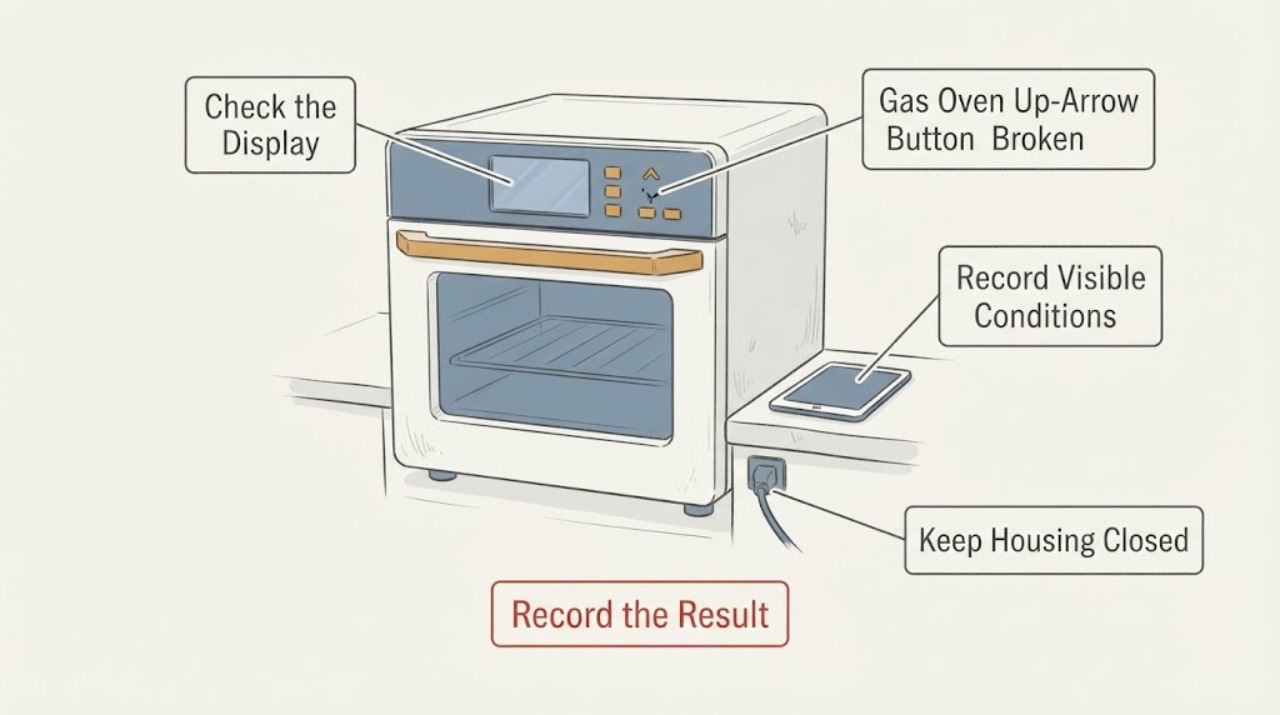
A collapsed or unresponsive up-arrow key on a Kenmore 74132 gas oven should be treated as a control-input problem until the complete model is confirmed; it is not proof that the gas burner, igniter, or main control board alone has failed. Kenmore's official manual page says model numbers are at least 11 characters, so “74132” is a family or short identifier and is not enough to choose a panel, keypad, wiring diagram, or control procedure. Do not press harder, pry the overlay, spray cleaner into the keypad, or open the control area. From outside the appliance, record the full model label, whether the display is stable, whether neighboring keys respond, and whether the oven heats normally, fails to heat, overheats, or leaves the gas odor. If you smell gas, leave immediately without operating switches or using a phone in the affected area and contact local emergency or gas help from outside. If the key is physically collapsed, the display is unstable, the oven will not stop heating, or the panel is warm, scorched, wet, or cracked, stop using the oven and arrange qualified gas-appliance service. A control-panel assembly may be the service path, but its fit and whether the interface or control electronics are at fault must be confirmed against the complete model.
Before you begin
Safety first
- Do not move the gas range to inspect its connector, open the control compartment, bridge or bypass a keypad or safety control, work on gas valves or ignition, or use the oven when the Cancel/Off function is unreliable or heat is uncontrolled. For gas odor, leave immediately without operating electrical switches or phones in the affected area and seek help from outside.
Work through in order
Diagnostic checks
Use only checks that match the exact appliance or system and its official guide.
-
Check 1
Before trying the key again, stand clear of the appliance and check for a gas odor, smoke, sparks, abnormal heat, a scorched or wet control panel, a damaged cord, or a flame that will not shut off. If gas is suspected, leave the home or affected area immediately without operating lights, appliances, or phones there; contact local gas or emergency help from outside.
Expected result: There is no gas or electrical warning and the oven is cool, or there is gas odor, smoke, spark, uncontrolled flame or heat, visible damage, or water near electrical parts.
Next step: For any gas odor, leave and follow local emergency guidance from outside. For smoke, sparks, uncontrolled heat, or wet electrical parts, keep the range off and arrange urgent qualified appliance or electrical help.
Stop if: Do not press controls to test a gas leak, relight a burner, move the range to inspect its connector, open the control panel, or use water or spray cleaner on the keypad.
Why this matters
Why: A gas, fire, or electrical sign takes priority over identifying whether one arrow key is replaceable. A normal-looking exterior permits only identity and symptom observations, not control-panel repair.
-
Check 2
Find the complete Kenmore model and serial information from the normal rating-plate location, purchase records, or an existing service document without moving the gas range or removing a panel. Compare the full model against Kenmore's official manual library; do not use 74132 alone as the model for a parts search.
Expected result: The label supplies a complete model of at least 11 characters that matches a Kenmore gas-range manual, or only 74132/another shortened identifier is available.
Next step: Save a photo of the complete label and open only the matching manual. If the full model cannot be confirmed, keep the oven out of service for persistent or unsafe symptoms and have qualified service identify it before a part order.
Stop if: Do not pull out a built-in or freestanding gas range, inspect the gas connector by moving it, remove a back panel, or apply another Kenmore 790/7413-family manual as if it were this exact unit.
Why this matters
Why: Kenmore states that its manual search is model-driven and that model numbers are at least 11 characters. A short family identifier cannot establish the keypad construction, control assembly, wiring, or exact gas-oven instructions.
-
Check 3
With the oven off and cool, inspect the control surface from the front without tools. Note whether the up-arrow key is physically collapsed, loose, missing, cracked, sticky, or merely fails to register; check whether adjacent keys, the display, timer, Cancel/Off, bake, and broil controls respond normally. Use only a light touch once; do not push through the overlay.
Expected result: The arrow area is visibly or physically damaged; only the up-arrow fails; several keys or the display fail; or all controls respond and the problem cannot be reproduced.
Next step: Photograph the panel and stop using the affected control if it is damaged, sticky, intermittently unresponsive, or needed to set or cancel a heat function. Do not pry off the overlay or try to bridge the switch; arrange model-specific service.
Stop if: Do not insert a pick, card, adhesive, foil, liquid, or tool under the key, remove the overlay, or keep forcing a key that has collapsed into the panel.
Why this matters
Why: A localized mechanical failure makes the keypad or user-interface surface more plausible, while multiple dead keys or an unstable display can involve the broader control assembly or supply. A responsive key on one attempt does not prove the panel is reliable.
-
Check 4
Record the oven behavior without starting a long or high-temperature test: whether the display remains stable, the current setpoint can be changed or cancelled, the bake burner ignites and cycles normally when already known safe, the broiler or surface burners behave normally, and any function produces delayed, uncontrolled, or absent heat. Do not use broil as a workaround for a bake-control failure.
Expected result: The oven heats normally but the arrow input is unusable; bake cannot be selected or cancelled; heat is absent or uncontrolled; the display changes unexpectedly; or the gas and electrical status is uncertain.
Next step: Stop using the oven for an unresponsive Cancel/Off control, uncontrolled or absent heat, unstable display, gas odor, or any abnormal flame. Provide the complete model and the behavior log to qualified gas-appliance service.
Stop if: Do not leave the oven unattended, repeatedly ignite it, use broil to bypass a broken bake input, bypass a safety control, or continue cooking while the control cannot reliably stop the heat.
Why this matters
Why: A localized input symptom points toward the user interface or keypad path, but inability to cancel, uncontrolled heat, unstable display, or uncertain gas behavior is a safety/service branch. Other burners working does not certify the bake control circuit.
-
Check 5
Prepare a service report with the complete model, label photos, the exact key that failed, whether an indent or missing cap is visible, which neighboring keys respond, display and Cancel/Off behavior, bake/broil and surface-burner observations, and any gas, heat, smoke, or breaker event. Do not search for a replacement from the short 74132 label alone.
Expected result: The full model is available and the symptom is isolated to one key; the full model is missing; or the panel/control and heating symptoms are combined.
Next step: Request model-specific qualified appliance service for a physically damaged or unreliable key, incomplete model identity, persistent control failure, or any companion heat or gas symptom. Ask for compatibility confirmation before ordering a panel assembly.
Stop if: Do not buy a generic keypad, install a panel from a similar Kenmore family, open the control compartment, or work on gas components without qualified service.
Why this matters
Why: A technician can use the model identity and symptom split to determine whether the service item is a keypad/overlay, user-interface/control assembly, wiring, or another control or gas-system issue. The visible indent does not identify the service part.
Use your observations
Decision map
Find the observation that best matches what you see, then follow the next safe action.
-
PATH 01Next step
What you see
Gas odor, smoke, sparks, uncontrolled flame or heat, a hot or scorched panel, wet electrical parts, or a damaged gas connection is present.
Do this next
Leave the area for gas odor and contact local gas or emergency help from outside. For smoke, sparks, abnormal heat, or electrical damage, keep the range off and arrange urgent qualified service. Do not move the range to inspect its connector.
Why this path and its safety boundary
Why it matters: The problem has crossed from a button malfunction into a gas, fire, or electrical safety event. A keypad or panel diagnosis is not the immediate priority.
-
PATH 02Next step
What you see
The up-arrow surface is physically indented, loose, cracked, or sticky, while the display and other controls appear stable and there is no heat or gas warning.
Do this next
Keep the oven off if the key could affect temperature setting or cancellation, obtain the complete model, and request model-specific control-panel diagnosis. Do not pry or glue the key.
Why this path and its safety boundary
Why it matters: A localized keypad or user-interface failure is more plausible than a proven gas-valve or igniter fault, but the exact service assembly cannot be selected from 74132 alone.
-
PATH 03Next step
What you see
Several keys or the display fail, the Cancel/Off control is unreliable, the display flickers, or the oven heats abnormally or cannot be stopped.
Do this next
Stop using the oven and arrange qualified gas-appliance service with the full model and photos. Do not bypass the panel or continue using broil as a workaround.
Why this path and its safety boundary
Why it matters: The broader user-interface/control or heating-safety path is involved, and a single arrow-key replacement would not be a safe assumption.
-
PATH 04Next step
What you see
Only the short 74132 identifier is available, the manual search returns multiple configurations, or the panel cannot be classified without removal.
Do this next
Do not order a part or disassemble the range. Obtain the complete model from the rating plate or have qualified service identify it and the failed control path.
Why this path and its safety boundary
Why it matters: The identity evidence is insufficient for a compatible panel, keypad, wiring, or gas-control procedure. A similar Kenmore family is not a substitute.
Helpful context
Understand the symptom
The short label “74132” does not identify one complete Kenmore appliance configuration. Kenmore's manual library asks for a model number of at least 11 characters, and the exact model controls, overlay, mounting, and gas-oven safety documentation can vary. Use the short identifier to describe the symptom, but obtain the full rating-plate model before ordering a control panel or attempting any panel procedure.
A button that feels indented can be a damaged keycap or overlay, a failed switch or user interface, or a control assembly that is no longer accepting that input. A working broil function or surface burner does not prove the bake controls are safe, and an up-arrow failure does not by itself prove a gas-valve or igniter fault. Keep the inspection external and make gas-safety signs the first stop condition.
Only after diagnosis
Potential parts
- oven user-interface or control-panel assembly
Consider this only if the complete model confirms the assembly and qualified diagnosis shows the physical up-arrow input or interface is the failed service item. The short 74132 identifier and an indented key do not prove compatibility or that the control electronics are faulty.
Confirm the full model number, revision, gas-range configuration, connector arrangement, and manufacturer fit information before ordering; do not substitute a visually similar Kenmore panel.
When checks do not resolve it
Need a professional?
Request qualified gas-appliance service for the broken or unreliable key, any multi-key or display problem, an incomplete model identity, a panel that must be removed, abnormal or absent oven heat, or any gas, smoke, spark, or electrical warning.
Safety scope: Do not move the gas range to inspect its connector, open the control compartment, bridge or bypass a keypad or safety control, work on gas valves or ignition, or use the oven when the Cancel/Off function is unreliable or heat is uncontrolled. For gas odor, leave immediately without operating electrical switches or phones in the affected area and seek help from outside.
Have this ready
- Provide the complete model and serial information, market, label photos, a photo of the up-arrow area, which keys respond, display and Cancel/Off behavior, bake/broil and burner observations, and any gas odor, heat, smoke, spark, or breaker event.
Common questions
FAQ
Can I replace only the Kenmore 74132 up-arrow button?
Do not assume that the visible key is a separately replaceable part. The exact short identifier is not enough to identify the overlay, keypad, or control-panel assembly. Obtain the complete model and have the service assembly and diagnosis confirmed before ordering or opening the panel.
If the burners or broiler still work, is the broken bake key harmless?
No. Other functions working do not prove that the bake controls or Cancel/Off function are safe. Stop using the oven if heat is absent, uncontrolled, cannot be cancelled, or the display or panel is unstable, and arrange qualified gas-appliance service.
What should I do if I smell gas while checking the button?
Leave the home or affected area immediately. Do not turn lights or appliances on or off, use a phone there, light a match, or move the range. Contact local gas or emergency help from outside and do not return the oven to service until it is cleared by qualified personnel.
Read the exact guide
Official sources
- Kenmore 74132 gas oven up arrow button brokenReddit · Exact community post for the assigned short-model symptom; it is user-reported, does not establish a complete model number, and does not prove panel fit or a successful repair.
- Find Your Manual | Kenmore Appliance Manuals & GuidesKenmore / Transform SR Brands LLC · Directly supports that Kenmore manuals are selected by complete model identity and that model numbers entered in the library are at least 11 characters; it does not identify the assigned 74132 panel or gas components.
- Certain Older Gas Connectors May Be DangerousU.S. Consumer Product Safety Commission · Supports the gas-odor, no-switches, leave-area, and do-not-move-the-appliance boundaries for a gas range; it does not diagnose the Kenmore control panel.
Community feedback
Share a repair observation
Share a plain-text repair observation. Accepted observations are published automatically; this page may take a moment to update.