
On this page
Start here
Quick answer
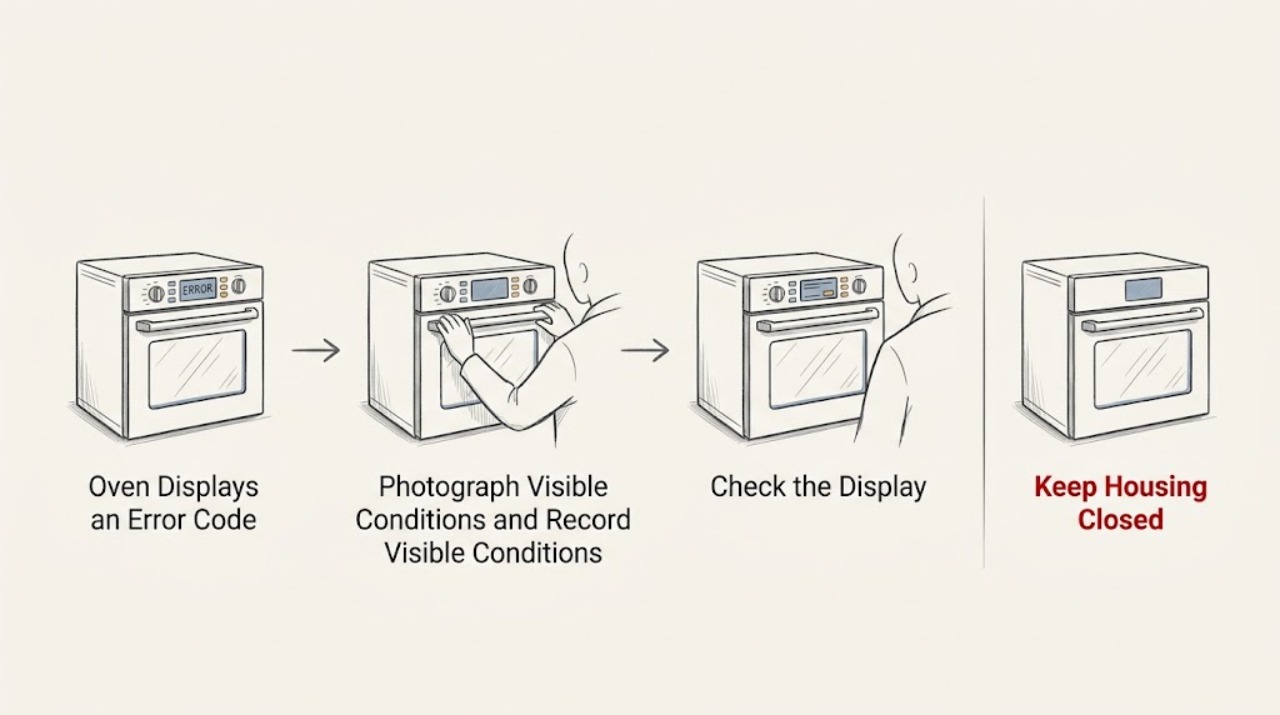
A Kenmore oven error code is a symptom, not a universal diagnosis. Kenmore's official manual library requires the complete model number so you can use the correct owner's manual and code table; Kenmore ovens from different production platforms can use different displays and meanings. Photograph or write down the exact code, note what the oven was doing, and check whether the door, controls, heating, and power changed at the same time. Follow only the cancel, unlock, or power-reset instruction in the manual for that model, and test no more than the manual permits. Do not remove the control panel, test live wiring, bypass a door lock, or replace a sensor or control board from a code alone. If the code returns, the oven will not heat, the door is locked, the display behaves erratically, or there is smoke, a burning odor, abnormal heat, gas odor, or a breaker trip, stop using the oven and arrange qualified appliance service.
Before you begin
Safety first
- Do not open the control area, test live wiring, bypass a lock or interlock, touch heating or gas components, or run repeated high-heat cycles to test the code. Keep the oven off for thermal, gas, or electrical warning signs.
Work through in order
Diagnostic checks
Use only checks that match the exact appliance or system and its official guide.
-
Check 1
Photograph or transcribe the complete error display exactly as shown, including letters, numbers, punctuation, and whether it is steady, flashing, alternating, or accompanied by beeps. Record the selected function and what happened immediately before the message.
Expected result: The display may show a stable code, a code that alternates with another message, a power-failure or lock-style message, or a code that disappears before it can be captured.
Next step: Save the display photo and note heating, door, keypad, and power symptoms. Do not remove the control panel or keep restarting the oven simply to reproduce the message.
Why this matters
Why: Exact characters and timing are needed to match the correct Kenmore manual; an approximate code can map to a different fault or a different model family.
-
Check 2
Find the complete Kenmore model number from the normal model-label location or existing purchase and service records, without moving a built-in oven or removing a panel. Enter that model number in Kenmore's official manual library and open the matching owner's manual or control guide.
Expected result: The model number may be available and match an oven manual, or it may be incomplete, unreadable, or associated with more than one similar document.
Next step: Use only the manual that matches the complete model and product type. If the model cannot be confirmed, keep the oven out of service for a persistent code and contact Kenmore support or qualified appliance service.
Why this matters
Why: Kenmore's manual library is model-driven; the exact code table and reset instructions cannot be safely inferred from the Kenmore name alone.
-
Check 3
Read the matching manual's explanation for the displayed code and check its user-level instructions for Cancel, Clear, Control Lock, Door Lock, power interruption, or another named display condition. Do not substitute a procedure from a different Kenmore model or an online code list.
Expected result: The manual may identify a user-setting condition, a temporary power-related message, a code that permits a reset, or a fault for which it directs service.
Next step: Perform only the explicitly permitted user step with the oven cool and no safety warning. If the manual says service is required, skip further testing and arrange qualified repair.
Why this matters
Why: A setting or power message can have a different remedy from a sensor, latch, control, or heating fault. The manual's wording determines whether a user reset is appropriate.
-
Check 4
If the model manual permits a power reset, turn the oven off using the documented control or household disconnect procedure, restore power only as instructed, and observe the display without starting a long or high-heat cycle just to test it.
Expected result: The code may clear and remain absent, return immediately, return when a function is selected, or be replaced by a different display or loss of control response.
Next step: If the code returns or the oven behaves abnormally, stop using it and provide the original and post-reset displays to service. Do not repeat resets or open the appliance.
Why this matters
Why: A code that returns after an allowed reset is evidence that the condition still needs diagnosis. A clear display does not prove that a sensor, control, latch, wiring, or power condition is repaired.
-
Check 5
From the controls and a safe distance, check the companion symptoms named by the manual: whether the door is locked or will not latch, keys respond, the oven heats, the display is stable, the self-clean cycle was involved, and the household breaker or fuse has operated.
Expected result: The code may be isolated, or it may occur with a locked door, no heat, runaway heat, unresponsive keys, a blank or flickering display, or a power interruption.
Next step: Record each symptom and stop using the affected function for a locked door, no or uncontrolled heat, repeated breaker operation, or an unresponsive control. Arrange qualified appliance diagnosis.
Why this matters
Why: Companion symptoms can move the service path toward the door-lock system, temperature sensing, heating/control system, user interface, or electrical supply; they do not authorize component testing.
-
Check 6
Inspect the oven area from outside the appliance for smoke, burning odor, gas odor, sparks, abnormal heat at the controls, a damaged cord, melted material, or water near electrical parts. Do not touch the appliance to confirm a suspected hot spot.
Expected result: There may be no safety warning, or the display code may occur with smoke, odor, sparks, abnormal heat, visible damage, gas odor, or a breaker trip.
Next step: Stop using the oven and keep clear. For gas odor, leave the area and follow local gas-emergency guidance; for smoke, sparks, abnormal heat, or water near electrical parts, seek urgent qualified appliance or electrical help. Do not reset the appliance.
Why this matters
Why: A normal code-clear procedure does not cover an active thermal, gas, or electrical hazard. Safety signs take priority over identifying the code.
Use your observations
Decision map
Find the observation that best matches what you see, then follow the next safe action.
-
PATH 01Next step
What you see
The display is a documented user-setting, lock, or power-interruption message, the matching manual gives a clear user step, and there is no heat, gas, odor, or electrical warning.
Do this next
Follow only that model-specific instruction, then verify that the message stays cleared and normal controls respond. If it returns, stop and arrange service rather than trying another model's sequence.
-
PATH 02Next step
What you see
The code is captured but the model number is missing, incomplete, or does not match the available manual.
Do this next
Do not assign a meaning or order a part. Keep the oven out of service if the display persists, and obtain the complete model through Kenmore's support and manual route or qualified appliance service.
-
PATH 03Next step
What you see
The code clears after the model-approved reset and the oven passes the manual's limited operational check without a companion symptom.
Do this next
Record the event and monitor for recurrence without repeated resets. A returning code, new heating problem, or unstable display changes the path to qualified service.
-
PATH 04Next step
What you see
The code returns immediately or returns when a heating, cleaning, convection, or door function is selected.
Do this next
Treat the condition as unresolved and arrange qualified appliance diagnosis. Do not infer a control board, sensor, heater, or latch replacement from the display alone.
-
PATH 05Next step
What you see
The display is paired with a locked or misaligned door, no heat, uncontrolled heat, unresponsive keys, a blank or flickering display, or repeated breaker operation.
Do this next
Stop using the affected function and provide the complete symptom pattern and display photo to service. Do not bypass the latch, open the control area, or test wiring.
-
PATH 06Next step
What you see
Smoke, burning odor, gas odor, sparks, abnormal heat, damaged insulation, water near electrical parts, or another immediate hazard is present.
Do this next
Leave the appliance off and keep clear; follow local emergency guidance for a gas odor and seek urgent qualified appliance or electrical help for fire or electrical signs. Do not attempt a reset or inspection.
Helpful context
Understand the symptom
Do not start by searching a code without the model. Kenmore's official manual page says to enter the complete model number to access the manual for an oven or range. That matters because Kenmore-branded ovens were made on different platforms and may use different code formats, reset steps, door-lock behavior, and parts. The display is useful evidence, but it does not identify a replacement part by itself.
Record the exact characters, including spaces, dashes, or a letter that looks like a number. Note whether the code appeared during preheat, bake, broil, convection, self-clean, door movement, or immediately after power returned. Also record whether the oven heated, whether the door is locked, whether keys respond, and whether a breaker or fuse changed. Those details are more useful to service than an approximate code transcription.
A single code may clear after the model-approved cancel or power-reset procedure, but clearing is not proof that the underlying condition is fixed. Use one controlled reset only when the manual permits it and the oven has no heat, gas, smoke, odor, or electrical warning. If the code returns, leave the oven out of service and use the model manual or a qualified technician for the next step.
Keep the repair boundary clear. A homeowner can read the display, identify the model, check normal user settings, and inspect the area for obvious safety hazards. Control boards, temperature-sensor circuits, door-latch mechanisms, wiring, heating elements, and gas components require qualified diagnosis. Never defeat a lock or interlock, probe energized wiring, or open the control area to guess at the fault.
Safety boundary
Stop conditions
- Do not guess the meaning of a Kenmore oven code from a different model, brand, or platform, and do not order a part from the code alone.
- Do not remove the control panel, probe energized wiring, bypass a door lock or interlock, touch heating elements, or work on gas components.
- Do not repeatedly reset or run a high-heat, broil, or self-clean cycle to reproduce a code; follow only the matching manual's limited user procedure.
- Stop immediately for smoke, burning odor, gas odor, sparks, abnormal heat, a damaged cord, water near electrical parts, or repeated breaker operation.
- Use qualified appliance service for a recurring code, no or uncontrolled heat, locked door, unresponsive controls, unstable display, or an error the manual marks for service.
Only after diagnosis
Potential parts
- oven electronic control or user interface
Consider this only after a qualified technician confirms that the recurring code and symptom pattern originate in the control or user interface rather than a sensor, wiring, latch, or power condition.
Confirm the complete Kenmore model and platform-specific fit information; similar-looking controls are not interchangeable by appearance. - oven temperature sensor
Consider this only when the matching manual and technician diagnosis identify the temperature-sensing circuit as the cause of the recurring code or heating symptom.
Verify the complete model and approved part fit before any replacement; do not infer the sensor from a generic code list. - oven door latch or lock assembly
Consider this only if the code is accompanied by a persistent locked or unlatched door and a technician confirms the latch, switch, or lock motor is at fault.
Match the complete model and door configuration; do not defeat or substitute a safety lock.
When checks do not resolve it
Need a professional?
Arrange qualified Kenmore appliance service when the error code returns after the model-approved reset, the exact model manual cannot be confirmed, the oven will not heat or may be overheating, the door remains locked or will not latch, controls are unresponsive, the display is unstable, or a code appears during self-clean or another critical function. Stop using the oven and seek urgent help for smoke, burning odor, gas odor, sparks, abnormal heat, damaged wiring, water near electrical parts, or repeated breaker trips.
Safety scope: Do not open the control area, test live wiring, bypass a lock or interlock, touch heating or gas components, or run repeated high-heat cycles to test the code. Keep the oven off for thermal, gas, or electrical warning signs.
Have this ready
- Provide the complete Kenmore model, exact display photo or transcription, selected function, timing, door and keypad behavior, heating result, reset procedure used, whether the code returned, breaker or fuse behavior, recent cleaning or repair, and any smoke, odor, gas, heat, or water warning.
Common questions
FAQ
What does a Kenmore oven error code mean?
It means the control detected a condition, but there is no single code meaning for every Kenmore oven. Use the complete model number to open the matching Kenmore manual, then match the exact display and companion symptoms. Do not choose a part from a generic code list.
How do I find the correct Kenmore oven error-code information?
Find the complete model number from the normal model-label location or your records, then enter it in Kenmore's official manual library. Use the manual for that exact model and product type; similar Kenmore names do not guarantee the same code table.
Can I reset a Kenmore oven error code?
Only if the matching model manual gives a Cancel, Clear, or power-reset procedure and there is no heat, gas, smoke, odor, or electrical warning. Use the permitted procedure once, then observe whether the code returns. A recurring code needs service.
Why does the error code come back after a reset?
A reset may clear the display without correcting the condition that triggered it. If the message returns immediately or during a specific function, the oven needs model-specific diagnosis of the possible control, sensor, door, heating, power, or wiring path. Do not repeat resets as a repair.
Should I replace the Kenmore control board or temperature sensor?
Not from the code alone. Kenmore manuals are model-specific, and a similar display can involve a control, sensor, wiring, latch, power condition, or another component. Have a qualified technician confirm the cause and complete model before selecting a part.
When should I stop using a Kenmore oven with an error code?
Stop when the code returns, the oven will not heat or may be overheating, the door is locked or will not latch, controls are unresponsive, the display is unstable, or the code appears during a critical function. Stop immediately for smoke, burning odor, gas odor, sparks, abnormal heat, water near electrical parts, or breaker trips.
Read the exact guide
Official sources
- Press Cancel to Reset - RangeWhirlpool Product Help · General manufacturer range guidance used only for the principle that a recurring code after a permitted reset requires service; exact Kenmore instructions may differ
- Kenmore ManualsKenmore · Kenmore ovens and ranges; the complete model number is required for the matching manual
- Customer CareKenmore · Kenmore appliances, including ovens and ranges
- Error Codes for Cooking AppliancesWhirlpool Product Help · General manufacturer error-code workflow used as supporting context; it is not a universal Kenmore code table
Community feedback
Share a repair observation
Share a plain-text repair observation. Accepted observations are published automatically; this page may take a moment to update.