
On this page
Start here
Quick answer
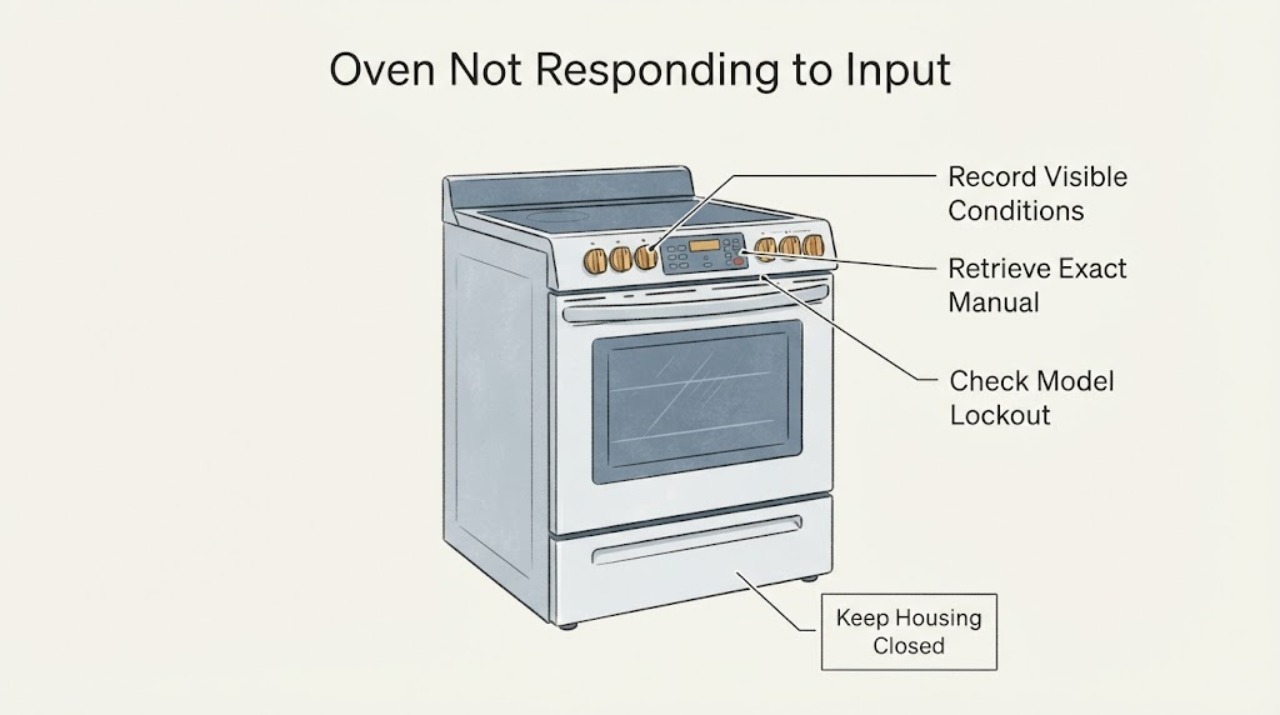
Do not assume that every Kenmore oven uses the same keypad sequence. First record the complete model number and whether the display is blank, shows a lock indicator, shows an error, or responds to some controls. Kenmore's official manuals page requires the model number to retrieve the matching oven manual, and official Kenmore product pages show that control-lockout features exist on some models. Use only the matching manual for lockout, clock, start and reset steps. If the display stays dead, controls activate heat unexpectedly, the breaker trips, there is a burning smell or the panel remains unresponsive after the manual's user checks, stop using the oven and arrange qualified service rather than opening the control panel.
Work through in order
Diagnostic checks
Use only checks that match the exact appliance or system and its official guide.
-
Check 1
Without opening the oven, record the full model number and observe the control panel once: note whether the display is blank, a lock indicator is visible, an error/message is shown, only some keys respond, or the oven is heating or locking unexpectedly.
Expected result: The panel has power and a recognizable state, or the display is blank/unresponsive or the oven behaves unexpectedly.
Next step: Use the exact-model manual for a recognized display/lock state. For a blank panel or unexpected heating/locking, keep the oven off and use the service branch.
Why this matters
Why: These states require different model-specific instructions; the symptom alone does not identify a keypad, board, lock or power fault.
-
Check 2
Enter the complete Kenmore model number in Kenmore's official manuals page and open the matching oven or range manual, checking that the model and appliance type agree.
Expected result: A matching manual is found, or the model is missing, incomplete or returns a different appliance.
Next step: Follow only the matching manual. If no match can be confirmed, stop trying keypad combinations and contact Kenmore support with the rating-label information.
Why this matters
Why: Kenmore says its manual lookup is model-number based and covers ovens and ranges; a near-match cannot establish the correct key sequence or control behavior.
-
Check 3
If the exact manual identifies a control-lockout or lock indicator, follow only that manual's unlock instruction with the oven cool and no cooking command active. Do not hold random keys or use a tool on the panel.
Expected result: The manual documents a lock state and the panel returns to normal, or no lock state is documented and the panel remains unresponsive.
Next step: For a documented lock that clears, re-enter the desired setting from the manual. If no model-specific lock path applies or the panel remains unresponsive, stop and request service.
Why this matters
Why: Kenmore publishes lockout features on some specific oven models, but the feature and sequence are not universal across the brand.
-
Check 4
From outside the appliance, note whether the display is completely dead, whether the oven is heating without a normal command, whether a breaker operates, or whether there is a burning smell or visible damage. Do not remove covers or perform live electrical tests.
Expected result: The oven is cold with a dead display, the panel is powered but ignores input, or an electrical/heating hazard is present.
Next step: Keep the oven off for any hazard or unexpected heating and arrange qualified service. If only the user interface is affected without a hazard, provide the model/state record to Kenmore support.
Why this matters
Why: A no-model article cannot distinguish household power, control, keypad, wiring or heating faults from these observations, and an unexpected-heating or electrical symptom is unsafe to test by opening the panel.
-
Check 5
After the model-authorized external checks, document which keys respond, the exact display text or icon, the recent power event or cleaning cycle, and whether the cooktop/light still operates before contacting Kenmore.
Expected result: The manual resolves the control state, or the symptom persists or recurs without a supported user fix.
Next step: Use Kenmore customer care or its appliance-repair route. Do not order a control part or open the panel from this general symptom.
Why this matters
Why: A precise model and symptom record lets Kenmore route the question or repair; persistence without a matching manual procedure is not evidence for a specific replacement board or keypad.
Use your observations
Decision map
Find the observation that best matches what you see, then follow the next safe action.
-
PATH 01Next step
What you see
The exact manual identifies a control-lockout state and the documented unlock procedure restores normal input.
Do this next
Use the oven only according to the matching manual and record the model for future reference. Escalate if the lock returns without being selected.
Why this path and its safety boundary
Why it matters: The response problem was consistent with a model-specific lockout, not proof of a failed control board.
-
PATH 02Next step
What you see
The display is powered but only some controls respond, and no documented lockout or setting explains it.
Do this next
Stop at external observations and arrange Kenmore support/service; do not remove the panel or replace a control part.
Why this path and its safety boundary
Why it matters: The no-model evidence does not separate a keypad, control, connection or settings fault.
-
PATH 03Next step
What you see
The display is blank, a breaker repeatedly operates, the oven heats without a normal command, or a burning smell or visible electrical damage is present.
Do this next
Keep the oven off and arrange qualified appliance service; do not restore operation by repeated resets or live testing.
Why this path and its safety boundary
Why it matters: This is an electrical or heating safety boundary rather than a keypad-combination problem.
-
PATH 04Next step
What you see
The model cannot be read or the Kenmore manuals page does not return a matching oven/range manual.
Do this next
Contact Kenmore customer care with the rating-label details or obtain the correct model before attempting any control sequence.
Why this path and its safety boundary
Why it matters: The assigned Kenmore oven identity is known, but the control behavior and safe keypad procedure remain unresolved at family level.
-
PATH 05Next step
What you see
The manual-authorized control check restores normal input and the oven remains cold and stable.
Do this next
Monitor the next normal use and seek service if unresponsiveness recurs or any heating/electrical symptom appears.
Why this path and its safety boundary
Why it matters: A temporary setting or documented lock state may have been cleared, but this does not validate any internal component.
Helpful context
Understand the symptom
Classify what “not responding” means
Watch the panel without repeatedly pressing keys and note whether the display is completely blank, shows a lock symbol or other message, accepts some keys but not Start, or responds while the oven heats or locks unexpectedly. These are different conditions. The task has no model number, so a generic lockout or reset sequence would risk changing settings or starting a cycle on the wrong control family.
Find the exact Kenmore manual before using a key sequence
Kenmore's official manual finder says to enter the appliance model number and explains that its manuals cover ovens and ranges. Record the full model from the rating label, then use that manual for the documented control-lockout, clock, Start/Cancel and reset instructions. Do not copy a sequence from a similar-looking Kenmore panel.
Treat lockout as a model-specific possibility
Kenmore's published product pages for particular ovens describe a push-button oven control lockout. That confirms that lockout can make controls appear unavailable on some Kenmore models, not that every Kenmore oven uses the same feature or button. If the exact manual does not identify a lock indicator or unlock method, stop pressing combinations and request support.
Separate user controls from an electrical or heating fault
Observe whether the display and indicators remain powered and whether the oven is cold, heating, or locking without a normal command. Do not remove the rear panel, probe wiring, bypass a lock or test live voltage. A blank display, unexpected heating, repeated breaker operation or a panel that remains unresponsive after model-authorized checks needs professional diagnosis.
Prepare a useful service request
If the exact manual's external checks do not restore normal input, keep the oven off and record the model, display message, which keys respond, whether the cooktop or light still works, and what happened immediately before the symptom. Kenmore's customer-care and contact pages provide the official routes for product questions and appliance repair.
When checks do not resolve it
Need a professional?
Arrange qualified Kenmore appliance service when the exact manual does not resolve the unresponsive control, the display remains blank, the panel acts erratically, a breaker trips, heating occurs without a normal command, or there is a burning smell or visible electrical damage. Do not select a keypad, control board or wiring part without model-matched diagnosis.
Common questions
FAQ
Can I use a universal Kenmore oven unlock sequence?
No. Kenmore's official pages show lockout features on particular models, while the manual finder requires the complete model number. Use only the matching manual's lockout instruction; if the model cannot be confirmed, contact Kenmore support.
What should I record when a Kenmore oven ignores the buttons?
Record the full model number, whether the display is blank or lit, any lock icon or exact message, which keys respond, whether the oven is heating or locked, and any recent power event. Kenmore directs owners to model manuals and customer-care/repair routes for product help.
When is an unresponsive Kenmore oven unsafe to keep testing?
Keep it off if it heats without a normal command, repeatedly trips a breaker, smells burned, shows visible electrical damage or needs the panel opened. Use qualified appliance service rather than live testing or control-board replacement.
Read the exact guide
Official sources
- Customer Care & Support | Kenmore AppliancesKenmore / Transform SR Brands LLC · Official Kenmore customer-care page; supports product questions, manuals, safety/recall information and repair/service routing.
- Contact Us | Kenmore Customer SupportKenmore / Transform SR Brands LLC · Official Kenmore contact page; supports routing product questions and appliance repair without exposing a commercial destination in the article.
- Find Your Manual | Kenmore Appliance Manuals & GuidesKenmore / Transform SR Brands LLC · Official Kenmore manual portal; supports model-number matching and confirms that oven/range manuals are available, but does not establish a universal control sequence.
- Kenmore Elite 48363 30" Electric Single Wall Oven - Stainless SteelKenmore / Transform SR Brands LLC · Official product page for one identified Kenmore model only; used to show that control lockout exists on some models, not to generalize its button sequence to an unknown oven.
Community feedback
Share a repair observation
Share a plain-text repair observation. Accepted observations are published automatically; this page may take a moment to update.