
On this page
Start here
Quick answer
First confirm that the Kenmore oven is actually failing to preheat: use the exact model's Bake or Preheat function, wait for its ready tone or indicator, and avoid opening the door while it heats. Kenmore's official site directs owners to the exact model manual for preheat, vent, cookware, temperature and service instructions; no universal timing or internal repair rule is supplied here. If the oven never reaches the set temperature, shows a repeated fault, smells of gas or smoke, or remains slow after those checks, stop relying on generic calibration or parts advice and arrange model-specific service.
Before you begin
Safety first
- Do not touch heating elements or the rear temperature sensor while hot, open panels, measure live circuits, change gas ignition parts, bypass safety controls or apply a calibration offset copied from another model. Repairs not described by the exact owner manual belong to a qualified technician.
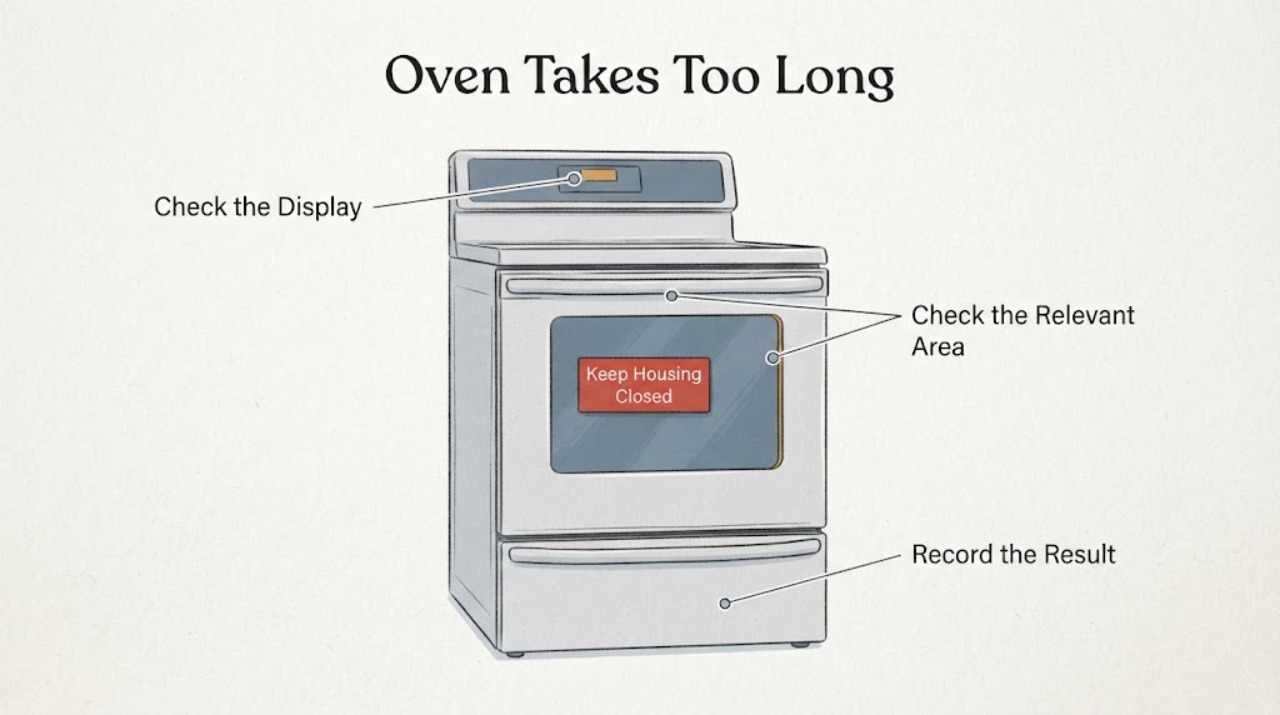
Work through in order
Diagnostic checks
Use only checks that match the exact appliance or system and its official guide.
-
Check 1
Find the full Kenmore model number on the appliance label, then open that exact manual and start the documented Bake or Preheat function with the oven empty. Set the intended temperature and press the manual's required Start control; do not judge preheat by repeatedly opening the door.
Expected result: The matching manual shows a ready tone or indicator and it appears, or the display never reaches the documented ready state.
Next step: If the ready state occurs, investigate cooking setup rather than replacing parts. If it never occurs, record the model, mode and set temperature and continue only with the external checks below.
Why this matters
Why: Kenmore's model-specific manuals and product pages distinguish preheating and monitoring controls, but the exact ready indication varies by appliance. If the ready state never occurs, the issue is different from food simply cooking slowly after a normal preheat.
-
Check 2
With the oven cool, inspect the visible vent area under or near the control panel and confirm it is not covered. Remove foil that blocks the oven bottom or racks, and use the rack and pan spacing described by the exact manual. Do not bend or move the temperature-sensor tube at the back of the cavity.
Expected result: The vent, oven bottom or rack is covered, pans restrict the documented airflow, or the vent and sensor are unobstructed.
Next step: Correct only the visible installation or cookware condition allowed by the manual, then repeat one documented preheat. If the oven still does not reach temperature, stop making generic adjustments and arrange service.
Why this matters
Why: Kenmore's official manuals page directs owners to model-specific instructions for vent, cookware and sensor limits; these vary by appliance. These conditions can affect baking performance but do not prove a particular failed part.
-
Check 3
Run the comparison only when the appliance is safely installed and there is no gas odor, smoke or exposed damage: note whether the slow result occurs in Bake, whether the control display remains normal, and whether the oven reaches its ready indication before food is added. Do not touch elements, wiring, the sensor or hot surfaces.
Expected result: The oven reaches the ready indication but food is undercooked, or the oven never reaches it or shows a repeated fault.
Next step: For normal preheat, correct the cooking setup and keep the door closed during heating. For missing ready indication or a repeated fault, stop using generic calibration or part advice and give the model and display information to qualified service.
Why this matters
Why: A normal ready indication points toward rack, pan, door-opening or recipe conditions rather than a proven no-preheat failure. A missing ready indication or recurring fault needs model-specific diagnosis; the manuals do not authorize an internal component test from this symptom alone.
-
Check 4
Check the appliance's visible control and installation state while it is cool: confirm the clock, Bake/Preheat selection and Start action match the exact manual, and verify that the range or wall oven has not been moved or left unstable. Do not remove panels, test live circuits or attempt a gas ignition repair.
Expected result: The control sequence or installation state is wrong, or the user controls and installation appear correct but preheat is still slow.
Next step: Correct the documented user setting or installation issue only. If the setup is correct and the ready state remains delayed or absent, stop troubleshooting at the panel and request model-specific service.
Why this matters
Why: The manuals identify control selection, household power and safe installation as prerequisites and reserve repairs outside the stated instructions for a qualified technician. A correct external setup with persistent slow preheat does not identify a compatible part.
-
Check 5
Stop using the oven and escalate immediately for gas odor, smoke, an oven fire, damaged wiring, a repeated fault code, or heating that behaves unexpectedly. Allow hot surfaces to cool; do not remove the door, touch the sensor or element, or attempt a repair unless the exact manual gives that instruction.
Expected result: A safety symptom or repeated fault is present, or the oven is merely slow without those conditions.
Next step: For gas or fire symptoms, follow the appliance and emergency safety instructions and obtain qualified service. For persistent slow preheat without an immediate hazard, provide the exact model, mode, set temperature, ready indication and visible checks to a qualified appliance technician.
Why this matters
Why: The exact Kenmore manual must be used for hot-surface, fire and service boundaries; this task has no model to support an internal repair instruction. A persistent no-preheat condition is not made safe by repeated resets or calibration guesses.
Use your observations
Decision map
Find the observation that best matches what you see, then follow the next safe action.
-
PATH 01Next step
What you see
The exact manual's ready tone or indicator appears, but food still cooks slowly.
Do this next
Keep the door closed while heating, use the documented rack and pan spacing, and follow the exact manual's cooking guidance; seek service only if the oven temperature or operation is still abnormal.
Why this path and its safety boundary
Why it matters: The oven has reached its documented preheat state, so the evidence points toward rack, pan, door-opening, recipe or temperature-use conditions rather than a proven preheat failure.
-
PATH 02Next step
What you see
The vent is blocked or foil covers the oven bottom/rack, and the oven has not yet been retested after correcting it.
Do this next
Cool the oven, clear only the obstruction allowed by the manual, and repeat one documented preheat without moving the temperature sensor.
Why this path and its safety boundary
Why it matters: A user-accessible airflow or cookware condition could be affecting baking performance.
-
PATH 03Next step
What you see
The oven never reaches its ready indication, repeatedly displays a fault, or remains slow after the exact manual's external checks.
Do this next
Stop generic calibration and part replacement attempts, record the model and display behavior, and arrange qualified Kenmore appliance service.
Why this path and its safety boundary
Why it matters: The remaining problem is outside the evidence-supported user adjustments; no specific element, sensor, relay or control failure can be identified without the model and professional diagnosis.
-
PATH 04Next step
What you see
There is gas odor, smoke, fire, exposed wiring or an unexpectedly hot/damaged control area.
Do this next
Stop using the oven, follow the appropriate gas/fire/electrical safety boundary, and obtain qualified service; do not open the appliance or repeat the test.
Why this path and its safety boundary
Why it matters: This is a safety escalation rather than a preheat optimization problem.
Helpful context
Understand the symptom
Separate slow preheating from a cooking-time problem
A preheat indicator or tone means the control believes the set temperature has been reached; food that cooks slowly after that is a different question from an oven that never reaches preheat. Record the set temperature, when the ready indication appears, whether it returns to heating, and whether the complaint occurs on Bake or another mode. The task has no model number, so this page does not assign a failed element, sensor, relay or calibration value.
Use the exact model manual before changing calibration
Kenmore directs owners to enter the model number to retrieve the matching manual. The opened manuals cover specific model families and show that controls, preheat indications, temperature adjustment and safety instructions vary by appliance. Do not copy a key sequence, temperature offset or component test from another Kenmore range or wall oven.
When checks do not resolve it
Need a professional?
Arrange qualified Kenmore appliance service when the exact model never reaches its preheat indication, a fault repeats, external vent/control checks do not help, or any gas, smoke, fire, wiring or abnormal-heating symptom is present.
Safety scope: Do not touch heating elements or the rear temperature sensor while hot, open panels, measure live circuits, change gas ignition parts, bypass safety controls or apply a calibration offset copied from another model. Repairs not described by the exact owner manual belong to a qualified technician.
Have this ready
- Provide the full model number, oven type, Bake or Preheat mode, set temperature, elapsed behavior, whether the ready tone/indicator appeared, any displayed fault, and the vent/rack/door-opening checks already made.
Common questions
FAQ
How long should a Kenmore oven take to preheat?
There is no single safe time for every Kenmore oven. Use the exact model's Bake or Preheat function and its ready tone or indicator; Kenmore's official site does not establish one universal preheat time for every oven; use the exact model's ready indication. Record the model and behavior if the ready state never appears.
Can a blocked oven vent make preheating slow?
It can affect heat flow and baking performance. Use the exact Kenmore manual for vent and foil limits; the official manuals page confirms these instructions are model-specific. Clear only visible obstructions allowed by the exact manual; do not infer a failed element from that symptom.
Should I recalibrate a Kenmore oven that preheats slowly?
Do not copy a calibration value from another Kenmore model. First confirm the exact model, the selected mode, the ready indication, the vent and the cooking setup. If the oven never reaches its documented preheat state, obtain a diagnosis instead of using calibration to mask an unverified heating or control fault.
What should I do if the oven smells of gas or shows smoke while preheating?
Stop using it and follow the appropriate gas, fire and electrical safety boundary. Do not continue preheating, open panels or test ignition components. Give the exact model and observed symptom to qualified service after the immediate hazard is controlled.
Read the exact guide
Official sources
- Cooking Appliances | Ranges, Ovens & More | KenmoreKenmore / Transform SR Brands LLC · Opened Kenmore's official cooking-appliance page. It confirms Kenmore range/oven product families and distinguishes model features such as faster preheating; it is not used as a universal repair specification.
- 24" Self-Cleaning Electric Wall Oven - WhiteKenmore / Transform SR Brands LLC · Opened Kenmore's official product page for model 22-40542. It supports only a model-specific example that the controls heat, preheat and monitor food and that the viewing window helps avoid opening the door; it is not generalized to the unidentified task appliance.
- Kenmore Pro 72583 5.1 cu. ft. Gas True Convection Range - Stainless SteelKenmore / Transform SR Brands LLC · Opened Kenmore's official product page for model 22-72583. It demonstrates that convection and Accela Heat features affect preheat behavior and that gas/electric/model differences matter; it is not evidence for an unidentified Kenmore oven's timing or internal fault.
- Find Your Manual | Kenmore Appliance Manuals & GuidesKenmore / Transform SR Brands LLC · Opened Kenmore's official manuals page. It states that owners should enter the model number to retrieve the matching manual for ovens and ranges; no model was supplied for this task.
Community feedback
Share a repair observation
Share a plain-text repair observation. Accepted observations are published automatically; this page may take a moment to update.